Driving a mosfet pnp with an IR receiver.

Thread Starter

jriofrio

Joined Dec 8, 2014
93
Just so you know, the output of the sensor will change 10’s or maybe even hundreds of times when you press the button on the remote.
Good news, well, for me at list...
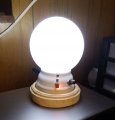
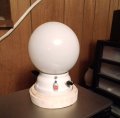
After I tested the IR receiver with the touch sensor switch with the 10 ohm 100 watt resistor as a load. All seems to work well, no unusual behavior. Tested it for a little while, so I decided to incorporate it into the lamb. And "It woks" ( my Arnold impersonation).
Thank you all for this.... Polish_20230625_133518044.jpgPolish_20230625_133446071.jpg
 

Thread Starter

jriofrio

Joined Dec 8, 2014
93
That's going to a big waste of power though. The lamp only draws .25 amps and the resistor another 1.2amps.
I didn't include the resistor, only I used it to test the switch... So
That's going to a big waste of power though. The lamp only draws .25 amps and the resistor another 1.2amps.
If I may, I would like to ask for some guidance on where can I find a good source of information about the coding to a specific remote in order to avoid interference from other remotes.
At this moment just would like to learn and become familiar with the steps/process in how I can program it. I know it will involve the use of mcu's. I would like to give a try. First I would like to read and see some examples/projects about it.
Thank you very much for all your help, it has been very illustrating.
 

djsfantasi

Joined Apr 11, 2010
9,237
At this moment just would like to learn and become familiar with the steps/process in how I can program it. I know it will involve the use of mcu's. I would like to give a try. First I would like to read and see some examples/projects about it.
Here’s an article that shows how you can use an Arduino MCU as a remote controller. It includes a program that reads the code from the remote and prints it out. You can pick a code that’s not used often.

Note that most of the hard programming has been done for you in a library that contains functions to set up and use an IR Remote with an Arduino. They let you read a remote OR act as a remote.

The article then goes on to describe how you can use the learned codes to write your own program. It presents a skeleton program for all buttons and then shows an example program to blink different LEDs based on which button on the remote you press.
 

Thread Starter

jriofrio

Joined Dec 8, 2014
93
Here’s an article that shows how you can use an Arduino MCU as a remote controller. It includes a program that reads the code from the remote and prints it out. You can pick a code that’s not used often.

Note that most of the hard programming has been done for you in a library that contains functions to set up and use an IR Remote with an Arduino. They let you read a remote OR act as a remote.

The article then goes on to describe how you can use the learned codes to write your own program. It presents a skeleton program for all buttons and then shows an example program to blink different LEDs based on which button on the remote you press.
[/QUOTE]
Thank you, I will definitely will check it out...
I have been thinking that I should find info in how to program the a IR receiver module (you know the IR receiver with a micro in order to store the hex of whatever remote being use and to react to that specific remote). I have been looking around but most videos I have seen so far it to make the remote.
I would prefer to know how I can program a diy IR receiver and use any remote available.
Do you know of any projects done which I could follow?
Thank you again for your help
 

djsfantasi

Joined Apr 11, 2010
9,237
Here’s an article that shows how you can use an Arduino MCU as a remote controller. It includes a program that reads the code from the remote and prints it out. You can pick a code that’s not used often.

Note that most of the hard programming has been done for you in a library that contains functions to set up and use an IR Remote with an Arduino. They let you read a remote OR act as a remote.

The article then goes on to describe how you can use the learned codes to write your own program. It presents a skeleton program for all buttons and then shows an example program to blink different LEDs based on which button on the remote you press.
Thank you, I will definitely will check it out...
I have been thinking that I should find info in how to program the a IR receiver module (you know the IR receiver with a micro in order to store the hex of whatever remote being use and to react to that specific remote). I have been looking around but most videos I have seen so far it to make the remote.
I would prefer to know how I can program a diy IR receiver and use any remote available.
Do you know of any projects done which I could follow?
Thank you again for your help
[/QUOTE]

The article I linked to will do exactly that.
 

Thread Starter

jriofrio

Joined Dec 8, 2014
93
Thank you, I will definitely will check it out...
I have been thinking that I should find info in how to program the a IR receiver module (you know the IR receiver with a micro in order to store the hex of whatever remote being use and to react to that specific remote). I have been looking around but most videos I have seen so far it to make the remote.
I would prefer to know how I can program a diy IR receiver and use any remote available.
Do you know of any projects done which I could follow?
Thank you again for your help
The article I linked to will do exactly that.
[/QUOTE]
I took a quick look,... To the article, it talks about in how you can get the codes from the remote, but I didn't see in how to program them to a micro in order to used it in a project (like my lamp).... It probably shows in how to program it into a Arduino.
I think some while ago I saw a project in which a attiny85 was being use in order to process the incoming signals program in it. That was probably a couple years ago, can recall where.
I see a lot info on the remote but nothing so far on what I want.... Will keep looking.
Thank you, good night.
 

ericgibbs

Joined Jan 29, 2010
21,517
Hi,
I use this DroneBot Sketch for ready almost any type of remote, it outputs the IR code sequence on the IDE Serial.

E

C-like:
#include <boarddefs.h>
#include <IRremote.h>
#include <IRremoteInt.h>
#include <ir_Lego_PF_BitStreamEncoder.h>
   
/*
  IR Receiver Demonstration 2
  IR-Rcv-Demo2.ino
  Determine IR codes manufacturer type with IR Receiver
  Displays results on Serial Monitor
  DroneBot Workshop 2017
  http://dronebotworkshop.com
*/

// Include IR Remote Library by Ken Shirriff
#include <IRremote.h>

// Define sensor pin
const int RECV_PIN = 4;

// Define IR Receiver and Results Objects
IRrecv irrecv(RECV_PIN);
decode_results results;

void setup(){
  // Serial Monitor @ 9600 baud
  Serial.begin(9600);
  // Enable the IR Receiver
  irrecv.enableIRIn();
}

void loop(){
  if (irrecv.decode(&results)){
        Serial.println(results.value, HEX);
        switch (results.decode_type){
            case NEC:
              Serial.println("NEC");
              break;
            case SONY:
              Serial.println("SONY");
              break;
            case RC5:
              Serial.println("RC5");
              break;
            case RC6:
              Serial.println("RC6");
              break;
            case DISH:
              Serial.println("DISH");
              break;
            case SHARP:
              Serial.println("SHARP");
              break;
            case JVC:
              Serial.println("JVC");
              break;
            case SANYO:
              Serial.println("SANYO");
              break;
            case MITSUBISHI:
              Serial.println("MITSUBISHI");
              break;
            case SAMSUNG:
              Serial.println("SAMSUNG");
              break;
            case LG:
              Serial.println("LG");
              break;
            case WHYNTER:
              Serial.println("WHYNTER");
              break;
            case AIWA_RC_T501:
              Serial.println("AIWA_RC_T501");
              break;
            case PANASONIC:
              Serial.println("PANASONIC");
              break;
            case DENON:
              Serial.println("DENON");
              break;
          default:
            case UNKNOWN:
              Serial.println("UNKNOWN");
              break;
          }
        irrecv.resume();
}
}
 

Thread Starter

jriofrio

Joined Dec 8, 2014
93
Hi,
I use this DroneBot Sketch for ready almost any type of remote, it outputs the IR code sequence on the IDE Serial.

E

C-like:
#include <boarddefs.h>
#include <IRremote.h>
#include <IRremoteInt.h>
#include <ir_Lego_PF_BitStreamEncoder.h>
   
/*
  IR Receiver Demonstration 2
  IR-Rcv-Demo2.ino
  Determine IR codes manufacturer type with IR Receiver
  Displays results on Serial Monitor
  DroneBot Workshop 2017
  http://dronebotworkshop.com
*/

// Include IR Remote Library by Ken Shirriff
#include <IRremote.h>

// Define sensor pin
const int RECV_PIN = 4;

// Define IR Receiver and Results Objects
IRrecv irrecv(RECV_PIN);
decode_results results;

void setup(){
  // Serial Monitor @ 9600 baud
  Serial.begin(9600);
  // Enable the IR Receiver
  irrecv.enableIRIn();
}

void loop(){
  if (irrecv.decode(&results)){
        Serial.println(results.value, HEX);
        switch (results.decode_type){
            case NEC:
              Serial.println("NEC");
              break;
            case SONY:
              Serial.println("SONY");
              break;
            case RC5:
              Serial.println("RC5");
              break;
            case RC6:
              Serial.println("RC6");
              break;
            case DISH:
              Serial.println("DISH");
              break;
            case SHARP:
              Serial.println("SHARP");
              break;
            case JVC:
              Serial.println("JVC");
              break;
            case SANYO:
              Serial.println("SANYO");
              break;
            case MITSUBISHI:
              Serial.println("MITSUBISHI");
              break;
            case SAMSUNG:
              Serial.println("SAMSUNG");
              break;
            case LG:
              Serial.println("LG");
              break;
            case WHYNTER:
              Serial.println("WHYNTER");
              break;
            case AIWA_RC_T501:
              Serial.println("AIWA_RC_T501");
              break;
            case PANASONIC:
              Serial.println("PANASONIC");
              break;
            case DENON:
              Serial.println("DENON");
              break;
          default:
            case UNKNOWN:
              Serial.println("UNKNOWN");
              break;
          }
        irrecv.resume();
}
}
Thank you, I appreciate very much.
So this code can be run on the Arduino, correct?
I will surely use it.....
 

ericgibbs

Joined Jan 29, 2010
21,517
hi,
Yes it runs on an Arduino, it will serial print out the manufacturer of the IR code that the remote is using.

Using other sketches, you can also, serial print out the code sequence for a particular key presses.
and mimic the codes from your IR sender.

E

I can use my laptop as a remote, and it controls the TV, Sky unit and other functions.
Image.
Added Link:
https://www.ebay.co.uk/itm/32453756...BV3BPpdiqubPrSRKSCaiE0hBFo|tkp:Bk9SR66Pq_ueYg
Added the Remote control Sketch as a text file.


EG57_ 920.png
 

Attachments

Last edited:

BobTPH

Joined Jun 5, 2013
11,599
Once you know the code, you program the Arduino to recognize that code and that code only. Eric said the project he linked to has a demo of blinking separate LEDs with different codes, so you have an example of how to recognize a particular code.
 

djsfantasi

Joined Apr 11, 2010
9,237
I took a quick look,... To the article, it talks about in how you can get the codes from the remote, but I didn't see in how to program them to a micro in order to used it in a project (like my lamp).... It probably shows in how to program it into a Arduino.
I think some while ago I saw a project in which a attiny85 was being use in order to process the incoming signals program in it. That was probably a couple years ago, can recall where.
I see a lot info on the remote but nothing so far on what I want.... Will keep looking.
Thank you, good night.
The second part of the article discusses using the remote to turn on two LEDs. That part discussed how to put the remote codes into your program. It’s as simple as putting the codes in as constants and using an if statement to see if the returned code is equal to one of the remote codes.
 

Thread Starter

jriofrio

Joined Dec 8, 2014
93
The second part of the article discusses using the remote to turn on two LEDs. That part discussed how to put the remote codes into your program. It’s as simple as putting the codes in as constants and using an if statement to see if the returned code is equal to one of the remote codes.
Hello... Thank you for all the info. I will start trying to do some testing soon.
I also found something that I would like to share. It's about using the attiny85, is a video.
Hope you take a look, the process looks very simple enough.
Good day...
 

Thread Starter

jriofrio

Joined Dec 8, 2014
93
Are you planning on keeping the touch sensor in the circuit as well?
Well, I was thinking in using this new setup for a new lamp. But if I decide to update my current lamp, I probably get rid of the touch sensor and reyit with a mechanical one. The only reason I used it right now is because the video info used the touch sensor circuitry in order to deal with the signal frequency of the IR receiver. I didn't have much success in using the IR receiver by itself.
 

Thread Starter

jriofrio

Joined Dec 8, 2014
93
Well, I was thinking in using this new setup for a new lamp. But if I decide to update my current lamp, I probably get rid of the touch sensor and reyit with a mechanical one. The only reason I used it right now is because the video info used the touch sensor circuitry in order to deal with the signal frequency of the IR receiver. I didn't have much success in using the IR receiver by itself.
Salutations to you all, wishing all is going well with all of you.
I report that I have been doing some experimentation and some testing of the circuits that I would like to use for use around the house. Also I been reading to some extent, not as much as would like cause mostly the datasheet are to complex for me to understand due to my limited knowledge of electronics.
I having trying to understand the use of this cd4017, being a counter, makes little sense to me to be use in the IR switch we wanted to solve... But in all the videos I have seen, it works.
Trying to understand how it works, got me a little overwhelmed with so much info. Texas instruments have a whole big family of these things, the part numbers start with SN74.... I see they have many with fewer pins (something that I thought it was a waist with the cd4017 with 14 or 16 pins if we only use 6 pins to deal with the IR switch).
I might be wrong, I was reading that this ic's can switch the signal input with booliant gates. I took some classes when I was student of computer science. Long time ago, can remember details about those classes. Anyway there is this SN74CB3T1G125 Single FET Bus Switch that I thought it does the signal switching (by switching I mean if the input signal is positive, it will be switched to negative).
Am I right?.... Well I already have said a lot for tonight. Hope to hear from you all, I would like to dismiss my assumption about this ic's, specially in how they function in the IR switching receiver.
Thank you all, good night.
 

ElectricSpidey

Joined Dec 2, 2017
3,347
What is the point of worrying about wasting pins?

The 4017 can count anywhere up to ten, in this case you are counting up to two, a perfectly reasonable usage.
 

Thread Starter

jriofrio

Joined Dec 8, 2014
93
What is the point of worrying about wasting pins?

The 4017 can count anywhere up to ten, in this case you are counting up to two, a perfectly reasonable usage.
Hello, good morning.... I understand your point of view.
When I was a student my professor of programming always emphasize efficiency in the use of resources.... I guess, I always have tried to use only what it is needed. I know there is conditions/situations will affect the choices in components use, like we have it already, limited time or we are more familiar with it, etc, etc.
Well, all boils down in how I think/feeling about certain things.
Thank you.....
I'm waiting for the arrival of the attiny85 in order to put together a new IR receiver switch.
 
Top