Need help to make two doorbells work simultaneously

MisterBill2

Joined Jan 23, 2018
27,552
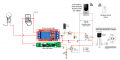
Try this circuit with the 2N7000.
When the button is pressed for the 230 volt bell the opto-isolator turns on Q2 which shorts the switch wires on the video doorbell which in turns activates the 5 volt relay module to power the 230 volt doorbell.
View attachment 298675
I suggest, on the circuit drawing, avoid using any "ground" symbol for any part that does not actually require an actual ground connection.
The reason for the suggestion is that really, none of the system requires any sort of external "ground" connection. So using the symbol instead of showing a connection can cause confusion for those not masters of the concepts.
And certainly creating the functionality of two inputs in parallel when they are so very different is a really "big deal", and leading another through the process is certainly quite a task.
So my suggestion is only to prevent confusion.
 

MisterBill2

Joined Jan 23, 2018
27,552
I am aware of what it is intended to imply. My point is that not everybody is going to understand that it is just a shortcut for "common", and think that it implies an external connection.
 

Thread Starter

Anomajaya

Joined Jul 11, 2023
59
I am aware of what it is intended to imply. My point is that not everybody is going to understand that it is just a shortcut for "common", and think that it implies an external connection.
Agree. I had this confusion since my childhood but cleared very recently. I used the ground symbol in the very first diagram in the post #1 to reduce the confusion by reducing the number of wires and details. At the end I’ll post a whole new diagram with correct symbols based on the everyone’s contribution.
 

Sensacell

Joined Jun 19, 2012
3,785
Hmmm. Using these ground symbols is such a common practice, it also illustrates the point where measured voltages are referenced.
The benefits outweigh the possible confusion in my opinion?
 

Thread Starter

Anomajaya

Joined Jul 11, 2023
59
Try this circuit with the 2N7000.
When the button is pressed for the 230 volt bell the opto-isolator turns on Q2 which shorts the switch wires on the video doorbell which in turns activates the 5 volt relay module to power the 230 volt doorbell.
View attachment 298675
Unfortunately this activates the video doorbell button even without pressing it (just by powering up the bread board with 5v).
Furthermore, it keeps the 5v relay alway active (NO is closed).
 

Thread Starter

Anomajaya

Joined Jul 11, 2023
59
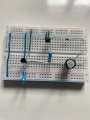
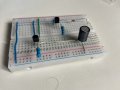
I don't think you have it connected correctly. Can you post a photo of your setup?
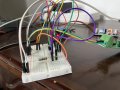
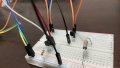
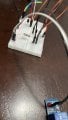
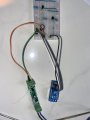
Ok. I used a breadboard and it’s little messy. Anyway I checked each and every wire twice and found no errors.
 

Attachments

sghioto

Joined Dec 31, 2017
8,634
I can't make heads or tails out of that contraption. Way too many jumpers, I need a close up of the breadboard showing how the transistors are connected.
 
Last edited:

sghioto

Joined Dec 31, 2017
8,634
Double check the transistor connections paying close attention to the pinout.
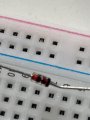
The resistors appear to be connected incorrectly. One end of the 3.3K should be connected to +5 volts. One end of the 100K should be connected to ground. Looks like you have the 3.3K going to ground and the 100K going to +5 volts.
1689944689334.png
 
Last edited:

Thread Starter

Anomajaya

Joined Jul 11, 2023
59
Double check the transistor connections paying close attention to the pinout.
The resistors appear to be connected incorrectly. One end of the 3.3K should be connected to +5 volts. One end of the 100K should be connected to ground. Looks like you have the 3.3K going to ground and the 100K going to +5 volts.
View attachment 298760
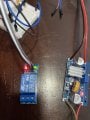
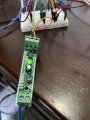
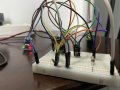
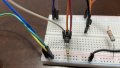
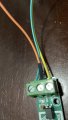
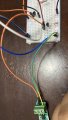
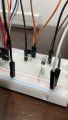
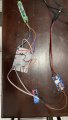
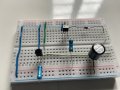
You are quite correct. I removed all and did it fresh. Now it works like a charm! Please see the photos and the video clips.

Wonder how to thank you. :)

video 1 :https://drive.google.com/file/d/1_LW-SLkekdfvbHmK-KiZ41qyb1zpgl97/view?usp=drivesdk

video2: https://drive.google.com/file/d/184SpbramCjo49jgC910q6L4NOAcIYgjY/view?usp=drivesdk
 

Attachments

sghioto

Joined Dec 31, 2017
8,634
From what I'm seeing the 5 volt relay doesn't stay on very long for the 230 volt bell is that going to be a problem?
It's only going to stay activated for as long as the video button is pressed.
 

Thread Starter

Anomajaya

Joined Jul 11, 2023
59
From what I'm seeing the 5 volt relay doesn't stay on very long for the 230 volt bell is that going to be a problem?
It's only going to stay activated for as long as the video button is pressed.
I noticed that too. Is there anything that I can do for it?
 

sghioto

Joined Dec 31, 2017
8,634
Add this mod. The value of C1 will determine the hold time on the relay module. Change R1 to a 1K and note the polarity of the diode and capacitor leads. I have that exact relay module shown below and the hold time is appx 2 seconds with C1 at 330uf. YMMV.
1689965905945.png
 
Last edited:

MisterBill2

Joined Jan 23, 2018
27,552
What feedback?
When the mains doorbell button is pressed, that causes an effective contact closure for the electronic doorbell to "ring" When the electronic doorbell is activated, the other transistor is triggered and that sends a signal to activate the mains doorbell. I call that feedback. It would lead to a system lockup.
 

sghioto

Joined Dec 31, 2017
8,634
When the mains doorbell button is pressed, that causes an effective contact closure for the electronic doorbell to "ring" When the electronic doorbell is activated, the other transistor is triggered and that sends a signal to activate the mains doorbell. I call that feedback. It would lead to a system lockup.
That's the way it's designed. It only stays activated while the mains doorbell button is pressed.
 

Thread Starter

Anomajaya

Joined Jul 11, 2023
59
Add this mod. The value of C1 will determine the hold time on the relay module. Change R1 to a 1K and note the polarity of the diode and capacitor leads. I have that exact relay module shown below and the hold time is appx 2 seconds with C1 at 330uf. YMMV.
View attachment 298789
I did it a little more organised way this time and connected 230V AC as well. Instead of a 230V AC bell, I used a 230V bulb to check. Unfortunately, once I connected the video doorbell to the breadboard while AC power and 5V DC supply is ON, even without pressing the 230v switch, the doorbell starts ringing.

And pressing the 230V button did not light the 230V bulb. But I noticed that when the 230V button kept pressing, I was able to connect the video doorbell to the breadboard without activating it. But again, even if I pressed the video doorbell button (while I kept the 230V button pressed), the bulb did not switch on. Please see this video.

If I changed the direction of the diode, the bulb works as expected for pressing the 230v switch. But it did not cure the auto-activation of the video doorbell while connecting it to the breadboard. Please see the video.

[As I do not have a 230v momentary switch for testing, I used a latching switch and manually switched it off as soon as I pressed it on. The fan regulator you see in that latching switch is totally disconnected from the switch]

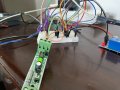
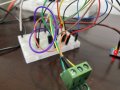
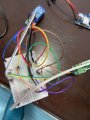
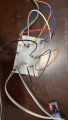
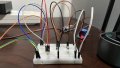
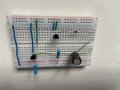
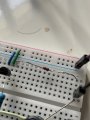
I'll add some photos of the breadboard prepared below.

Keeping my fingers crossed.
 

Attachments

Top