Facebook
 Google
 GitHub
 Linkedin

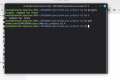
I see the path of the project in the terminal-it has spaces. Do I just delete spaces in that line using the terminal to edit then click enter? I can't backspace before the dollar sign to edit the path. What about all the other files and folders in that path-if any, do I access them to delete spaces and if so, how do I access the files and folders? I'm afraid of doing irreversible damage. The project is in the default location.I hope the installation directory of the MPLAB X is in default location, then there is no problems. Problem may be lay in your project directory. Navigate to your project folder and make right click on the folder name. Depending of the file explorer app there may appear drop-down menu where you can choose to open terminal in this location. In therminal window type in pwd command and you will see full path of this folder. Alternatively just open terminal window and navigate to the project directory with ls -l and cd commands. Usually is the default location for yor project /home/Your_user_name/MPLABXProjects/Your_project_name
Last edited: