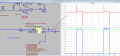
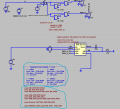
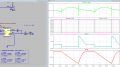
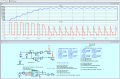
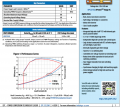
I am currently using a simulator that does not allow to calculate the RMS, so the only thing I can do is to export the plot of the power of my system to Excel and calculate it myself manually there.
So I did ... I simulated for a time equal to the period of my pwm input signal and exported the plot to Excel (whose screenshot uploaded a few posts ago).
In theory I would have completed my work, but I would like to be sure that the RMS calculated on Excel is right.
So, both out of curiosity and my own interest, I opened in LTSpice another old project of mine (the attached one of EPC2152) in which the RMS was calculated by LTSpcie and did the same procedure of exporting data to Excel.
However, I noticed that the values (RMS_Excell and RMS_LTSpice) are different!
I appreciate your detailed description, actually I hadn't gone into that much detail ... however, after reading your answer, the only thing I can answer you is "so what? what are you trying to tell me? that I miscalculated the RMS? That you cannot compare the calculation of LTSpice with that of Excel?"
..I hope I don't sound rude, but I still don't understand where I am going wrong
I may not understand you perfectly so I'll post a few questions.
So you are saying that you are calculating the power using LT Spice, but why do you have to export it to Excel if you are calculating the value all over again in Excel?
If you want to export anything maybe you should export the voltage (and maybe the current) and then use Excel to calculate the RMS power from that. Does that sound reasonable to you?
Overall if this was a problem in my lap I'd go over the philosophy of how I am calculating the power in Excel and how I calculate it in LT spice or at least how I set the calculation up in LT Spice. They should both be pretty close.
The fact remains that the calculations performed with excell do not match those performed with LTSpice.
LTSpice calculates an RMS value of 466W while excell (if I used the RMS formula correctly) calculates 357W
I would like to understand where I am going wrong
Ahhh.... Why is the time value not changing in the time column of the spreadsheet? You need to average the squared values over at least one WHOLE period. You should trust LTspice for being correct, even if not identical, since you don't know what collection of timesteps it uses for a period. It would be a mistake to think that it uses equally spaced time steps.
ETA: It certainly knows how to integrate correctly.
Could you kindly simulate the .asc file I had uploaded (in my first post) and tell me if it works with duty cycle > 80%?
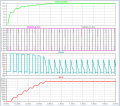
It has always worked ... but today (I don't know for what reason) I get this from the simulation:
@ericgibbs
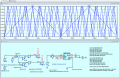
I kept a constant 50% duty cycle for each sclta frequency (I verified that the output waveforms were correct)
I get:
Are the formula correct? And the reults?
If the .meas are correct ... it seems very strange to me that in such a wide frequency range the efficiency does not change.
Hi k89,
As there are no reactive components in the circuit, why do you think the n value should be different for different frequencies?
I see that you have set D for 50%
E
I am running your sim, using a Fs Step command, as you know it takes a little while.
Hi k89,
As there are no reactive components in the circuit, why do you think the n value should be different for different frequencies?
I see that you have set D for 50%
E
I am running your sim, using a Fs Step command, as you know it takes a little while.
Right!
That command speeds things up, however, I still have to be careful and integrate in a number of periods in order to calculate the RMS correctly
For example, if you use Fs Step command and leave .tran 0 300u 0 1n .. when the time comes to simulate the frequency = 30kHz (T=33.33u) you're not simulating in a whole number of period (as suggsted in post #3)
Am I wrong?
Hi,
If you set your .tran period, so that it does not show a full range of signal periods, you will of course see changes in the .meas results for different time periods
But in real life situations the time period will be so long that the differences will be very small
E
Hi,
If you set your .tran period, so that it does not show a full range of signal periods, you will of course see changes in the .meas results for different time periods
But in real life situations the time period will be so long that the differences will be very small
E
I added the inductance in series to the resistor and now obviously there is a settling time where the load current varies before reaching a stable value.
1) Suppose such a stable value is reached after 1ms ... I should then start the next simulation from 1ms onward, right?
I mean in subsequent simulations I should set a "start time to save data" approximately from 1ms onwards.
We said that for RMS needs a whole number of periods ... and this is easily set (choice of "stop time" I mean) once and for all if my input frequency is always the same (which does not happen in this simulation because I want to simulate more frequencies)
2)"But in real life situations the time period will be so long that the differences will be very small"
Does this mean that if I set a very high stop time ... I can do without changing it every time I vary the input frequency?
Given in my case where the stability of the current output (settling time) is reached after 1ms and given my input frequencies of interest (10kHz, 30kHz, 60kHz, 100kHz --> 100us, 33.33u, 16.6u, 10us) ... how much would you set the stop time to?
Consider start time to save data = 1ms .. if I set to 4ms is it okay? Or maybe 10ms?
Hi,
If you set your .tran period, so that it does not show a full range of signal periods, you will of course see changes in the .meas results for different time periods
But in real life situations the time period will be so long that the differences will be very small
E

 Facebook
 Google
 GitHub
 Linkedin