Remote control by location (PIC in Oshonsoft)

Thread Starter

camerart

Joined Feb 25, 2013
3,842
Hi,
A bit of a challenge next:confused:

18F4431 8MHz INT SLAVE HWSPI QEI 100919 1130
Shows the (2x PICs as MASTER and SLAVE) SLAVE program. This is working ok. See #458

18f4431 8MHz INT SLAVE QEI HWSPI 140819 1100
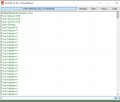
Shows the PIC as SLAVE program, connected to an INCREMENTAL ENCODER. This is working ok, See attached, copied from a TERMINAL output, showing 1x revolution of the INCREMENTAL ENCODER.

First the 2x BYTES need to be joined to give 0 to 359 DEGREES.

Second the 2x Programs need to be integrated into 1x, so the SLAVE sends the DEGREE READING to the MASTER.

I may have some previous programs, which I'll post if I find them:)
C
 

Attachments

ericgibbs

Joined Jan 29, 2010
21,460
hi,
You know how to join 2 * bytes.
Dim deg as Word
deg.HB = hi byte
deg.LB = lo byte
deg = 16 Bit Word, do you have to convert Binary to ASCII for displaying.?
 

Thread Starter

camerart

Joined Feb 25, 2013
3,842
hi,
You know how to join 2 * bytes.
Dim deg as Word
deg.HB = hi byte
deg.LB = lo byte
deg = 16 Bit Word, do you have to convert Binary to ASCII for displaying.?
Hi E,
Ah yes!
Am I correct that to SEND from SLAVE to MASTER,they should be SENT as 2x BYTES, then joined in the MASTER?
Not sure yet about ASCII
C
 

ericgibbs

Joined Jan 29, 2010
21,460
hi,
1.Using 8 Bit Byte SPI transfer, join in the Master Word

2. You could join and convert to ASCII in the Slave and SPI as 3 ASCII Bytes.
eg: [359 deg]

deg.hb =ox01
deg.lb = 0x67
deg = 0x0167
Convert in Slave to ASCII as 359 decimal
SPI to Master
'3' , '5', '9' == 0x33 , 0x35, 0x39

I prefer the 1st method, but if you are running low on 4620 Flash and Ram you could consider the 2nd method.

E
 

Thread Starter

camerart

Joined Feb 25, 2013
3,842
hi,
1.Using 8 Bit Byte SPI transfer, join in the Master Word

2. You could join and convert to ASCII in the Slave and SPI as 3 ASCII Bytes.
eg: [359 deg]

deg.hb =ox01
deg.lb = 0x67
deg = 0x0167
Convert in Slave to ASCII as 359 decimal
SPI to Master
'3' , '5', '9' == 0x33 , 0x35, 0x39

I prefer the 1st method, but if you are running low on 4620 Flash and Ram you could consider the 2nd method.

E
Hi E,
Ok, thanks.
C
 

Thread Starter

camerart

Joined Feb 25, 2013
3,842
Hi E,
Looking at the SLAVE program in #461 which swaps 1234ERIC with the MASTER.

As the program is set-up for sending ASCII (I think) would it be possible to strip out all but what's needed to transfer BYTEs instead please, and re-post it? In the program there are lots of settings, that I may accidentally cut out if I try to do it.

I'll need to do the same for the MASTER program also.

Ill try to do the above, and if I succeed I'll post the result.

NOTE: I've changed OSCCON to %01111010 to reflect INT OSC
C
 
Last edited:

ericgibbs

Joined Jan 29, 2010
21,460
hi C,
All that ASCII is, are a range of 8 Bit Bytes which represent alphanumeric characters.
ie;
The ASCII string '1234' is actually hex as 0x31 0x32 0x33 0x34,,, likewise the 'ERIC' string is 0x45 0x52 0x49 0x43

As you can see, as far as the SPI transfer is concerned they are 8 Bit Bytes.

The important point is that I have used Cr Lf, which are 0x0D and 0x0A as line terminator for the ASCII text, in order to give a readable UART display.

You cannot use 0x0D or 0x0A or any other Control characters as the Data messages are in binary/hex and could be misinterpreted as part of the Data block.

Do you follow that OK.?

E

Note: eg; 'E' is hex= 0x45 = bin = 0100 1001
 

Thread Starter

camerart

Joined Feb 25, 2013
3,842
hi C,
All that ASCII is, are a range of 8 Bit Bytes which represent alphanumeric characters.
ie;
The ASCII string '1234' is actually hex as 0x31 0x32 0x33 0x34,,, likewise the 'ERIC' string is 0x45 0x52 0x49 0x43

As you can see, as far as the SPI transfer is concerned they are 8 Bit Bytes.

The important point is that I have used Cr Lf, which are 0x0D and 0x0A as line terminator for the ASCII text, in order to give a readable UART display.

You cannot use 0x0D or 0x0A or any other Control characters as the Data messages are in binary/hex and could be misinterpreted as part of the Data block.

Do you follow that OK.?

E

Note: eg; 'E' is hex= 0x45 = bin = 0100 1001
Morning E,
First I'm only trying to pass a BYTE from each PIC.

I follow most of what you say, until it comes to programming.

Here is today's effort:
I think it's nearly working, as at the start of the TERM image, it show 4 and 8, which I think may have been successfully swapped across?. There was an IF-ENDIF LOOP which is a bit confusing, so I removed it.
C
 

Attachments

Thread Starter

camerart

Joined Feb 25, 2013
3,842
hi C,
These are two programs which I had running OK under test, using test data of 123456 for Press & Tempr
They should give you some idea's
E
Hi E,
Thanks, a bit of a help, but also a bit of a confusion:confused:

Things are happening, but I think a break for a bit.
C
 

ericgibbs

Joined Jan 29, 2010
21,460
hi,
The two PIC's are out of 'sync' the timing is the problem.
For starters remove the Serial UART reads from the reading sequence in the middle of the two bytes.
Output the data at the end of the second exchange as ie: Serout PORTC.3, 9600, "From Master=",#m2s1, #m2s2, CrLf
Just before the SSPSTAT.BF = 0
In both Master and Slave.
Run that post what you get.
E

Hserout "From Slave2=", #s2m2, CrLf '#azi.HB, CrLf 'show received data
WaitUs 5

ss = 1

Toggle rled
Waitms 500 ' add this to the Master
Goto main

SSPBUF =0x01
While Not SSPSTAT.BF
Wend
s2m1 = SSPBUF 'azi.LB = SSPBUF
Hserout "From Slave1=", #s2m1, CrLf '#azi.LB, CrLf 'show received data
WaitUs 5

SSPBUF =0x02
While Not SSPSTAT.BF
Wend
s2m2 = SSPBUF 'azi.HB = SSPBUF
Hserout "From Slave2=", #s2m2, CrLf '#azi.HB, CrLf 'show received data
WaitUs 5

ss = 1
 

Thread Starter

camerart

Joined Feb 25, 2013
3,842
hi,
The two PIC's are out of 'sync' the timing is the problem.
For starters remove the Serial UART reads from the reading sequence in the middle of the two bytes.
Output the data at the end of the second exchange as ie: Serout PORTC.3, 9600, "From Master=",#m2s1, #m2s2, CrLf
Just before the SSPSTAT.BF = 0
In both Master and Slave.
Run that post what you get.
E

Hserout "From Slave2=", #s2m2, CrLf '#azi.HB, CrLf 'show received data
WaitUs 5

ss = 1

Toggle rled
Waitms 500 ' add this to the Master
Goto main

SSPBUF =0x01
While Not SSPSTAT.BF
Wend
s2m1 = SSPBUF 'azi.LB = SSPBUF
Hserout "From Slave1=", #s2m1, CrLf '#azi.LB, CrLf 'show received data
WaitUs 5

SSPBUF =0x02
While Not SSPSTAT.BF
Wend
s2m2 = SSPBUF 'azi.HB = SSPBUF
Hserout "From Slave2=", #s2m2, CrLf '#azi.HB, CrLf 'show received data
WaitUs 5

ss = 1
Hi E,
Update
C
 

Attachments

ericgibbs

Joined Jan 29, 2010
21,460
Hrrrrrrggh.

The serout is still in the wrong position in the code!

While ss = 1
Wend

SSPBUF = s2m1 'BYTE 1
While Not SSPSTAT.BF
Wend
m2s1 = SSPBUF

SSPBUF = s2m2 'BYTE 2
Serout PORTC.3, 9600, "From Master=", #m2s1, #m2s2, CrLf ' NOT here!
While Not SSPSTAT.BF
Wend
m2s2 = SSPBUF

Serout PORTC.3, 9600, "From Master=", #m2s1, #m2s2, CrLf' Here


SSPCON.SSPOV = 0
SSPCON.WCOL = 0

Toggle rled
 
Last edited:

Thread Starter

camerart

Joined Feb 25, 2013
3,842
Hrrrrrrggh.

The serout is still in the wrong position in the code!

While ss = 1
Wend

SSPBUF = s2m1 'BYTE 1
While Not SSPSTAT.BF
Wend
m2s1 = SSPBUF

SSPBUF = s2m2 'BYTE 2
Serout PORTC.3, 9600, "From Master=", #m2s1, #m2s2, CrLf ' NOT here!
While Not SSPSTAT.BF
Wend
m2s2 = SSPBUF

Serout PORTC.3, 9600, "From Master=", #m2s1, #m2s2, CrLf' Here


SSPCON.SSPOV = 0
SSPCON.WCOL = 0

Toggle rled
Hi E,
Moved!
C.
 

Attachments

ericgibbs

Joined Jan 29, 2010
21,460
hi,

You have Master set as Clock source OK.
sspcon1.SSPM3 = 0 '0010 = SPI Master Mode Fosc/64 , NO ss
sspcon1.SSPM2 = 0
sspcon1.SSPM1 = 1
sspcon1.SSPM0 = 0

On the Master you are only switching ss at the start and the end of the double Byte Read.
main:

ss = 0 '
WaitUs 5

SSPBUF = 0x01
While Not SSPSTAT.BF
Wend
s2m1 = SSPBUF
WaitUs 5

SSPBUF = 0x02
While Not SSPSTAT.BF
Wend
s2m2 = SSPBUF
Hserout "From Slave=", #s2m1, #s2m2, CrLf
WaitUs 5

ss = 1

Slave-----------------------------------------

You have Slave set SS Enabled.
SSPCON.SSPM3 = 0 '0100 = SPI Slave, SSK and /SS enabled
SSPCON.SSPM2 = 1
SSPCON.SSPM1 = 0
SSPCON.SSPM0 = 0
On the Slave you are testing ss only at the start of the dual Byte Read

main:
SSPSTAT.BF = 0 '''''''''''''' Why is this here twice.? Remove this copy
SSPCON.WCOL = 0
SSPCON.SSPOV = 0


While ss = 1
Wend

SSPBUF = s2m1 'BYTE 1
While Not SSPSTAT.BF
Wend
m2s1 = SSPBUF

SSPBUF = s2m2 'BYTE 2
While Not SSPSTAT.BF
Wend
m2s2 = SSPBUF

Serout PORTC.3, 9600, "From Master=", #m2s1, #m2s2, CrLf

SSPSTAT.BF = 0
SSPCON.SSPOV = 0
SSPCON.WCOL = 0


Toggle rled
Goto main


Hi again,
You should decide whether you are using Single Reg reads with ss or Burst reads.

If I get time later I will program my set up with the 4620 and 2341 PIC's with these programs, let you know the results
E
 

Thread Starter

camerart

Joined Feb 25, 2013
3,842
hi,

You have Master set as Clock source OK.
sspcon1.SSPM3 = 0 '0010 = SPI Master Mode Fosc/64 , NO ss
sspcon1.SSPM2 = 0
sspcon1.SSPM1 = 1
sspcon1.SSPM0 = 0

On the Master you are only switching ss at the start and the end of the double Byte Read.
main:

ss = 0 '
WaitUs 5

SSPBUF = 0x01
While Not SSPSTAT.BF
Wend
s2m1 = SSPBUF
WaitUs 5

SSPBUF = 0x02
While Not SSPSTAT.BF
Wend
s2m2 = SSPBUF
Hserout "From Slave=", #s2m1, #s2m2, CrLf
WaitUs 5

ss = 1

Slave-----------------------------------------

You have Slave set SS Enabled.
SSPCON.SSPM3 = 0 '0100 = SPI Slave, SSK and /SS enabled
SSPCON.SSPM2 = 1
SSPCON.SSPM1 = 0
SSPCON.SSPM0 = 0
On the Slave you are testing ss only at the start of the dual Byte Read

main:
SSPSTAT.BF = 0 '''''''''''''' Why is this here twice.? Remove this copy
SSPCON.WCOL = 0
SSPCON.SSPOV = 0


While ss = 1
Wend

SSPBUF = s2m1 'BYTE 1
While Not SSPSTAT.BF
Wend
m2s1 = SSPBUF

SSPBUF = s2m2 'BYTE 2
While Not SSPSTAT.BF
Wend
m2s2 = SSPBUF

Serout PORTC.3, 9600, "From Master=", #m2s1, #m2s2, CrLf

SSPSTAT.BF = 0
SSPCON.SSPOV = 0
SSPCON.WCOL = 0


Toggle rled
Goto main


Hi again,
You should decide whether you are using Single Reg reads with ss or Burst reads.

If I get time later I will program my set up with the 4620 and 2341 PIC's with these programs, let you know the results
E
Hi E,
It will take me some time to read #478 properly.

Hold back on programming your set-up for now, I may get this going, and save you the effort. Also it's difficult to read your slightly different set-up. For me it would be good if you posted corrections to my posts, that I can copy and paste into the program, then I'll port the results.

At the moment the SLAVE 4431 is only doing 1x job. READ the QEI and SEND to MASTER

This SLAVE PIC could be used as an overflow from MASTER, in difficult circumstances.

Once the [ SS ] in MASTER is in the MAIN LOOP, it will get fewer due to LOOP time
C
 
Top