Remote control by location (PIC in Oshonsoft)

ericgibbs

Joined Jan 29, 2010
21,452
hi C,
I wrote the CASE version for the old GPS program.
We needed a ASCII STRING to write to the 5110 LCD and a SINGLE value for the MATHS routines.

The PROC version I wrote for the Servo's program
The Tmr1 requires the loaded Count Up value in Binary.
So the routine extract each ASCII STRING value from the Base msg converts the extract into a WORD, then the WORD is subtracted from 65535 [0xFFFF] to give the Tmr1 count up load value.
BTW: instead of subtracting you can use, value= NOT value, to give the Tmr1 load value.

There is no best way, the routines were written for different modules.

E
 

Thread Starter

camerart

Joined Feb 25, 2013
3,835
hi C,
I wrote the CASE version for the old GPS program.
We needed a ASCII STRING to write to the 5110 LCD and a SINGLE value for the MATHS routines.

The PROC version I wrote for the Servo's program
The Tmr1 requires the loaded Count Up value in Binary.
So the routine extract each ASCII STRING value from the Base msg converts the extract into a WORD, then the WORD is subtracted from 65535 [0xFFFF] to give the Tmr1 count up load value.
BTW: instead of subtracting you can use, value= NOT value, to give the Tmr1 load value.

There is no best way, the routines were written for different modules.

E
Hi E,
Ok, If I understand correctly, I'll leave them as two different ways for this SERVO test, but soon there will be calculations, so I imagine CASE will be used for both ways.

I will need STRINGs for calculations and WORDs for the 'value= NOT value' calculation, but I'll look at this later.
Thanks.
C.
 

Thread Starter

camerart

Joined Feb 25, 2013
3,835
Hi,
The programmer failed during the last test. I checked the programmer, and it's ok, so I think it's time to make new PCBs!

While writing the RECEIVER SERVO program, I had to comment out some of the STRINGS so I could add relevant ones, also the RAM doesn't look big enough for future calculations etc, so I've decided to adopt E's idea to add an 18LF2520 to the PCBs, for SERVO control.

C.
 

ericgibbs

Joined Jan 29, 2010
21,452
hi,
I started using the 18F4620, check the d/s.
If you use the 18F2520, it could be dedicated to Servo drive only.
All the data being transferred from the 18F4520 to the 18F2520 would be processed, ie: in the format suitable for directly loading into Tmr1.
When the 18F2520 is free during the 8mSec period it would raise a Ready flag to 18F4520 and using SPI, the Tmr1 data would be transferred from the 18F4520.

If for any reason the 18F4520 did not transfer data, [ the 18F4520 maybe in the middle of receiving a UART message] the 18F2520 would continue using the last valid Tmr1 data.

After say 5secs, if no new data had been transferred the 18F2520, it would start using default data stored in say its EEPROM.

E
Cam1.png
 

Thread Starter

camerart

Joined Feb 25, 2013
3,835
hi,
I started using the 18F4620, check the d/s.
If you use the 18F2520, it could be dedicated to Servo drive only.
All the data being transferred from the 18F4520 to the 18F2520 would be processed, ie: in the format suitable for directly loading into Tmr1.
When the 18F2520 is free during the 8mSec period it would raise a Ready flag to 18F4520 and using SPI, the Tmr1 data would be transferred from the 18F4520.

If for any reason the 18F4520 did not transfer data, [ the 18F4520 maybe in the middle of receiving a UART message] the 18F2520 would continue using the last valid Tmr1 data.

After say 5secs, if no new data had been transferred the 18F2520, it would start using default data stored in say its EEPROM.

E
View attachment 157631
Hi E,

Agree: (the 18F2520 would continue using the last valid Tmr1 data.)

I'll need to figure out how to program 2x PICs on 1x PCB with the programmer.

TX and RX PCBs will be the same, with some pluggable differences.

18F4620 On order. (Handy they're PIN compatible with 4520s)
C.
 

Thread Starter

camerart

Joined Feb 25, 2013
3,835
Hi E,
Are the ERROR and READY lines simple PORT PINs or special?

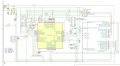
Here's the latest 2XPIC PCB, does it look ok so far?

I have a tired 18LF2520 with 3X SERVOs which may work for tests!

I assume your #224 image is out of date (I2C)

C.
 

Attachments

ericgibbs

Joined Jan 29, 2010
21,452
hi C,
Error and Ready are digital port pins.
I did the diagram prior to our discussion SPI versus I2C, its a 'leftover'.

Checking the circuit for accuracy is not a quick and easy task.

E
 

Thread Starter

camerart

Joined Feb 25, 2013
3,835
hi C,
Error and Ready are digital port pins.
I did the diagram prior to our discussion SPI versus I2C, its a 'leftover'.

Checking the circuit for accuracy is not a quick and easy task.

E
Hi E,
Ok,
I'll keep updating the circuit, as I 'improve' it. Only check it as needed.
C.
 

Thread Starter

camerart

Joined Feb 25, 2013
3,835
Hi,
Just drilling the latest PCBs with 18LF4520 and 18LF2520 (SERVO CONTROL)

Here are two programs, as a start for two PIC programming, with 'hopefully' the correct new PIN outs.

(Watch out for errors)
EDIT: This is now for 6x SERVOS
EDIT: RB4 should be input

C.
 

Attachments

Last edited:

Thread Starter

camerart

Joined Feb 25, 2013
3,835
Hi,
Here is the program I'm working on at the moment for REMOTE RECEIVER. Much of it has been commented out while I get the last module (Compass) working:

There is a radio connected to the RX TX, of the 18F46K20.

There is a Transmitter sending $BASE,????,????,????,???? = 4x SERVOs

Here is the result: (TX)

The first section, is from a serial terminal (Termite) and when connected to the RX PIN, to show the radio is working at the RXPIN.
Below that is from the TX PIN after the program has worked on it. Showing initially it outputs correctly, then RXERR!
[From program]
If RCSTA.OERR = 1 Then 'if over run error then flush RXD buffer
RCSTA.CREN = 0
RCSTA.CREN = 1
char = RCREG
char = RCREG
Hserout "RX Err!", CrLf
Goto skip1
Endif

Watch for errors with commenting out!! or missing cut and pasted lines.

C.
 

Attachments

Last edited:

Thread Starter

camerart

Joined Feb 25, 2013
3,835
Hi,
Again using a terminal (Teraterm) on the 18F46K20 TX PIN. NOTE: When running correctly there is a SWITCH which will switch between the NMEA sentence from the GPS, and the BASE sentence. For testing this isn't setup correctly yet.

Here is the terminal LOG:
At first I had the BASE sentence transmitting, then I switched to a repeating NMEA sentence, after a minute or two It produced results. The LEDs flash occasionally.

NOTE: The TX result show T=Az but with a live GPS this would show the time.

EDIT: TX changed for correct one.

C.
 

Attachments

Last edited:

Thread Starter

camerart

Joined Feb 25, 2013
3,835
Hi,
I think I've got a bit tangled up, since making the two PIC PCBs! I'll have to go back and check what the INTERRUPTs are doing. I think the HIGH INTERRUPT was for driving the SERVOS, but this now will be on the 18LF2520. I don't think I've split the original single program into two correctly.
C.
 

jjw

Joined Dec 24, 2013
823
Hi,
I think I've got a bit tangled up, since making the two PIC PCBs! I'll have to go back and check what the INTERRUPTs are doing. I think the HIGH INTERRUPT was for driving the SERVOS, but this now will be on the 18LF2520. I don't think I've split the original single program into two correctly.
C.
In #229 you have the servo code in 18lf4520 and in 18lf2520 interrupt code with some Waitus delays.
 

Thread Starter

camerart

Joined Feb 25, 2013
3,835
In #229 you have the servo code in 18lf4520 and in 18lf2520 interrupt code with some Waitus delays.
Hi J,
Thanks I appreciate that, but this is now an 18F46K20 so for example the OSCCON is different, and this is why I date my programs carefully, but I still get mixed up because of, for me anyway.

What will have to do is write down what everything is doing, then check each program. I keep forgetting there is a dedicated SERVO PIC on the board.

I hope to get a clearer follow up.for the #234 suggestion sometime, as this is now how the PCB is wired.
C.
 

Thread Starter

camerart

Joined Feb 25, 2013
3,835
Hi,
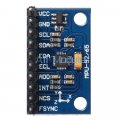
In #233 I was looking at the MPU-9250 Compass module, but they require I2C and SPI to receive DATA, and proved a bit too difficult for me. I have now ordered LSM303C that I hope is able to be READ using SPI only.
C.
 

Thread Starter

camerart

Joined Feb 25, 2013
3,835
Why not use the AK8963 as described here and in following posts: https://forum.allaboutcircuits.com/...-oshonsoft-symbols.151807/page-2#post-1302520

It can use SPI when not included in the MPU-9250 package. It's straight forward, very sensitive, doesn't keep going to sleep on you, and stable. Moreover, it comes with the recommendation of InvenSense.
Hi J,
I tried to find a source to buy Ak8963 and found 5 for £4, but they are 3MMx3MM with 14x dots to solder, and these AK 8975s https://www.ebay.co.uk/itm/192594630754?ssPageName=STRK:MEBIDX:IT&fromMakeTrack=true
Do you think these will be ok?, they're similar to AK8963?

I don't generally buy the £15/each ones, because if there is a problem programming them, they sit on my shelves never to be used.

C.
 

jpanhalt

Joined Jan 18, 2008
11,087
I bought the AK8963 already on a breakout board. Yes, it is more expensive, but it was working the day I received it too. If I were in production, of course I would buy the bare chip.
 
Top