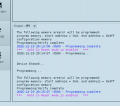
I can't program my pic16f627a with pickit3

trebla

Joined Jun 29, 2019
599
What about spaces in the C program itself--could that be an issue that could effect the hex output when building.
White spaces between C variables, parentheses or operators are not limited. In hex files are white spaces not allowed. You can open hex file in text editor and and see if there is white spaces inside strings (do not save the hex file from text editor, it may corrupt the file).

I tried both the PIC16f627a and PIC16f628a, I mean, once in a while-maybe two times they were programmed successfully.
This is very strange behavior and points probably to inconsistent connecitions between the PIC, programmer and/or computer USB port. Check the power settings for PicKit, if you use external power for the PIC then you cannot feed power fron PicKit.

If you want, i can upload whole project folder i created on my Linux machine with MPLAB X 6.20. You must unzip it to your MPLAB X projects folder.
 

Thread Starter

Arjune

Joined Jan 6, 2018
354
I don't know if the makefile will help but let me include it.
White spaces between C variables, parentheses or operators are not limited. In hex files are white spaces not allowed. You can open hex file in text editor and and see if there is white spaces inside strings (do not save the hex file from text editor, it may corrupt the file).


This is very strange behavior and points probably to inconsistent connecitions between the PIC, programmer and/or computer USB port. Check the power settings for PicKit, if you use external power for the PIC then you cannot feed power fron PicKit.

If you want, i can upload whole project folder i created on my Linux machine with MPLAB X 6.20. You must unzip it to your MPLAB X projects folder.
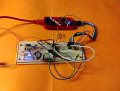
Thank you but I rather you don't send your project folder. There are no spaces in the hex file viewed with the text editor.
pickit3.jpg
 

Attachments

trebla

Joined Jun 29, 2019
599
Connections from PicKit to PIC are very long, the PicKit3 is sensitive to long connections, try to connect these jumper wires directly to PicKit connector without this flat cable.

Project configuration data for Make is in file nbproject/configurations.xml
 

Thread Starter

Arjune

Joined Jan 6, 2018
354
I am able to program the device now. I removed the ribbon cable, but all connections are the same. I still used external power. I changed the timing to 500ms blink on the program and it works and also the original 1000ms blink works also. Thanks to everyone who had the patience with me. I guess my ICs are OK. I wanted to upload an mp4 video of the blinking LED but can't attach one.
Consider this if you may: I reasoned that the force of gravity of love is upside down like fire before I programmed the device. Maybe this realization helped.

Screenshot-programming complete.png
 

Thread Starter

Arjune

Joined Jan 6, 2018
354
Last edited:
Top