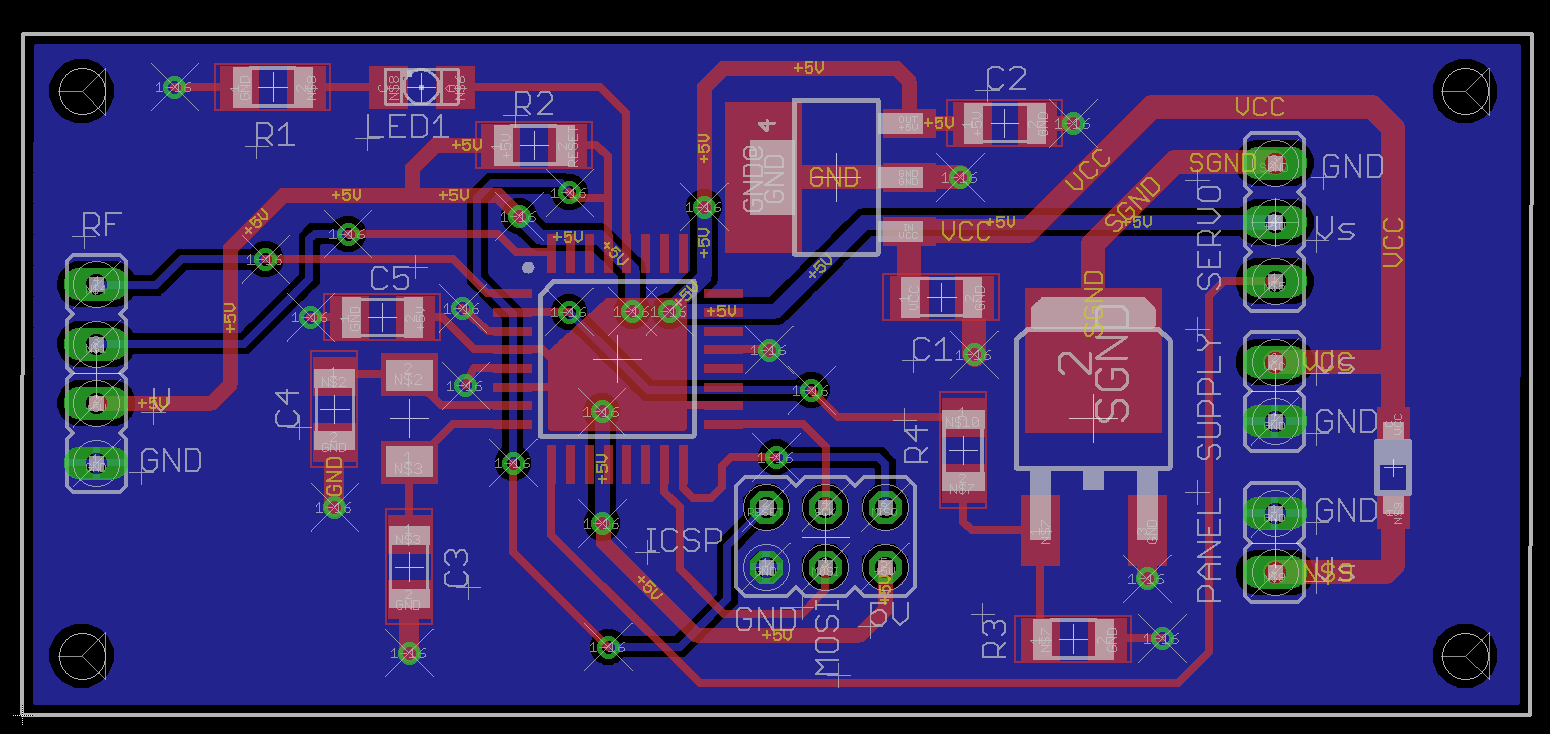
There's another place where thermals can be set. Highlight the ground plane on the back and select PROPERTIES in the pop-up menu. Unclick THERMALS, then rerun RATSNEST.
There's another place where thermals can be set. Highlight the ground plane on the back and select PROPERTIES in the pop-up menu. Unclick THERMALS, then rerun RATSNEST.
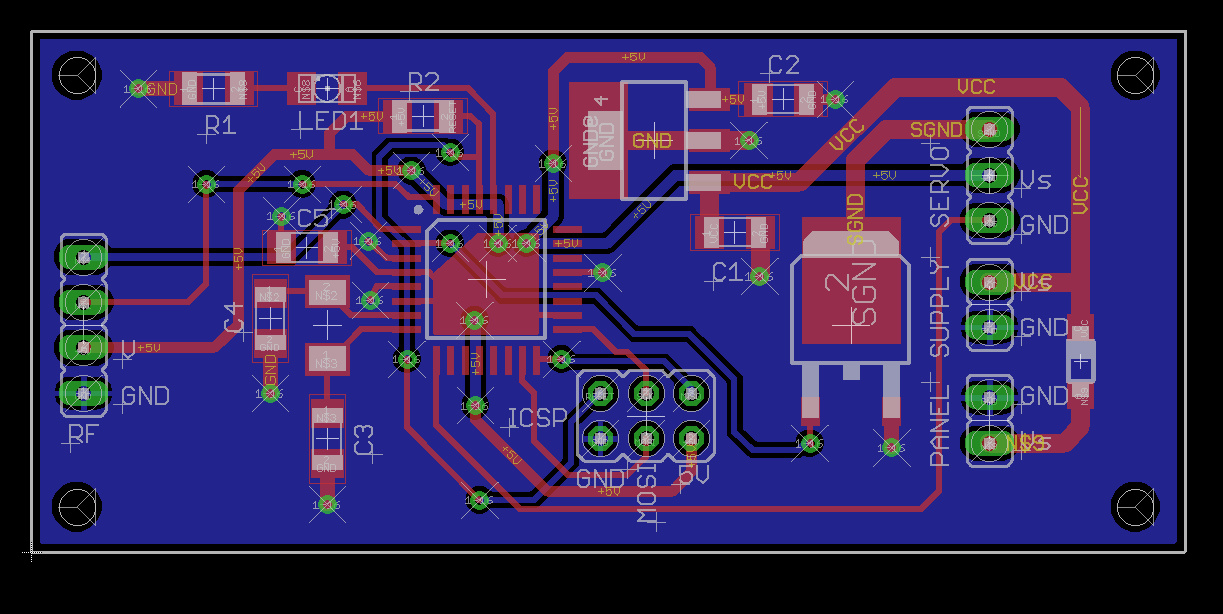
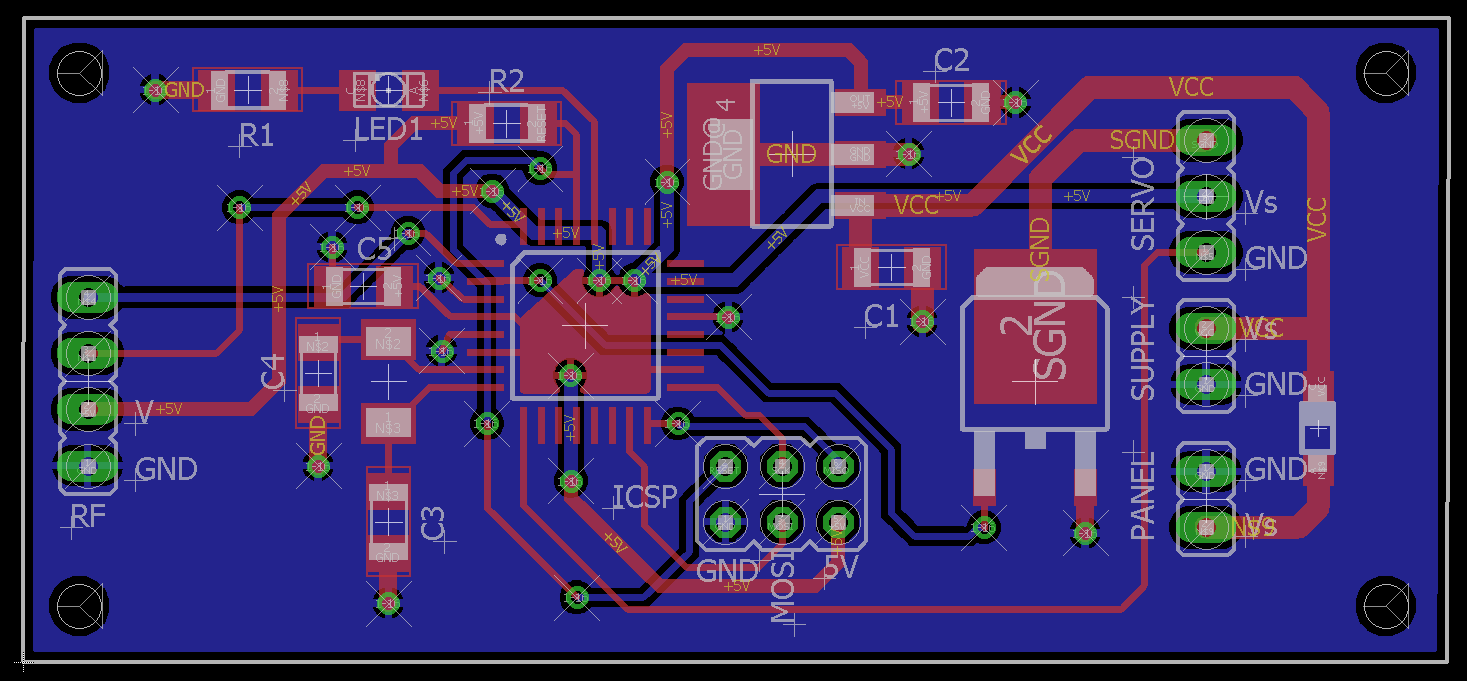
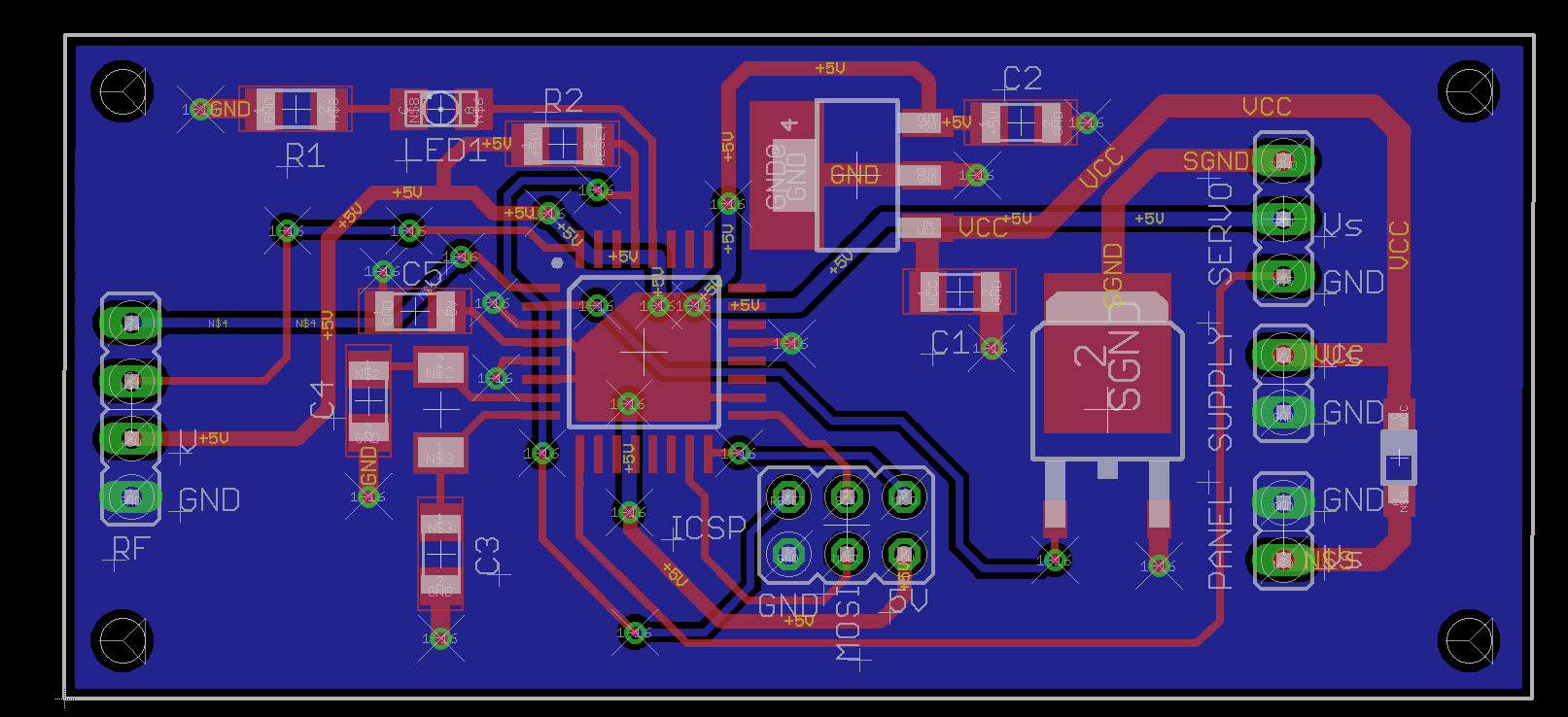
Thanks for all the help again. Made a couple changes, added a pull down and limiting resistor. Also double checked pin/pad sizes on all the datasheets. I'm going to send it off to get made if nobody else see's any issues:
It's been interesting reading through this lot. And it probably explains why I always design my PCBs from scratch, using a graphics program, rather than using Eagle or any of the other deisgn tools. Yes, I know it probably talkes me a lot longer, and I wouldn't use this technique for a board involving hundreds of components, but for most of the stuff I design for microcontrollers, using a few dozen components, I like the control it gives me!
Pick holes in this one if you like! It incorporates a microcontroller, two constant current drivers, an ESP8266 module, RTC, EEPROM etc. And it works!
It's been interesting reading through this lot. And it probably explains why I always design my PCBs from scratch, using a graphics program, rather than using Eagle or any of the other deisgn tools. Yes, I know it probably talkes me a lot longer, and I wouldn't use this technique for a board involving hundreds of components, but for most of the stuff I design for microcontrollers, using a few dozen components, I like the control it gives me!
Pick holes in this one if you like! It incorporates a microcontroller, two constant current drivers, an ESP8266 module, RTC, EEPROM etc. And it works!
Hey guys, just wanted to give a quick update. I had the boards fabricated by oshpark last week and I hand soldered the components myself. Every board works perfectly, with zero issues.
I'm glad that everything worked out for you. There are what I would call mistakes on your board, but being that it is so simple, they will not hurt you. One mistake that I am talking about is the lack of ground flood on both sides of the PCB. This additional ground really does help suppress circuit noise and is just too easy to add to give you that extra protection. If you are doing a board with RF aboard, then it really is a neccessity.

 Facebook
 Google
 GitHub
 Linkedin