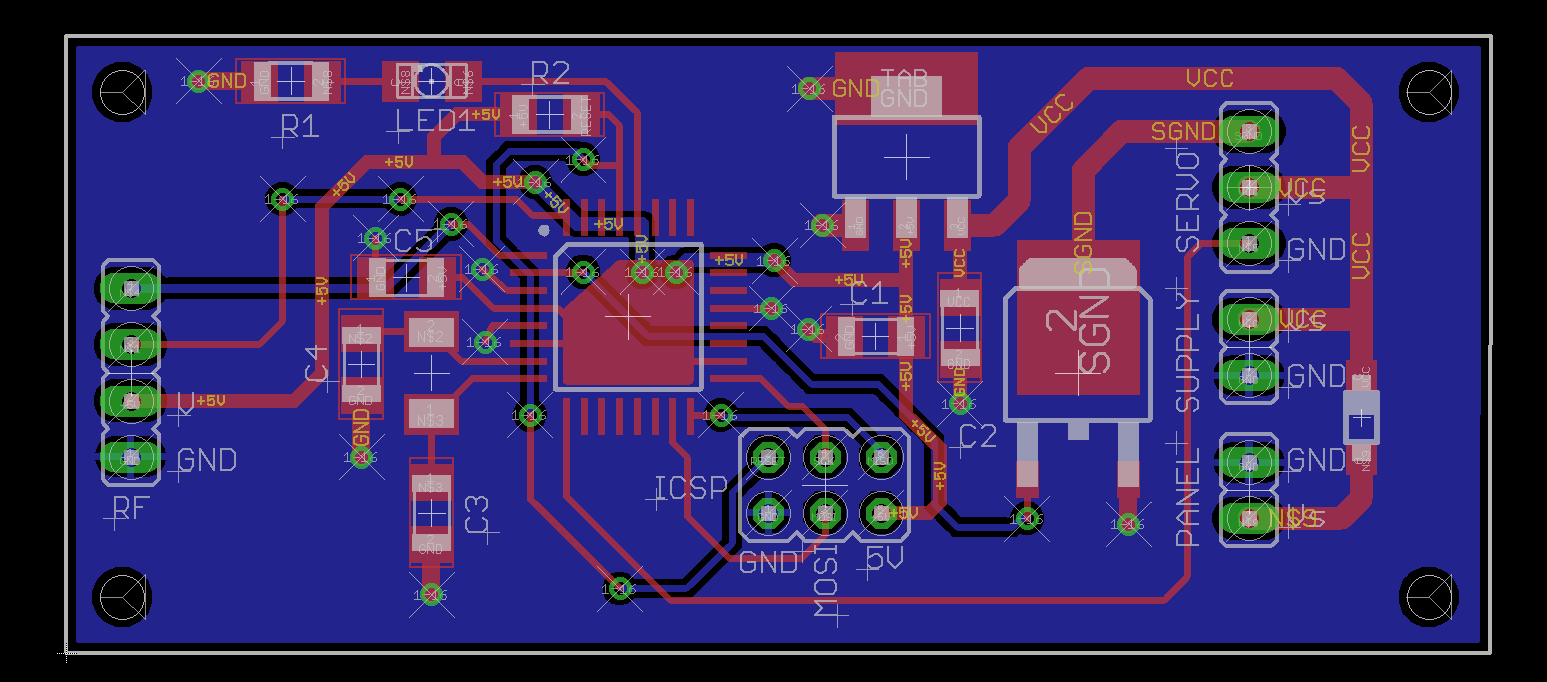
First PCB Design - Need opinions on design

Thread Starter

kyleh04

Joined Jun 18, 2017
54
@MrChips - Interesting. I have never considered vias on SMT pads but your electrical reasoning makes sense. No soldering problems then, I assume.

I missed the acute angle under the voltage regulator. I'd straighten that out.
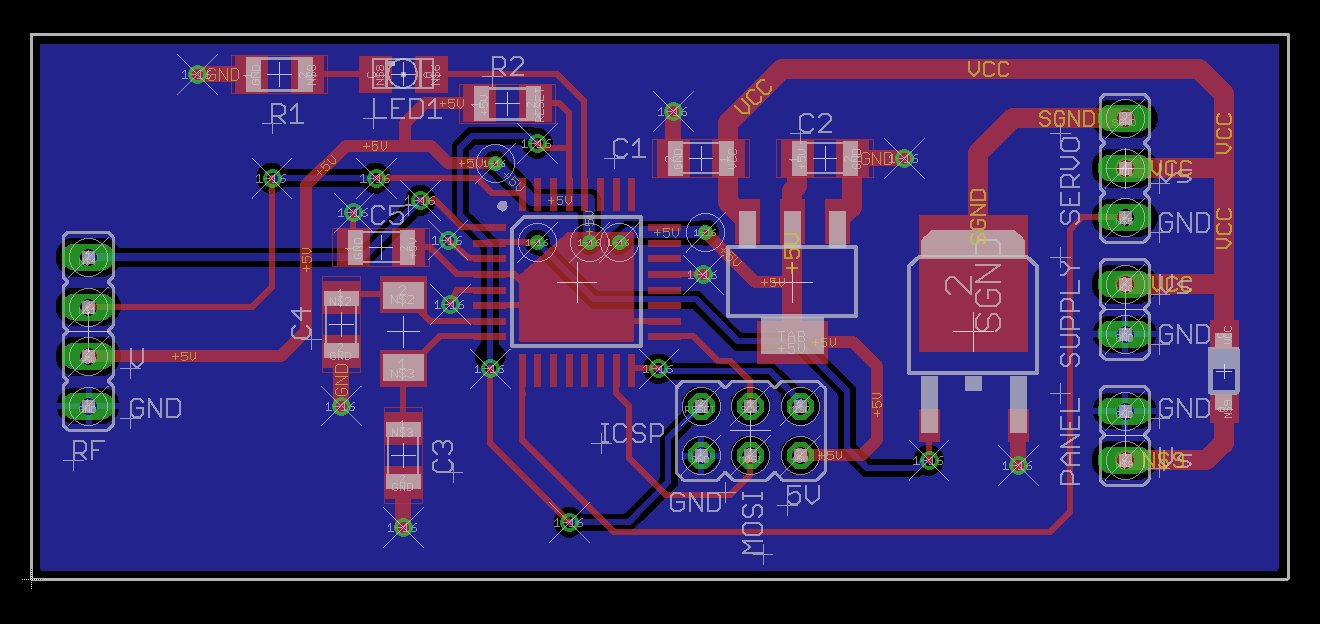
Next step - silk screening.
Are you going to request silk screening (top overlay)?
Simplfy the labelling. Use smaller font. Position better and don't overlap. Avoid long words.
Move from underneath components and away from pads and vias.

For resistances, 300 or 10k is good enough.
For capacitances, drop the F.

If you were doing your own etching, always put at least one string of text in copper on the top layer. This helps to get the orientation right with your photo masks. With a PCB house it doesn't hurt to continue this practice.

If you were doing your own etching, I would also put a flood plane on the top side. Saves on etchant.

As John says, put mounting holes on the board. Doesn't cost extra.
In your latest revision, there are traces too close for comfort.
+5V between pin-24 and pin-25 at ATmega.
+5V at IC1.

Get gid of the +5V via under ATmega. Reroute +5V to R2.

There is an extra via on the bottom layer to the right of pin-19.
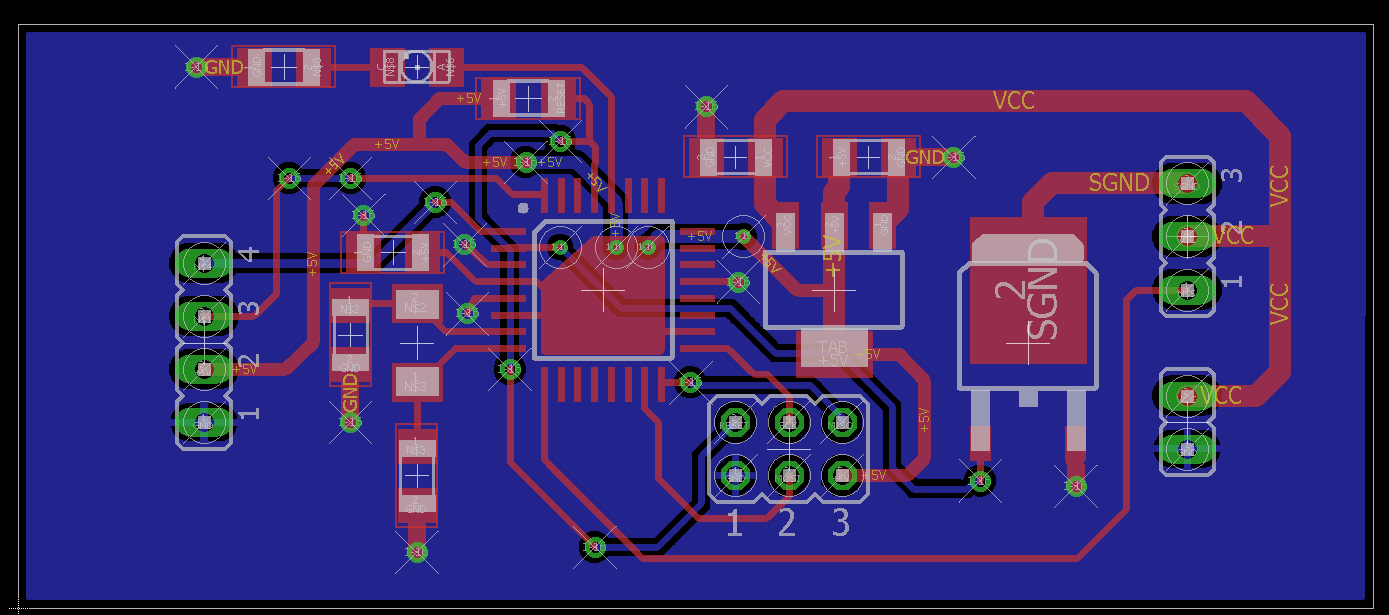
OK, I rerouted the 5V run from the regulator, I think it's much better this way:


I'll add the silkscreen after the core is good, so I don't have to move it. I can't access where this will be to use mounting hardware, just going to hot glue it.

Thanks!
 

Thread Starter

kyleh04

Joined Jun 18, 2017
54
They don't call it artwork for nuthin', eh?
Good work.
Thanks! Yeah I'm surprised how intricate these bad boys are to make! I'm sure it gets much easier the more you do, like anything else!

Also, for my jumper pins, is the solder trace on both the top and bottom? Not sure how to check/adjust it on eagle

Thanks to everyone who helped, this is seriously the most helpful community I've ever seen. Definitely planning on sticking around here and contributing where I can!
 

SLK001

Joined Nov 29, 2011
1,549
As for vias on the pads, you are now given two opposing views. I have had no problems putting vias on the pads. I do this for shortest connection to the ground plane. I am not going to argue with the other view. If you are happier pulling the vias away from the pads that will be ok since this is not a critical high frequency design.
If you are hand soldering, then vias on pads are not a problem. It is in high volume manufacturing that it becomes a problem, because the solder will wick into the hole, leaving a solder starved joint. If hand soldering, not a problem, just feed in more solder. As for shortest connection to the ground plane, I flood all areas and all layers with ground and stitch them together with vias. Most of my professional life was in RF where the distance to ground was critical. The only time that vias were allowed in pads was when using HDI boards, which is High Density Interconnect. In these boards, a lot of vias are laser etched only to the layer beneath, so there is no problem with solder starvation.
 

JohnInTX

Joined Jun 26, 2012
4,787
I would just jumper on the non-component side if you can. The less you have under hard-to-unsolder components, the better. There are times when you have to but avoid if you can.
I should say that many of my recommendations date from a time when the PCB process wasn't as good as it is today so things like traces near unmasked pads under components where solder creep or a bit of under-etch are probably not as big a problem - but I remember the pain...
 

Thread Starter

kyleh04

Joined Jun 18, 2017
54
If you are hand soldering, then vias on pads are not a problem. It is in high volume manufacturing that it becomes a problem, because the solder will wick into the hole, leaving a solder starved joint. If hand soldering, not a problem, just feed in more solder. As for shortest connection to the ground plane, I flood all areas and all layers with ground and stitch them together with vias. Most of my professional life was in RF where the distance to ground was critical. The only time that vias were allowed in pads was when using HDI boards, which is High Density Interconnect. In these boards, a lot of vias are laser etched only to the layer beneath, so there is no problem with solder starvation.
I would just jumper on the non-component side if you can. The less you have under hard-to-unsolder components, the better. There are times when you have to but avoid if you can.
I should say that many of my recommendations date from a time when the PCB process wasn't as good as it is today so things like traces near unmasked pads under components where solder creep or a bit of under-etch are probably not as big a problem - but I remember the pain...
Makes sense, thanks :) But How do I physically tell where the copper pads are? Right now it shows them for all the jumpers on both the top and bottom layer. Since it seems I want to solder on the bottom, I just leave the copper alone on the top I presume?
 

SLK001

Joined Nov 29, 2011
1,549
Makes sense, thanks :) But How do I physically tell where the copper pads are? Right now it shows them for all the jumpers on both the top and bottom layer. Since it seems I want to solder on the bottom, I just leave the copper alone on the top I presume?
On pads that are on the ground plane, they are RESIST defined, because the ground plane still has resist over it.
 

SLK001

Joined Nov 29, 2011
1,549
Here's a picture of part of a board I recently did with only the top resist and top silkscreen layers showing. The part outlines on the silkscreen are sometimes exaggerated so that they will show up on the silkscreen. Once a part is placed, you might have to move the reference designator. To do this, you must first SMASH the part, which decouples the individual parts from the library designed part, allowing you to move them around. The parts with the + sign nearby indicate a SMASHed part.


SILK.jpg
 

MrChips

Joined Oct 2, 2009
34,925
One other addition you may want to consider.

When ever I have some unused pins of an MCU, I often bring some out to wider ovals (where space allows) that I can make a solder connection with 30AWG wire wrap wire. You never know when you may want to use a spare board for something else. Or maybe you just forgot one extra function that you need on your design.
 

SLK001

Joined Nov 29, 2011
1,549
When ever I have some unused pins of an MCU, I often bring some out to wider ovals (where space allows) that I can make a solder connection with 30AWG wire wrap wire. You never know when you may want to use a spare board for something else. Or maybe you just forgot one extra function that you need on your design.
+1 on this. U3 and U6 above are quad opamps that I only used two amps on each IC. The three squares on both the inputs and the outputs of the unused opamps are for "future unknown use"!
 
I'll add the silkscreen after the core is good, so I don't have to move it. I can't access where this will be to use mounting hardware, just going to hot glue it.
Re-think this a bit even your hot gluing. If you know where your going to apply the glue a hole with a Nylon screw may provide a gripping point.
Hot Glue usually doesn't work. Be prepared to be disappointed. Holes for a zip ties would probably be better than hot glue.
 
Top