Draftsight / Geomtry help

Thread Starter

spinnaker

Joined Oct 29, 2009
7,830
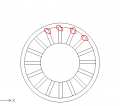
I am pretty sure this is pretty much my settings. With the exception that the entities selected were my two lines. And I made Element Base Point = center of my circle = Axis Point

Questions.

1 What is the "angle between"? Is this just how much they "tilt"?

2. What is the difference between Element base point and axis point?


upload_2018-1-28_20-30-6.png
 

Thread Starter

spinnaker

Joined Oct 29, 2009
7,830
Even better, it would convenient if you converted the sets of arcs and lines into a single object each by using the "join" function in the "pedit" command.

Not sure I follow. You mean after I removed the little connecting lines individually?

What is the advantage of connecting them other than maybe to move them around together?
 

cmartinez

Joined Jan 17, 2007
8,762
Not sure I follow. You mean after I removed the little connecting lines individually?

What is the advantage of connecting them other than maybe to move them around together?
One advantage is that you can manipulate the entities as a single object, which becomes a polyline defined by a collection of adjacent vertices, instead of separate lines and arcs. Another advantage is that it's a lot easier to generate G code, since the entities become concatenated, instead of separate.
 

Thread Starter

spinnaker

Joined Oct 29, 2009
7,830
One advantage is that you can manipulate the entities as a single object, which becomes a polyline defined by a collection of adjacent vertices, instead of separate lines and arcs. Another advantage is that it's a lot easier to generate G code, since the entities become concatenated, instead of separate.

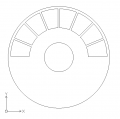
So I should join all of the little "compartments" as individuals? Or as one big group?
 

Thread Starter

spinnaker

Joined Oct 29, 2009
7,830
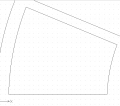
I think I might have it. I did multiple, I selected the 4 sides. I did a Join. Now it asks for specify gap tolerance. Not sure what to enter
 

Thread Starter

spinnaker

Joined Oct 29, 2009
7,830
Yep... everything seems a-ok ... just wanted to make sure that the vertices were effectively closed... ?
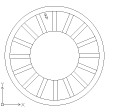
Yeah made sure of that. I used the End Snap feature. Which brings up a question. For the "divider" I had to make the 2 lines a bit longer than they should be because they did not always cross the inner and outer circles? Any idea why? I am pretty certain all of my 3 circles were centered on one another.

I had to go back and do a clean up with the end snap feature o each of the "compartments".
 

cmartinez

Joined Jan 17, 2007
8,762
Yeah made sure of that. I used the End Snap feature. Which brings up a question. For the "divider" I had to make the 2 lines a bit longer than they should be because they did not always cross the inner and outer circles? Any idea why? I am pretty certain all of my 3 circles were centered on one another.

I had to go back and do a clean up with the end snap feature o each of the "compartments".
If you started out with a single line traced from the circle's quadrant, and then offset it to the sides, that would explain why the resulting lines didn't intersect with the referenced circle.
 
Top