Various 4017 Things.

AnalogKid

Joined Aug 1, 2013
12,129
Smells like a wiring error.

1. Is the voltage at U1 pin 3 (the "0" output) high or low?

2. Is the voltage at U2 pin 11 high or low?

3. Is the voltage at U2 pins 12 and 13 high or low?

4. Does the voltage at U2 pins 12 and 13 change when you press the button?

ak
 

Thread Starter

Kim Sleep

Joined Nov 6, 2014
398
Smells like a wiring error.

1. Is the voltage at U1 pin 3 (the "0" output) high or low?

2. Is the voltage at U2 pin 11 high or low?

3. Is the voltage at U2 pins 12 and 13 high or low?

4. Does the voltage at U2 pins 12 and 13 change when you press the button?

ak
I will be testing this later. I have stripped the components off the perfboad, and starting all over again. Thank you for this info
 

eetech00

Joined Jun 8, 2013
4,705
Smells like a wiring error.

1. Is the voltage at U1 pin 3 (the "0" output) high or low?

2. Is the voltage at U2 pin 11 high or low?

3. Is the voltage at U2 pins 12 and 13 high or low?

4. Does the voltage at U2 pins 12 and 13 change when you press the button?

ak
Hi AK

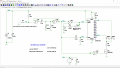
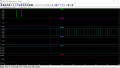
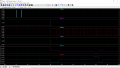
Here is a simulation of your circuit. Hope it helps..
The first graph is at 5V. The second graph is at 9V
I've shown C1,C5 as 0.1u bypass caps, I can change them back to 1.0u if you want.

The push button is shown with a 1 sec delay before press, and 20ms of bounce

1734015963100.png

1734016046226.png

1734016092774.png
 

Thread Starter

Kim Sleep

Joined Nov 6, 2014
398

Thread Starter

Kim Sleep

Joined Nov 6, 2014
398
Smells like a wiring error.

1. Is the voltage at U1 pin 3 (the "0" output) high or low?

0v
2. Is the voltage at U2 pin 11 high or low?
minus .3
3. Is the voltage at U2 pins 12 and 13 high or low?
12 is 8.73 volts, 13 is 0V
4. Does the voltage at U2 pins 12 and 13 change when you press the button?
no, same voltages as above

A U-Tube video
https://www.youtube.com/shorts/jpSOT8osiZQ

Can I please send my circuit to someone to look at??
ak
ANSWERS ARE BUILT INTO THE QUESTIONS FOR CONVENIENCE:
 

eetech00

Joined Jun 8, 2013
4,705
ANSWERS ARE BUILT INTO THE QUESTIONS FOR CONVENIENCE:
There are still some unaswered questions:

1. Is it mandatory to use the CD4017B?
There isn't a way to activate all 10 outputs at the same time without additional external (chips) circuitry.

2. Does there have to be 10 LEDs?
Can there be 8 LEDs?
 

eetech00

Joined Jun 8, 2013
4,705
I didn't see anything in the project requirement that mentioned having all 10 LEDs On at the same time.
See post #8.
I understand the sequence of events to be.

1. all LEDs off
2. press button - all LEDs on for 5 seconds
3. After 5 seconds LEDs off (reset), then begin lighting leds in sequence 0-9.
4. press button - freeze sequence (only one led lit)
5. goto 2
 

sghioto

Joined Dec 31, 2017
8,634
I read it as all LEDs off meaning the cathodes are not connected to ground until button is pressed.
Button press freezes the count for 5 seconds with the one LED lit.
Repeat button press sometime later to reveal which # LED is now lit.
The TS mentioned it was for a game. Maybe whatever number LED is lit means that's how many spaces you move on a board game or maybe you are to try and guess which number LED will light when the button is pressed.
I don't see the point for #2, all LEDs on
 

sghioto

Joined Dec 31, 2017
8,634
I think the TS misspoke or it was a misprint. Should have read LED on.
A 4017 can only have one LED on at a time so LEDs on doesn't make sense.
Maybe the TS will chime in and clear the air on this.
 

eetech00

Joined Jun 8, 2013
4,705
A 4017 can only have one LED on at a time so LEDs on doesn't make sense.
Logically, I agree, but the 4017 can be configured so that all LEDs "appear" to be on at the same time.
Clock the 4017 at high enough frequency so all the LEDs appear to be on. Then, after 5 seconds, lower the clock frequency so flashing is perceived. This is straight forward using two outputs of a CD4060B with a suitable RC oscillator frequency.
 

Thread Starter

Kim Sleep

Joined Nov 6, 2014
398
There are still some unaswered questions:

1. Is it mandatory to use the CD4017B?
No, I will use whatever ittakes to get the job done
There isn't a way to activate all 10 outputs at the same time without additional external (chips) circuitry.
I only want 1 led to illuminate , but I dont want what is currently happening, the same led always illuminating

2. Does there have to be 10 LEDs? no
Can there be 8 LEDs? absolutely, iy can be as few as 4
 

Thread Starter

Kim Sleep

Joined Nov 6, 2014
398
Logically, I agree, but the 4017 can be configured so that all LEDs "appear" to be on at the same time.
Clock the 4017 at high enough frequency so all the LEDs appear to be on. Then, after 5 seconds, lower the clock frequency so flashing is perceived. This is straight forward using two outputs of a CD4060B with a suitable RC oscillator frequency.
I thi k that I said hat I only wanted 1 led to be on after the push of a button, but I want it to be a "random" selection of 1 led
 

Thread Starter

Kim Sleep

Joined Nov 6, 2014
398
I think the TS misspoke or it was a misprint. Should have read LED on.
A 4017 can only have one LED on at a time so LEDs on doesn't make sense.
Maybe the TS will chime in and clear the air on this.
You are correct, I onl;y wanted 1 led to be on after the push button press, but currently is always the same led
 

Thread Starter

Kim Sleep

Joined Nov 6, 2014
398
Logically, I agree, but the 4017 can be configured so that all LEDs "appear" to be on at the same time.
Clock the 4017 at high enough frequency so all the LEDs appear to be on. Then, after 5 seconds, lower the clock frequency so flashing is perceived. This is straight forward using two outputs of a CD4060B with a suitable RC oscillator frequency.
Im sorry, I only want 1 led on...ytpo
 
Top