Trying to Get Positive and Negative Pads in my Eagle PCB Board For a Li-Po Battery

Thread Starter

johnmillz1323

Joined Jan 2, 2018
7
Hello,

I am designing a PCB board for a boost converter. I have everything laid out and am just struggling with trying to find just two normal pads that I can connect my batteries negative and positive ends to. I have been through the Eagle library as well as searched external libraries online, but to no avail. I am completely new to Eagle and im teaching myself as I go. So if you could please pass on some Eagle knowledge to me I would greatly appreciate it.

Thanks!
John
 

JohnInTX

Joined Jun 26, 2012
4,787
You can pretty much take any one terminal pad - like a test point and change its properties like shape, diameter, hole size etc. I’m assuming you’re soldering wires to the pads?

Away from computer currently but if you still need help, let us know. If you haven’t done it yet, this would be a good intro to making your own component.
 

dl324

Joined Mar 30, 2015
18,326
If you want to show the connection on the schematic, you could also just add a 2 pin header component. In the old version of Eagle that I use, it didn't have a 2 pin header, so I had to make one. Newer versions might have a 2 pin version of con-lstb->MA03-1.
 

Thread Starter

johnmillz1323

Joined Jan 2, 2018
7
You can pretty much take any one terminal pad - like a test point and change its properties like shape, diameter, hole size etc. I’m assuming you’re soldering wires to the pads?

Away from computer currently but if you still need help, let us know. If you haven’t done it yet, this would be a good intro to making your own component.
Yes sir I am planning on soldering wires to them. By any terminal pad do you mean pretty much any terminal pad on my board? For example a terminal pad for a resistor I am using? If so, how would I go about changing its properties? Also, I have looked into making my own components as you said. However, all the tutorials are on the old version of Eagle and are a bit confusing for someone who is not completely a custom to Eagle in general.
 

Thread Starter

johnmillz1323

Joined Jan 2, 2018
7
If you're using wires, just add vias (with appropriately sized holes and pads) to the power nets.
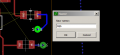
Tried adding vias as you said and however for some reason when I try to name its net with the name tool it does not allow me. I have vias around my board going to the ground plane could this be why?
 

dl324

Joined Mar 30, 2015
18,326
Works for me:
upload_2018-3-8_11-21-30.png
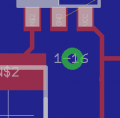
I added a 2 pin male header and vias on VDD/VSS to the left of it.

How are you trying to name the via net?
 

jpanhalt

Joined Jan 18, 2008
11,087
The easiest thing might be for you to zip and post your Eagle brd and sch files. I am tempted to think maybe you have the wrong names for the nets.
 

jpanhalt

Joined Jan 18, 2008
11,087
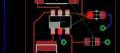
Unfortunately, you are using version 8.x and backward compatibility with 7.7 is limited. I was able to get around a little of that. Here is a snippet:
upload_2018-3-8_15-7-25.png

Your polygon is named "GND." If you rename that via and routing to GND, then polygon then includes it. EDIT: I didn't read it carefully. Apparently, you do not want that segment in the polygon. But the principle is the same. Be sure everything has the same name.

The .brd was a real mess in Eagle 7.7 (message: illegal/invalid polygon), and I may have focused on the wrong part. Now, if you are also getting an illegal/invalid polygon message, it is because you you have overlapping polygon lines. I just pulled them apart "stretching" any overlaps and the ratsnest worked. Gaps in the polygon will also cause it to fail, but there were none that I could detect.

Regards. John

Edit #2: Maybe this is a better area. Pin was labeled GND, but routing was not. Changed to ground and it filled:

upload_2018-3-8_15-17-26.png

Edit #3: This is before the fill and "GND" is highlighted. Note the pad is "GND" and highlighted, but but the trace to it is not.

upload_2018-3-8_15-26-43.png

One thing I do is set some function keys as hot-keys. For example, F9 is Show GND, F10 is Show VCC, and so forth. It makes it easier while routing to highlight various signals.
 
Last edited:
Top