troubleshooting a tv power supply

retched

Joined Dec 5, 2009
5,207
Was this the worlds longest April Fools Joke? I gotta know...

If you removed the pad, you are going to have to jump in a piece of solid wire from the fuse pin, to the trace it belongs to.

That will help. Also, It appears there is a short(solder bridge) on your last photo where you have "THIS PIN" circled. It looks like the solder is connecting the pad above it.

As for using a solder GUN.. thats a no-no. Solder guns can introduce a large amount of magnetic field into your work zapping ICs and other fun stuff.
 
Last edited:

R!f@@

Joined Apr 2, 2009
10,004
Was this the worlds longest April Fools Joke? I gotta know...
I think you are right.

John.
Take the fuse and clean those area as much as possible.
And see the PSU connector on main board. U can remove the plastic case without removing the PINS. Leave the pins do not desolder them. Simply try to lift the plastic cover, it will come out if you are careful, Cause I have done this to see where the pin connection leads to.
Snap a close up of that supply area.
I think you have a multilayer PCB, if this is the case, it's not going to be easy. cause the Vcc plane might be in the middle, and if so, the thru hole pad is gone when you pulled the fuse without proper heating techs.

It will be trail and error run, and this is where my ingenuity comes into play :D
 

R!f@@

Joined Apr 2, 2009
10,004
Touch the iron tip to each pin from the solder side, put some solder, wait till the solder is liquid. keep the tip on the pin until u are sure the pin is properly heated.
Do all the pins one by one. This will loosen the plastic
 

Thread Starter

johndoe45

Joined Jan 30, 2010
364
my fingers hurt. i can melt all pins in less than 7 seconds then by time put gun in holster and pull. its about 12 seconds. so solid by then

we figure out how to redo fuse

i know that this is the problem cause nothing was wrong with this board. the first board i was taking out screws from dvd player and accidently touched PSU which fried bridge. but when i replaced the fuse on this board. messed it up. that was before i asked you for help (replacing fuse on main unit)
 

R!f@@

Joined Apr 2, 2009
10,004
Let's do this.
Get a nose plier.
Heat and solder the supply pin for say 10 secs, keep the iron touching the pin, from the other side, yank that pin with the plier. But make sure the solder is liquefied or you will break the through hole as you did with the fuse. Heat it up good.
Yank 'em one by one
 

Thread Starter

johndoe45

Joined Jan 30, 2010
364
i got it!!!!!!!!!!!!!!!!!!!!!!


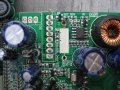
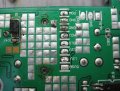
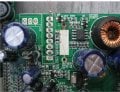
taking picture. scratched board barely near 5VSB pin on topside while prying. that a problem?????

HOW CAN I CLEAN THAT?????? LOOKS NASTY. ESPECIALLY BOTTOM
 

Attachments

Last edited:

R!f@@

Joined Apr 2, 2009
10,004
See the Pic.. zoom in to the fuse area.
Your poor soldering was the main problem after all :D

Repair the PSU connector , be aware of solder bridges. Clean 'em.
Now scrape the green layer which I have marked in the pic. use a surgical knife
scrape until you can see the copper tracks, do it lightly, after that put some solder there and solder the fuse to that area.
Then You are done.
 

Attachments

Last edited:

Thread Starter

johndoe45

Joined Jan 30, 2010
364
lol. you are a trooper. :D
you are the king

doing it right now. how far are the copper tracks roughly??? like close to surface. a little in there. what?

at least my pictures are clearer than tester2 :rolleyes:
 
Top