troubleshooting a tv power supply

Thread Starter

johndoe45

Joined Jan 30, 2010
364
correct. only between drain to source.

i'm getting tired. 5 AM.

if want me to do a few things in morning let me know. going to bed after a few more posts
 

R!f@@

Joined Apr 2, 2009
10,004
If the reading is not a dead short then the FET is good.
You can solder it and test the supply.
Let's hope every thing goes the way it was supposed to.
 

Thread Starter

johndoe45

Joined Jan 30, 2010
364
:D

output 12 DCV
at end two pins

Nevermind

what is EN and DIM though?????

so it works

thank you very much. was very informative and fun. i really appreciate your help and will still be contributing to the programming parts of this forum. and if i ever need your help with a future project. i'll let you know
 

R!f@@

Joined Apr 2, 2009
10,004
If you are getting a 12V out then u will get 5V, it's probably the way you are probing is wrong.
Just connect the board to the TV, you'll be fine
 

Thread Starter

johndoe45

Joined Jan 30, 2010
364
now picture is showing. dvd isn't pulling in disks. audio is not working. and black bars on side of screen are a little reddish

would it have to do with not getting the 5 DCV in those two pins

how do i probe them?

don't tell me its the main board now :eek::eek::eek::eek:

:)

going to bed. almost 7 AM
 
Last edited:

R!f@@

Joined Apr 2, 2009
10,004
All Hands on deck.
Time for pictures.
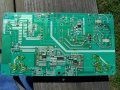
Show me the close up of the secondary side of PSU

))Pssss. OP says He is not sleeping, what was I doing, Sleeping :p.
I'm up 2 whole nights.
 
Last edited:

R!f@@

Joined Apr 2, 2009
10,004
I'll tell you about the EN and DIM.
EN is Enable for LCD backlite
DIM is for Dim to adjust backlite brightness. It can be dim or bright.

I have to see the picture to know the effect that is showing in the LCD.
What we have worked so far proved that we got the supply working.
A missing secondary voltage will be piece of cake.

I donno when I will see you .
As I will be dead for 2 days atleast.
I can hardly see straight right now.
Yaaaaaaaaaan!!!
 

Thread Starter

johndoe45

Joined Jan 30, 2010
364
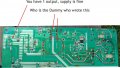
here is the same picture from earlier just blown up

click on it again to zoom in

if not use paint to zoom in more

OR WERE YOU TALKING ABOUT PICTURE OF MAIN BOARD?
 

Attachments

Thread Starter

johndoe45

Joined Jan 30, 2010
364
lol. that would be PhiHong.

going to be hard taking a picture and capturing the color red that i'm talking about.

tried taking like 20 pictures yesterday out in the sun and inside house. gave up.

its just the picture is more maroon.
 

Thread Starter

johndoe45

Joined Jan 30, 2010
364
when i snap one without a flash its basically a black picture

alright. at school working on homework but will do that when i get home.

you know why the dvd player isn't working or the audio. or the inputs.

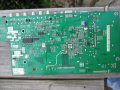
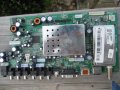
i need to check to see if the fuse blew on the main board. not the power supply
 

Thread Starter

johndoe45

Joined Jan 30, 2010
364
hey. so your saying i should only have one output 12DCV? so that means supply is fine and its main board or way i'm hooking up the tv.

and now the tv just shows a white screen. maybe hooked it up wrong?

used to show that snow screen cause i didn't have cable tv hooked up to it.

these pictures are pretty high resolution. so zooming in in paint should still be clear. take some new ones tomorrow.
 

Attachments

Last edited:

R!f@@

Joined Apr 2, 2009
10,004
A blank screen in the sense that only a dim black screen is visible.
No snow means trouble, but can you see the on screen menu and does the TV stays on as long as you want or does it goes to standby soon.
If it goes to standby does the red led indicator flashes after it goes to standby.
Observe these for me
 

Thread Starter

johndoe45

Joined Jan 30, 2010
364
i'm about to take off to school. doing homework right now. it is a blank white screen. will take a picture when i get back. but i thought maybe i was plugging in things wrong cause the tv did work and now its just the blank white screen.

 
Top