Looking at the back picture, it looks like (to me) that the copper pour joins all the pins. I don't see clearances between any of the pins on the bottom and the backplane...
And I agree, you have a capacitor from +5V to the VCC pins, there will be no VCC on the micro at all with a capacitor blocking the DC voltage.
So is the bottom a copper pour or is there no traces at all on the bottom (single layer board?)?
Looking at the back picture, it looks like (to me) that the copper pour joins all the pins. I don't see clearances between any of the pins on the bottom and the backplane...
And I agree, you have a capacitor from +5V to the VCC pins, there will be no VCC on the micro at all with a capacitor blocking the DC voltage.
So is the bottom a copper pour or is there no traces at all on the bottom (single layer board?)?
The pads and joints on the bottom are all fine, it may just be flux and camera effects. The bottom is a full pour, no traces, it's a single-sided board. There was 1 trace I routed weirdly, from C1 to U1, where it goes between the pads of R4, R5, and C2 but I did a bit of googling to see if it would be an issue and it seemed like it should be fine.
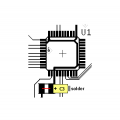
Remove C3 and replace with a short jumper. Then re-solder C3 from the right trace (Vcc) to ground.
From the photo it appears that C3 is large enough to span the two conductors leading to Q1.
SG
The pads and joints on the bottom are all fine [maybe], it may just be flux and camera effects. The bottom is a full pour, no traces, it's a single-sided board [but you’ve soldered components there]
Yeah... About that flux! You need to clean it off after soldering. An old (or new) toothbrush with a little alcohol (not the drinking kind) will clear it off in a jiffy. Wipe after scrubbing with a soft cloth.
There’s a lot of extra solder. You can clean it up with a bit of solder wick. And some joints are “balled up”, a sign of excess solder. Reheat those joints and wick up the excess. You can always add a tad more if necessary. A good solder joint “tents up” to the lead.
I think I see a few possible shorts and solder whiskers but I can’t be sure until the flux is cleaned off.
Yeah... About that flux! You need to clean it off after soldering. An old (or new) toothbrush with a little alcohol (not the drinking kind) will clear it off in a jiffy. Wipe after scrubbing with a soft cloth.
There’s a lot of extra solder. You can clean it up with a bit of solder wick. And some joints are “balled up”, a sign of excess solder. Reheat those joints and wick up the excess. You can always add a tad more if necessary. A good solder joint “tents up” to the lead.
I think I see a few possible shorts and solder whiskers but I can’t be sure until the flux is cleaned off.
I had run out of alcohol before I assembled this, but picked some more up so I could clean it properly for rework.
I don't understand your comment in my quote "[but you've soldered components there]". The traces for all the through-hole components are routed on the top layer. The holes are plated, so there's an electrical connection from each through-hole pin to its trace. How else am I supposed to attach through-hole components to a PCB?
I had run out of alcohol before I assembled this, but picked some more up so I could clean it properly for rework.
I don't understand your comment in my quote "[but you've soldered components there]". The traces for all the through-hole components are routed on the top layer. The holes are plated, so there's an electrical connection from each through-hole pin to its trace. How else am I supposed to attach through-hole components to a PCB?
Sorry if I was being oblique. My comment was in reply to “it’s a single sided board”. Not disagreeing with that statement, but you need to also look at the soldered through hole connections.
If the bottom is a full pour and the clearances are too small, then any soldered connections with too much solder can bridge to the full copper pour and possibly short all components with that issue.
I understand that is how you’ll connect through-hole components. But if there are issues with the solder, you will run into problems.
Test to see if that’s an issue. With the board unpowered, attach your multimeter’s positive lead to the copper pour. Then one-by-one, touch the other probe to each solder joint. If the pour isn’t used in the circuit, each and every soldered connection will read infinite resistance. If any connection shows 0 or low resistance, you have a problem.

 Facebook
 Google
 GitHub
 Linkedin