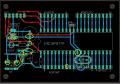
My first PCB design

ericgibbs

Joined Jan 29, 2010
21,442
If he's going to have the board manufactured, the holes will be plated through. There would be no reason not to
So what was the purpose of your post #88 about the pads and holes for the power connector if you already knew all the holes are PTH. ?
 

ericgibbs

Joined Jan 29, 2010
21,442
hi K2,
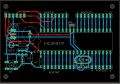
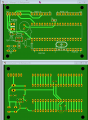
It helps to expose problems if you post an image of both sides of the PCB.
This would have highlighted the short top Red track, or any other track errors or missing pads.
Can you post photo shots of both sides of the PCB.?
E
 

MrChips

Joined Oct 2, 2009
34,817
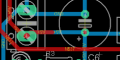
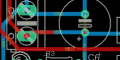
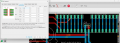
Look at this section.

1675970450514.png

1) Blue GND trace should come straight off the pad.
2) Same with the blue +5V trace.
3) There is no need for the red +5V trace.
4) There is an unnecessary red trace at the + pin of C6.

See post #101.
 

Thread Starter

King2

Joined Jul 17, 2022
163
hi K2,
It helps to expose problems if you post an image of both sides of the PCB.
This would have highlighted the short top Red track, or any other track errors or missing pads.
Can you post photo shots of both sides of the PCB.?
E
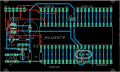
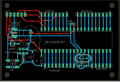
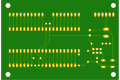
I have attached top and bottom picture

Edit : modified original image
 

Attachments

Last edited:

Thread Starter

King2

Joined Jul 17, 2022
163
Some of the pads are so small, they might be difficult to solder too. Like LED1, but there are many more examples. I’d enlarge them until they fail the DRC or touch. Then back off a couple of steps.
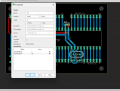
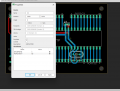
I am trying to increase pad size. I don't understand how to increase pad size individual of component

1676010346912.png
 

ericgibbs

Joined Jan 29, 2010
21,442
Hi K2,
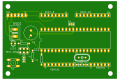
I did have a problem resolving the two levels of green for board and track on that deleted post.

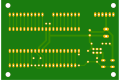
Editing the colours, it looks OK, as we suggest you need more copper around the component pads.
E
Whats that little hole near the P/B.?
EG57_ 569.png
 
Last edited:

Thread Starter

King2

Joined Jul 17, 2022
163
Hi K2,
I did have a problem resolving the two levels of green for board and track on that deleted post.
I apologize for the inconvenience

Whats that little hole near the P/B.
It was unconnected trace I didn't see, I just deleted it

BOTTOM.png

Editing the colours, it looks OK, as we suggest you need more copper around the component pads.
I am using latest version. I am trying to increase pad size. I don't understand how to increase pad size individual of component
 

MrChips

Joined Oct 2, 2009
34,817
If you want to change the pad size of an individual device there are two things you can do.
You can select a single pad, set the shape, diameter, and drill and place it over the existing pad.

You can select the device and open the package. Set the pad diameter and drill. You will have to save it to the device library.
This will set up your library permanently so that the changes will be there the next time you use that device package.

By changing the DRC Annular ring settings, this will change all pads that have been set to auto.
Try changing Pads, Top, Bottom, Min value to 20ml. Click on Apply and observe the changes.
 

dl324

Joined Mar 30, 2015
18,329
Did i make correction that were told
Edit :
I have edited picture
1676047943319.png
  1. Why do you refuse to put components on a 0.1" grid (or maybe 0.05")?
  2. Why do you have wire jogs in the ground wires for S1?
  3. Why didn't you align the 5V connection on the power connector with C6?
  4. Weird connections on C6/R3, R1/header, and C5/header?
  5. Weird route on N$9.
  6. Why are R1, R2, C5, and S1 not aligned?
  7. R3 would look better if it was aligned with R1 and R2.
  8. Enlarging the pads on the resistors, LED, and 2x3 header would make them easier to solder.
  9. Missed marking the weird connections to SV1 pins 1 and 2.
Can't you see these things without needing them to be pointed out?
 
Top