My first PCB design

Thread Starter

King2

Joined Jul 17, 2022
163
I tried to make my first PCB design. I don't have experience with eagle. I have spent time with it and created my PCB design on eagle.

I want your feedback and review . There may be many mistake in layout which I want to fix so

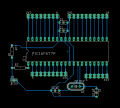
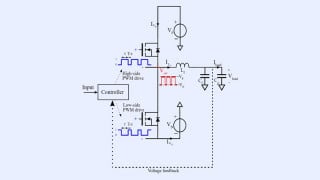
screenshot of circuit diagram
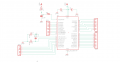
1675602612596.png

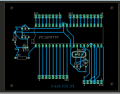
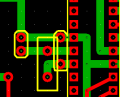
screenshot of layout design on eagle

1675602673086.png

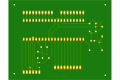
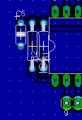
screenshot of bottom layer

1675602828098.png

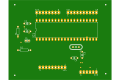
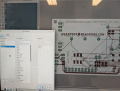
screenshot of top layer
1675602878678.png
 

MrChips

Joined Oct 2, 2009
34,812
I have said it many times.

PCB artwork should be a work of art that you can pat yourself on the back for creating something beautiful.

Your tracks are horrible with lots of critical electrical errors.
You need to get serious.
 

dl324

Joined Mar 30, 2015
18,328
I want your feedback and review . There may be many mistake in layout which I want to fix so
  1. You should keep wires a multiple of 45 degrees.
  2. You can't allow wires from different nets to touch.
  3. Better component placement would yield a cleaner layout. Learn how to use the ratsnest display to optimize component placement.
  4. Aligning components would be more aesthetically pleasing.
  5. If you enlarge the pads on the resistors, capacitors, and crystal, they'll be easier to solder or rework.
  6. Your board is larger than it needs to be.
  7. Why is the routing to SV3 so messy?
  8. Why aren't SV3 and SV4 aligned?
  9. C1 isn't connected.
  10. C2 is shorted.
Didn't check any other components because the routing is so messy.
 

nsaspook

Joined Aug 27, 2009
16,323
Yes, like the first piece of art from a 2-year old and its kept on the fridge until the kid turns 13.
I just think that sticking to electrical functionality is a lot more constructive to the OP than harping on some version of PCB beauty at this early point.

I have another kid that's a commercial artist. Her first art as a young child is as beautiful to me as her present day art.
 

djsfantasi

Joined Apr 11, 2010
9,237
  1. You should keep wires a multiple of 45 degrees.
  2. You can't allow wires from different nets to touch.
  3. Better component placement would yield a cleaner layout. Learn how to use the ratsnest display to optimize component placement.
  4. Aligning components would be more aesthetically pleasing.
  5. If you enlarge the pads on the resistors, capacitors, and crystal, they'll be easier to solder or rework.
  6. Your board is larger than it needs to be.
  7. Why is the routing to SV3 so messy?
  8. Why aren't SV3 and SV4 aligned?
  9. C1 isn't connected.
  10. C2 is shorted.
Didn't check any other components because the routing is so messy.
Nice summary of important points. I was about to return to this thread, but the number of errors (for me) presented a daunting task.

Good work @dl324 !
 

nsaspook

Joined Aug 27, 2009
16,323
First of all I am trying to place all the components at correct place I have crystal and capacitors with it. I am having trouble getting them in the right places as can see that connection are crossing each other

Where to place crystal and capacitors ?

View attachment 286878
Do the crystal and capacitor placement first as that is a critical part of the PCB design.
http://ww1.microchip.com/downloads/...out-of-Oscillators_ApplicationNote_AVR186.pdf

Do a few searches to see what others have done with similar devices.
 

MrChips

Joined Oct 2, 2009
34,812
Maybe.
1) A rule that you ought to obey is the crystal should be as close as possible to the MCU pins with the shortest traces to the pin.
2) The crystal load capacitors should be as close as possible to the pins of the crystal.
3) The grounded lead of the capacitor should be on a solid ground plane.
4) Keep all grounds on a solid ground plane, usually on the bottom (solder side) of the board.

Is 33pF the recommended load capacitor value for that crystal? It seems high to me.
 

djsfantasi

Joined Apr 11, 2010
9,237
I hope this design is better than before

View attachment 286881
There still are traces which could be shortened. Unless there is a physical reason, keep traces as short as possible.

The trace from R1 to the MCU pin has two “jogs” that are unnecessary. You can run the trace horizontally direct from R1 to a jog to get to the MCU pin.

I also don’t like connecting to an oval component connection at a 45° angle. Referring to the MCU connection to R1 again, I’d use a short vertical segment to the oval MCU connection and then connect the horizontal and vertical segments with a 45° angle trace. The guiding principle is to make connections at a point with the most copper.

Your picture doesn’t indicate trace width to me. Perhaps I’m misreading the diagram. But you can afford to use wider traces.
 

dl324

Joined Mar 30, 2015
18,328
I hope this design is better than before
Significantly better.

I'd move one of C1 or C2 to the other side of the chip so it's closer to the power pin. The rule of thumb is one decoupling cap per power pin and placed close to the power pins to minimize inductance.

I'd rotate R2 and place the resistors side by side at minimum space. Put C3 and C4 in the same orientation.

Make sure the PIC will work with the crystal routing.

If you add a ground plane, you don't need to worry about routing ground.
 

Thread Starter

King2

Joined Jul 17, 2022
163
I want to increase the size of all tracks I am increasing size of each track under property window. How we can increase size of all tracks in eagle.

1675619054417.png
 

dl324

Joined Mar 30, 2015
18,328
I want to increase the size of all tracks I am increasing size of each track under property window. How we can increase size of all tracks in eagle.
Turn off all layers except bottom traces. Do a group on all of all traces you want to change. Select width from the change menu and select the width you want. Right click over the group you selected.
 

MrChips

Joined Oct 2, 2009
34,812
Look at R1. There is no reason to connect one of the legs to the MCU pin. Connect it to the track instead.

Look at C3 and C4. Put a ground plane on the bottom side. This is going to simplify all the ground connections and make a better ground overall.

Since all your pads are aligned in that orientation, make all tracks connect to pads in a vertical orientation, not at an angle.

Capacitors are available in 0.1" pitch.
 

nsaspook

Joined Aug 27, 2009
16,323

MrChips

Joined Oct 2, 2009
34,812
C1 and C2 are there for different pins.
One is for pin-11 VDD and the other is for pin-32 VDD.
If you have a low impedance path between the two pins then one 100nF ceramic capacitor will do.
You still need a 10μF electrolytic capacitor somewhere on the board across VDD and GND.
You have omitted VDD and GND connections to the board.
 
Top