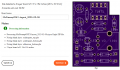
My first PCB design

Thread Starter

King2

Joined Jul 17, 2022
163
Why is TEST-PIN connected to +5V and GND?
i can also check the supply voltage with a multimeter

If I connect any external devices to micro controller and they need power supply then I can give 5V volt and ground connection from the board like LCD 16*2.
 

MrChips

Joined Oct 2, 2009
34,817
i can also check the supply voltage with a multimeter

If I connect any external devices to micro controller and they need power supply then I can give 5V volt and ground connection from the board like LCD 16*2.
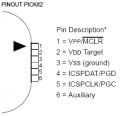
If you are planning on adding an LCD now is a good time to include the header for it.
 

Thread Starter

King2

Joined Jul 17, 2022
163
hi K,
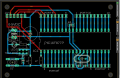
Are the component holes Plated Thru Holes [PTH}, if not, how will you solder the pins on the components side of the PCB.? [Blue Track]
E

BTW: What about C3 ????
Yes components are through hole
Yes all components are holes through
I am going to put C3 on the bottom layer
 

Thread Starter

King2

Joined Jul 17, 2022
163
If you use wider tracks for +5V and add a GND plane you don’t need C3.
It was said in post #49 that I have forgotten to connect C3, so I added c3 in my design.

i keep the trace size 30mil.

What should be the size of the trace for the supply
 

rpschultz

Joined Nov 23, 2022
812
You are now an experienced Eagle user!
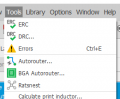
I'm late to the party, so I apologize. In Eagle, using the ERC and DRC tools are very helpful for error checking on both the schematic and the layout. And you can often download "plugins" for various manufacturers that automatically put in design clearances, etc. I use OshPark for prototyping and was able to download their Eagle plugin, really useful.

1675886715806.png
1675886970401.png
 

Thread Starter

King2

Joined Jul 17, 2022
163
I'm late to the party, so I apologize. In Eagle, using the ERC and DRC tools are very helpful for error checking on both the schematic and the layout.
i don't know how to use these tools so i ignore its error. I need to learn how to use these tools
 

rpschultz

Joined Nov 23, 2022
812
i don't know how to use these tools so i ignore its error. I need to learn how to use these tools
I just started learning Eagle about 2 months ago. A mechanical engineer, never done anything like this before. But Eagle was amazingly easy to learn. Looks like you've figured out the Autorouter (so cool). So yes, learn the ERC and DRC and it will help you a lot. Go into DRC, Sizes tab and change the minimum width to .4 or .6mm and the Autorouter will make it that thickness so you don't have to change them.
Another useful tip. Select a bunch of traces
type: Group.
type: change width .6
Right click -> Change: Group.
And it will change them all at once.
 

rpschultz

Joined Nov 23, 2022
812
Here's a design I've been working on, through OshPark. If you do ERC/DRC, and use their plugin, then it most certainly will pass their error checking when submitting it.
1675888328448.png
 

ericgibbs

Joined Jan 29, 2010
21,442
hi K2,
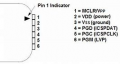
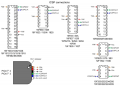
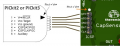
Your ISP connections look OK.
One point I would like to clear, not all the 18Fxxx, 40 pin PICs have the PGM on pin #36, some use pin #38.

May I ask how many PCBs are you planning to order, and what is their application?

E
 
Top