
multiple task in main function

Thread Starter

vead

Joined Nov 24, 2011
629
Hello everyone
I want to write C program to do following task.
first blink LED,
If LED is blinking than do task for motor start, forward , backword , stop
if motor is working , display message '' motor working " on LCD
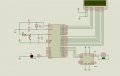
multifunction.jpg
I have written program individually for each task Now I want to combine all in one program. so I try to make program its incomplete program i need help in main function . I am confused on how to do all in main function.
Code:
#include <REG51.h>           // Header file of AT89c51
#define display_port P2      //Data pins connected to port 2 on microcontroller
#define LED          P1      // LED is connected to port P1
#define LED_ON       0xff    // LED ON
#define LED_OFF      0x00    // LED OFF

//motor connection
sbit L293D_pin_1 = P3^0;     // pin_1 connected to P3^0
sbit L293D_pin_2 = P3^1;     // pin_2 connected to P3^0
sbit L293D_E     = P3^2;     // pin_E connected to P3^0

// LCD pin connection
sbit rs = P2^0;              //RS pin connected to pin 2 of port 3
sbit rw = P2^1;              // RW pin connected to pin 3 of port 3
sbit e =  P2^2;              //E pin connected to pin 4 of port 3


// delay function for LED
void LED_delay (unsigned int i)
{
    unsigned int j;
    for (i = 0; i < 40000; i++);
    {
    
    }
}
// Delay function for LCD
void LCD_delay(unsigned int time)  // Function for creating delay in milliseconds.
{
    unsigned j,l ;
    for(j=0;j<time;j++) 
    for(l=0;l<1275;l++);
}
// Delay function for Motor
void Motor_delay()
{
unsigned int m,n,k;
for(m=0;m<0x20;m++)
for(n=0;n<255;n++)
for(k=0;k<255;k++);
}


void rotate_f()
{
L293D_pin_1 = 1; //Make positive of motor 1
L293D_pin_2 = 0; //Make negative of motor 0
L293D_E = 1; //Enable L293D
}

void rotate_b()
{
L293D_pin_1 = 0; //Make positive of motor 0
L293D_pin_2 = 1; //Make negative of motor 1
L293D_E = 1; //Enable L293D
}
void breaks()
{
L293D_pin_1 = 0; //Make positive of motor 0
L293D_pin_2 = 0; //Make negative of motor 0
L293D_E = 0; //Disable L293D
}

void lcd_cmd(unsigned char command)  //Function to send command instruction to LCD
{
    display_port = command;
    rs= 0;
    rw=0;
    e=1;
    msdelay(1);
    e=0;
}

void lcd_data(unsigned char disp_data)  //Function to send display data to LCD
{
    display_port = disp_data;
    rs= 1;
    rw=0;
    e=1;
    msdelay(1);
    e=0;
}

void lcd_init()    //Function to prepare the LCD  and get it ready
{
    lcd_cmd(0x38);  // for using  2 lines and 5X7 matrix of LCD
    msdelay(10);
    lcd_cmd(0x0c);  // turn display ON, cursor blinking
    msdelay(10);
    lcd_cmd(0x01);  //clear screen
    msdelay(10);
    lcd_cmd(0x81);  // bring cursor to position 1 of line 1
    msdelay(10);
}
void main()
{
  {
        LED = LED_ON;
        LED_delay(500);
        LED = LED_OFF;
        LED_delay(5000);
        LED = LED_OFF;

rotate_f(); //Run forward
motor_delay(); //Some delay
breaks(); //Stop
motor_delay(); //Some delay
rotate_b(); //Run Backwards
motor_delay(); //Some delay
breaks(); //Stop
motor_delay(); //Some delay


    unsigned char a[15]="motor working";    //string of 14 characters with a null terminator.
    int p=0;
    lcd_init();
    while(a[p] != '\0') // searching the null terminator in the sentence
    {
        lcd_data(a[p]);
        p++;
        LCD_delay(50);
    }  
}
  
}
 

AlbertHall

Joined Jun 4, 2014
12,625
To combine them you cannot use blocking delays as your individual sections do.

Instead, set up timer interrupts for the required delays and then set up the required actions from the interrupt routines.
 

Thread Starter

vead

Joined Nov 24, 2011
629
To combine them you cannot use blocking delays as your individual sections do.

Instead, set up timer interrupts for the required delays and then set up the required actions from the interrupt routines.
so I have to use timer interrupts. I searched for interrupt and found that Interrupts are events that cause the microprocessor to stop what it is doing, and handle a high-priority task first. After the interrupt is handled, the microprocessor goes back to whatever it was doing before. In this way, we can be assured that high-priority inputs are never ignored.
I think I have to create intrerrupts function and than have to write code in main function
Code:
void timer (void) __interrupt (1)
    {

    }
// Then in the main..
main( )
{
TR0 = 1; // Timer 0 on..
ET0 = ;  // Timer 0 Interrupt on..
EA = 1; // global interrupts on..
}
I have seen LED blinking c program using timer interrupts but I don't have idea to do it for multiple tasks?
 

ErnieM

Joined Apr 24, 2011
8,415
First let me say you do not need to use interrupts for this. Interrupts are incredibly useful, but do have their own learning curve to overcome. For your project there is just a bit of power needed inbetween long stretches of inactivity, so dumb delays will work just fine.

Say you want to blink the LED once a second and change the motor every 5 seconds. This fits into a 1/2 second delay where every time you end the delay you change the led on to off or off to on. You also count how many half seconds you have waited and change the motor as needed.

Generally this is called a state machine where certain inputs or conditions advance the state to do useful things. Do search that term.
 

Thread Starter

vead

Joined Nov 24, 2011
629
after some reading I made following algorithm. and I am trying to convert that algorithm int to program. I will post code later
Code:
unsigned int  task;

switch(task)
{
case 0:
if <task> == 0
blink Led ();
break;

case 1:
if <task> == 1
Do motor task ();
break;

case 2:
if <task> = 2
display name ();
break;
}
If the value of task is equal to 0 than led blinking task will executed. and if value of task is equal to 1 than motor task will executed and it is equal to 2 than Lcd display task will executed
 
Last edited:

Thread Starter

vead

Joined Nov 24, 2011
629
Hello
I am not sure that I am going on right track
Code:
define Led_task (1)
define Motor_task (1)
define Lcd_task (1)

unsigned int task;
switch(task)
{
case 1:
if <task> == Led_task   
LED = LED_ON;
LED_delay(500);
LED = LED_OFF;
LED_delay(5000);
break;

case 2:
if <task> == Motor_task 
  rotate_f(); //Run forward
motor_delay(); //Some delay
breaks(); //Stop
motor_delay(); //Some delay
rotate_b(); //Run Backwards
motor_delay(); //Some delay
breaks(); //Stop
motor_delay(); //Some delay
Break;

case 3:
if <task> = Lcd_task  
display name ();
}
 

nsaspook

Joined Aug 27, 2009
16,322
Do you understand how to write a correct switch FSM structure?

Switch statement and an enum type for your state example with transitions inside the switch statement based on a input variable.
C:
typedef enum
{
STATE_1 =0,
STATE_2,
STATE_3
}my_state_t;

my_state_t state = STATE_1;

void foo(char input)
{
... // stuff
switch(state)
{
case STATE_1:
if(input)
state = STATE_2;
break;
case STATE_2:
if(input)
state = STATE_3;
else
state = STATE_1;
break;
case STATE_3:
...
break;
}
...
}
This is just an example. Don't try to rewrite your code directly with it, just understand what's happening so you can fix your code.
 

Thread Starter

vead

Joined Nov 24, 2011
629
Do you understand how to write a correct switch FSM structure?

Switch statement and an enum type for your state example with transitions inside the switch statement based on a input variable.
C:
typedef enum
{
STATE_1 =0,
STATE_2,
STATE_3
}my_state_t;

my_state_t state = STATE_1;

void foo(char input)
{
... // stuff
switch(state)
{
case STATE_1:
if(input)
state = STATE_2;
break;
case STATE_2:
if(input)
state = STATE_3;
else
state = STATE_1;
break;
case STATE_3:
...
break;
}
...
}
This is just an example. Don't try to rewrite your code directly with it, just understand what's happening so you can fix your code.
I understand this code but I don't understand how to use this concept in my original code. I have seen some links and try to understand how to execute multiple task. can you make it simple so that I can try to use in my program.
 

nsaspook

Joined Aug 27, 2009
16,322
I understand this code but I don't understand how to use this concept in my original code. I have seen some links and try to understand how to execute multiple task. can you make it simple so that I can try to use in my program.
You need to step up and understand the concept because that's completely your responsibility.
 

Thread Starter

vead

Joined Nov 24, 2011
629
You need to step up and understand the concept because that's completely your responsibility.
I saw the code that posted in a two different website but there is not explanation regarding embedded program. I am too long to complete whole program. its very complex program for me. I see most of example in C program but the embedded c programming is different than c programming
should I follow this manner
Code:
typedef enum
{
task_1 =0,
task_2,
task_3
}my_state_t;
my_task_t task = task_1;

int main ()
{
unsigned int task;
switch(task)
{
case 1:
if my_task_t task = task_1

LED = LED_ON;
LED_delay(500);
LED = LED_OFF;
LED_delay(5000);
break;
case 2:
if my_task_t task = task_2

  rotate_f(); //Run forward
motor_delay(); //Some delay
breaks(); //Stop
motor_delay(); //Some delay
rotate_b(); //Run Backwards
motor_delay(); //Some delay
breaks(); //Stop
motor_delay(); //Some delay
Break;
case 3:
my_task_t task = task_3

display name ();
}
 
Last edited:
Top




