How to start debugging with MPLAB

Thread Starter

Fanfire174

Joined Mar 13, 2018
240
. When I used pickit3 for debugging I only get two breakpoints and that was on a mid range... I since use Proteus.. Real time debugging in a simulator.. Or as near as damn it..
.
I don't have ICD I have only pickit3 many time expert suggest to debug code so I was trying to learn to debug code

It has been a long time I am trying to debug code but still don't understand how to do it ?

I think someone will help who debug their code on MPLAB XC8
 

jpanhalt

Joined Jan 18, 2008
11,087
Sorry to interject and hope this is on topic. I use MPLAB 8.92, not MPLAB X. However, upon checking the Users' Guide for MPLAB X, it seems to be set up similarly for simulation. That is, you need to pick a simulator (e.g., MPLAB Sim for 8.92). Then, you need to design the stimulus.*

In your case, your PIR input is set up on RCO. So, in designing the stimulus, you would pick RCO as the input. You need to decide whether it will be synchronous or asynchronous.

Asynchronous is something like setting the pin high, toggling it, setting it high for a certain period, then low, etc. Synchronous would be something like inputting a clock signal. For a clock, there is a whole additional dialog to go through. Finally, for more advanced simulation, you can create a table of values/actions to insert (i.e., a script).

For reference, search on "stimulus" in the user guide. Table 6-14 is the first instance I found. Can you show how you have the stimulus set up?

John

*Again, with reference to the earlier version, when you debug per se, the debugger only steps through the code. It is like a logic check. During that phase, you cannot change variables. However, there is a workaround. If you call a routine with a variable set, it returns to the next step. Then, you can change that variable and call the routine again, see what happens, and so forth. Those changes can be in the form of an include file (e.g., test.inc). Clumsy, yes, and simple too.

Using the simulator (particularly with a table or script) , you can do all of that very easily. It is just a little more intimidating to get started.

EDIT: All of the above is about software simulation, not hardware simulation. Some is applicable to hardware simulation, except with hardware simulation, you are limited in the number of breakpoints and you cannot use the "stimulus" tool, at least not in MPLab 8.92 with ICD3.
 
Last edited:

jpanhalt

Joined Jan 18, 2008
11,087
Are you trying to do hardware or software simulation? My comment above related mainly to software simulation. Comments by others seemed to imply hardware simulation. In hardware, you will need to create a signal with the PIR device. If you are doing hardware, do you have a way to monitor that signal that is independent of the MCU?
 

Thread Starter

Fanfire174

Joined Mar 13, 2018
240
Are you trying to do hardware or software simulation? My comment above related mainly to software simulation. Comments by others seemed to imply hardware simulation. In hardware, you will need to create a signal with the PIR device. If you are doing hardware, do you have a way to monitor that signal that is independent of the MCU?
I do not know much hardware and software simulation I have seen on the forum when the code doesn't work, Many peoples say debug the code and find the problem of solution.

so I thought It would be my benefit If I learn the debugging procedure

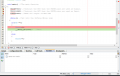
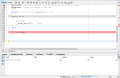
This was my one effort to learn to debug the code

I wish if someone can write blog on debug process for PIC micrcontroller using MPLAB X IDE. It may be help to so many peoples
 
Last edited:

AlbertHall

Joined Jun 4, 2014
12,625
In your case, your PIR input is set up on RCO. So, in designing the stimulus, you would pick RCO as the input. You need to decide whether it will be synchronous or asynchronous.
This applies if you are using the MPLAB simulator but not if you are using PICKIT3 to do the debugging.
 

jpanhalt

Joined Jan 18, 2008
11,087
I get the impression you are doing software debugging but trying to use the PICKit.
This applies if you are using the MPLAB simulator but not if you are using PICKIT3 to do the debugging.
But we have yet to know whether the TS wants to do hardware or software debug/simulation. At least, I can't tell from the perspective of post #28.

My recommendation would be to get software debugged first, then do hardware debugging. My reasoning is that software is simple and not limited by breakpoints. The TS's PIR input is simple.
 
Last edited:

AlbertHall

Joined Jun 4, 2014
12,625
You changed the condition test line, "if (PIR==1)" became "if (PIR==0)", but you should be changing the PIR output or, perhaps, at this stage of debugging use a switch instead of the sensor so you can set and be sure of the input to the PIC.
 
Top