AT commands not responding on ESP8266-01

Thread Starter

zazas321

Joined Nov 29, 2015
936
You have it working, it is probably a good idea not to flash anything until you have a better understanding.

Why not just change this one line in his program:

esp8266.begin(9600);

to

esp8266.begin(115200);


and it will work. Then go read about software serial.

As i have mentioned before, I did change it to 115200, and the picture of my serial monitor is the response I got which is not exactly what I expect. It seems that there is still some garbage data printing out
 

Thread Starter

zazas321

Joined Nov 29, 2015
936
@zazas321 A couple more thoughts..,

What happens if you send multiple “AT” commands using your test program?

The question mark looking characters are a typical sign of a mismatch in your comm parms. And it’s happening in the middle of your “AT+GMR” command. That’s why I want you to try multiple commands that are not the “AT+GMR” command.

Secondly, the repeating characters indicate that there is something left in the buffer or being appended to the buffer. To clarify, do these characters eventually stop? Or do they keep on going until you reset the chip or remove power?

Personally, I use a
while(Serial.available())
loop, grabbing all available characters and putting them into a string or char array. That way, nothing perturbs the comm input.

But first, convince me that:
1) the grounds of both devices are connected;
2) The problem occurs even with multiple “AT” commands.

The characters never stop and keep on going until I turn the power off. If I reset the arduino or ESP, after like 1 second, the characters start going by themselve without me touching or sending anything


To answer to your questions:
1) yes grounds are connected together
2) I am not quite sure what do you mean by multiple commands? It is same whether i send 1 command or 10
 

djsfantasi

Joined Apr 11, 2010
9,237
By multiple commands, I mean sending the “AT” command more than once. Do NOT send any other command. Especially, do NOT send an “AT+GMR” command. Just send “ AT” command repeatedly.

Something is changing the comm speed. Let’s eliminate the “AT+GMR” command.

Have you tried programming the sketch as I outlined?
 

Thread Starter

zazas321

Joined Nov 29, 2015
936
I have tried sending nothing but AT commands repeatedly, it did not seem to stop the arduino from transmitting some garbaga data to the esp ( or vice versa)

Another strange thing that is happening, is when I upload the arduino sketch, it usually does not work at first time - i dont get any response from AT commands and nothing displayed on serial monitor. I have to restart the module multiple and reupload the code until it finally starts replying to AT commands. I dont think that is normal behaviour but im not sure what is that happening?

Sometimes
upload_2019-1-25_20-45-46.png

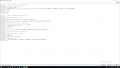
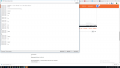
Feels like it is unstable - sometimes i get some random text displayed on serial monitor without me even touching anything . see example below:
upload_2019-1-25_20-47-33.png
 

Thread Starter

zazas321

Joined Nov 29, 2015
936
I am not quite sure where to add your line to my program
while(Serial.available())

C:
#include <SoftwareSerial.h>

SoftwareSerial mySerial(2,3);

// When a command is entered in to the serial monitor on the computer
// the Arduino will relay it to the ESP8266
//ARDUINO TX - RX, RX-TX
//

int LEDPIN = 13;

void setup()
{
pinMode(LEDPIN, OUTPUT);

Serial.begin(9600); // communication with the host computer
//while (!Serial) { ; }

// Start the software serial for communication with the ESP8266
mySerial.begin(115200);

Serial.println("");
Serial.println("Remember to to set Both NL & CR in the serial monitor.");
Serial.println("Ready");
Serial.println("");
}
while(Serial.available())
void loop()
{
// listen for communication from the ESP8266 and then write it to the serial monitor
if ( mySerial.available() ) { Serial.write( mySerial.read() ); }
//listen for user input and send it to the ESP8266
if ( Serial.available() ) { mySerial.write( Serial.read() ); }
}
 
Last edited by a moderator:
As i have mentioned before, I did change it to 115200, and the picture of my serial monitor is the response I got which is not exactly what I expect. It seems that there is still some garbage data printing out
Where did you mention before that you changed "IT" to to 115200?? I am looking and I don't see that.
In #31 I see you using mySerial.begin(115200);
In #33 the program in the link is using esp8266.begin(9600);

Where have you said that you changed that program to use esp8266.begin(115200);

Where is that? Because I don't see that at all and it is very frustrating. You want to run and you are just starting to crawl.

Can you still get an OK response to an AT using the USB to serial board? Yes or No?
Can you get an OK response to an AT using the Arduino as a terminal? YES or No?

You don't understand that there are THREE UARTs involved.

1. On the ESP8266 which is operating at 115200
2. The Arduino SOFTWARE serial UART, which has an easily programmable baud rate.
3. The Arduino HARDWARE serial monitor, which also has a programmable baud rate.

When you send an AT command and you get a garbled response, that is LIKELY either a mis-matched baud rate OR a bad connection, which you have already reported but was corrected.

When you send an AT command and you get a NON-STOP response, it LIKELY means that the ESP is repeatedly rebooting (not going to go into that now).

You need to go back to where you can get responses to the AT command set using the USB to serial. Try several different AT commands where you know what a reasonable response is from looking at documentation.

Then, set up the Arduino as the terminal replacing the USB to serial board and get that to work in the same way. If you have noisy/corrupt /bad/wrong connections, bad power supplies and the like, you can not go further until you fix them.

Although the AT command set can be quite cumbersome, you can change a lot of settings (including baud rate) using them. When you jump to trying to run programs that you don't understand, you are asking for problems.
 

Thread Starter

zazas321

Joined Nov 29, 2015
936
Where did you mention before that you changed "IT" to to 115200?? I am looking and I don't see that.
In #31 I see you using mySerial.begin(115200);
In #33 the program in the link is using esp8266.begin(9600);

Where have you said that you changed that program to use esp8266.begin(115200);

Where is that? Because I don't see that at all and it is very frustrating. You want to run and you are just starting to crawl.

Can you still get an OK response to an AT using the USB to serial board? Yes or No?
Can you get an OK response to an AT using the Arduino as a terminal? YES or No?

You don't understand that there are THREE UARTs involved.

1. On the ESP8266 which is operating at 115200
2. The Arduino SOFTWARE serial UART, which has an easily programmable baud rate.
3. The Arduino HARDWARE serial monitor, which also has a programmable baud rate.

When you send an AT command and you get a garbled response, that is LIKELY either a mis-matched baud rate OR a bad connection, which you have already reported but was corrected.

When you send an AT command and you get a NON-STOP response, it LIKELY means that the ESP is repeatedly rebooting (not going to go into that now).

You need to go back to where you can get responses to the AT command set using the USB to serial. Try several different AT commands where you know what a reasonable response is from looking at documentation.

Then, set up the Arduino as the terminal replacing the USB to serial board and get that to work in the same way. If you have noisy/corrupt /bad/wrong connections, bad power supplies and the like, you can not go further until you fix them.

Although the AT command set can be quite cumbersome, you can change a lot of settings (including baud rate) using them. When you jump to trying to run programs that you don't understand, you are asking for problems.
You are confusing the home automation link program to the initial program that I have sent when I started this thread.Sorry to confuse you I am curently working on this program:
C:
#include <SoftwareSerial.h>

SoftwareSerial mySerial(2,3);

// When a command is entered in to the serial monitor on the computer
// the Arduino will relay it to the ESP8266


int LEDPIN = 13;

void setup()
{
pinMode(LEDPIN, OUTPUT);

Serial.begin(9600); // communication with the host computer
//while (!Serial) { ; }

// Start the software serial for communication with the ESP8266
mySerial.begin(115200);

Serial.println("");
Serial.println("Remember to to set Both NL & CR in the serial monitor.");
Serial.println("Ready");
Serial.println("");
}

void loop()
{
// listen for communication from the ESP8266 and then write it to the serial monitor
if ( mySerial.available() ) { Serial.write( mySerial.read() ); }

// listen for user input and send it to the ESP8266
if ( Serial.available() ) { mySerial.write( Serial.read() ); }
}
The one that you were talking about is my final goal program and i have tried that as well - not working
 
Last edited by a moderator:
When you send an AT command and you get a garbled response, that is LIKELY either a mis-matched baud rate OR a bad connection, which you have already reported but was corrected.

When you send an AT command and you get a NON-STOP response, it LIKELY means that the ESP is repeatedly rebooting (not going to go into that now).

You need to go back to where you can get responses to the AT command set using the USB to serial. Try several different AT commands where you know what a reasonable response is from looking at documentation.

Then, set up the Arduino as the terminal replacing the USB to serial board and get that to work in the same way. If you have noisy/corrupt /bad/wrong connections, bad power supplies and the like, you can not go further until you fix them.
 

Thread Starter

zazas321

Joined Nov 29, 2015
936
When you send an AT command and you get a garbled response, that is LIKELY either a mis-matched baud rate OR a bad connection, which you have already reported but was corrected.

When you send an AT command and you get a NON-STOP response, it LIKELY means that the ESP is repeatedly rebooting (not going to go into that now).

You need to go back to where you can get responses to the AT command set using the USB to serial. Try several different AT commands where you know what a reasonable response is from looking at documentation.

Then, set up the Arduino as the terminal replacing the USB to serial board and get that to work in the same way. If you have noisy/corrupt /bad/wrong connections, bad power supplies and the like, you can not go further until you fix them.

That is exactly what im trying to do.
I got my AT command reponse with FTDI converter, all im trying to do now, is to get AT command response when using an Arduino.
So I am using this code:
C:
#include <SoftwareSerial.h>

SoftwareSerial mySerial(2,3);

// When a command is entered in to the serial monitor on the computer
// the Arduino will relay it to the ESP8266
//ARDUINO TX - RX, RX-TX
//

int LEDPIN = 13;

void setup()
{
pinMode(LEDPIN, OUTPUT);

Serial.begin(9600); // communication with the host computer
//while (!Serial) { ; }

// Start the software serial for communication with the ESP8266
mySerial.begin(115200);

Serial.println("");
Serial.println("Remember to to set Both NL & CR in the serial monitor.");
Serial.println("Ready");
Serial.println("");
}

void loop()
{
// listen for communication from the ESP8266 and then write it to the serial monitor
if ( mySerial.available() ) { Serial.write( mySerial.read() ); }
//listen for user input and send it to the ESP8266
if ( Serial.available() ) { mySerial.write( Serial.read() ); }
}
I am using 5V DC adapter which is going to my 3.3V linear regulator that is feeding the ESP8266.
All the connections seem fine to me. The AT commands with the code below seems to be working, but it is very strange becuase it requires me to restart /reupload the code multiple times until it starts working properly and even then, I am getting some gargabe data..

I am almost certain that the connections are good, the power supply is more than enough to power ESP8266. So I am not sure what else should I check
 
Last edited by a moderator:
You need to go back to where you can get responses to the AT command set using the USB to serial. Try several different AT commands where you know what a reasonable response is from looking at documentation.

You have changed a number of things, including running a program that used AT commands. When it seems strange and you are banging your head, go back to what last worked. When you have verified that by using a number of AT commands and receiving the appropriate response, you can go forward to the Arduino.
 

djsfantasi

Joined Apr 11, 2010
9,237
So, try uploading a sample serial sketch to the Arduino. I’m away from my IDE, but I think there’s one that just echoes what you type. Use a supplied sketch; not one you write. Test that the Arduino can communicate with the console. One step at a time.
 
Ok Good.
Now using that working set up...

Type in AT and you should get OK back

Then type in AT+UART_CUR?
and you should get a number back that is the baud rate - it may not be exactly 115200 but it should be close

Then type in AT+GMR
and tell me what you get exactly

IF that passes, you can go to an Arduino terminal setup but please try those commands first.
 
Ok Good.
Now using that working set up...

Type in AT and you should get OK back

Then type in AT+UART_CUR?
and you should get a number back that is the baud rate - it may not be exactly 115200 but it should be close

Then type in AT+GMR
and tell me what you get exactly

IF that passes, you can go to an Arduino terminal setup but please try those commands first.
OK, I see now in the window, that you have done enough of that.

I advise that you set up the Arduino EXACTLY as in the picture that I posted in #21. Exactly that way, no momentary switches at all. Leave RST unconnected (for the moment).

Before you connect it to the Arduino, load the code below.

C:
#include <SoftwareSerial.h>

SoftwareSerial mySerial(2,3);

// When a command is entered in to the serial monitor on the computer
// the Arduino will relay it to the ESP8266
//ARDUINO TX - RX, RX-TX
//

int LEDPIN = 13;

void setup()
{
pinMode(LEDPIN, OUTPUT);

Serial.begin(115200); // communication with the host computer
//while (!Serial) { ; }

// Start the software serial for communication with the ESP8266
mySerial.begin(115200);

Serial.println("");
Serial.println("Remember to to set Both NL & CR in the serial monitor.");
Serial.println("Ready");
Serial.println("");
}

void loop()
{
// listen for communication from the ESP8266 and then write it to the serial monitor
if ( mySerial.available() ) { Serial.write( mySerial.read() ); }
//listen for user input and send it to the ESP8266
if ( Serial.available() ) { mySerial.write( Serial.read() ); }
}
make sure that the Arduino serial monitor is also set to 115200 and both CR/LF.

Then type in the same AT commands.
 
Last edited by a moderator:
Ok, now I am completely confused because your picture (which is in very tiny type) shows that you are using the Arduino and not the FTDI and putty as I thought you were doing. Is that correct?
 

Thread Starter

zazas321

Joined Nov 29, 2015
936
Ok Good.
Now using that working set up...

Type in AT and you should get OK back

Then type in AT+UART_CUR?
and you should get a number back that is the baud rate - it may not be exactly 115200 but it should be close

Then type in AT+GMR
and tell me what you get exactly#


IF that passes, you can go to an Arduino terminal setup but please try those commands first.

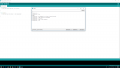
Using the same setup with FTDI adapter:

upload_2019-1-25_22-0-4.png
 

Thread Starter

zazas321

Joined Nov 29, 2015
936
OK, I see now in the window, that you have done enough of that.

I advise that you set up the Arduino EXACTLY as in the picture that I posted in #21. Exactly that way, no momentary switches at all. Leave RST unconnected (for the moment).

Before you connect it to the Arduino, load the code below.

Code:
#include <SoftwareSerial.h>


SoftwareSerial mySerial(2,3);

// When a command is entered in to the serial monitor on the computer
// the Arduino will relay it to the ESP8266
//ARDUINO TX - RX, RX-TX
//

int LEDPIN = 13;

void setup()
{
pinMode(LEDPIN, OUTPUT);

Serial.begin(115200); // communication with the host computer
//while (!Serial) { ; }

// Start the software serial for communication with the ESP8266
mySerial.begin(115200);

Serial.println("");
Serial.println("Remember to to set Both NL & CR in the serial monitor.");
Serial.println("Ready");
Serial.println("");
}

void loop()
{
// listen for communication from the ESP8266 and then write it to the serial monitor
if ( mySerial.available() ) { Serial.write( mySerial.read() ); }
//listen for user input and send it to the ESP8266
if ( Serial.available() ) { mySerial.write( Serial.read() ); }
}
make sure that the Arduino serial monitor is also set to 115200 and both CR/LF.

Then type in the same AT commands.

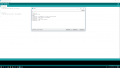
I have connected exactly as you have suggested in the post 21. Initially, when uploaded the sketch and applied power to ESP, the ESP did not even turn ON. I have unplugged VCC pin and plugged it back ON, immidiatelly after that Arduino TX pin started blinking very fast as before and started outputting me question marks on the serial monitor, however I am able to send AT command and get an aswer.
upload_2019-1-25_22-9-20.png

Note that I am using 9600 baud rate. At 115200, There is nothing being printed on serial monitor and no response from AT commands, I asssume thats because my arduino serial is set to 9600?
 

Thread Starter

zazas321

Joined Nov 29, 2015
936
Hmm that is unexpected. You mean you are using an FTDI AND an Arduino. The Arduino is connected to your PC and how is the FTDI connected to the Arduino. Also, why did you not use Putty or Termite as you stated you were using earlier.

When you say "the same setup", the same setup as what?
No arduino connected. Same setup as you suggested before - go back to the previous setup when the AT commands were working. I have just FTDI adapter which RX is connected to ESP TX and vice versa.
 
Top