3 Digit Frequency Counter

MrChips

Joined Oct 2, 2009
34,820
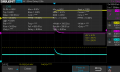
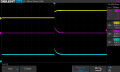
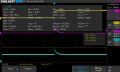
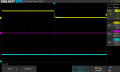
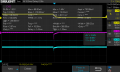
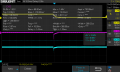
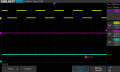
It appears that channel 2 is riding on zero volts and channel 3 is riding on + 5 volts.
That is correct. This leads to three questions.

1) Why is this so?
2) What do we know about the shape and time duration of the spikes?
3) What are the voltages at the extreme tips of the rising spike and the falling spike for each of the two circuits?

After you have understood the significance of these answers there will be more questions to follow.
 

MisterBill2

Joined Jan 23, 2018
27,552
Are you able to look at those spikes and know how long they are above the minimum value for a CMOS logic "High" state? And is the falling edge fast enough to properly return a CMOS input to the low state, without any oscillation?? Such as latching in all zeros after the counter has been reset?? This is probably the first of those questions. AND CERTAINLY this is a portion of Why I do not use this scheme for controlling counters.
 

Thread Starter

NapSolo

Joined Oct 29, 2024
115
That is correct. This leads to three questions.

1) Why is this so?
2) What do we know about the shape and time duration of the spikes?
3) What are the voltages at the extreme tips of the rising spike and the falling spike for each of the two circuits?

After you have understood the significance of these answers there will be more questions to follow.
1) Circuit #1 is referenced to +5 volts while circuit #2 is referenced to ground.
2) The shape of both spikes appears the same and the duration (width) is 96 ms.
3) Spike #1 voltage is 4.2 while spike #2 is 4.3.
 

MrChips

Joined Oct 2, 2009
34,820
1) Circuit #1 is referenced to +5 volts while circuit #2 is referenced to ground.
2) The shape of both spikes appears the same and the duration (width) is 96 ms.
3) Spike #1 voltage is 4.2 while spike #2 is 4.3.
Not quite the answers I was hoping to hear.

1) Circuit #1 is referenced to +5 volts while circuit #2 is referenced to ground.
What do you mean by "referenced to +5 volts" and "referenced to ground"?
What are the DC voltages at the OUTPUT side of each capacitor?
Why are these voltages what they are?

2) The shape of both spikes appears the same and the duration (width) is 96 ms.
What determines the shape of the spikes?
What determines the 96 ms?

3) Spike #1 voltage is 4.2 while spike #2 is 4.3.
Spike #1 and #2 are positive going spikes. Are you certain about those voltages?
What about the negative going spikes as seen on your oscilloscope image?

1731697011664.png
 

Thread Starter

NapSolo

Joined Oct 29, 2024
115
Not quite the answers I was hoping to hear.

1) Circuit #1 is referenced to +5 volts while circuit #2 is referenced to ground.
What do you mean by "referenced to +5 volts" and "referenced to ground"?
What are the DC voltages at the OUTPUT side of each capacitor?
Why are these voltages what they are?

2) The shape of both spikes appears the same and the duration (width) is 96 ms.
What determines the shape of the spikes?
What determines the 96 ms?

3) Spike #1 voltage is 4.2 while spike #2 is 4.3.
Spike #1 and #2 are positive going spikes. Are you certain about those voltages?
What about the negative going spikes as seen on your oscilloscope image?

View attachment 335900
1) DC voltage for circuit #1 at the output is 0 volts and for circuit #2 is 5 volts. Circuit #1 resistor is at ground
potential and circuit #2 resistor is at + 5.

2) The greater the time constant (decay time), the wider the pulse. Pulse Width = Width of Input Waveform - t ?

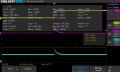
3) Cursor measurement indicates that these are the voltages. I attached the scope screen shots of the measurements.
 

Attachments

Last edited:

MisterBill2

Joined Jan 23, 2018
27,552
What portion of the spike is above the "Minimum logic 1" level?? Most specifically, the logic "1" level for the IC device it will be controlling.
 

MrChips

Joined Oct 2, 2009
34,820
1) DC voltage for circuit #1 at the output is 0 volts and for circuit #2 is 5 volts. Circuit #1 resistor is at ground
potential and circuit #2 resistor is at + 5.

2) The greater the time constant (decay time), the wider the pulse. Pulse Width = Width of Input Waveform - t

3) Cursor measurement indicates that these are the voltages. I attached the scope screen shots of the measurements.
I will give you my clear answers and you can compare it with your answers.

1) DC voltage at OUTPUT 1 is 0 volts because it is biased by R1 to ground.
DC voltage at OUTPUT 2 is 5 volts because it is biased by R2 to +5 V. (Your answer is correct.)

2) On the rising edge of the input voltage (to +5 V), both sides of capacitor C1 rise to a positive voltage above ground.
Capacitor C1 then charges via C1 and R1. Hence OUTPUT 1 falls to 0V as an inverse exponential function. (The equation of this function is well known.)

In circuit #2, capacitor C2 is already charged to 5 V via R2. On the rising edge of the input voltage, both sides of the capacitor C2 rise to a positive voltage above +5 V. OUTPUT 2 falls back to +5 V via R2.

The shape of the trailing edge of the spike is determine by the RC time-constant.
For R = 2.2kΩ
and C = 0.1 μF

R x C = 2.2 kΩ x 0.1 μF = 0.22 ms
This is the time it takes the voltage to fall by 63% and can be observed in the oscilloscope waveform.

1731700829041.png

3) Your cursor measurements give you the relative voltage, i.e. the height of the spike above a baseline.

1731701624123.png

We want to know the absolute voltage with respect to GND. In other words, what is the absolute voltage of the peak of the spike with respect to GND? What is the absolute voltage of the baseline (the flat portion of the waveform) with respect to GND? Those pieces of information are visible in the text displays on your screen.

There are also negative going spikes that are also of interest. Similarly, we want to know the absolute voltages.
You need to reconfigure your oscilloscope in order to observe these negative going spikes.

These will lead to further questions as alluded to by MisterBill2.
 

Thread Starter

NapSolo

Joined Oct 29, 2024
115
I will give you my clear answers and you can compare it with your answers.

1) DC voltage at OUTPUT 1 is 0 volts because it is biased by R1 to ground.
DC voltage at OUTPUT 2 is 5 volts because it is biased by R2 to +5 V. (Your answer is correct.)

2) On the rising edge of the input voltage (to +5 V), both sides of capacitor C1 rise to a positive voltage above ground.
Capacitor C1 then charges via C1 and R1. Hence OUTPUT 1 falls to 0V as an inverse exponential function. (The equation of this function is well known.)

In circuit #2, capacitor C2 is already charged to 5 V via R2. On the rising edge of the input voltage, both sides of the capacitor C2 rise to a positive voltage above +5 V. OUTPUT 2 falls back to +5 V via R2.

The shape of the trailing edge of the spike is determine by the RC time-constant.
For R = 2.2kΩ
and C = 0.1 μF

R x C = 2.2 kΩ x 0.1 μF = 0.22 ms
This is the time it takes the voltage to fall by 63% and can be observed in the oscilloscope waveform.

View attachment 335910

3) Your cursor measurements give you the relative voltage, i.e. the height of the spike above a baseline.

View attachment 335912

We want to know the absolute voltage with respect to GND. In other words, what is the absolute voltage of the peak of the spike with respect to GND? What is the absolute voltage of the baseline (the flat portion of the waveform) with respect to GND? Those pieces of information are visible in the text displays on your screen.

There are also negative going spikes that are also of interest. Similarly, we want to know the absolute voltages.
You need to reconfigure your oscilloscope in order to observe these negative going spikes.

These will lead to further questions as alluded to by MisterBill2.
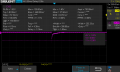
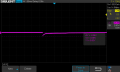
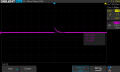
Here is the scope image of the negative spikes. I can't get a better image.
I do know what you mean by absolute voltages but I have no clue how to find them.
 

Attachments

MrChips

Joined Oct 2, 2009
34,820
Here is the scope image of the negative spikes. I can't get a better image.
I do know what you mean by absolute voltages but I have no clue how to find them.
For better display, expand the Horizontal scale to display shorter time/div.

To measure voltage, select the channel number and press the Zero button (Vertical Position).
This will bring the trace to the middle of the screen. Now use the Cursors function and simply move one cursor Y1 to your voltage position you want to measure. Read off the voltage of Y1 from the screen.
(Or you can simply try pressing the Measure button.)

1731704840063.png
 

Thread Starter

NapSolo

Joined Oct 29, 2024
115
For better display, expand the Horizontal scale to display shorter time/div.

To measure voltage, select the channel number and press the Zero button (Vertical Position).
This will bring the trace to the middle of the screen. Now use the Cursors function and simply move one cursor Y1 to your voltage position you want to measure. Read off the voltage of Y1 from the screen.
(Or you can simply try pressing the Measure button.)

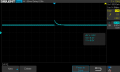
View attachment 335916
Here is the scope screen shot of the Negative Spike (Channel 2). The voltage per the cursor does
not line up with any of the voltages on the Measurement Screen
 

Attachments

MrChips

Joined Oct 2, 2009
34,820
The measured data on the screen is for CH2.

The cursor values are for CH3.
ΔY = 2.04V
Y2 = 8.88V
Y1 = 6.84V

The cyan 3 on the extreme left hand side of the screen is pointing downwards. This indicates that the 0V reference is below the bottom and off the screen. To correct this, select CH3 and press Vertical Position Zero button.


1731708247058.png
 

MrChips

Joined Oct 2, 2009
34,820
Let's go with the cursor values.

Y2 = 0.06V
Y1 = -0.96V

Pay attention to these values. They will come up again in further discussion.
Do the same for the positive going spike on C1.

Repeat the same two sets of measurements for C2 on the second circuit.

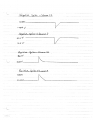
After you have gotten these voltages, draw the wave forms with pencil and checkered paper, paying attention to your voltage scale.

1731711130307.png
 

Thread Starter

NapSolo

Joined Oct 29, 2024
115
Let's go with the cursor values.

Y2 = 0.06V
Y1 = -0.96V

Pay attention to these values. They will come up again in further discussion.
Do the same for the positive going spike on C1.

Repeat the same two sets of measurements for C2 on the second circuit.

After you have gotten these voltages, draw the wave forms with pencil and checkered paper, paying attention to your voltage scale.

View attachment 335928
4 Pulse measurements and timing diagram.
 

Attachments

MrChips

Joined Oct 2, 2009
34,820
I was going to comment on the oscilloscope screen shots that were posted but which you have deleted.
Why change the time and amplitude settings? Use the same settings for all the tests.

By the end of this post, hopefully you will get to appreciate the purpose of all of this.

This is the kind of drawing I was hoping to see. By having all the waveforms appearing on the same drawing and scale, we can proceed to the next observation.

RC differentiator waveforms.jpg

The next step is to analyze how the CMOS logic gate is going to respond with these signals at its input pin.
We make the assumption that the switching threshold at the input of the CMOS gate is at the mid-point between VDD and GND. Hence, for 5V supply, the mid-point is 2.5V. In fact, the actual threshold levels are given in the device datasheet as VIH and VIL.

I have indicated the 2.5V threshold level as the black dashed line in the graph above.
What does this all mean?

It shows that the CMOS gate will respond only to the rising spike in circuit 1. There will be no response to the other three spikes.

In order for circuit 2 to be able to respond to the falling edge of the input clock signal, R2 and C2 would have to be increased in value. The falling spike now showing at 4V has to fall below the 2.5V threshold level.

This is the intricacy of trying to build your own pulse generator using simple RC differentiator circuits.

A surer way to generate a pulse from a clock signal is to use a monostable multivibrator circuit such as CD4098, CD14528, or CD14538.

7400 series monostable multivibrators in CMOS versions are 74HC123 and 74HCT123.

The advantage of these circuits are:
1) You can choose to trigger on the rising or falling edge of the input signal.
2) Both non-inverted and inverted pulses are generated.
3) There are two independent circuits in each package. Hence you can use one to create a delay before the output pulse is generated.

The bottom line is, when a circuit does not work as expected, one has test, examine, and analyse why it doesn't work. This is not a trial and error process between not working and getting it to work.
 
Top