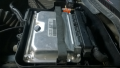
Willem Programmer ERROR

dl324

Joined Mar 30, 2015
18,326
No idea! I followed a tutorial that was provided to me
29F010 which can be programmed with VCC=4.5-5.5V, so you're okay.

EDIT: Because that device generates its own programming voltage. As long as VCC stays above 4.5V while delivering 40mA. With PCB5.0, that's iffy if you use USB for power. The USB spec says it can be as low as 4.5V. That, and the transistor used to switch Vddp isn't guaranteed to give you at least 4.5V.

BTW, the guy in the video didn't know how to handle a CMOS chip. I wouldn't be surprised if a programmed device failed in a vehicle because he zapped them with static electricity and caused them to fail early.
 
Last edited:

Thread Starter

WareZ

Joined Jan 7, 2024
31
29F010 which can be programmed with VCC=4.5-5.5V, so you're okay.

EDIT: Because that device generates its own programming voltage. As long as VCC stays above 4.5V while delivering 40mA. With PCB5.0, that's iffy if you use USB for power. The USB spec says it can be as low as 4.5V. That, and the transistor used to switch Vddp isn't guaranteed to give you at least 4.5V.

BTW, the guy in the video didn't know how to handle a CMOS chip. I wouldn't be surprised if a programmed device failed in a vehicle because he zapped them with static electricity and caused them to fail early.
I don't use USB, but an A/C power supply.

@dl324


I would need your help.

I have successfully programmed the PLCC, but I encountered something that perplexes me...

I followed the usual procedure -> checked that the CHIP is blank, if not -> erased -> selected my file > programmed the EEPROM, and there you go...

But this time, I followed the same procedure, and the program indicates that the EEPROM is not blank, even though there is no EEPROM connected to it?! I don't quite understand.
 
Last edited:

dl324

Joined Mar 30, 2015
18,326
But this time, I followed the same procedure, and the program indicates that the EEPROM is not blank, even though there is no EEPROM connected to it?! I don't quite understand.
If I understand you correctly, you're trying to do a blank check with no device in the socket? You can't do this.

BTW, 29F010 is a FLASH device, not an EEPROM. EEPROM devices can be erased a byte at a time. FLASH devices can only be erased by sectors. Both can erase the whole array.
 

Thread Starter

WareZ

Joined Jan 7, 2024
31
If I understand you correctly, you're trying to do a blank check with no device in the socket? You can't do this.

BTW, 29F010 is a FLASH device, not an EEPROM. EEPROM devices can be erased a byte at a time. FLASH devices can only be erased by sectors. Both can erase the whole array.
I think I expressed myself badly, what I mean is that on the programmer even without EEPROM the software tells me as if there was an EEPROM to install (erase, write) whereas there is no EEPROM on it
 

dl324

Joined Mar 30, 2015
18,326
I think I expressed myself badly, what I mean is that on the programmer even without EEPROM the software tells me as if there was an EEPROM to install (erase, write) whereas there is no EEPROM on it
I still don't understand. Can you post a screen shot?
 

Thread Starter

WareZ

Joined Jan 7, 2024
31
I still don't understand. Can you post a screen shot?
I don't understand, when I use the Willem without putting an EEPROM I can use the functions (write, erase, blank test) even though there is no eeprom on the Willem
 

dl324

Joined Mar 30, 2015
18,326
when I use the Willem without putting an EEPROM I can use the functions (write, erase, blank test) even though there is no eeprom on the Willem
There is nothing to prevent you from doing that and there is no socket test to check for it.

With floating data lines, the results are unpredictable. Reading will always pass, blank checking uncertain due to floating data lines, writing will fail unless you're trying to write all 0xFF (even that could fail due to floating data lines).
 

Thread Starter

WareZ

Joined Jan 7, 2024
31
There is nothing to prevent you from doing that and there is no socket test to check for it.

With floating data lines, the results are unpredictable. Reading will always pass, blank checking uncertain due to floating data lines, writing will fail unless you're trying to write all 0xFF (even that could fail due to floating data lines).
thank you for all this valuable advice I was finally able to make the modification on my ecu!

thank you very much for your help
 

dl324

Joined Mar 30, 2015
18,326
I was finally able to make the modification on my ecu!
Have you been handling the FLASH devices properly? All MOSFETs are static sensitive. The manufactures test to 2000V, but you can easily generate 10-20kV. If have an ESD event, you're lucky if the device is completely non-functional. Unfortunately, you're more likely to have just damaged a portion or made them unreliable so they'll fail at some future time.

ECU applications are one where you don't want component failure. Most will have some limp mode built-in, but you might hit a corner case where it becomes dangerous.
 

Thread Starter

WareZ

Joined Jan 7, 2024
31
Have you been handling the FLASH devices properly? All MOSFETs are static sensitive. The manufactures test to 2000V, but you can easily generate 10-20kV. If have an ESD event, you're lucky if the device is completely non-functional. Unfortunately, you're more likely to have just damaged a portion or made them unreliable so they'll fail at some future time.

ECU applications are one where you don't want component failure. Most will have some limp mode built-in, but you might hit a corner case where it becomes dangerous.
For now everything is working perfectly even if there should be a problem in the future. I still have the unmodified original with me and in the worst case I will do a reprogramming again. If this ever happens I will inform you.
 

dl324

Joined Mar 30, 2015
18,326
I still have the unmodified original with me and in the worst case I will do a reprogramming again.
That will be of little comfort to you if the FLASH device fails due to something you did and you hit a corner case where the failure becomes dangerous.

If you read the fine print from some manufacturers regarding their devices, some say that usage in applications where lives could be at risk requires explicit approval from the company, often from the CEO.

Also, are you using industrial grade devices. If the ECU is in the engine compartment, like most, it could be subjected to temperatures that commercial parts aren't designed to handle.

Industrial grade devices might not be sufficient. This is for AM49F040:
1704998933652.png
These devices specify maximum ambient temperature. Some specify maximum junction temperature, which will be higher than ambient.

This data also applies to AM49F010.
 
Last edited:

Thread Starter

WareZ

Joined Jan 7, 2024
31
That will be of little comfort to you if the FLASH device fails due to something you did and you hit a corner case where the failure becomes dangerous.

If you read the fine print from some manufacturers regarding their devices, some say that usage in applications where lives could be at risk requires explicit approval from the company, often from the CEO.

Also, are you using industrial grade devices. If the ECU is in the engine compartment, like most, it could be subjected to temperatures that commercial parts aren't designed to handle.
luckily I don't have a temperature problem with the ECU because it is away from the engine and enclosed in an airtight box
1705001119741.png
 

dl324

Joined Mar 30, 2015
18,326
luckily I don't have a temperature problem with the ECU because it is away from the engine and enclosed in an airtight box
That is actually bad. Having air flow through the ECU compartment would provide cooling. Temps under the hood can boil water. Since industrial parts are only rated to an ambient temperature of 85C, I suspect auto manufacturers are using extended range parts that get additional screening from the FLASH manufacturer.

Ambient temperature affects junction temperature and elevated temperatures accelerate charge loss from the floating gates.
 

Thread Starter

WareZ

Joined Jan 7, 2024
31
In fact, I'd appreciate the entire Zip file you have for it. The previous link is empty.

Thanks
Hi there, I can't remember exactly what I put on the link. I couldn't get it to work on Windows 10/11 x64 or x32. It only works on Windows XP x32 bits with a motherboard that has an integrated LPT port. The only thing I can provide you with is a link to a French website that explains how to use it on x64, but I don't think it works. I may have done the wrong steps, you can try if you want.

https://www.jonathandupre.fr/articl...programmateur-willem-pcb5-0c-windows-64-bits/

Willem Setup : http://keeelectronics.com/files/setup.zip
Willem website : http://keeelectronics.com/WillemPCB5.html

If you have any other questions, do not hesitate to ask
 

Attachments

Hi there, I can't remember exactly what I put on the link. I couldn't get it to work on Windows 10/11 x64 or x32. It only works on Windows XP x32 bits with a motherboard that has an integrated LPT port. The only thing I can provide you with is a link to a French website that explains how to use it on x64, but I don't think it works. I may have done the wrong steps, you can try if you want.

https://www.jonathandupre.fr/articl...programmateur-willem-pcb5-0c-windows-64-bits/

Willem Setup : http://keeelectronics.com/files/setup.zip
Willem website : http://keeelectronics.com/WillemPCB5.html

If you have any other questions, do not hesitate to ask


Your manual states that to use with Windows 10 you must install the appropriate Windows 10 patch file. Did you do that?
 

Thread Starter

WareZ

Joined Jan 7, 2024
31
No, I simply bought a second-hand computer on the internet (€10) with Windows XP x32 that had an LPT port
 

Schnuffi0

Joined Nov 7, 2024
7
Hello from Mario, Germany.

sorry to ask for help, but after loosing many days of „try and error“ with a Willem PCB3B and 5.0T I am still unable to read a ST29W800B completely. verify or Programming returns an error at around 12,5% of reading.
with an arror At 0x0020000. ..

Because it is always near or at the same Address, I can‘t imagine, it is a „ floating line.

I use an older Willem3B and due to the problems, I ordered a newer willem 5.0T.

I also tried several programmer-softwares an different Computers. they all make problems.
Actually I use Win11 with an additional PCI-e LPT Riser-card. HW-Detection and PIC- Reading/programming is also ok.

HW detection and Flash-Chip identification is working, reading „look“ ok, but verify and programming NOT.
I assume, the Chipis not read completely, because it looks like some address-ranges are repeated.
Address-lines were tested, using Hw-test.
The TSOP48 Adapter is connected with two lines(cables) for A19 and A20. I also tried the 8-Pin Flat-Cable, that was delivered with the Programmer.
3,6V were selected. the Dip-switch config is set, like the program shows for AM29F800. can‘t select the 29w800.

Actually I am on a short trip, but I can deliver some pictures tomorrow, when I am back and show, what I use and how it has been set.

Thanks for your help.

Mario
 

Thread Starter

WareZ

Joined Jan 7, 2024
31
Hello from Mario, Germany.

sorry to ask for help, but after loosing many days of „try and error“ with a Willem PCB3B and 5.0T I am still unable to read a ST29W800B completely. verify or Programming returns an error at around 12,5% of reading.
with an arror At 0x0020000. ..

Because it is always near or at the same Address, I can‘t imagine, it is a „ floating line.

I use an older Willem3B and due to the problems, I ordered a newer willem 5.0T.

I also tried several programmer-softwares an different Computers. they all make problems.
Actually I use Win11 with an additional PCI-e LPT Riser-card. HW-Detection and PIC- Reading/programming is also ok.

HW detection and Flash-Chip identification is working, reading „look“ ok, but verify and programming NOT.
I assume, the Chipis not read completely, because it looks like some address-ranges are repeated.
Address-lines were tested, using Hw-test.
The TSOP48 Adapter is connected with two lines(cables) for A19 and A20. I also tried the 8-Pin Flat-Cable, that was delivered with the Programmer.
3,6V were selected. the Dip-switch config is set, like the program shows for AM29F800. can‘t select the 29w800.

Actually I am on a short trip, but I can deliver some pictures tomorrow, when I am back and show, what I use and how it has been set.

Thanks for your help.

Mario
Hello,

I recommend using a Windows XP computer with a motherboard that has a built-in LPT port. Adapters tend to work poorly or only partially.

I bought an old second-hand PC for €20 with Windows XP 32-bit Pro,
an LPT cable that came with the Willem,
and a standard 12V power plug.

Everything worked perfectly.

1731057051943.png
 
Top