weighing scale circuit

Thread Starter

TillFly

Joined Oct 26, 2016
69
I would have to see how the Arduino Sketch is written in order suggest changes.
C:
#include "HX711.h"

// Two Load Cells, Common Clock and Individual Data I/O

HX711 scale;

void setup() {
  Serial.begin(19200);
  Serial.println("HX711 Dual L/C Demo");

// Serial.println("Initializing the scale");
  // parameter "gain" is ommited; the default value 128 is used by the library
  // HX711.DOUT    - pin #A1
  // HX711.PD_SCK    - pin #A0
  scale.begin(A1, A0);

// Serial.println("Before setting up the scale:");
// Serial.print("read: \t\t");
//  Serial.println(scale.read());            // print a raw reading from the ADC

// Serial.print("read average: \t\t");
// Serial.println(scale.read_average(20));     // print the average of 20 readings from the ADC

// Serial.print("get value: \t\t");
// Serial.println(scale.get_value(5));        // print the average of 5 readings from the ADC minus the tare weight (not set yet)

// Serial.print("get units: \t\t");
// Serial.println(scale.get_units(5), 1);    // print the average of 5 readings from the ADC minus tare weight (not set) divided
                        // by the SCALE parameter (not set yet)

  scale.set_scale(0.f);   // this value is obtained by calibrating the scale with known weights; see the README for details
  scale.tare();                       // reset the scale to 0

// Serial.println("After setting up the scale:");

// Serial.print("read: \t\t");
// Serial.println(scale.read());                 // print a raw reading from the ADC

// Serial.print("read average: \t\t");
// Serial.println(scale.read_average(20));       // print the average of 20 readings from the ADC

// Serial.print("get value: \t\t");
// Serial.println(scale.get_value(5));        // print the average of 5 readings from the ADC minus the tare weight, set with tare()

// Serial.print("get units: \t\t");
// Serial.println(scale.get_units(5), 1);        // print the average of 5 readings from the ADC minus tare weight, divided
                        // by the SCALE parameter set with set_scale

// Serial.println("Readings:");
}

void loop() {
  scale.begin(A1, A0);
// 
////  Serial.print("read LC1:\t");
////  Serial.println(scale.get_units(), 1);
  Serial.println(scale.read());
  Serial.print(" ");
// 
////  Serial.print("\t| LC1 avg:\t");
////  Serial.println(scale.get_units(10), 1);

  scale.begin(A2, A0);
// 
////  Serial.print("read LC2:\t");
////  Serial.println(scale.get_units(), 1);
  Serial.println(scale.read());
  Serial.print(" ");
//  Serial.print("\t| LC2 avg:\t");
//  Serial.println(scale.get_units(10), 1);
//
  scale.begin(A3, A0);
// 
////  Serial.print("read LC1:\t");
////  Serial.println(scale.get_units(), 1);
  Serial.println(scale.read());
  Serial.print(" ");
// 
////  Serial.print("\t| LC1 avg:\t");
////  Serial.println(scale.get_units(10), 1);
//
  scale.begin(A4, A0);
//// 
//////  Serial.print("read LC2:\t");
//////  Serial.println(scale.get_units(), 1);
  Serial.println(scale.read());
  Serial.print(" ");
// 
//////  Serial.print("\t| LC2 avg:\t");
//////  Serial.println(scale.get_units(10), 1);
////
//  scale.begin(A5, A0);
//// 
//////  Serial.print("read LC1:\t");
//////  Serial.println(scale.get_units(), 1);
//  Serial.println(scale.read());
//  Serial.print(" ");
//// 
//////  Serial.print("\t| LC1 avg:\t");
//////  Serial.println(scale.get_units(10), 1);
////
//  scale.begin(A6, A0);
////// 
////////  Serial.print("read LC2:\t");
////////  Serial.println(scale.get_units(), 1);
//  Serial.println(scale.read());
//  Serial.print(" ");
// 
////  Serial.print("\t| LC2 avg:\t");
////  Serial.println(scale.get_units(10), 1);


////////////////////////////////////////////


//  scale.power_down();                   // put the ADC in sleep mode
  delay(10);                        // doesnt affect anything
//  scale.power_up();
}
Moderators note : used code tags
 
Last edited by a moderator:

ericgibbs

Joined Jan 29, 2010
21,448
hi T,
Please confirm which Arduino PCB type you are using for the project.?
The Code you posted will not compile for a Arduino Mega 2560.?

What is the actual '0.f' value in this Calibration code.?
scale.set_scale(0.f); // this value is obtained by calibrating the scale with known weights; see the README for details
Also it appears that you are applying the set up values for only the A1,A0 pair.?

E
 

Thread Starter

TillFly

Joined Oct 26, 2016
69
Hey E,

The Code you posted will not compile for a Arduino Mega 2560.?

Its a Arduino Mega 2560 and the code compiles.
Some times it didnt compile. I thought maybe because my laptop went to sleeping mode or something. after restart it worked again.

What is the actual '0.f' value in this Calibration code.?
scale.set_scale(0.f); // this value is obtained by calibrating the scale with known weights; see the README for details
Yes its for the calibration. and works well. but due to the fact that some loadscales send negativ values I´m doing all the data processing in max msp and just sending raw values via serial

Also it appears that you are applying the set up values for only the A1,A0 pair.?
Dont know.


What do you think about the video I sent?
Why are that values jumping so much?
 

ericgibbs

Joined Jan 29, 2010
21,448
hi T,
Using my second PC and your Sketch it runs.
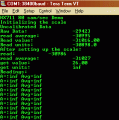
But, with scale.set_scale(0.f); it gives an infinite error value on the RS232 output, you are dividing the values by zero.!, try (1,f)
E
EDIT:
Added clips for the RS232 output.
For (0,f)) and (1,f), I would suggest for a practical test say (100.f)
 

Attachments

Last edited:

ericgibbs

Joined Jan 29, 2010
21,448
hi T,
I have successfully tried connecting, sequentially, the SCK line to the HX711 to pins A1 thru A6 of the Arduino Mega, the A0 pin being used for DT [data].

I zeroed my 30kG load cell for each A pin, then used a calibrated 500gm weight
The used a set scale calibration value of (148,f)
Readings:
A1 504 gm
A2 500
A3 501
A4 503
A5 501
A6 501

I would recommend that your program, on power up, repeats the Calibration sequence for each LC/HX711 in turn, before being used to measure actual weights.
You most likely will need find the (xxx,f) for every load cell, you can find this value by using a calibrated weight.

E
 

ericgibbs

Joined Jan 29, 2010
21,448
hi T,
Ref the indexing query.
There are number of options that can be used to identify the individual HX711 outputs.
1 Use a prefix letter for each HX, say 'A' thru 'F'.
eg: Aaaa,a<crlf> Bbbb.b<crlf> ........ Ffff.f<crlf>

2. Send the 6 off, HX data strings in a 'long' string, with the individual values separated by a comma, ','
This is called a 'csv' test file, a csv text file can be read by a Spread Sheet program in your PC.
eg: aaa.a,bbb.b,ccc.c....... fff.f<crlf>

3. Send a 'Run' signal from the PC to the Arduino.
The Sketch would idle in a loop until the 'Run' signal is received.
This would give you control over the Arduino RS232 output rate to the PC.
Option #2, would be a good choice for the data string format.

The 'Run/Halt' signal from the PC could be sent via the RS232 connection or pulling a Arduino data line High, using Logic or Manual switch control.

E

How do you plan to determine the Offset weight value and the Calibration value for each segment of the platform.??
 

Thread Starter

TillFly

Joined Oct 26, 2016
69
Hey E,

There are number of options that can be used to identify the individual HX711 outputs.
1 Use a prefix letter for each HX, say 'A' thru 'F'.
eg: Aaaa,a<crlf> Bbbb.b<crlf> ........ Ffff.f<crlf>


Worked well!

2. Send the 6 off, HX data strings in a 'long' string, with the individual values separated by a comma, ','
This is called a 'csv' test file, a csv text file can be read by a Spread Sheet program in your PC.
eg: aaa.a,bbb.b,ccc.c....... fff.f<crlf>


Could this make the connection more stable?

I tested at home with an active USB extension (10m) everything worked find.
At another spot it matters what other USB devices are connected to the computer an signals are pretty jittery.
Is it better to run ther arduino with an active usb hub?

How do you plan to determine the Offset weight value and the Calibration value for each segment of the platform.??
I take the coming input signal after startup, calculate an average out of a few seconds and substract this value to reset to 0.00.
Works well for now.

Best,
T
 

ericgibbs

Joined Jan 29, 2010
21,448
How do you plan to determine the Offset weight value and the Calibration value for each segment of the platform.??
I take the coming input signal after startup, calculate an average out of a few seconds and substract this value to reset to 0.00.
Works well for now.
hi T,
The HX711 lib uses the last Offset and Calibration values taken, as the values to be used for calculating all 6, HX following weights.
So if in your program at start up, you stepped thru each of the 6, HX values and calculated the Offset and Cal for each L/C, the Lib would use the last one taken as the Offset and Cal value for all the 6.

If this becomes a problem, I have modified the Lib so that the Offset and Cal are not used, its done in the Sketch, sample attached, showing the code for 3 HX modules.

A 10mtr USB cable is pushing the length limits, are you using a good quality USB2 cable.?

E
 

Attachments

Thread Starter

TillFly

Joined Oct 26, 2016
69
I have to test the calibration and see what works best...

A 10mtr USB cable is pushing the length limits, are you using a good quality USB2 cable.?


Yes its good quality usb2. But is there a chance that is has to do with the powering?

T
 

ericgibbs

Joined Jan 29, 2010
21,448
hi,
The problem with powering from the USB, is that the USB is only a nominal 5v, it can be lower, I have seen 4.5v and it does vary.
A long cable will give a further drop on the nominal 5v.

I would recommend using a 9Vdc mains power 'wart' rated at 1Amp for the project, connect using the circular DC power socket on the Arduino.
Check the total current loading of the +5V for the complete project, it should not exceed 200mA, if does, power the circuitry external to the Arduino with a 5V regulated supply.

E
 

Thread Starter

TillFly

Joined Oct 26, 2016
69
Hey E,

long time ago. Glad to say: The weighing scale project works great! No its time to clean things up for a longer lifetime.
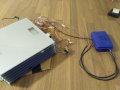
I have a "mess of wires" attached and I´m wondering how I could make this cleaner, thighter more robust.
I taped most of the contacts I soldered but I guess this is not the way of doing it.
I also soldered some jumper wires because they have that plug end for connecting to the hx711.

Can you give me some advise what to make this more robust?
Use little boxes for the hx711 units for example or wrap all the wires in shrink-tubes?

To mention is maybe also that I stack the elements of the pentagon for transportation. maybe I could make some wire guides from one scale to another ...

Looking forward for hints,
Best
T
 

Attachments

ericgibbs

Joined Jan 29, 2010
21,448
hi T,
Pleased to hear its working to your specification.:)
I see what you mean by tidy up the wiring, its a bit like spaghetti at the moment.

I will relook at your images and posts and try to suggest ideas.
Do you have a full/final diagram/sketch you could post, so that we can both use it as a reference.?

E
 
Top