troubleshooting a tv power supply

R!f@@

Joined Apr 2, 2009
10,004
Carefully insert all cable and do double check and try to get a video
I did not see a white screen from the video, just the snow.
If the snow is there than it should work but if a white screen then you still have a problem.
Try to keep the camera on a table and shoot a 1 minute video, from the sec turn on the set.
I like to see the effects if any at power on. then Up it.
Without seeing a a clear video I am lost right from now.
So try to do it, It's the only way for me to know where to look at.

By the way up it to you tube, mega upload sucks for me
 

Thread Starter

johndoe45

Joined Jan 30, 2010
364
i've tried and tried plugging in all cables and can't get video up. not even white picture. the 3.3V regulator works still. :(

the white screen was working just a second ago and now it won't come back on. will try in morning. maybe its cause that silver rectangle thing that you always tell me to ground to gets hot. and tv won't power on. i don't know


ok. when i woke up and plugged tv in. it turned on. but still no picture. just white screen
 
Last edited:

R!f@@

Joined Apr 2, 2009
10,004
white screen, with no picture is a bit more difficult to trouble shoot.
If the TV does not go to stand by but stays on with a white screen, then it only tells us the inverter and CCFL's are OK.
You DSP or LVDS circuits are having problem.
For this problem I will need fresh pics.
The main board and the LCD , H and V drive circuit are the area we need to look at..
I i'll post some pic to tell you what to do.
But before this I need a pic of the panel back side where the black LVDS cable which connects from main board to back top of the panel.
As these trouble shooting is for qualified service techs, you need to be extremely careful about ESD discharge. You will need anti static wrist band for this.
And probably a hot gun and some experience on how to use this. But the later might not be, as only the fault will tell me what you will need.

This episode will tell you what you are capable of :D
and remember for this I will need close up and high res pics. Taking multipart close up pic at a steady distance will be advisable.
Better Zip them and attach it.
 

Thread Starter

johndoe45

Joined Jan 30, 2010
364
i'm here. let me see if it standbys after awhile then take pictures. the good camera is in my parents room and they are asleep. so going to be using an ok one. pictures aren't going to come out good with no sunlight
 

Thread Starter

johndoe45

Joined Jan 30, 2010
364
tv went to standby. is that cause there is no activity or something wrong?
well i will be home all day tomorrow till 4 if don't answer back tonight
 
Last edited:

R!f@@

Joined Apr 2, 2009
10,004
It will go to stand by by default with no picture as there won't be sync pulses to reset the watch dog timer.
The standby duration tells us if the fault is in the backlite, the standby will act within seconds after power on if the inverter stage or lamp is faulty, probably 2 to 4 secs.
If longer than 10s you can see the white picture as the back lite is in operation and will give enuf time to see that the screen is lit evenly. An even lit LCD with no dim horizontal lines in between indicates a good inverter stage and lamps. After more than 10s to 30s or so it will stay on to see the composite sync, if sync is absent to processor will know there is no picture and will activate standby.
These are the symptoms you have to find out.
For the time being just show the close up of the LCD panel back where the black cable connects, I have to show you what to do here if the HV drives are faulty.
 

Thread Starter

johndoe45

Joined Jan 30, 2010
364
alright. goes to standby after like two minutes. after doing this like three times. it won't come back on anymore. think its cause it overheats. what picture do you want for the back side?

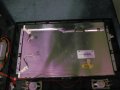
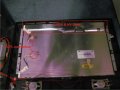
there are only five things that plug in to backside. here is a picture. sorry that not top quality. can get one tomorrow. but i'm not sure what you are looking for in the picture.
 

Attachments

Last edited:

loosewire

Joined Apr 25, 2008
1,686
You are a Legend operating on a small Island In the south Pacific.
Where we know the factor to obtain suppies has to be difficult.
You have an amazing album,your knowledge,your abilitiy to get things done
with barriers that you admit.WE are surprised that your dream ever
reached our shores. Did you ever put a note in the water for someone
to find. The camera work and directions are great,keep the the Dream alive,we are with you.
 

R!f@@

Joined Apr 2, 2009
10,004
You are a Legend operating on a small Island In the south Pacific.
Where we know the factor to obtain suppies has to be difficult.
You have an amazing album,your knowledge,your abilitiy to get things done
with barriers that you admit.WE are surprised that your dream ever
reached our shores. Did you ever put a note in the water for someone
to find. The camera work and directions are great,keep the the Dream alive,we are with you.
Message is here...bottle is AAC :)
 

R!f@@

Joined Apr 2, 2009
10,004
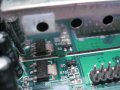
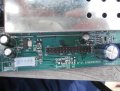
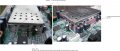
Picture shows the LVDS section that is the area that I might need you to measure some voltage. It's a bit tricky section as you will be dealing with small components. There are small screws, try to use appropriate screw driver for them, the top side of the shield is held with hinges, don't try to use force just lift the metal plate, you will understand the rest. study that area carefully before any attempt. as flex cable are there and u might tear one if you r not careful.

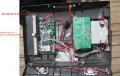
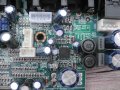
The second picture show the main board.
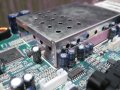
Remove the processor ground shield cover, you can simply lift it.
the blue square show how to divide the board. Keep the board and camera at equal distance. zoom to the one of the blue square and snap, then just move the board while taking a Pic of each section. keep the resolution do not compress, I need the high res. Just zip them and attach it. I will do the rest.
Do this before attempting to start on the LCD above. LCD back trouble shooting will be reached depending on the result of the main board.
 

Attachments

Thread Starter

johndoe45

Joined Jan 30, 2010
364
had the stomach flu yesterday. was in bed all day yesterday. and i need a better/hotter solder gun to take off the processor ground shield cover. :(
solder isn't melting.
 

R!f@@

Joined Apr 2, 2009
10,004
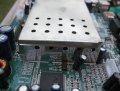
Hey, I don't think It will be soldered, Give me a closeup. May you are trying the wrong way. Show me the top sides.
 

R!f@@

Joined Apr 2, 2009
10,004
Like the jedi's says.
Be Mind full of ur surroundings.
may the force be with u

The bend area marked is wrong, u have to bend the lid from or near the top edge.
By the way how are u feeling now?
 

Attachments

Thread Starter

johndoe45

Joined Jan 30, 2010
364
soldering just not going to happen. need hotter solder gun. i have one but way too hot (for example like when i just push the button and when touch desolder wick it smokes in two seconds). and even if bend it still needs to be desoldered. let me double check.

and yes i'm feeling better. thanks for asking.
 
Last edited:
Top