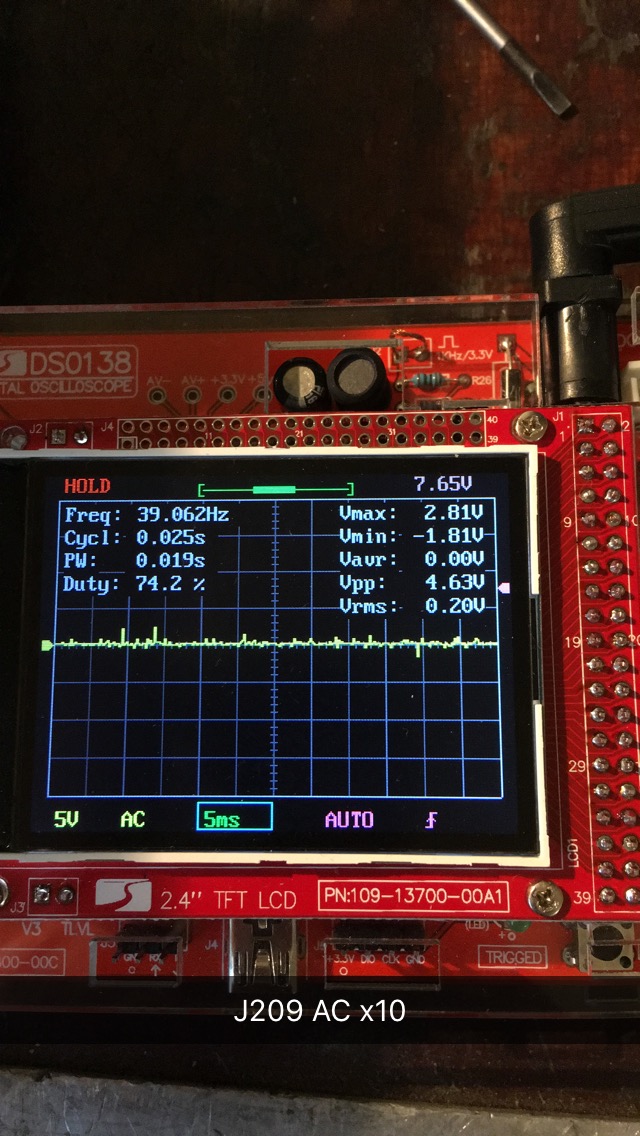
Technics SU-VX800 amplifier

MrChips

Joined Oct 2, 2009
34,839
Raw supply voltages come in at -VCCH and +VCCH.
You can probe these at:
R602 +VCCH
R603 -VCCH

Also at:
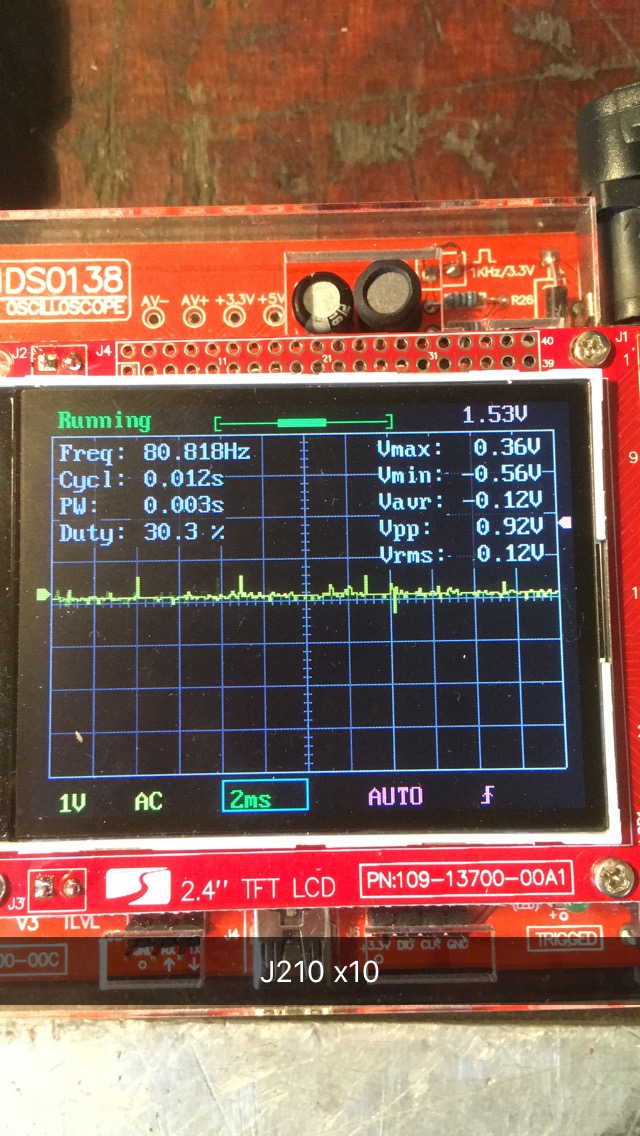
R505, J210 +60V
R506, J209 -60V

Downstream after R505 and R506:

J403 +60V
J402 -60V

Firstly, we want to see the ripple voltage at J210 and J209.
Let's do the test first with R505 and R506 removed. At the last test, as far as I can recall, these were blowing up.
 

Thread Starter

Marius83

Joined Dec 28, 2017
423
Still have not got to test this.
Just a question before i get to it, JoeJester suggests to turn down the VR's .. do you agree to do this MrChips?
 

MrChips

Joined Oct 2, 2009
34,839
Still have not got to test this.
Just a question before i get to it, JoeJester suggests to turn down the VR's .. do you agree to do this MrChips?
Sorry, I am on the road and don't have my notes with me.
Reducing the bias currents would not hurt. In any case, I believe that most of the current carrying devices have been removed. We need to make an assessment of the supply ripple before moving forward.

Edit: The service manual suggests turning fully counter-clockwise VR401, VR402, VR403, VR404.
 

Thread Starter

Marius83

Joined Dec 28, 2017
423
Just to be clear, I am not doubting your knowledge JoeJester.
MrChips has been the one directing me since the start of this "project" so i just wanted to ask if he did agree :)
I see your attached picture of the manual, I will turn them down and try to probe the voltages now
 
Last edited:

Thread Starter

Marius83

Joined Dec 28, 2017
423
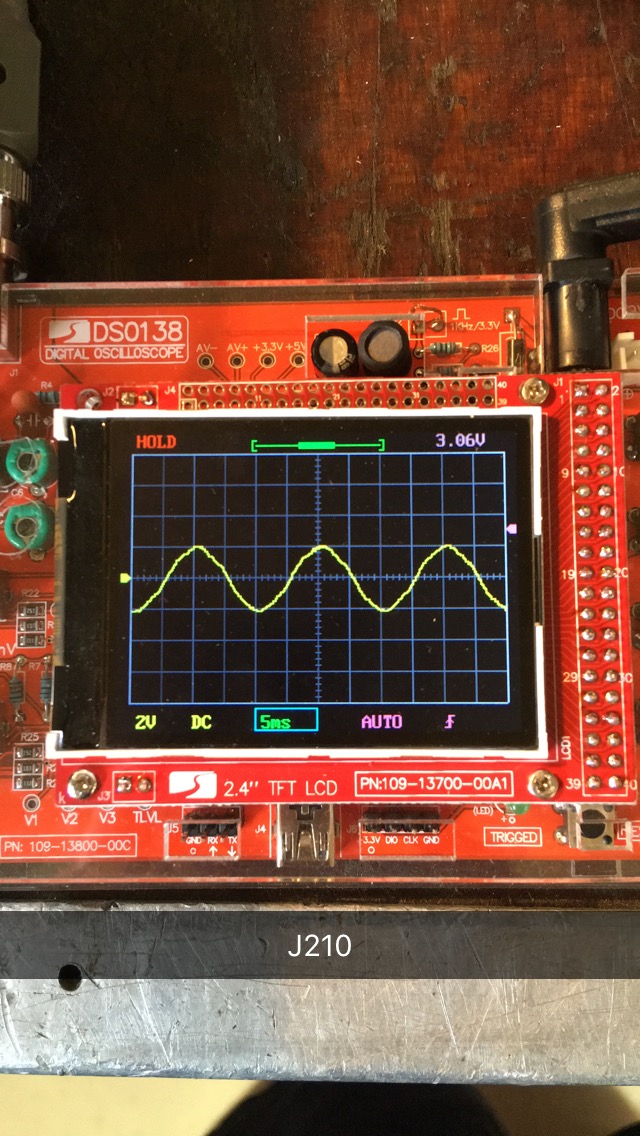
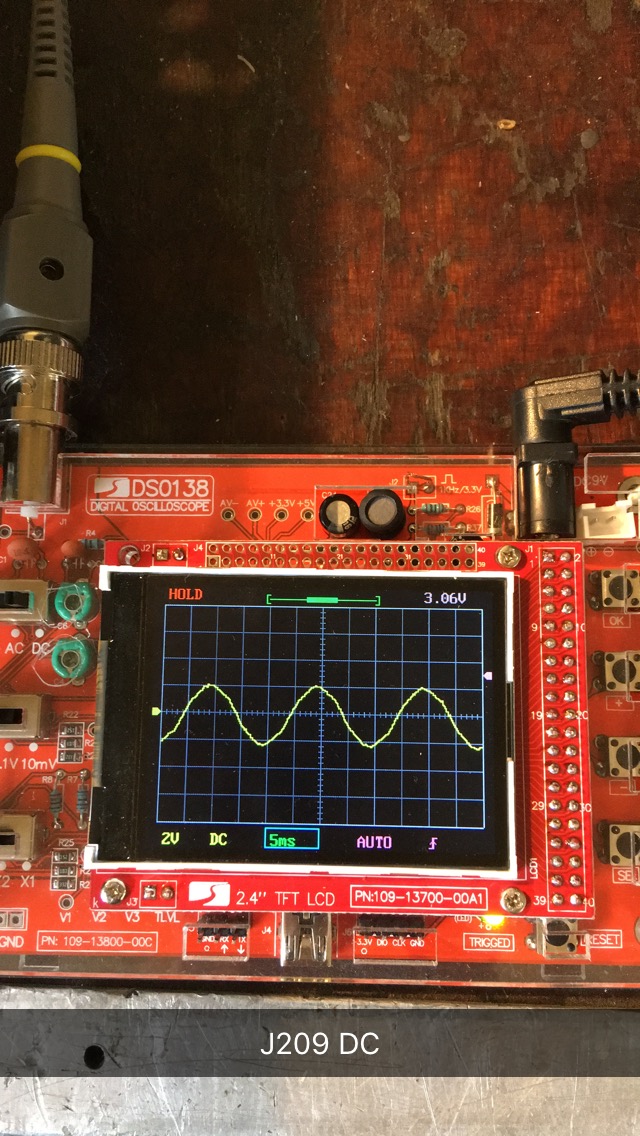
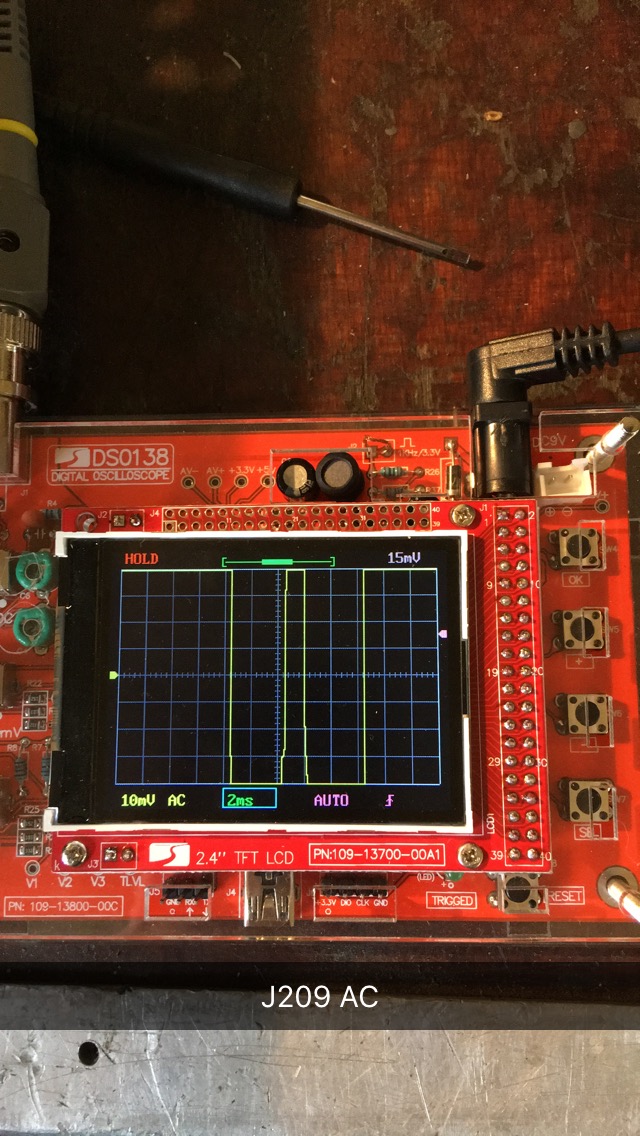
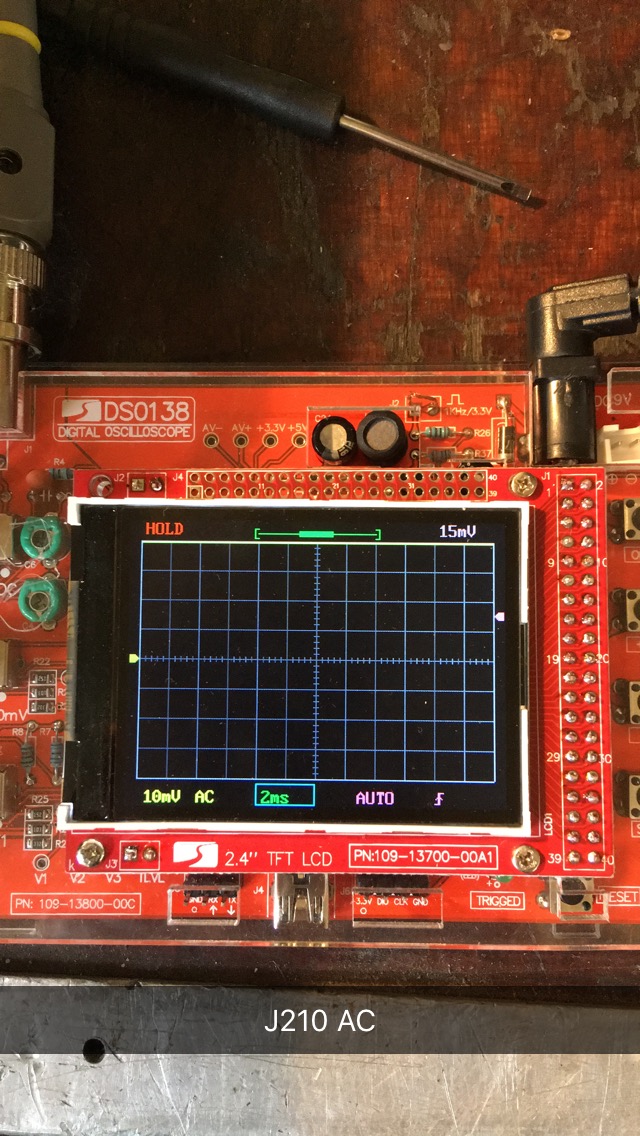
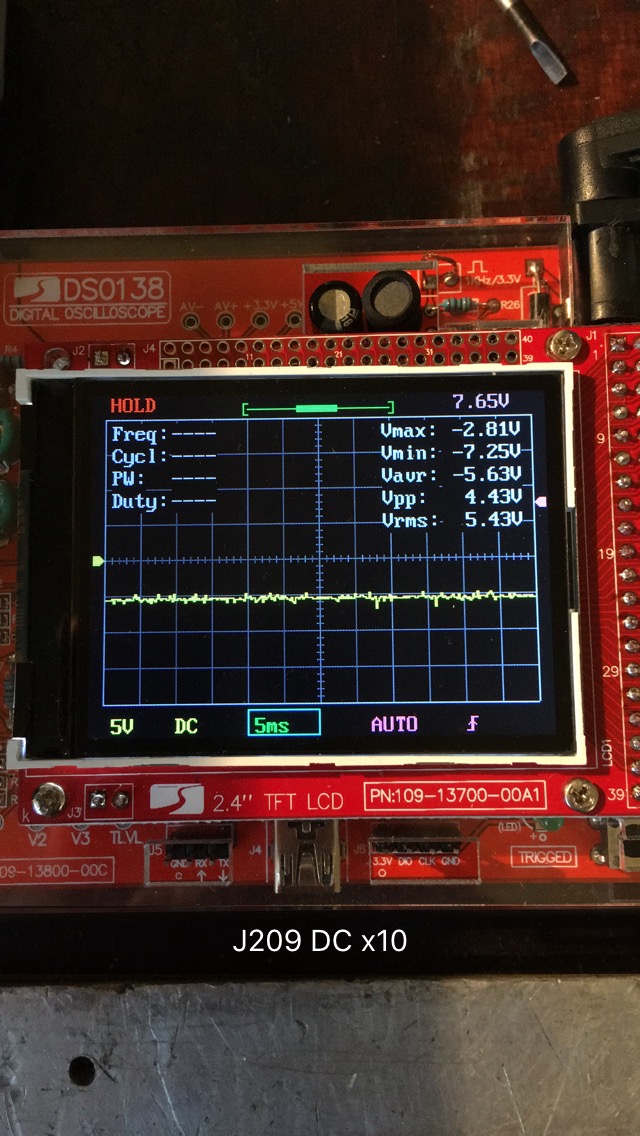
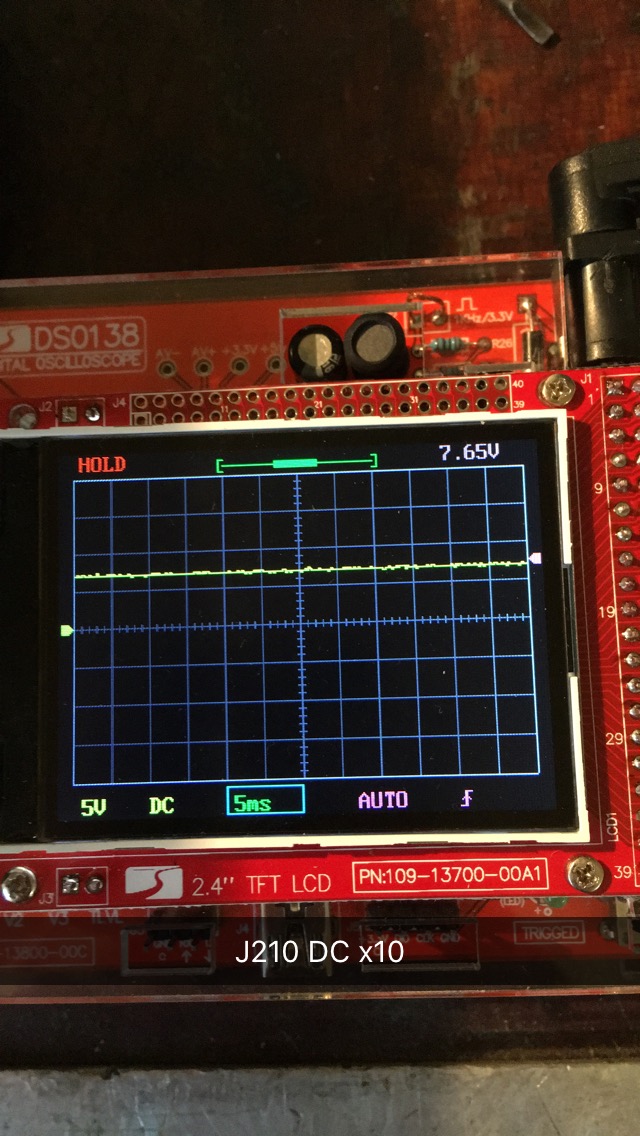
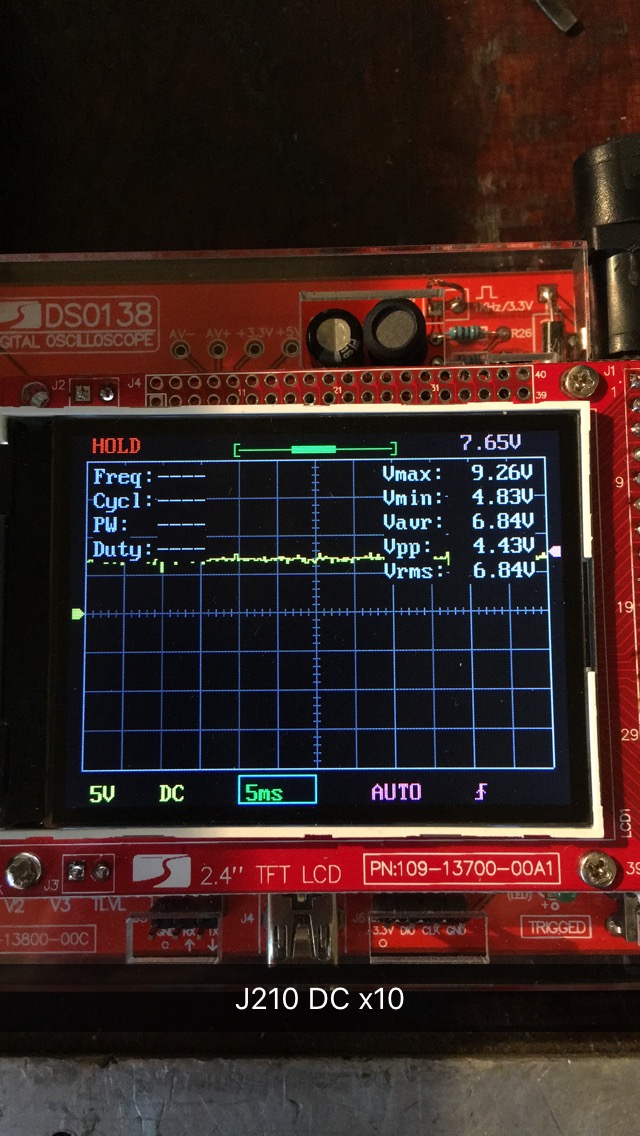
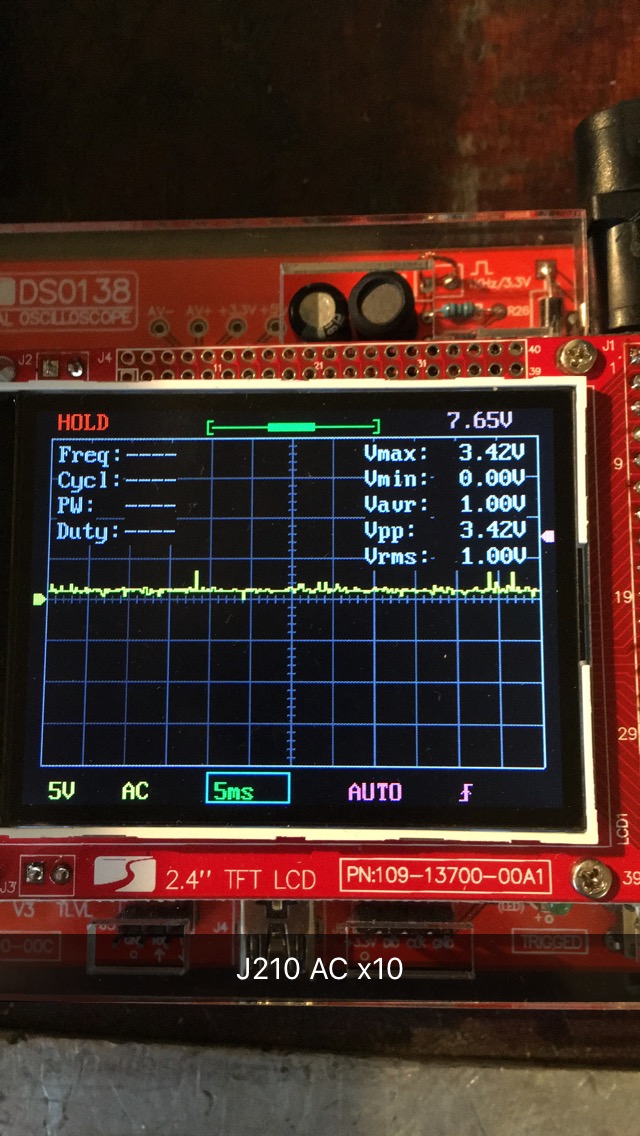
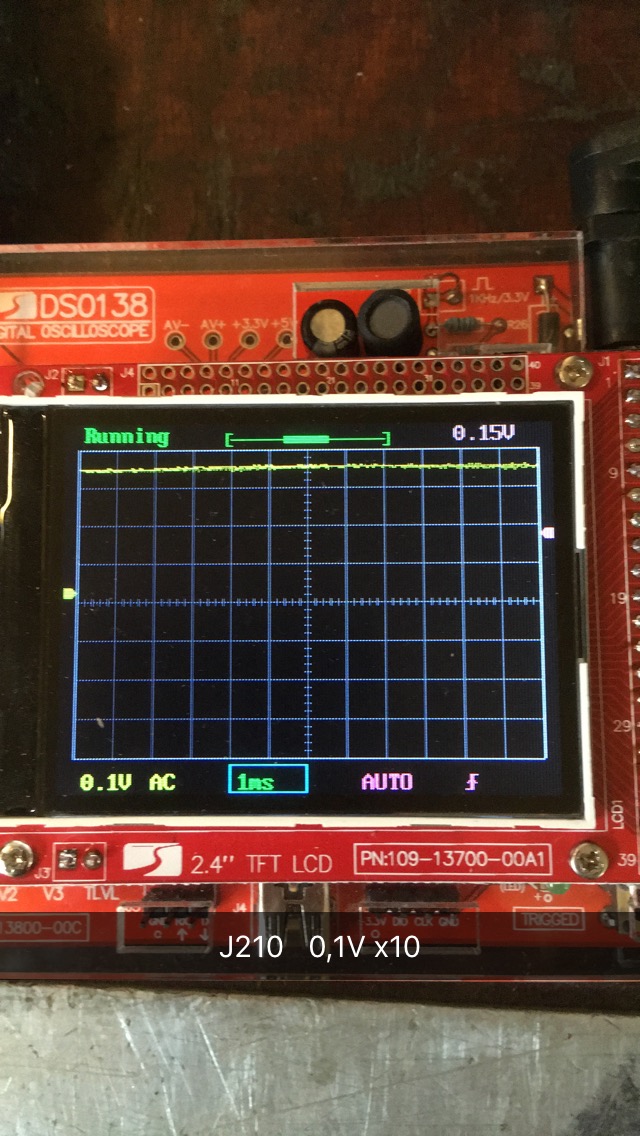
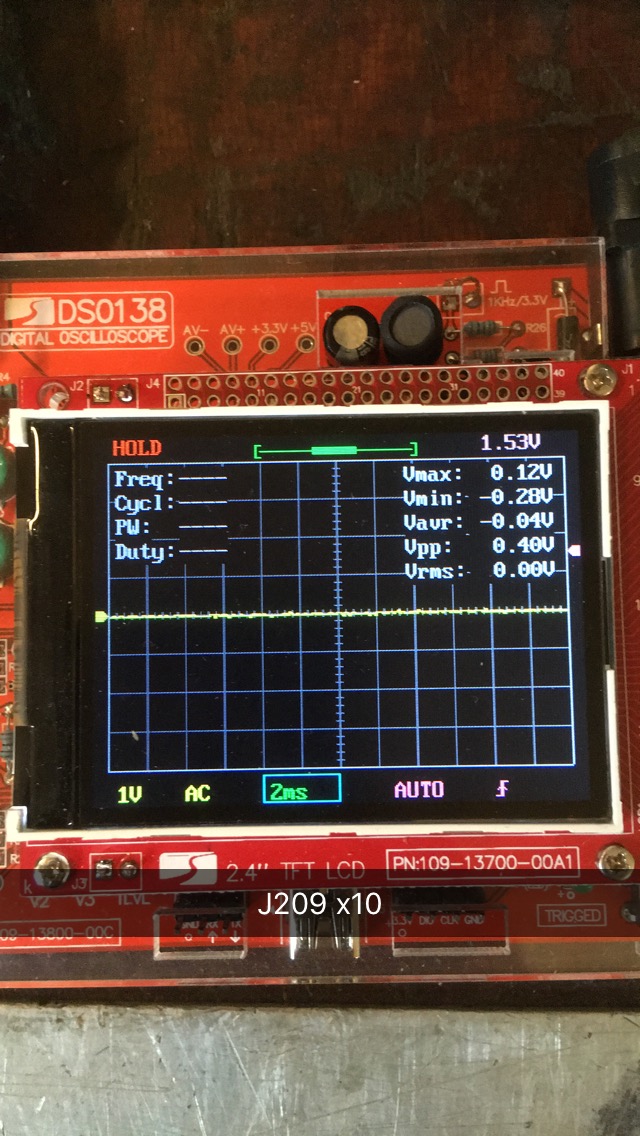
I had just a moment to test this today, and i tested only J209 and J210.
I am not so skilled using the oscilloscope yet.. i used the settings you wrote earlier JoeJester.. and i grounded the probe in the heatsink which is gnd.

The yellow line dissapeared when i tried to probe J210 AC ..... don't know why.. :confused:
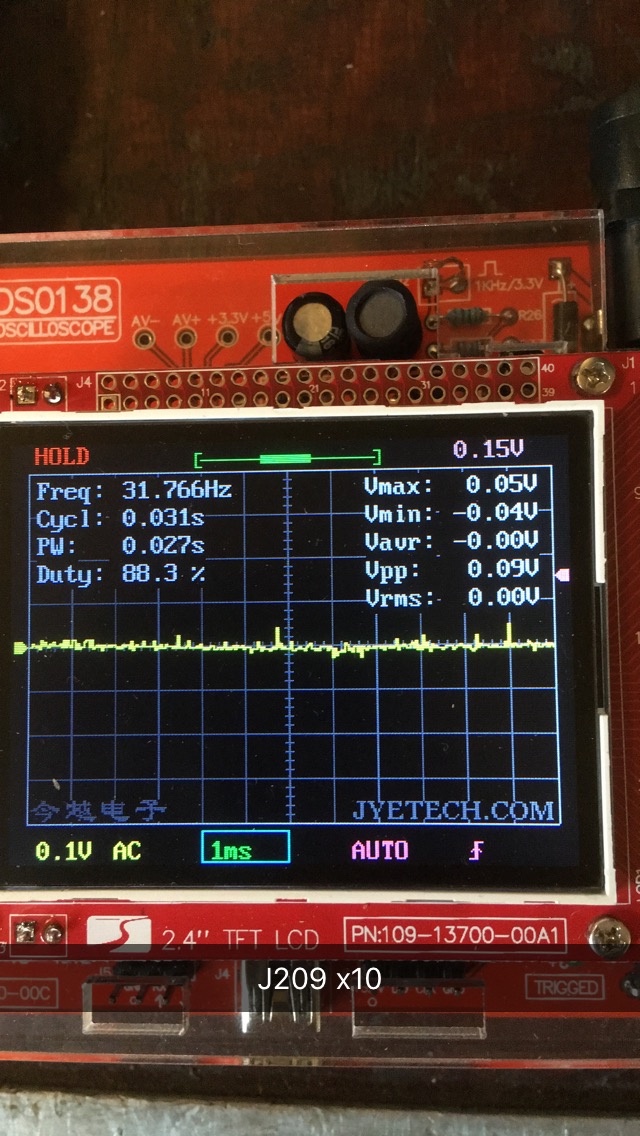
And J209 AC had a different signal between when i put it on hold..

Am i doing something wrong? o_O


Last edited:

MrChips

Joined Oct 2, 2009
34,839
Something not quite right.

For now,
set SEN1 to 1V
set SEN2 to x5
set Probe to 10X

Repeat the measurements on J209 and J210 with CPL on DC and repeat with CPL on AC.
 

Thread Starter

Marius83

Joined Dec 28, 2017
423
So i set it the way you described MrChips.


At the last picture at J209 it pops up an frequenzy at the info..... it looks like the scope did it even when it wasn't hooked on.
Coming and going rapidly.. i don't know why... so i don't know if it's accurate for the point if you know what i mean.


MrChips

Joined Oct 2, 2009
34,839
Just to be clear, I am not doubting your knowledge JoeJester.
MrChips has been the one directing me since the start of this "project" so i just wanted to ask if he did agree :)
No misunderstanding here.

@JoeJester has been a tremendous help on the side. AAC is a collective community place for giving and receiving help and advice. I am sure that many others would be willing and happy to lend a hand. Most thoughtful and experienced electronics enthusiasts would understand and acknowledge that having too many words of advice coming to you from all different directions would be confusing and counter productive.

For that reason, JoeJester has been helping off-site by doing a complete circuit simulation and circuit analysis. I can vouch with certainty that that is no easy task since it takes hours to input such a complex circuit as this one into a simulation program. He has chosen to do this unselfishly and in the true spirit for what AAC stands for.

As you have no doubt encountered by now, there is no magic bullet whereby we can say "replace this component" and the problem will be resolved. Sometimes one can take a shot in the dark and get lucky. Instead, we have attempted to take a systematic methodical approach to this problem.

The journey continues.
 

MrChips

Joined Oct 2, 2009
34,839
I have to be away for awhile, but from what I can see,
the positive supply is 6.84V x 10 = 68.4V
the negative supply is -5.63V x 10 = -56.3V

Leave the probe at 10x
Leave CPL on AC
Set SEN1 to 1V
Set SEN2 to x1

Repeat measurements.

Do not set CPL to DC for any of these measurements.

Repeat with SEN1 set to 0.1V
 

JoeJester

Joined Apr 26, 2005
4,390
I have to be away for awhile, but from what I can see,
the positive supply is 6.84V x 10 = 68.4V
the negative supply is -5.63V x 10 = -56.3V
Looking at the J210 5V AC picture, you will notice a +10 volt bias. I don't know if the TS had ensured the ground reference was on the center line.

With that in mind, that would change the power supplies to +58.4V and -66.3V. I will be checking the simulation with all the "disconnected" stuff disconnected to ensure those two readings are reasonable. They seem so at this moment.

For the record, I wasn't offended at all. Once the words were said, and I rebutted with my source, the issue became history. One had to be pretty think skinned and just put out some unvarnished truth and then return to normal. So I'm good, make no doubts about that.
 

MrChips

Joined Oct 2, 2009
34,839
Looking ahead, at some point we would like to put a load on the power supply and watch the ripple.
Do you have any resistors around 10kΩ and ½W or higher than ½W?

With 60V across a 10kΩ resistor, we would be drawing 60/10k = 6mA
Power dissipated = 60V x 6mA = 360mW = 0.36W
 

Thread Starter

Marius83

Joined Dec 28, 2017
423
Leave the probe at 10x
Leave CPL on AC
Set SEN1 to 1V
Set SEN2 to x1

Repeat measurements.

Do not set CPL to DC for any of these measurements.

Repeat with SEN1 set to 0.1V
I appreciate a lot you guys helping me out! :)
i guess i'm not the best "student" hehe

@JoeJester, the reference were not on the center line i see now.....looks like i have to correct this after a measurement some times is it normal ?
I thought it was good when i fixed this earlier.

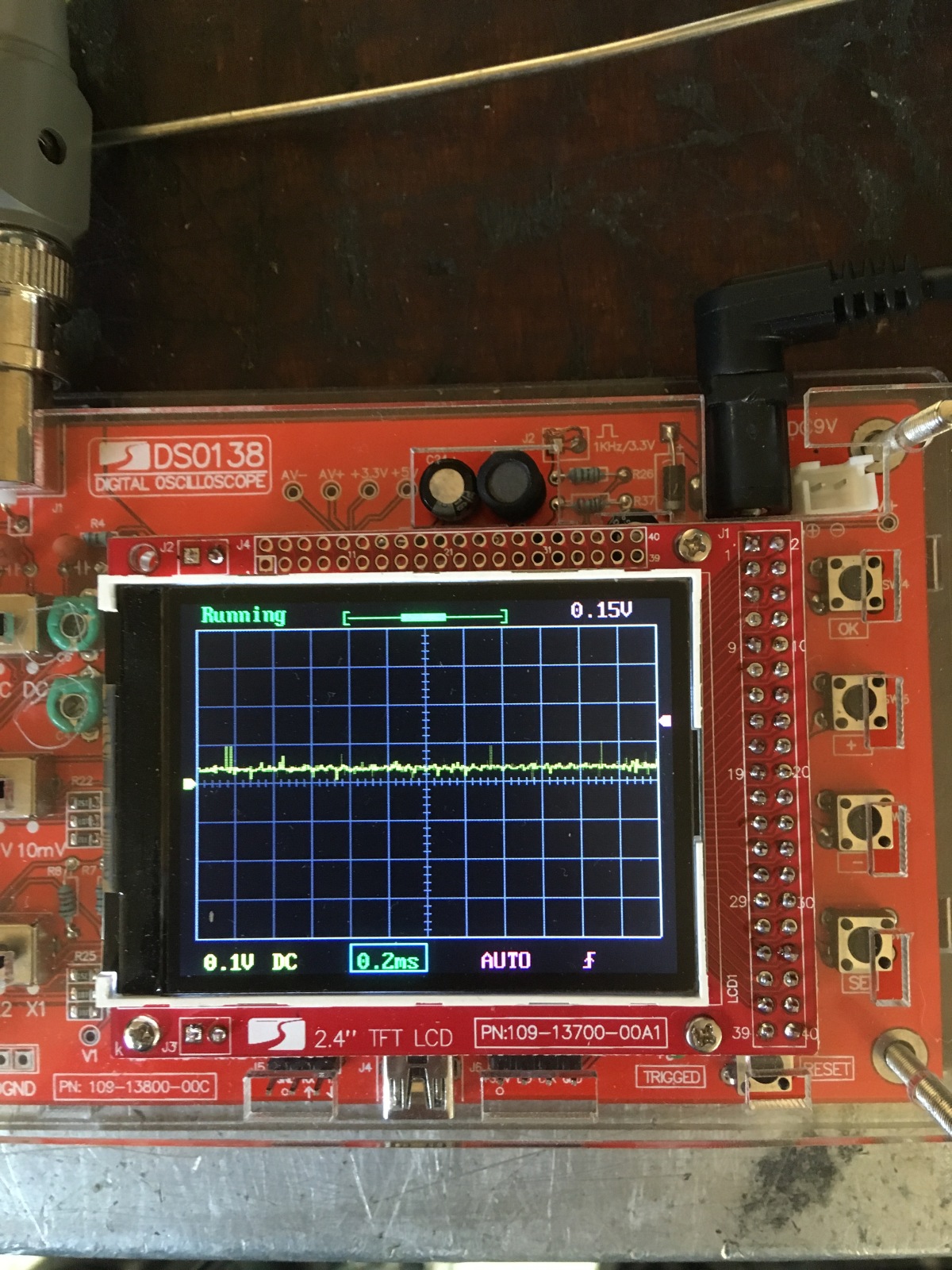
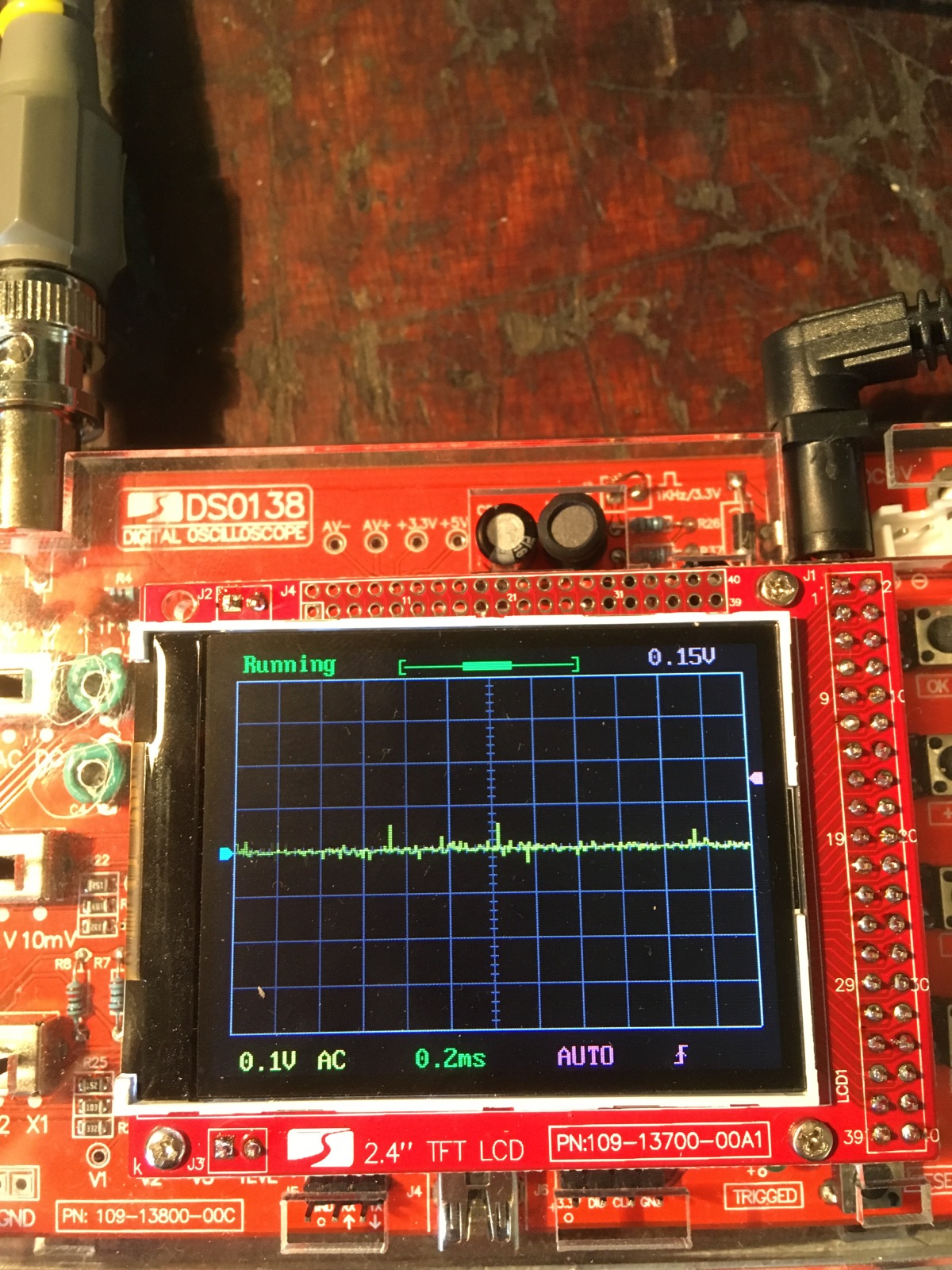
Here is picture before and after i corrected it, i hope this is what you meant.


Here are measurements with the settings MrChips wrote above:


Thread Starter

Marius83

Joined Dec 28, 2017
423
Looking ahead, at some point we would like to put a load on the power supply and watch the ripple.
Do you have any resistors around 10kΩ and ½W or higher than ½W?

With 60V across a 10kΩ resistor, we would be drawing 60/10k = 6mA
Power dissipated = 60V x 6mA = 360mW = 0.36W
I think i need to get hold of the right resistor, which should i get ?

Talking about load, the transistors Q651,Q653,Q652 and Q654 get very hot when the power is on.. so we have some current going there... but it might be the wrong place...:rolleyes:
 

MrChips

Joined Oct 2, 2009
34,839
Thanks for posting such clear photos.

By definition, setting CPL (coupling) to AC removes DC. This means that the signal must straddle the 0V reference point.
In technical terms, the net area under the curve must be zero. In other words, the average voltage is 0V.

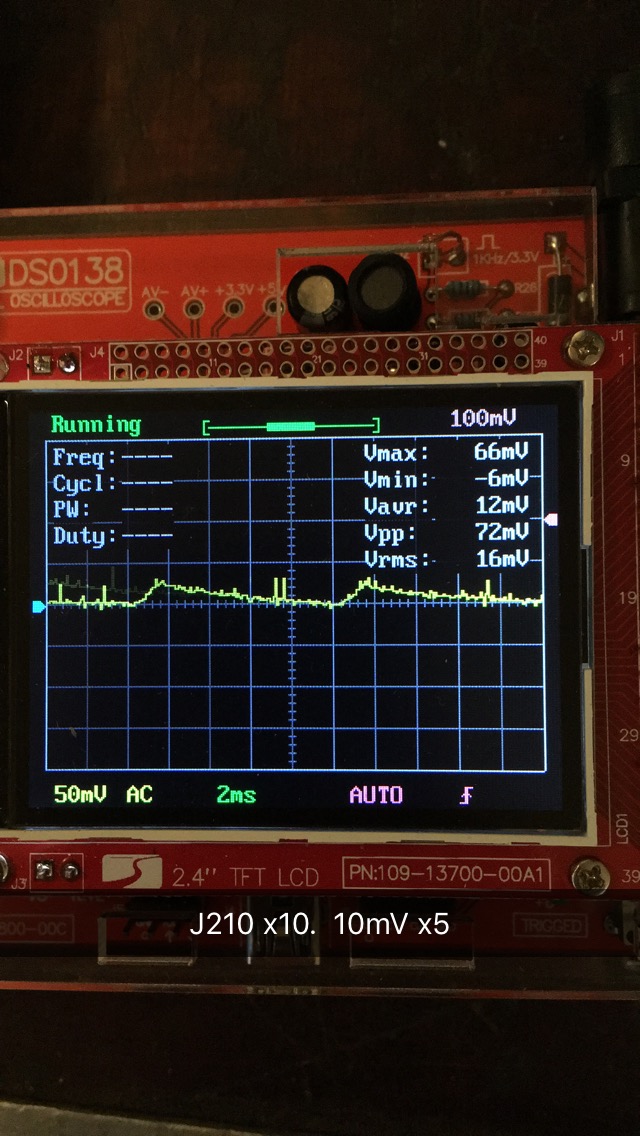
Technics J210 AC scope.jpg

In 1 above, notice that the arrow is not on the centre line. This is not critical but if you wish you may want to adjust this arrow to point to the centre line.

Since the scope trace is shown consistently at about 0.35V above the centre line, it has to go below at some point.
Increase the TIME/DIV at 2 until you can see the trace go equally above and below the centre line.
 

Thread Starter

Marius83

Joined Dec 28, 2017
423
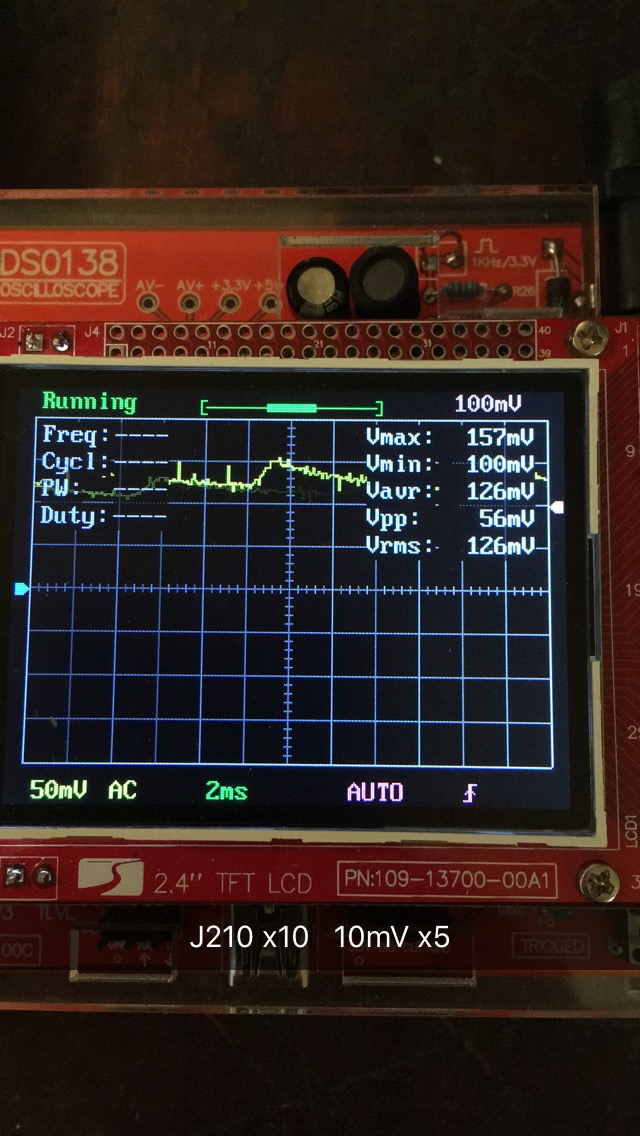
Pressing button 2, changing the time doesn't get the signal to get more visual..i had to change the voltage to see it the best..

Regarding the centre line, i'm pressing the SW4 button and i move the arrow to the signal, and bringing it down to the centre line....
....the signal changes the whole time, so when i center it, suddenly it has changed and the signal goes upwards ..sometimes downwards.. i made a little video clip, but i became a strange format i couldn't show on my pc.. snapchat crap.. i can do another clip if it would be helpful...

Here you can see difference..


JoeJester

Joined Apr 26, 2005
4,390
Nice picture. You can see the 100 Hz ripple voltage. (10 mS period of time). I see it at about 300 mV pk-pk (10 x 50 mV x 0.3).

Is that white arrow on the right (2 cm up from center line) the trigger level? Triggering at 1 V doesn't seem like a good idea. I know it's in the auto function.
 
Last edited:

MrChips

Joined Oct 2, 2009
34,839
Yes, white arrow on the right is trigger level. This a 2 divisions up which is 2 x 50mV = 100mV.
100mV shown at the top right of the screen is the trigger level.
Since the probe is set to 10X, all the indicators have to be multiplied by 10. Hence the VOLTS/DIV is 500mV and the trigger level is 1V.

Something is still not right. The input coupling is AC. The trace has to go above and below the ground reference line.
Keep increasing the TIME/DIV setting until you can see the full waveform going both positive and negative.
 

JoeJester

Joined Apr 26, 2005
4,390
100 mV at that end, but 1V at the x10 probe end.

on edit,

This is what I think MrChips is talking about. The waveform moves about the center line, I suspect it's because of the triggering and processing of the signals in the digital world. Even a virtual oscilloscope. In an older analog scopes, you could set the trigger to line and all signals that are line frequency or harmonics, would be a stable trace.

At 10 mS/cm on the time base, the slope will be greater as one cycle will have occurred for that power supply. I don't think it will ever be stable, as in equal above and below the center line.


Last edited:

Thread Starter

Marius83

Joined Dec 28, 2017
423
I think i understand what you are meaning, thanks for the video JoeJester... but whatever options on my scope.. the signal still jumps around..
I can adjust it to the centerline and it just jumps around again... also, whatever time i choose i don't get to zoom in on the signal, it's just as small whatever i choose.

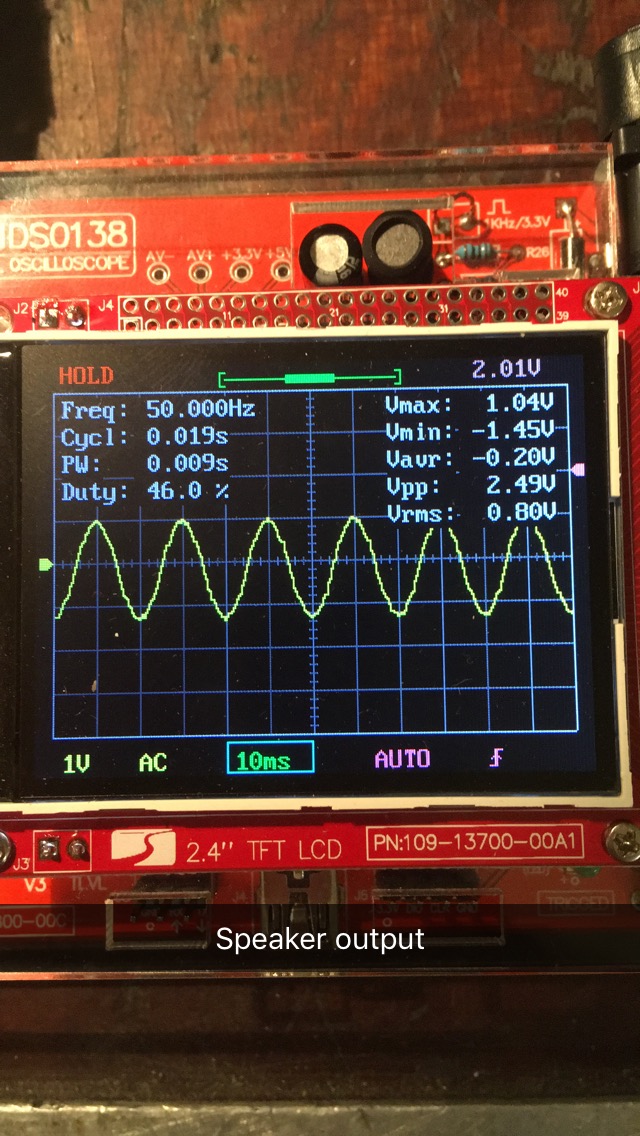
I connected the probe to a speaker playing music, and i got the waveform the way you wanted i guess. see picture.. but i just don't get it this way connected to J210 at AC setting... i don't know how i get the signal so large at the display..

EDIT: looks like i picked ut some wall socket frequenzy(50hz) did not ground the probe..(?)


I made a little bad video just to show you i'm increasing the time so you can see what i mean..
I just increased the trigger level just to see if it did any difference, it doesn't matter what i put it on..i tried down to zero...the signal looks the same anyways, what should i put it on? The video did of course appear wrong way, but anyways..:oops:

 
Top