Technics SU-VX800 amplifier

JoeJester

Joined Apr 26, 2005
4,390
Have you done the calibration according to the manual? That was using the x1 probes you got with the set. Once you do that, you can connect your x10 probe and see how square your square wave is. I would suspect the compensation capacitor for the x10 probes will be in the area near the BNC connection.
 

MrChips

Joined Oct 2, 2009
34,838
As Joe says, play around with your new probes.
Set the probe to 10x.

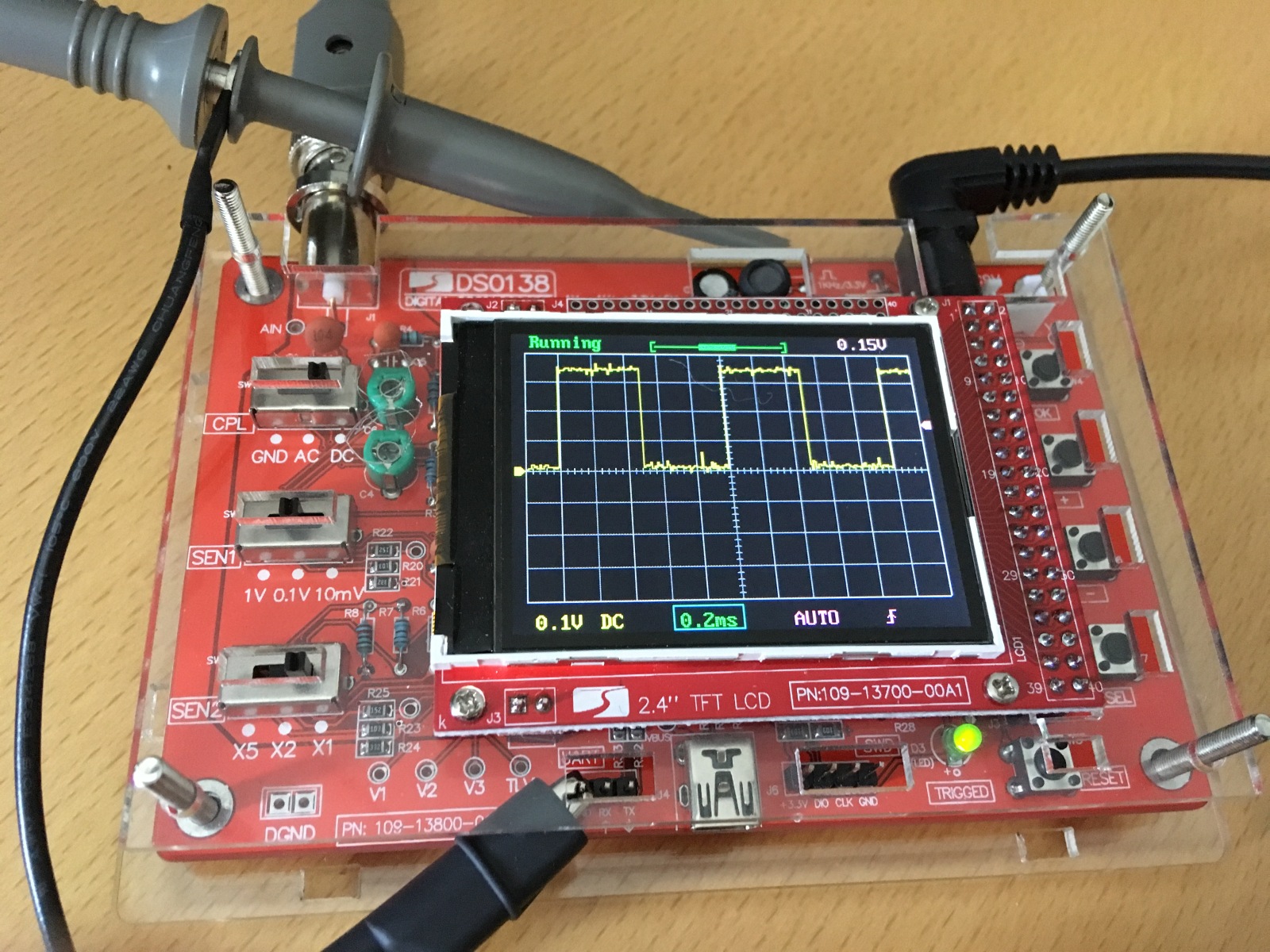
Set the DS0138 as follows:

CPL = DC
SEN1 = 0.1V
SEN2 = x1
TIME/DIV = 0.2ms
TRIGGER LEVEL = 0.15V

Connect the probe to the 1kHz 3.3V reference at J2.
You ought to be able to see stable square waves with 3.3 divisions amplitude and 5 divisions time period.


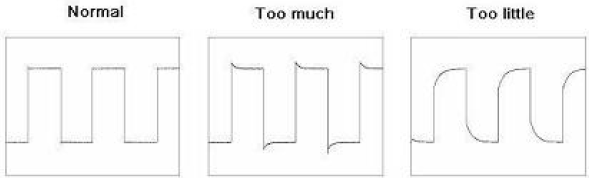
There should be a small trim capacitor on the body of the scope probe. Adjust this until you get square waves as shown as Normal in the left drawing above.

Note that with the probe set to 10x, all voltage readings have to be multiplied by 10, along with the SEN2 factor.
 

Thread Starter

Marius83

Joined Dec 28, 2017
423
I have not adjusted the oscilloscope with the probe it came with....

I tried with my x10 probe now, it's a little screw at the BNC connection as you said.

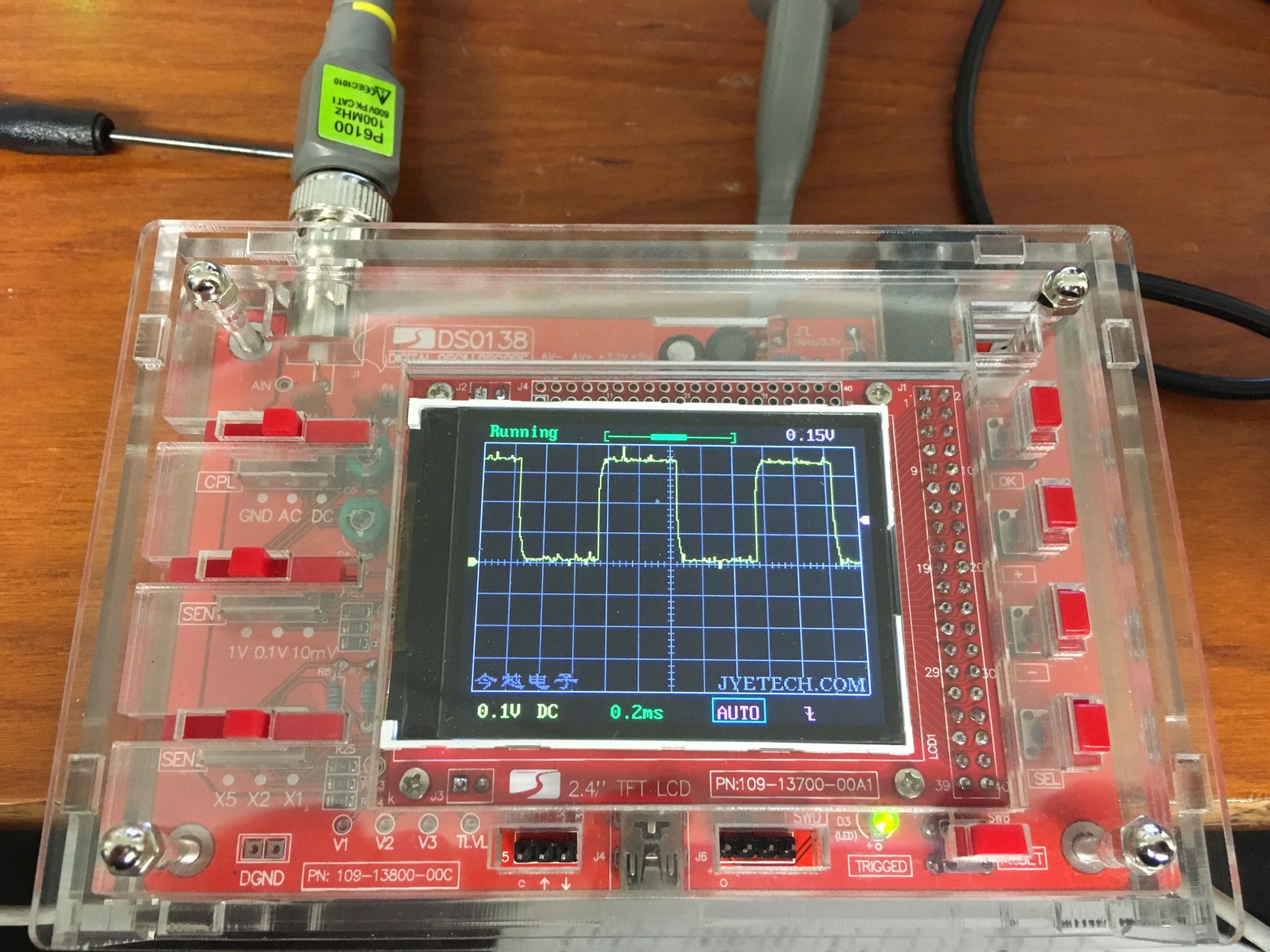
Here is the best i can get by adjusting on the probe!


JoeJester

Joined Apr 26, 2005
4,390
You need to do it with the probe that came with it as the adjustment are on the scope board.

Only then can you do the x10 probe.

Look at your manual. It's there. If you have any questions after reading it, let us know.
 

Thread Starter

Marius83

Joined Dec 28, 2017
423
So i did what was described in the manual, i had to disassemble the acrylic case to get to C4 and C6... hehe.:)

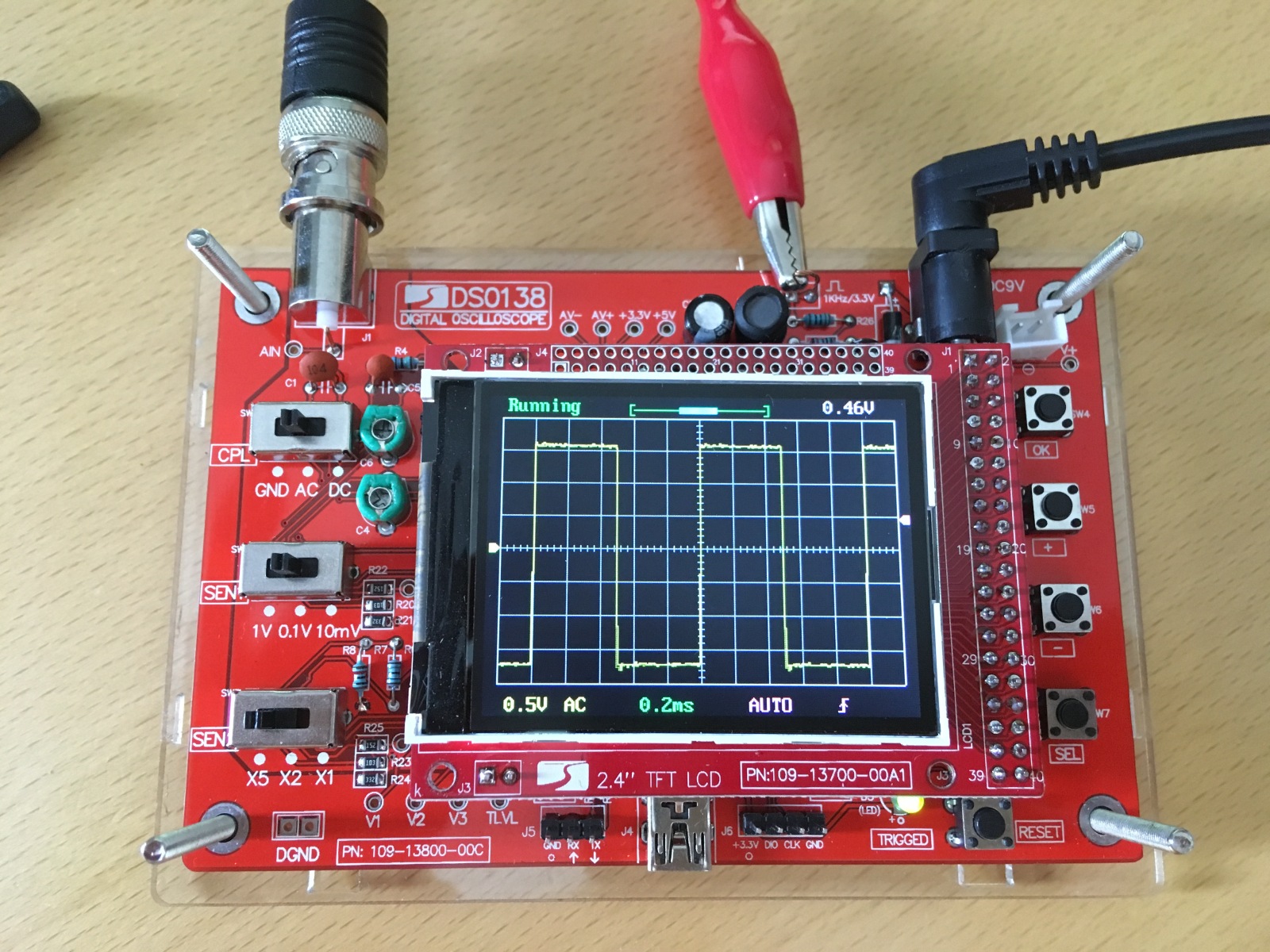
Heres the best with the original probe...


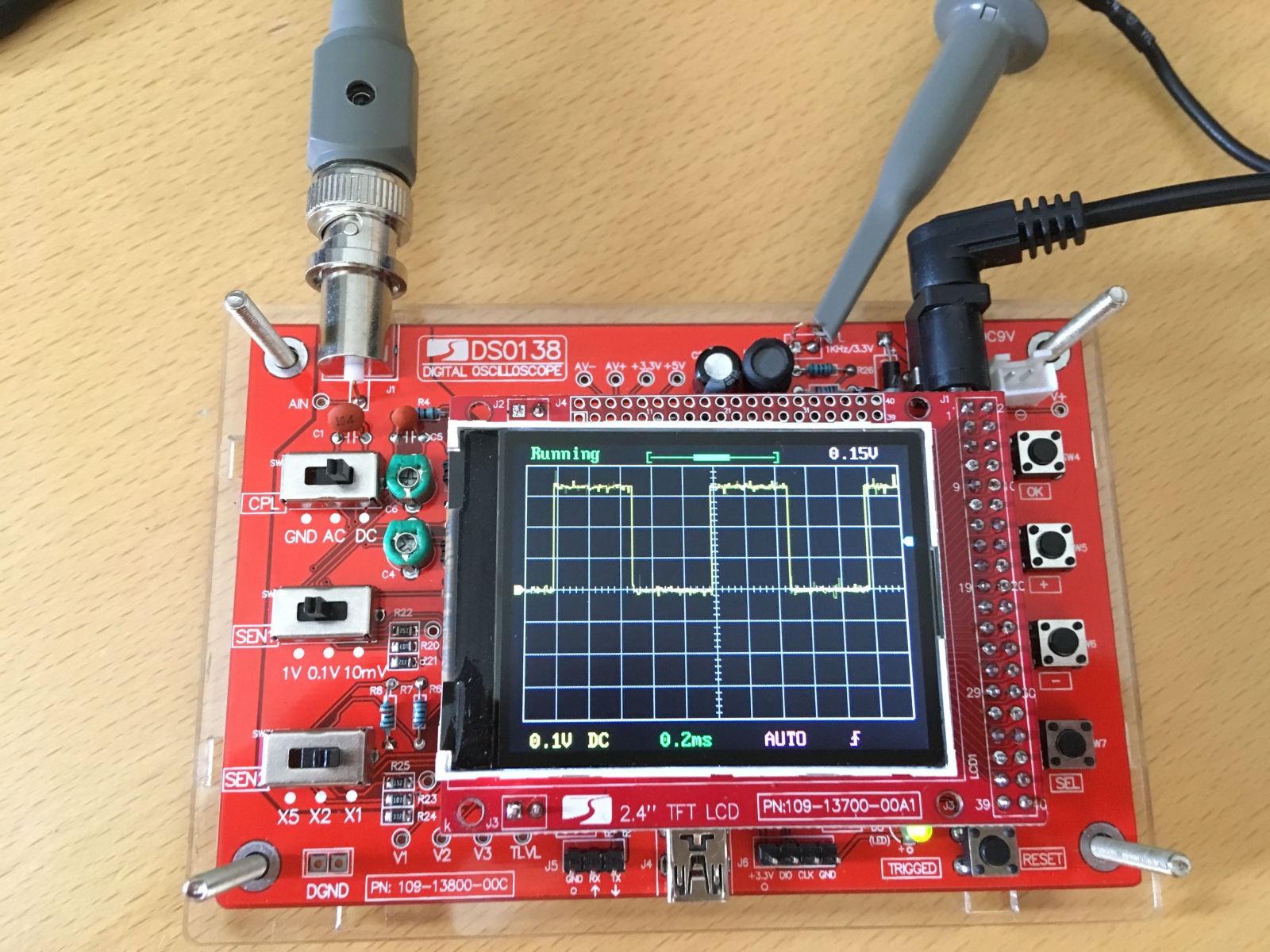
And here's how it looks like with my new X10 probe now..


JoeJester

Joined Apr 26, 2005
4,390
Nice job. Some noise spikes are visible. Connect the ground of the x10 probe to ground. See if that eliminates the noise spikes. If it doesn't, Do you have florescent lighting? If you do, turn off the light to see if that's the noise source.
 

Thread Starter

Marius83

Joined Dec 28, 2017
423
Okey, to ground.. where.. like in the wall socket ground? :)

I had no light on in the room, but under the desk my PC stands and it was on.. and so the lcd screen and an amplifier nearby..
 
Don't worry too much about the spike noise that is being displayed. I have several of these units and they all show a noisy signal when the timebase is set to 0.1mS, 0.2mS & 0.5mS. It appears that the noise is either an A to D conversion error or a straight up aliasing problem. The noise level does not change with variations of the input attenuator. Just remember that it is a very cheap oscilloscope (which actually does work very well for what it is) and may have a few limitations.
Another interesting thing to try with these units is to press the HOLD button for about one second and then release it. The scope will now be in HOLD mode so quickly press the HOLD button again to put the scope back into run mode but the display should now show some text indicating frequency, voltage and a few other useful measurements. To get the display back to normal just press and hold the HOLD button again.
 

JoeJester

Joined Apr 26, 2005
4,390
I would have had you ground it to the PCB ground just to make sure it wasn't an antenna. I seen a few videos of that DSO after I posted and did notice noise on the signals, but I didn't see what their environment was and if the shield of the scope probe became an "antenna". Yeah, we can ignore it, as long as we know it's strictly in the equipment and not induced.

I saw one video where the person had the coupling switch in the ground position and yes, I saw noise spikes.

I see there is a firmware update to allow the time base to 1 uS. [removed incorrect link] correct link posted below.
 
Last edited:

Thread Starter

Marius83

Joined Dec 28, 2017
423
I tried to ground the probe on a pin that said GND, but there is no difference

Mine does not display that information @Slowpoke101, i tried with the hold button, but it just goes in an out of hold and running, no other text.

@JoeJester, do i need that firmware to do my measurements? I have 113-13801-042


The firmware in your scope must be of a different version to what is in my units. When mine get back to the workshop I will check what version is currently running in them. So not to worry that the HOLD additional feature is not on your unit as it still works as an oscilloscope.
I would recommend not worrying about trying to upgrade your firmware yet. Take the measurements of the amp's power rails just to see if there are any problems. Get the amp working correctly and then see about upgrading the firmware if you want to.

And a big Thank You to JoeJester for the link to the upgrade firmware files. As the scopes are so cheap I never bothered to look because I did not expect there to be any support for them. Once again I assumed incorrectly. Again, thank you. Very helpful.
 

JoeJester

Joined Apr 26, 2005
4,390
@Marius83 I don't know if you seen this video, but it's pretty good on the operation of your oscilloscope. I noticed the firmware in the video was higher than yours and the square wave was cleaner.


Thread Starter

Marius83

Joined Dec 28, 2017
423
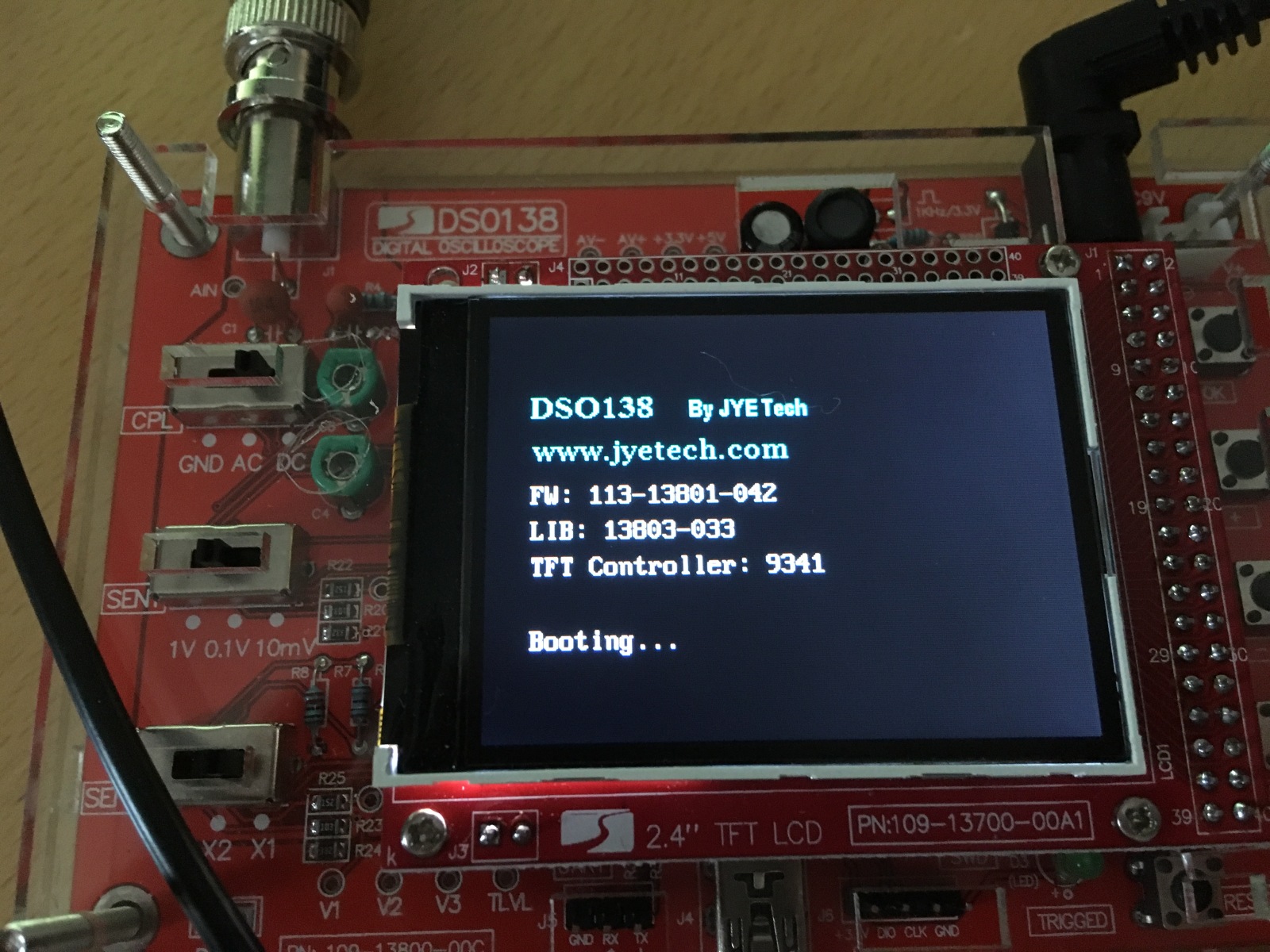
I would like to upgrade the firmware, i thoughti could use the mini usb(?) port on it, but i saw a video online this guy used the three pins aside it. and a little circuit board with a usb connector to connect it to a pc. i don't have that pcb board with usb connector.....

Could we do the measurements to my amplifier without upgrading the firmware, JoeJester? Or do you think it mandatory?

Here's mine
 

JoeJester

Joined Apr 26, 2005
4,390
We can do the measurements without the FW upgrade. Your upgrade would be in the 13801K section of that page.

They do have a tech support section at their website to help people out. They should be able to answer the question about that mini USB port and what type of cable you need in case you needed a special cable.

I hope you enjoyed that last video I posted. Just bear in mind you might not have all those features they talk about. Your FW was not listed as a version on that website, but you can get an idea of what each upgrade was suppose to do.

Anyway, if your able to power up without blowing up those resistors, we can do the measurement on the +60V and the -60 volt line ... once with the coupling in AC and once with it in DC for each resistor.

Your setting when doing the AC measurement is:
Coupling: AC
Sen 10 mV
Sen X1

We are using the x10 probe so it will be 100 mV per cm on the scope. Ensure your trace is at the center line for ground reference. It may take a bit of time for the signal to walk it's way down from 60V to the centerline.

For the DC measurement
Coupling: DC
Sen 1 V
Sen X2

keep the ground reference in the center. The pos voltage would be about 3 cm above center and the neg would be about 3 cm below center.
 

JoeJester

Joined Apr 26, 2005
4,390
@Marius83 For safety reasons, I want you to connect the probe and ground, then turn on your amplifier, then turn on the oscilloscope. Repeat that for all measurements, to ensure you have a good connection and we have no accidental shorts.

On edit, your 042 FW was a minor update to the 040 FW. The 040 update allows:

- Added read-outs for various waveform parameters including Freq, Cycle, PW(pulse width), Duty (cycle), Vmax, Vmin, Vavr, Vpp, Vrms. To turn on/off the read-outs first move cursor to the position of timebase. Hold down the [OK] button for 3 seconds.
 
Last edited:

JoeJester

Joined Apr 26, 2005
4,390
@Marius83 Before the measurements are taken, I recommend you turn VR401, VR402, VR403, and VR404 to minimum (fully counter clockwise. These are the ICQ adjustments. This will ensure the ICQs will not be sufficient to damage anything.

That is the recommendation in the Service Manual titled: Before Repair and Adjustment.
 

Thread Starter

Marius83

Joined Dec 28, 2017
423
Thanks for all guidance JoeJester.
But i am not an skilled service guy, i need specific guidance, like MrChips has given me the hole way.... how exactly do i measure the power supply... and where in the amplifier.. :D

There are two connectors coming from the power supply to main PCB, could i measure on these without having them connected?
Or could i apply a load with a light bulb f.eks, then measure?
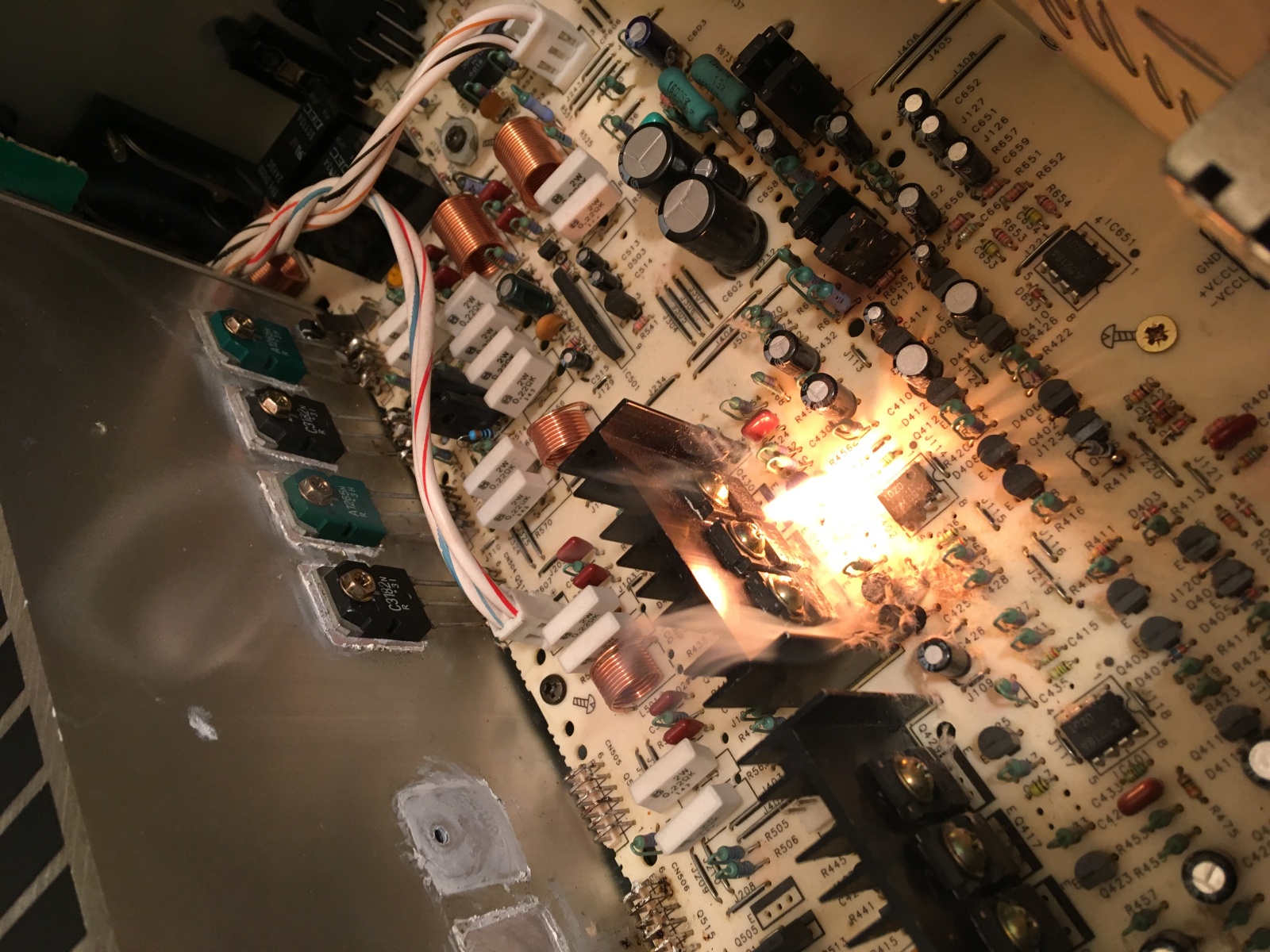
I'm afraid of burning more components, i remember last time R427 was starting to smoke.

Or will turning down the VR's minimize chance of more damage? and..... should i then take a picture of how they stood originally ?


Here you can see the connectors on an earlier picture


JoeJester

Joined Apr 26, 2005
4,390
Remember the two 5.6 ohm resistors that were blowing up?

That is the +60 and -60 volts.

I'm at a pool league now so I can't give you the Rxxx number.

Use the same direction Mr chips gave you for measuring the 60 volts.

On the VR adjustments, turning them counterclockwise will reduce the quiesent currents. If one was too high, it could have helped in the failures we've seen.
 
Top