
 Facebook
 Google
 GitHub
 Linkedin
After ~ 30 mins I manually restarted Win 10 and got message that the restore did not complete.Those UNOs and even the clones are hard to break, not impossible, but not easy doing what you have been doing. It is MUCH more likely that WIN 10 is being a jerk.
Continue with your restore and the other steps. Chances are that in a few days, you will have two UNOs and they both will be working.
Hang in there!
I took your steps. (Except no BlueTooth and I don't know how to easily stop Defender - an unlikely culprit anyway IMO).
Here's the obscure and very long 'error messages' text:
Arduino: 1.8.9 (Windows 10), Board: "Arduino/Genuino Uno"
C:\Program Files (x86)\Arduino\arduino-builder -dump-prefs -logger=machine -hardware C:\Program Files (x86)\Arduino\hardware -tools C:\Program Files (x86)\Arduino\tools-builder -tools C:\Program Files (x86)\Arduino\hardware\tools\avr -built-in-libraries C:\Program Files (x86)\Arduino\libraries -libraries C:\Users\terry\Documents\Arduino\libraries -fqbn=arduino:avr:uno -vid-pid=0X2341_0X0043 -ide-version=10809 -build-path C:\Users\terry\AppData\Local\Temp\arduino_build_804316 -warnings=none -build-cache C:\Users\terry\AppData\Local\Temp\arduino_cache_767280 -prefs=build.warn_data_percentage=75 -prefs=runtime.tools.arduinoOTA.path=C:\Program Files (x86)\Arduino\hardware\tools\avr -prefs=runtime.tools.arduinoOTA-1.2.1.path=C:\Program Files (x86)\Arduino\hardware\tools\avr -prefs=runtime.tools.avrdude.path=C:\Program Files (x86)\Arduino\hardware\tools\avr -prefs=runtime.tools.avrdude-6.3.0-arduino14.path=C:\Program Files (x86)\Arduino\hardware\tools\avr -prefs=runtime.tools.avr-gcc.path=C:\Program Files (x86)\Arduino\hardware\tools\avr -prefs=runtime.tools.avr-gcc-5.4.0-atmel3.6.1-arduino2.path=C:\Program Files (x86)\Arduino\hardware\tools\avr -verbose C:\Program Files (x86)\Arduino\examples\01.Basics\Blink\Blink.ino
C:\Program Files (x86)\Arduino\arduino-builder -compile -logger=machine -hardware C:\Program Files (x86)\Arduino\hardware -tools C:\Program Files (x86)\Arduino\tools-builder -tools C:\Program Files (x86)\Arduino\hardware\tools\avr -built-in-libraries C:\Program Files (x86)\Arduino\libraries -libraries C:\Users\terry\Documents\Arduino\libraries -fqbn=arduino:avr:uno -vid-pid=0X2341_0X0043 -ide-version=10809 -build-path C:\Users\terry\AppData\Local\Temp\arduino_build_804316 -warnings=none -build-cache C:\Users\terry\AppData\Local\Temp\arduino_cache_767280 -prefs=build.warn_data_percentage=75 -prefs=runtime.tools.arduinoOTA.path=C:\Program Files (x86)\Arduino\hardware\tools\avr -prefs=runtime.tools.arduinoOTA-1.2.1.path=C:\Program Files (x86)\Arduino\hardware\tools\avr -prefs=runtime.tools.avrdude.path=C:\Program Files (x86)\Arduino\hardware\tools\avr -prefs=runtime.tools.avrdude-6.3.0-arduino14.path=C:\Program Files (x86)\Arduino\hardware\tools\avr -prefs=runtime.tools.avr-gcc.path=C:\Program Files (x86)\Arduino\hardware\tools\avr -prefs=runtime.tools.avr-gcc-5.4.0-atmel3.6.1-arduino2.path=C:\Program Files (x86)\Arduino\hardware\tools\avr -verbose C:\Program Files (x86)\Arduino\examples\01.Basics\Blink\Blink.ino
Using board 'uno' from platform in folder: C:\Program Files (x86)\Arduino\hardware\arduino\avr
Using core 'arduino' from platform in folder: C:\Program Files (x86)\Arduino\hardware\arduino\avr
Detecting libraries used...
"C:\\Program Files (x86)\\Arduino\\hardware\\tools\\avr/bin/avr-g++" -c -g -Os -w -std=gnu++11 -fpermissive -fno-exceptions -ffunction-sections -fdata-sections -fno-threadsafe-statics -Wno-error=narrowing -flto -w -x c++ -E -CC -mmcu=atmega328p -DF_CPU=16000000L -DARDUINO=10809 -DARDUINO_AVR_UNO -DARDUINO_ARCH_AVR "-IC:\\Program Files (x86)\\Arduino\\hardware\\arduino\\avr\\cores\\arduino" "-IC:\\Program Files (x86)\\Arduino\\hardware\\arduino\\avr\\variants\\standard" "C:\\Users\\terry\\AppData\\Local\\Temp\\arduino_build_804316\\sketch\\Blink.ino.cpp" -o nul
Generating function prototypes...
"C:\\Program Files (x86)\\Arduino\\hardware\\tools\\avr/bin/avr-g++" -c -g -Os -w -std=gnu++11 -fpermissive -fno-exceptions -ffunction-sections -fdata-sections -fno-threadsafe-statics -Wno-error=narrowing -flto -w -x c++ -E -CC -mmcu=atmega328p -DF_CPU=16000000L -DARDUINO=10809 -DARDUINO_AVR_UNO -DARDUINO_ARCH_AVR "-IC:\\Program Files (x86)\\Arduino\\hardware\\arduino\\avr\\cores\\arduino" "-IC:\\Program Files (x86)\\Arduino\\hardware\\arduino\\avr\\variants\\standard" "C:\\Users\\terry\\AppData\\Local\\Temp\\arduino_build_804316\\sketch\\Blink.ino.cpp" -o "C:\\Users\\terry\\AppData\\Local\\Temp\\arduino_build_804316\\preproc\\ctags_target_for_gcc_minus_e.cpp"
"C:\\Program Files (x86)\\Arduino\\tools-builder\\ctags\\5.8-arduino11/ctags" -u --language-force=c++ -f - --c++-kinds=svpf --fields=KSTtzns --line-directives "C:\\Users\\terry\\AppData\\Local\\Temp\\arduino_build_804316\\preproc\\ctags_target_for_gcc_minus_e.cpp"
Compiling sketch...
"C:\\Program Files (x86)\\Arduino\\hardware\\tools\\avr/bin/avr-g++" -c -g -Os -w -std=gnu++11 -fpermissive -fno-exceptions -ffunction-sections -fdata-sections -fno-threadsafe-statics -Wno-error=narrowing -MMD -flto -mmcu=atmega328p -DF_CPU=16000000L -DARDUINO=10809 -DARDUINO_AVR_UNO -DARDUINO_ARCH_AVR "-IC:\\Program Files (x86)\\Arduino\\hardware\\arduino\\avr\\cores\\arduino" "-IC:\\Program Files (x86)\\Arduino\\hardware\\arduino\\avr\\variants\\standard" "C:\\Users\\terry\\AppData\\Local\\Temp\\arduino_build_804316\\sketch\\Blink.ino.cpp" -o "C:\\Users\\terry\\AppData\\Local\\Temp\\arduino_build_804316\\sketch\\Blink.ino.cpp.o"
Compiling libraries...
Compiling core...
"C:\\Program Files (x86)\\Arduino\\hardware\\tools\\avr/bin/avr-gcc" -c -g -x assembler-with-cpp -flto -MMD -mmcu=atmega328p -DF_CPU=16000000L -DARDUINO=10809 -DARDUINO_AVR_UNO -DARDUINO_ARCH_AVR "-IC:\\Program Files (x86)\\Arduino\\hardware\\arduino\\avr\\cores\\arduino" "-IC:\\Program Files (x86)\\Arduino\\hardware\\arduino\\avr\\variants\\standard" "C:\\Program Files (x86)\\Arduino\\hardware\\arduino\\avr\\cores\\arduino\\wiring_pulse.S" -o "C:\\Users\\terry\\AppData\\Local\\Temp\\arduino_build_804316\\core\\wiring_pulse.S.o"
"C:\\Program Files (x86)\\Arduino\\hardware\\tools\\avr/bin/avr-gcc" -c -g -Os -w -std=gnu11 -ffunction-sections -fdata-sections -MMD -flto -fno-fat-lto-objects -mmcu=atmega328p -DF_CPU=16000000L -DARDUINO=10809 -DARDUINO_AVR_UNO -DARDUINO_ARCH_AVR "-IC:\\Program Files (x86)\\Arduino\\hardware\\arduino\\avr\\cores\\arduino" "-IC:\\Program Files (x86)\\Arduino\\hardware\\arduino\\avr\\variants\\standard" "C:\\Program Files (x86)\\Arduino\\hardware\\arduino\\avr\\cores\\arduino\\wiring.c" -o "C:\\Users\\terry\\AppData\\Local\\Temp\\arduino_build_804316\\core\\wiring.c.o"
"C:\\Program Files (x86)\\Arduino\\hardware\\tools\\avr/bin/avr-gcc" -c -g -Os -w -std=gnu11 -ffunction-sections -fdata-sections -MMD -flto -fno-fat-lto-objects -mmcu=atmega328p -DF_CPU=16000000L -DARDUINO=10809 -DARDUINO_AVR_UNO -DARDUINO_ARCH_AVR "-IC:\\Program Files (x86)\\Arduino\\hardware\\arduino\\avr\\cores\\arduino" "-IC:\\Program Files (x86)\\Arduino\\hardware\\arduino\\avr\\variants\\standard" "C:\\Program Files (x86)\\Arduino\\hardware\\arduino\\avr\\cores\\arduino\\wiring_pulse.c" -o "C:\\Users\\terry\\AppData\\Local\\Temp\\arduino_build_804316\\core\\wiring_pulse.c.o"
"C:\\Program Files (x86)\\Arduino\\hardware\\tools\\avr/bin/avr-gcc" -c -g -Os -w -std=gnu11 -ffunction-sections -fdata-sections -MMD -flto -fno-fat-lto-objects -mmcu=atmega328p -DF_CPU=16000000L -DARDUINO=10809 -DARDUINO_AVR_UNO -DARDUINO_ARCH_AVR "-IC:\\Program Files (x86)\\Arduino\\hardware\\arduino\\avr\\cores\\arduino" "-IC:\\Program Files (x86)\\Arduino\\hardware\\arduino\\avr\\variants\\standard" "C:\\Program Files (x86)\\Arduino\\hardware\\arduino\\avr\\cores\\arduino\\hooks.c" -o "C:\\Users\\terry\\AppData\\Local\\Temp\\arduino_build_804316\\core\\hooks.c.o"
"C:\\Program Files (x86)\\Arduino\\hardware\\tools\\avr/bin/avr-gcc" -c -g -Os -w -std=gnu11 -ffunction-sections -fdata-sections -MMD -flto -fno-fat-lto-objects -mmcu=atmega328p -DF_CPU=16000000L -DARDUINO=10809 -DARDUINO_AVR_UNO -DARDUINO_ARCH_AVR "-IC:\\Program Files (x86)\\Arduino\\hardware\\arduino\\avr\\cores\\arduino" "-IC:\\Program Files (x86)\\Arduino\\hardware\\arduino\\avr\\variants\\standard" "C:\\Program Files (x86)\\Arduino\\hardware\\arduino\\avr\\cores\\arduino\\WInterrupts.c" -o "C:\\Users\\terry\\AppData\\Local\\Temp\\arduino_build_804316\\core\\WInterrupts.c.o"
"C:\\Program Files (x86)\\Arduino\\hardware\\tools\\avr/bin/avr-gcc" -c -g -Os -w -std=gnu11 -ffunction-sections -fdata-sections -MMD -flto -fno-fat-lto-objects -mmcu=atmega328p -DF_CPU=16000000L -DARDUINO=10809 -DARDUINO_AVR_UNO -DARDUINO_ARCH_AVR "-IC:\\Program Files (x86)\\Arduino\\hardware\\arduino\\avr\\cores\\arduino" "-IC:\\Program Files (x86)\\Arduino\\hardware\\arduino\\avr\\variants\\standard" "C:\\Program Files (x86)\\Arduino\\hardware\\arduino\\avr\\cores\\arduino\\wiring_digital.c" -o "C:\\Users\\terry\\AppData\\Local\\Temp\\arduino_build_804316\\core\\wiring_digital.c.o"
"C:\\Program Files (x86)\\Arduino\\hardware\\tools\\avr/bin/avr-gcc" -c -g -Os -w -std=gnu11 -ffunction-sections -fdata-sections -MMD -flto -fno-fat-lto-objects -mmcu=atmega328p -DF_CPU=16000000L -DARDUINO=10809 -DARDUINO_AVR_UNO -DARDUINO_ARCH_AVR "-IC:\\Program Files (x86)\\Arduino\\hardware\\arduino\\avr\\cores\\arduino" "-IC:\\Program Files (x86)\\Arduino\\hardware\\arduino\\avr\\variants\\standard" "C:\\Program Files (x86)\\Arduino\\hardware\\arduino\\avr\\cores\\arduino\\wiring_analog.c" -o "C:\\Users\\terry\\AppData\\Local\\Temp\\arduino_build_804316\\core\\wiring_analog.c.o"
"C:\\Program Files (x86)\\Arduino\\hardware\\tools\\avr/bin/avr-gcc" -c -g -Os -w -std=gnu11 -ffunction-sections -fdata-sections -MMD -flto -fno-fat-lto-objects -mmcu=atmega328p -DF_CPU=16000000L -DARDUINO=10809 -DARDUINO_AVR_UNO -DARDUINO_ARCH_AVR "-IC:\\Program Files (x86)\\Arduino\\hardware\\arduino\\avr\\cores\\arduino" "-IC:\\Program Files (x86)\\Arduino\\hardware\\arduino\\avr\\variants\\standard" "C:\\Program Files (x86)\\Arduino\\hardware\\arduino\\avr\\cores\\arduino\\wiring_shift.c" -o "C:\\Users\\terry\\AppData\\Local\\Temp\\arduino_build_804316\\core\\wiring_shift.c.o"
"C:\\Program Files (x86)\\Arduino\\hardware\\tools\\avr/bin/avr-g++" -c -g -Os -w -std=gnu++11 -fpermissive -fno-exceptions -ffunction-sections -fdata-sections -fno-threadsafe-statics -Wno-error=narrowing -MMD -flto -mmcu=atmega328p -DF_CPU=16000000L -DARDUINO=10809 -DARDUINO_AVR_UNO -DARDUINO_ARCH_AVR "-IC:\\Program Files (x86)\\Arduino\\hardware\\arduino\\avr\\cores\\arduino" "-IC:\\Program Files (x86)\\Arduino\\hardware\\arduino\\avr\\variants\\standard" "C:\\Program Files (x86)\\Arduino\\hardware\\arduino\\avr\\cores\\arduino\\Print.cpp" -o "C:\\Users\\terry\\AppData\\Local\\Temp\\arduino_build_804316\\core\\Print.cpp.o"
"C:\\Program Files (x86)\\Arduino\\hardware\\tools\\avr/bin/avr-g++" -c -g -Os -w -std=gnu++11 -fpermissive -fno-exceptions -ffunction-sections -fdata-sections -fno-threadsafe-statics -Wno-error=narrowing -MMD -flto -mmcu=atmega328p -DF_CPU=16000000L -DARDUINO=10809 -DARDUINO_AVR_UNO -DARDUINO_ARCH_AVR "-IC:\\Program Files (x86)\\Arduino\\hardware\\arduino\\avr\\cores\\arduino" "-IC:\\Program Files (x86)\\Arduino\\hardware\\arduino\\avr\\variants\\standard" "C:\\Program Files (x86)\\Arduino\\hardware\\arduino\\avr\\cores\\arduino\\HardwareSerial.cpp" -o "C:\\Users\\terry\\AppData\\Local\\Temp\\arduino_build_804316\\core\\HardwareSerial.cpp.o"
"C:\\Program Files (x86)\\Arduino\\hardware\\tools\\avr/bin/avr-g++" -c -g -Os -w -std=gnu++11 -fpermissive -fno-exceptions -ffunction-sections -fdata-sections -fno-threadsafe-statics -Wno-error=narrowing -MMD -flto -mmcu=atmega328p -DF_CPU=16000000L -DARDUINO=10809 -DARDUINO_AVR_UNO -DARDUINO_ARCH_AVR "-IC:\\Program Files (x86)\\Arduino\\hardware\\arduino\\avr\\cores\\arduino" "-IC:\\Program Files (x86)\\Arduino\\hardware\\arduino\\avr\\variants\\standard" "C:\\Program Files (x86)\\Arduino\\hardware\\arduino\\avr\\cores\\arduino\\HardwareSerial1.cpp" -o "C:\\Users\\terry\\AppData\\Local\\Temp\\arduino_build_804316\\core\\HardwareSerial1.cpp.o"
"C:\\Program Files (x86)\\Arduino\\hardware\\tools\\avr/bin/avr-g++" -c -g -Os -w -std=gnu++11 -fpermissive -fno-exceptions -ffunction-sections -fdata-sections -fno-threadsafe-statics -Wno-error=narrowing -MMD -flto -mmcu=atmega328p -DF_CPU=16000000L -DARDUINO=10809 -DARDUINO_AVR_UNO -DARDUINO_ARCH_AVR "-IC:\\Program Files (x86)\\Arduino\\hardware\\arduino\\avr\\cores\\arduino" "-IC:\\Program Files (x86)\\Arduino\\hardware\\arduino\\avr\\variants\\standard" "C:\\Program Files (x86)\\Arduino\\hardware\\arduino\\avr\\cores\\arduino\\abi.cpp" -o "C:\\Users\\terry\\AppData\\Local\\Temp\\arduino_build_804316\\core\\abi.cpp.o"
"C:\\Program Files (x86)\\Arduino\\hardware\\tools\\avr/bin/avr-g++" -c -g -Os -w -std=gnu++11 -fpermissive -fno-exceptions -ffunction-sections -fdata-sections -fno-threadsafe-statics -Wno-error=narrowing -MMD -flto -mmcu=atmega328p -DF_CPU=16000000L -DARDUINO=10809 -DARDUINO_AVR_UNO -DARDUINO_ARCH_AVR "-IC:\\Program Files (x86)\\Arduino\\hardware\\arduino\\avr\\cores\\arduino" "-IC:\\Program Files (x86)\\Arduino\\hardware\\arduino\\avr\\variants\\standard" "C:\\Program Files (x86)\\Arduino\\hardware\\arduino\\avr\\cores\\arduino\\Stream.cpp" -o "C:\\Users\\terry\\AppData\\Local\\Temp\\arduino_build_804316\\core\\Stream.cpp.o"
"C:\\Program Files (x86)\\Arduino\\hardware\\tools\\avr/bin/avr-g++" -c -g -Os -w -std=gnu++11 -fpermissive -fno-exceptions -ffunction-sections -fdata-sections -fno-threadsafe-statics -Wno-error=narrowing -MMD -flto -mmcu=atmega328p -DF_CPU=16000000L -DARDUINO=10809 -DARDUINO_AVR_UNO -DARDUINO_ARCH_AVR "-IC:\\Program Files (x86)\\Arduino\\hardware\\arduino\\avr\\cores\\arduino" "-IC:\\Program Files (x86)\\Arduino\\hardware\\arduino\\avr\\variants\\standard" "C:\\Program Files (x86)\\Arduino\\hardware\\arduino\\avr\\cores\\arduino\\main.cpp" -o "C:\\Users\\terry\\AppData\\Local\\Temp\\arduino_build_804316\\core\\main.cpp.o"
"C:\\Program Files (x86)\\Arduino\\hardware\\tools\\avr/bin/avr-g++" -c -g -Os -w -std=gnu++11 -fpermissive -fno-exceptions -ffunction-sections -fdata-sections -fno-threadsafe-statics -Wno-error=narrowing -MMD -flto -mmcu=atmega328p -DF_CPU=16000000L -DARDUINO=10809 -DARDUINO_AVR_UNO -DARDUINO_ARCH_AVR "-IC:\\Program Files (x86)\\Arduino\\hardware\\arduino\\avr\\cores\\arduino" "-IC:\\Program Files (x86)\\Arduino\\hardware\\arduino\\avr\\variants\\standard" "C:\\Program Files (x86)\\Arduino\\hardware\\arduino\\avr\\cores\\arduino\\WString.cpp" -o "C:\\Users\\terry\\AppData\\Local\\Temp\\arduino_build_804316\\core\\WString.cpp.o"
"C:\\Program Files (x86)\\Arduino\\hardware\\tools\\avr/bin/avr-g++" -c -g -Os -w -std=gnu++11 -fpermissive -fno-exceptions -ffunction-sections -fdata-sections -fno-threadsafe-statics -Wno-error=narrowing -MMD -flto -mmcu=atmega328p -DF_CPU=16000000L -DARDUINO=10809 -DARDUINO_AVR_UNO -DARDUINO_ARCH_AVR "-IC:\\Program Files (x86)\\Arduino\\hardware\\arduino\\avr\\cores\\arduino" "-IC:\\Program Files (x86)\\Arduino\\hardware\\arduino\\avr\\variants\\standard" "C:\\Program Files (x86)\\Arduino\\hardware\\arduino\\avr\\cores\\arduino\\HardwareSerial3.cpp" -o "C:\\Users\\terry\\AppData\\Local\\Temp\\arduino_build_804316\\core\\HardwareSerial3.cpp.o"
"C:\\Program Files (x86)\\Arduino\\hardware\\tools\\avr/bin/avr-g++" -c -g -Os -w -std=gnu++11 -fpermissive -fno-exceptions -ffunction-sections -fdata-sections -fno-threadsafe-statics -Wno-error=narrowing -MMD -flto -mmcu=atmega328p -DF_CPU=16000000L -DARDUINO=10809 -DARDUINO_AVR_UNO -DARDUINO_ARCH_AVR "-IC:\\Program Files (x86)\\Arduino\\hardware\\arduino\\avr\\cores\\arduino" "-IC:\\Program Files (x86)\\Arduino\\hardware\\arduino\\avr\\variants\\standard" "C:\\Program Files (x86)\\Arduino\\hardware\\arduino\\avr\\cores\\arduino\\CDC.cpp" -o "C:\\Users\\terry\\AppData\\Local\\Temp\\arduino_build_804316\\core\\CDC.cpp.o"
"C:\\Program Files (x86)\\Arduino\\hardware\\tools\\avr/bin/avr-g++" -c -g -Os -w -std=gnu++11 -fpermissive -fno-exceptions -ffunction-sections -fdata-sections -fno-threadsafe-statics -Wno-error=narrowing -MMD -flto -mmcu=atmega328p -DF_CPU=16000000L -DARDUINO=10809 -DARDUINO_AVR_UNO -DARDUINO_ARCH_AVR "-IC:\\Program Files (x86)\\Arduino\\hardware\\arduino\\avr\\cores\\arduino" "-IC:\\Program Files (x86)\\Arduino\\hardware\\arduino\\avr\\variants\\standard" "C:\\Program Files (x86)\\Arduino\\hardware\\arduino\\avr\\cores\\arduino\\HardwareSerial2.cpp" -o "C:\\Users\\terry\\AppData\\Local\\Temp\\arduino_build_804316\\core\\HardwareSerial2.cpp.o"
"C:\\Program Files (x86)\\Arduino\\hardware\\tools\\avr/bin/avr-g++" -c -g -Os -w -std=gnu++11 -fpermissive -fno-exceptions -ffunction-sections -fdata-sections -fno-threadsafe-statics -Wno-error=narrowing -MMD -flto -mmcu=atmega328p -DF_CPU=16000000L -DARDUINO=10809 -DARDUINO_AVR_UNO -DARDUINO_ARCH_AVR "-IC:\\Program Files (x86)\\Arduino\\hardware\\arduino\\avr\\cores\\arduino" "-IC:\\Program Files (x86)\\Arduino\\hardware\\arduino\\avr\\variants\\standard" "C:\\Program Files (x86)\\Arduino\\hardware\\arduino\\avr\\cores\\arduino\\WMath.cpp" -o "C:\\Users\\terry\\AppData\\Local\\Temp\\arduino_build_804316\\core\\WMath.cpp.o"
"C:\\Program Files (x86)\\Arduino\\hardware\\tools\\avr/bin/avr-g++" -c -g -Os -w -std=gnu++11 -fpermissive -fno-exceptions -ffunction-sections -fdata-sections -fno-threadsafe-statics -Wno-error=narrowing -MMD -flto -mmcu=atmega328p -DF_CPU=16000000L -DARDUINO=10809 -DARDUINO_AVR_UNO -DARDUINO_ARCH_AVR "-IC:\\Program Files (x86)\\Arduino\\hardware\\arduino\\avr\\cores\\arduino" "-IC:\\Program Files (x86)\\Arduino\\hardware\\arduino\\avr\\variants\\standard" "C:\\Program Files (x86)\\Arduino\\hardware\\arduino\\avr\\cores\\arduino\\Tone.cpp" -o "C:\\Users\\terry\\AppData\\Local\\Temp\\arduino_build_804316\\core\\Tone.cpp.o"
"C:\\Program Files (x86)\\Arduino\\hardware\\tools\\avr/bin/avr-g++" -c -g -Os -w -std=gnu++11 -fpermissive -fno-exceptions -ffunction-sections -fdata-sections -fno-threadsafe-statics -Wno-error=narrowing -MMD -flto -mmcu=atmega328p -DF_CPU=16000000L -DARDUINO=10809 -DARDUINO_AVR_UNO -DARDUINO_ARCH_AVR "-IC:\\Program Files (x86)\\Arduino\\hardware\\arduino\\avr\\cores\\arduino" "-IC:\\Program Files (x86)\\Arduino\\hardware\\arduino\\avr\\variants\\standard" "C:\\Program Files (x86)\\Arduino\\hardware\\arduino\\avr\\cores\\arduino\\USBCore.cpp" -o "C:\\Users\\terry\\AppData\\Local\\Temp\\arduino_build_804316\\core\\USBCore.cpp.o"
"C:\\Program Files (x86)\\Arduino\\hardware\\tools\\avr/bin/avr-g++" -c -g -Os -w -std=gnu++11 -fpermissive -fno-exceptions -ffunction-sections -fdata-sections -fno-threadsafe-statics -Wno-error=narrowing -MMD -flto -mmcu=atmega328p -DF_CPU=16000000L -DARDUINO=10809 -DARDUINO_AVR_UNO -DARDUINO_ARCH_AVR "-IC:\\Program Files (x86)\\Arduino\\hardware\\arduino\\avr\\cores\\arduino" "-IC:\\Program Files (x86)\\Arduino\\hardware\\arduino\\avr\\variants\\standard" "C:\\Program Files (x86)\\Arduino\\hardware\\arduino\\avr\\cores\\arduino\\IPAddress.cpp" -o "C:\\Users\\terry\\AppData\\Local\\Temp\\arduino_build_804316\\core\\IPAddress.cpp.o"
"C:\\Program Files (x86)\\Arduino\\hardware\\tools\\avr/bin/avr-g++" -c -g -Os -w -std=gnu++11 -fpermissive -fno-exceptions -ffunction-sections -fdata-sections -fno-threadsafe-statics -Wno-error=narrowing -MMD -flto -mmcu=atmega328p -DF_CPU=16000000L -DARDUINO=10809 -DARDUINO_AVR_UNO -DARDUINO_ARCH_AVR "-IC:\\Program Files (x86)\\Arduino\\hardware\\arduino\\avr\\cores\\arduino" "-IC:\\Program Files (x86)\\Arduino\\hardware\\arduino\\avr\\variants\\standard" "C:\\Program Files (x86)\\Arduino\\hardware\\arduino\\avr\\cores\\arduino\\HardwareSerial0.cpp" -o "C:\\Users\\terry\\AppData\\Local\\Temp\\arduino_build_804316\\core\\HardwareSerial0.cpp.o"
"C:\\Program Files (x86)\\Arduino\\hardware\\tools\\avr/bin/avr-g++" -c -g -Os -w -std=gnu++11 -fpermissive -fno-exceptions -ffunction-sections -fdata-sections -fno-threadsafe-statics -Wno-error=narrowing -MMD -flto -mmcu=atmega328p -DF_CPU=16000000L -DARDUINO=10809 -DARDUINO_AVR_UNO -DARDUINO_ARCH_AVR "-IC:\\Program Files (x86)\\Arduino\\hardware\\arduino\\avr\\cores\\arduino" "-IC:\\Program Files (x86)\\Arduino\\hardware\\arduino\\avr\\variants\\standard" "C:\\Program Files (x86)\\Arduino\\hardware\\arduino\\avr\\cores\\arduino\\PluggableUSB.cpp" -o "C:\\Users\\terry\\AppData\\Local\\Temp\\arduino_build_804316\\core\\PluggableUSB.cpp.o"
"C:\\Program Files (x86)\\Arduino\\hardware\\tools\\avr/bin/avr-g++" -c -g -Os -w -std=gnu++11 -fpermissive -fno-exceptions -ffunction-sections -fdata-sections -fno-threadsafe-statics -Wno-error=narrowing -MMD -flto -mmcu=atmega328p -DF_CPU=16000000L -DARDUINO=10809 -DARDUINO_AVR_UNO -DARDUINO_ARCH_AVR "-IC:\\Program Files (x86)\\Arduino\\hardware\\arduino\\avr\\cores\\arduino" "-IC:\\Program Files (x86)\\Arduino\\hardware\\arduino\\avr\\variants\\standard" "C:\\Program Files (x86)\\Arduino\\hardware\\arduino\\avr\\cores\\arduino\\new.cpp" -o "C:\\Users\\terry\\AppData\\Local\\Temp\\arduino_build_804316\\core\\new.cpp.o"
"C:\\Program Files (x86)\\Arduino\\hardware\\tools\\avr/bin/avr-gcc-ar" rcs "C:\\Users\\terry\\AppData\\Local\\Temp\\arduino_build_804316\\core\\core.a" "C:\\Users\\terry\\AppData\\Local\\Temp\\arduino_build_804316\\core\\CDC.cpp.o"
"C:\\Program Files (x86)\\Arduino\\hardware\\tools\\avr/bin/avr-gcc-ar" rcs "C:\\Users\\terry\\AppData\\Local\\Temp\\arduino_build_804316\\core\\core.a" "C:\\Users\\terry\\AppData\\Local\\Temp\\arduino_build_804316\\core\\HardwareSerial.cpp.o"
"C:\\Program Files (x86)\\Arduino\\hardware\\tools\\avr/bin/avr-gcc-ar" rcs "C:\\Users\\terry\\AppData\\Local\\Temp\\arduino_build_804316\\core\\core.a" "C:\\Users\\terry\\AppData\\Local\\Temp\\arduino_build_804316\\core\\HardwareSerial0.cpp.o"
"C:\\Program Files (x86)\\Arduino\\hardware\\tools\\avr/bin/avr-gcc-ar" rcs "C:\\Users\\terry\\AppData\\Local\\Temp\\arduino_build_804316\\core\\core.a" "C:\\Users\\terry\\AppData\\Local\\Temp\\arduino_build_804316\\core\\HardwareSerial1.cpp.o"
"C:\\Program Files (x86)\\Arduino\\hardware\\tools\\avr/bin/avr-gcc-ar" rcs "C:\\Users\\terry\\AppData\\Local\\Temp\\arduino_build_804316\\core\\core.a" "C:\\Users\\terry\\AppData\\Local\\Temp\\arduino_build_804316\\core\\HardwareSerial2.cpp.o"
"C:\\Program Files (x86)\\Arduino\\hardware\\tools\\avr/bin/avr-gcc-ar" rcs "C:\\Users\\terry\\AppData\\Local\\Temp\\arduino_build_804316\\core\\core.a" "C:\\Users\\terry\\AppData\\Local\\Temp\\arduino_build_804316\\core\\HardwareSerial3.cpp.o"
"C:\\Program Files (x86)\\Arduino\\hardware\\tools\\avr/bin/avr-gcc-ar" rcs "C:\\Users\\terry\\AppData\\Local\\Temp\\arduino_build_804316\\core\\core.a" "C:\\Users\\terry\\AppData\\Local\\Temp\\arduino_build_804316\\core\\IPAddress.cpp.o"
"C:\\Program Files (x86)\\Arduino\\hardware\\tools\\avr/bin/avr-gcc-ar" rcs "C:\\Users\\terry\\AppData\\Local\\Temp\\arduino_build_804316\\core\\core.a" "C:\\Users\\terry\\AppData\\Local\\Temp\\arduino_build_804316\\core\\PluggableUSB.cpp.o"
"C:\\Program Files (x86)\\Arduino\\hardware\\tools\\avr/bin/avr-gcc-ar" rcs "C:\\Users\\terry\\AppData\\Local\\Temp\\arduino_build_804316\\core\\core.a" "C:\\Users\\terry\\AppData\\Local\\Temp\\arduino_build_804316\\core\\Print.cpp.o"
"C:\\Program Files (x86)\\Arduino\\hardware\\tools\\avr/bin/avr-gcc-ar" rcs "C:\\Users\\terry\\AppData\\Local\\Temp\\arduino_build_804316\\core\\core.a" "C:\\Users\\terry\\AppData\\Local\\Temp\\arduino_build_804316\\core\\Stream.cpp.o"
"C:\\Program Files (x86)\\Arduino\\hardware\\tools\\avr/bin/avr-gcc-ar" rcs "C:\\Users\\terry\\AppData\\Local\\Temp\\arduino_build_804316\\core\\core.a" "C:\\Users\\terry\\AppData\\Local\\Temp\\arduino_build_804316\\core\\Tone.cpp.o"
"C:\\Program Files (x86)\\Arduino\\hardware\\tools\\avr/bin/avr-gcc-ar" rcs "C:\\Users\\terry\\AppData\\Local\\Temp\\arduino_build_804316\\core\\core.a" "C:\\Users\\terry\\AppData\\Local\\Temp\\arduino_build_804316\\core\\USBCore.cpp.o"
"C:\\Program Files (x86)\\Arduino\\hardware\\tools\\avr/bin/avr-gcc-ar" rcs "C:\\Users\\terry\\AppData\\Local\\Temp\\arduino_build_804316\\core\\core.a" "C:\\Users\\terry\\AppData\\Local\\Temp\\arduino_build_804316\\core\\WInterrupts.c.o"
"C:\\Program Files (x86)\\Arduino\\hardware\\tools\\avr/bin/avr-gcc-ar" rcs "C:\\Users\\terry\\AppData\\Local\\Temp\\arduino_build_804316\\core\\core.a" "C:\\Users\\terry\\AppData\\Local\\Temp\\arduino_build_804316\\core\\WMath.cpp.o"
"C:\\Program Files (x86)\\Arduino\\hardware\\tools\\avr/bin/avr-gcc-ar" rcs "C:\\Users\\terry\\AppData\\Local\\Temp\\arduino_build_804316\\core\\core.a" "C:\\Users\\terry\\AppData\\Local\\Temp\\arduino_build_804316\\core\\WString.cpp.o"
"C:\\Program Files (x86)\\Arduino\\hardware\\tools\\avr/bin/avr-gcc-ar" rcs "C:\\Users\\terry\\AppData\\Local\\Temp\\arduino_build_804316\\core\\core.a" "C:\\Users\\terry\\AppData\\Local\\Temp\\arduino_build_804316\\core\\abi.cpp.o"
"C:\\Program Files (x86)\\Arduino\\hardware\\tools\\avr/bin/avr-gcc-ar" rcs "C:\\Users\\terry\\AppData\\Local\\Temp\\arduino_build_804316\\core\\core.a" "C:\\Users\\terry\\AppData\\Local\\Temp\\arduino_build_804316\\core\\hooks.c.o"
"C:\\Program Files (x86)\\Arduino\\hardware\\tools\\avr/bin/avr-gcc-ar" rcs "C:\\Users\\terry\\AppData\\Local\\Temp\\arduino_build_804316\\core\\core.a" "C:\\Users\\terry\\AppData\\Local\\Temp\\arduino_build_804316\\core\\main.cpp.o"
"C:\\Program Files (x86)\\Arduino\\hardware\\tools\\avr/bin/avr-gcc-ar" rcs "C:\\Users\\terry\\AppData\\Local\\Temp\\arduino_build_804316\\core\\core.a" "C:\\Users\\terry\\AppData\\Local\\Temp\\arduino_build_804316\\core\\new.cpp.o"
"C:\\Program Files (x86)\\Arduino\\hardware\\tools\\avr/bin/avr-gcc-ar" rcs "C:\\Users\\terry\\AppData\\Local\\Temp\\arduino_build_804316\\core\\core.a" "C:\\Users\\terry\\AppData\\Local\\Temp\\arduino_build_804316\\core\\wiring.c.o"
"C:\\Program Files (x86)\\Arduino\\hardware\\tools\\avr/bin/avr-gcc-ar" rcs "C:\\Users\\terry\\AppData\\Local\\Temp\\arduino_build_804316\\core\\core.a" "C:\\Users\\terry\\AppData\\Local\\Temp\\arduino_build_804316\\core\\wiring_analog.c.o"
"C:\\Program Files (x86)\\Arduino\\hardware\\tools\\avr/bin/avr-gcc-ar" rcs "C:\\Users\\terry\\AppData\\Local\\Temp\\arduino_build_804316\\core\\core.a" "C:\\Users\\terry\\AppData\\Local\\Temp\\arduino_build_804316\\core\\wiring_digital.c.o"
"C:\\Program Files (x86)\\Arduino\\hardware\\tools\\avr/bin/avr-gcc-ar" rcs "C:\\Users\\terry\\AppData\\Local\\Temp\\arduino_build_804316\\core\\core.a" "C:\\Users\\terry\\AppData\\Local\\Temp\\arduino_build_804316\\core\\wiring_pulse.S.o"
"C:\\Program Files (x86)\\Arduino\\hardware\\tools\\avr/bin/avr-gcc-ar" rcs "C:\\Users\\terry\\AppData\\Local\\Temp\\arduino_build_804316\\core\\core.a" "C:\\Users\\terry\\AppData\\Local\\Temp\\arduino_build_804316\\core\\wiring_pulse.c.o"
"C:\\Program Files (x86)\\Arduino\\hardware\\tools\\avr/bin/avr-gcc-ar" rcs "C:\\Users\\terry\\AppData\\Local\\Temp\\arduino_build_804316\\core\\core.a" "C:\\Users\\terry\\AppData\\Local\\Temp\\arduino_build_804316\\core\\wiring_shift.c.o"
Archiving built core (caching) in: C:\Users\terry\AppData\Local\Temp\arduino_cache_767280\core\core_arduino_avr_uno_0c812875ac70eb4a9b385d8fb077f54c.a
Linking everything together...
"C:\\Program Files (x86)\\Arduino\\hardware\\tools\\avr/bin/avr-gcc" -w -Os -g -flto -fuse-linker-plugin -Wl,--gc-sections -mmcu=atmega328p -o "C:\\Users\\terry\\AppData\\Local\\Temp\\arduino_build_804316/Blink.ino.elf" "C:\\Users\\terry\\AppData\\Local\\Temp\\arduino_build_804316\\sketch\\Blink.ino.cpp.o" "C:\\Users\\terry\\AppData\\Local\\Temp\\arduino_build_804316/core\\core.a" "-LC:\\Users\\terry\\AppData\\Local\\Temp\\arduino_build_804316" -lm
"C:\\Program Files (x86)\\Arduino\\hardware\\tools\\avr/bin/avr-objcopy" -O ihex -j .eeprom --set-section-flags=.eeprom=alloc,load --no-change-warnings --change-section-lma .eeprom=0 "C:\\Users\\terry\\AppData\\Local\\Temp\\arduino_build_804316/Blink.ino.elf" "C:\\Users\\terry\\AppData\\Local\\Temp\\arduino_build_804316/Blink.ino.eep"
"C:\\Program Files (x86)\\Arduino\\hardware\\tools\\avr/bin/avr-objcopy" -O ihex -R .eeprom "C:\\Users\\terry\\AppData\\Local\\Temp\\arduino_build_804316/Blink.ino.elf" "C:\\Users\\terry\\AppData\\Local\\Temp\\arduino_build_804316/Blink.ino.hex"
"C:\\Program Files (x86)\\Arduino\\hardware\\tools\\avr/bin/avr-size" -A "C:\\Users\\terry\\AppData\\Local\\Temp\\arduino_build_804316/Blink.ino.elf"
Sketch uses 930 bytes (2%) of program storage space. Maximum is 32256 bytes.
Global variables use 9 bytes (0%) of dynamic memory, leaving 2039 bytes for local variables. Maximum is 2048 bytes.
C:\Program Files (x86)\Arduino\hardware\tools\avr/bin/avrdude -CC:\Program Files (x86)\Arduino\hardware\tools\avr/etc/avrdude.conf -v -patmega328p -carduino -PCOM3 -b115200 -D -Uflash:w:C:\Users\terry\AppData\Local\Temp\arduino_build_804316/Blink.ino.hex:i
avrdude: Version 6.3-20171130
Copyright (c) 2000-2005 Brian Dean, http://www.bdmicro.com/
Copyright (c) 2007-2014 Joerg Wunsch
System wide configuration file is "C:\Program Files (x86)\Arduino\hardware\tools\avr/etc/avrdude.conf"
Using Port : COM3
Using Programmer : arduino
Overriding Baud Rate : 115200
avrdude: stk500_recv(): programmer is not responding
avrdude: stk500_getsync() attempt 1 of 10: not in sync: resp=0x60
avrdude: stk500_recv(): programmer is not responding
avrdude: stk500_getsync() attempt 2 of 10: not in sync: resp=0x60
avrdude: stk500_recv(): programmer is not responding
avrdude: stk500_getsync() attempt 3 of 10: not in sync: resp=0x60
avrdude: stk500_recv(): programmer is not responding
avrdude: stk500_getsync() attempt 4 of 10: not in sync: resp=0x60
avrdude: stk500_recv(): programmer is not responding
avrdude: stk500_getsync() attempt 5 of 10: not in sync: resp=0x60
avrdude: stk500_recv(): programmer is not responding
avrdude: stk500_getsync() attempt 6 of 10: not in sync: resp=0x60
avrdude: stk500_recv(): programmer is not responding
avrdude: stk500_getsync() attempt 7 of 10: not in sync: resp=0x60
avrdude: stk500_recv(): programmer is not responding
avrdude: stk500_getsync() attempt 8 of 10: not in sync: resp=0x60
avrdude: stk500_recv(): programmer is not responding
avrdude: stk500_getsync() attempt 9 of 10: not in sync: resp=0x60
avrdude: stk500_recv(): programmer is not responding
avrdude: stk500_getsync() attempt 10 of 10: not in sync: resp=0x60
avrdude done. Thank you.
Problem uploading to board. See http://www.arduino.cc/en/Guide/Troubleshooting#upload for suggestions.
Terry, East Grinstead, UK


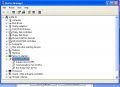
 I posted a screenshot about an hour ago in post #26 FWIW.






