Oscilloscope Help - Beginner

Status
Not open for further replies.

Thread Starter

Bshef

Joined Dec 29, 2024
8
I'm a beginner, trying to learn about oscilloscopes, a lot of video. I just purchased a new budget 4 channel Owon oscilliscope. I know, low end but it works for a beginner. I am not sure if it's defective or if there ia an adjustment that I need to make. Here is the issue. Channels 1 and 2 work fine, but 3 and 4 seem off. When I set it up and did the 5v probe compensation adjustment all the channels. On channels 1 and 2 when I switch the voltage up and down the square wave form worked perfectly within the divisions. It stays within the screen. When I tried it on 3 and 4 and I switched from 5 v to 2v and the waveform disappeared and I had to move the vertical positioning knob from 0 div to 32 divsions to get it back on the screen. When I switched from 2v to 5v I had to move the positioning knob back to 11 divisions etc. to get it on the screen. After spending hours, what I found is that the ground cursor on 1 and 2 aligned with the waveform, but on channels 3 and 4 they were way off. So far this is the only difference I can find and I am not even sure if that is the issue. Only at 1v and 0 divisions was the ground cursor aligned with the waveform on channels 3 and 4. Any idea if this is an adjustment issue or a defective scope? I recalibrated the scope and set it back to default settings. Thanks.
 

MrChips

Joined Oct 2, 2009
34,625
Before coming to a conclusion that the oscilloscope is defective, perhaps you ought to look at other possibilities, i.e a defective user.

Be aware of the various settings on the oscilloscope and what they mean.

There are three sections of the oscilloscope.
1. Input amplifiers
2. Time (horizontal) sweep
3. Trigger section

Is the input channel option set to DC or AC?
What channel is the trigger section set to trigger on?

The trigger section is the most important part of the oscilloscope. You want to take the time to master all the settings in the trigger section.
 

Thread Starter

Bshef

Joined Dec 29, 2024
8
Thank you for the sarcasm. I'm just trying to learn. I have had the oscilloscope for 5 days. I have watched about 20 hours of videos and read dozens of articles on using an oscilloscope. I guess this isn't the right forum for me.
 

Ya’akov

Joined Jan 27, 2019
10,226
Welcome to AAC, @Bshef.

Please don't be put off by a bit of curmudgeonly interaction, it is neither the exclusive sort of content here, nor even @MrChips constant mode. Rather than flee, try to stick around and wait a bit. I also suggest you ignore the effect of the tone of the post and investigate the information in it.

You can and will get a lot of help here if you persist for a bit and see how things go. A suggestion is to learn to take screenshots from the scope (either to a USB drive or via the network if the scope supports it). Illustrating your question with images makes a bid difference as textual narratives can be misleading.

You can also just take photos with your phone, but if you do make sure they are well lighted and sharply focused. Since not everyone will be familiar with the particular device, it is also very helpful to provide a link to the user's manual to facilitate answers. These efforts will make helping you easier, and also marks you as a serious participant but showing your willingness to spend time on the question as the helper will spend time on the answer.

As far as your problem is concerned—what happens when you put all four channels on display at once set to the same 0V reference point on the screen? That is, connect all probes to the calibrator, make sure they are all set to 10x or 1x, make sure the the channels are set to match the probe switches, and positioning 0V on the same line for all channels.
 

tautech

Joined Oct 8, 2019
496
As far as your problem is concerned—what happens when you put all four channels on display at once set to the same 0V reference point on the screen? That is, connect all probes to the calibrator, make sure they are all set to 10x or 1x, make sure the the channels are set to match the probe switches, and positioning 0V on the same line for all channels.
Yeah this ^^^
Betting the OP hasn't set matching probe input attenuation or has some probes on 1x and the others on 10x ......
 

Thread Starter

Bshef

Joined Dec 29, 2024
8
Thank you very much for the reply and suggestions, I really appreciate it. I will look at the scope again later today and send pictures. The scope is an Owon 1104. Channels 1 & 2 work perfectly, 3 & 4 are strange. I have to figure out why the ground cursors are far off from the waveforms.
 

twohats

Joined Oct 28, 2015
606
Hi,
Welcome to AAC.
Good luck with your new 'scope.
Don't lose too much sleep over the cannels 3 & 4.
Usually you only require two.
'Scopes are a fantastic tool.
Thanks for indicating where you are from, looks like a real nice area.
 

Thread Starter

Bshef

Joined Dec 29, 2024
8
Hi,
Welcome to AAC.
Good luck with your new 'scope.
Don't lose too much sleep over the cannels 3 & 4.
Usually you only require two.
'Scopes are a fantastic tool.
Thanks for indicating where you are from, looks like a real nice area.
 

Thread Starter

Bshef

Joined Dec 29, 2024
8
Thanks, I think I will only be using 2 channels but I'm sort of obsessing about why the other 2 channels are not working properly. Just the way I am.
 

Thread Starter

Bshef

Joined Dec 29, 2024
8
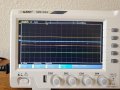
This forum has been terrific, thank you. Ya'akov suggested that I attach some pictures or video to help me with my issue. I have attached a picture of the scope with no probes attached. You can see that the ground cursor lines up with channel 1 & 2, but the cursor for 3 & 4 are not aligned and are in the upper left corner of the scope. Both 3 & 4 are up there, but they overlap. I have also attached a link to a Youtube video showing what happens when I use the internal probe compensator on channels 1 and 3. 2 & 4 do the same thing. You can see that as I increase the voltage on channel 1, the waveform stays on the screen and is aligned with the cursor. On channel 3 as I increase the voltage the waveform disappears and the cursor go to the top of the screen. I have to move the position knob to bring it back onto the screen. I am hoping this is a simple fix, but as a beginner, I just can't figure it out. Thanks and Happy New Year. Youtube link - https://youtube.com/shorts/k7r4B4kX2Bg?feature=share
 

Attachments

tautech

Joined Oct 8, 2019
496
This forum has been terrific, thank you. Ya'akov suggested that I attach some pictures or video to help me with my issue. I have attached a picture of the scope with no probes attached. You can see that the ground cursor lines up with channel 1 & 2, but the cursor for 3 & 4 are not aligned and are in the upper left corner of the scope. Both 3 & 4 are up there, but they overlap. I have also attached a link to a Youtube video showing what happens when I use the internal probe compensator on channels 1 and 3. 2 & 4 do the same thing. You can see that as I increase the voltage on channel 1, the waveform stays on the screen and is aligned with the cursor. On channel 3 as I increase the voltage the waveform disappears and the cursor go to the top of the screen. I have to move the position knob to bring it back onto the screen. I am hoping this is a simple fix, but as a beginner, I just can't figure it out. Thanks and Happy New Year. Youtube link - https://youtube.com/shorts/k7r4B4kX2Bg?feature=share
It's broken.
With zero input the faulty channel traces should be aligned with their respective 0V level markers.
 

BobTPH

Joined Jun 5, 2013
11,463
The baseline for each channel is adjustable. You just need to read the manual and learn how to move them.

Edit: It sounds like there is a DC offset in your signal. That will cause the display to move up when you adjust the gain. Set the input for these channels to AC coupling.

It might help to reset the scope to factory settings. You may well have accidentally changed some setting that is causing what you see.
 
Last edited:

atferrari

Joined Jan 6, 2004
5,001
I'm a beginner, trying to learn about oscilloscopes, a lot of video. I just purchased a new budget 4 channel Owon oscilliscope. I know, low end but it works for a beginner. I am not sure if it's defective or if there ia an adjustment that I need to make. Here is the issue. Channels 1 and 2 work fine, but 3 and 4 seem off. When I set it up and did the 5v probe compensation adjustment all the channels. On channels 1 and 2 when I switch the voltage up and down the square wave form worked perfectly within the divisions. It stays within the screen. When I tried it on 3 and 4 and I switched from 5 v to 2v and the waveform disappeared and I had to move the vertical positioning knob from 0 div to 32 divsions to get it back on the screen. When I switched from 2v to 5v I had to move the positioning knob back to 11 divisions etc. to get it on the screen. After spending hours, what I found is that the ground cursor on 1 and 2 aligned with the waveform, but on channels 3 and 4 they were way off. So far this is the only difference I can find and I am not even sure if that is the issue. Only at 1v and 0 divisions was the ground cursor aligned with the waveform on channels 3 and 4. Any idea if this is an adjustment issue or a defective scope? I recalibrated the scope and set it back to default settings. Thanks.
I suspect the same that member @BobTPH says in the post above. Do yourself a favor and read the user manual before asking more questions. Here you have it.

Go step by step. Once done, please post the outcome.
 

Attachments

Thread Starter

Bshef

Joined Dec 29, 2024
8
I just want to thank all the people who offered advice, but I have to say that there are a number of people on this forum who just have a disgusting attitude towards beginners just trying to learn. Not only was I called a defective user, but other made remarks that I should read the manual before asking more questions. You can see all the comments above. I find these attitudes disgusting. Rather trying to help, the assumption was that I did no research and just started posting. The reality is that I read the manual front to back, researched the issue on the web and watched about 10 videos trying to figure out the issue before posting on this site. Once on this site I tried the various suggestions. I hope the condescending comments make you feel superior that you know how to use a scope and I am just learning. After trying all the suggestions and ignoring the obnoxious comments I ended up contacting an oscilloscope engineer at Owon in Asia. It ends up that it was a firmware issue. He sent me the update, I uploaded it and the scope is working fine. I am going to find another forum where beginners are welcome and people enjoy sharing information. Thanks to all those that did help, I really appreciate it.
 

MrChips

Joined Oct 2, 2009
34,625
Ok, so the oscilloscope was defective after all, and not the user. I apologize for the temporary mental lapse on my part.
Good luck on your venture on another forum. I can assure you that there is none other that can top AAC. You will find that many of the other forums are owned by the same enterprise and they attract the same following.
 

Ya’akov

Joined Jan 27, 2019
10,226
I just want to thank all the people who offered advice, but I have to say that there are a number of people on this forum who just have a disgusting attitude towards beginners just trying to learn. Not only was I called a defective user, but other made remarks that I should read the manual before asking more questions. You can see all the comments above. I find these attitudes disgusting. Rather trying to help, the assumption was that I did no research and just started posting. The reality is that I read the manual front to back, researched the issue on the web and watched about 10 videos trying to figure out the issue before posting on this site. Once on this site I tried the various suggestions. I hope the condescending comments make you feel superior that you know how to use a scope and I am just learning. After trying all the suggestions and ignoring the obnoxious comments I ended up contacting an oscilloscope engineer at Owon in Asia. It ends up that it was a firmware issue. He sent me the update, I uploaded it and the scope is working fine. I am going to find another forum where beginners are welcome and people enjoy sharing information. Thanks to all those that did help, I really appreciate it.
Sorry to hear that you were chased away by some negative comments. It’s a shame, really—beginners are welcome here, and you won’t find a more competent group of generous helpers. A beginner-heavy forum is a double-edged sword. You will quickly move past beginner and find yourself in a place that can’t support more advanced topics.

I would encourage you to try to hang out a bit and see if things are better that you currently think. But of course you should do what you think is best for you. If you choose to stay—welcome, again; if you choose to leave I wish you the best.
 
Status
Not open for further replies.
Top