My first PCB design

Thread Starter

King2

Joined Jul 17, 2022
163
hi K2,
Your ISP connections look OK.
One point I would like to clear, not all the 18Fxxx, 40 pin PICs have the PGM on pin #36, some use pin #38.

May I ask how many PCBs are you planning to order, and what is their application?

E
I've never done a design before. i just want to make pcb for hobby purpose so this will give me idea how final pcb is made. After the PCB is made I will have a real idea whether it is working properly or not.
Edit
Is it the right time to generate the Gerber file ?
 

nsaspook

Joined Aug 27, 2009
16,325
I've never done a design before. i just want to make pcb for hobby purpose so this will give me idea how final pcb is made. After the PCB is made I will have a real idea whether it is working properly or not.
Edit
Is it the right time to generate the Gerber file ?
Go for it. Generate the CAM file zip and upload it to a cheap PCB house. I still get a thrill when a new board comes back and its being populated for the first time.

From JLCPCB, they accept eagle generated CAM zip files.
1675955151265.png
1675955125977.png
1675955072153.png
 

bradrs

Joined Jan 23, 2023
17
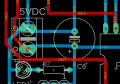
On the 5V line from the 0-5VDC jack, the red trace heading towards C6 appears to stop halfway. It looks like an unconnected trace that can be removed. Also, on the C6 5V pad, there is a small red dot, that can be removed since you don't have any 5V traces on that side. And the N$19 red trace above seems like it could be drawn straighter.

The LED1 and R3 pads are right on top of each other, this could make it a tight fit. You could shift the resistor to the right a little and solve that.

One thing I added to my Eagle files was some extra comments layers. One with information for PCB manufacture(material specs, copper thickness, IPC requirements, etc), one with signal info showing what line goes where. So whenever I made a design change, it would automatically update all needed mechanical drawings.


Thread Starter

King2

Joined Jul 17, 2022
163
On the 5V line from the 0-5VDC jack, the red trace heading towards C6 appears to stop halfway. It looks like an unconnected trace that can be removed.
I don't see which trace is unconnected

1675959772625.png

One thing I added to my Eagle files was some extra comments layers. One with information for PCB manufacture(material specs, copper thickness, IPC requirements, etc), one with signal info showing what line goes where. So whenever I made a design change, it would automatically update all needed mechanical drawings.
I didn't fully understand, can you show example in which you did ?
 

Thread Starter

King2

Joined Jul 17, 2022
163
Go for it. Generate the CAM file zip and upload it to a cheap PCB house. I still get a thrill when a new board comes back and its being populated for the first time.

From JLCPCB, they accept eagle generated CAM zip file
I tried a zip file has been generated

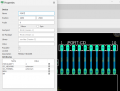
I am trying to add space like PORT C D I don't know why I can't add space

1675960183600.png
 

dl324

Joined Mar 30, 2015
18,329
Thank you Got it
You should use the grid feature so you don't have those unsightly wire jogs, or that weirdness in the almost 90 degree bend on N$37.

Normally generated netnames are uninteresting, but yours help identify wires.

90 degree corners always make me cringe. Goes back to my days of doing IC layout. In ICs, you get current crowding in sharp bends. On boards, you could get over/under etching.
 

Thread Starter

King2

Joined Jul 17, 2022
163
You should use the grid feature so you don't have those unsightly wire jogs, or that weirdness in the almost 90 degree bend on N$37.

Normally generated netnames are uninteresting, but yours help identify wires.

90 degree corners always make me cringe. Goes back to my days of doing IC layout. In ICs, you get current crowding in sharp bends. On boards, you could get over/under etching.
I don't know logic of bending wire ? when i feel comfortable i have bend wire at 90 degree and 45 degree in my design

Is there a logic when should wire bend at 45 degree or 90 degree ?
 

MrChips

Joined Oct 2, 2009
34,817
There are unnecessary jogs to +5V and GND at the power input connector.

When are you going to put the GND flood plane on the bottom side?
 

ericgibbs

Joined Jan 29, 2010
21,442
hi K,
Take care of the jogs around the power connector as stated in post #96 and
your tracking will be OK, it will not cause any problems in the operation of the onboard circuit.
Are you sure that all the holes are plated through.?
E
 

MaxHeadRoom

Joined Jul 18, 2013
30,662
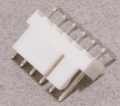
Bit late to the party, but what I do for the 6pin ISP header is to use the Molex style right angle style, this way you can plug the programmer in flat with the board.

1675963851953.png
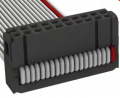
Also I always use the double row IDC headers, for what it costs, IDC ribbon is easy to use for extending to other devices/boards, parallel the opposing pin pair.

1675963959014.png
 

Thread Starter

King2

Joined Jul 17, 2022
163
hi K,
Take care of the jogs around the power connector as stated in post #96
E
Could you please tell me what is a wire jogs in my design I have search about it but I am not able to understand what its , where it is happening in my design
 
Top