MASTER and SLAVE PICs using SPI in Oshonsoft

Thread Starter

camerart

Joined Feb 25, 2013
3,842
Hi C,

Show your QEI code for slave.
Hi J2,
SLAVE at #45
As mentioned, Oshonsoft doesn't support QEI in the simulator, but I can try in circuit live, as I am doing with all of the above.
I don't have a Schematic for the SLAVE yet, as I want to get the software to work first.
The SLAVE PC is on a breakout board where I connect the PINs as needed.
C.
 

jayanthd

Joined Jul 4, 2015
945
Hi C,

Please provide your QEI setup and reading code. I will add it to SPI communication code and test it and send it to you. I just need to know QEI registers configuration and how to get value in CAP2BUFH:CAP2BUFL.

Are you using CAP2 or CAP1 that is QEI2 or 1 ?
 

jayanthd

Joined Jul 4, 2015
945
Hi C,

Just show the code for QEI to read quadrature encoder. I just want to get some value in CAP2BUFL register which I can send to master. My SPI communication is working fine.

I have Quadrature Encoder model in Proteus and I can quickly test the code and after get QEI code working I can send you the code for testing.

I don't want to know your Compass reading code. I just want to get some value in CAP2BUFL register using QEI module.
 

jayanthd

Joined Jul 4, 2015
945
Hi C,

I got the QEI module working. I am getting values in CAP2BUFL and also master is receiving it and displaying it on its PORTB. I will post the files soon. I have to make simulation video.

Edit:

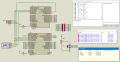
Here is the simulation of video. I have used OshonSoft PIC18 Basic Compiler to write the codes.
 

Attachments

Thread Starter

camerart

Joined Feb 25, 2013
3,842
Hi C,

Just show the code for QEI to read quadrature encoder. I just want to get some value in CAP2BUFL register which I can send to master. My SPI communication is working fine.

I have Quadrature Encoder model in Proteus and I can quickly test the code and after get QEI code working I can send you the code for testing.
Hi J2,
The program in #4 is complete, I have tried variations e,g, SSPBUF = CAP2BUFL.

CAP2BUFL and CAP2BUFH are qualities of the 18F4431 PIC.

The QEI is automatic, and if PINS 22 and 23 are pushed in the QUADRATURE SEQUENCE, then CAP2BUFL and CAP2BUFH count up to the set number.

When set to SSPBUF = CAP2BUFL. and, as mentioned Hserout "#SSPBUF = ", #SSPBUF, CrLf is added, then I can see the result on a computer terminal.
C.
 

jayanthd

Joined Jul 4, 2015
945
Here are the latest working OshonSoft PIC18 Basic Compiler codes to send slave's CAP2BUFL register data to master's PORTB using hardware SPI.

Continuous Quadrature Encoder data reception from slave.

OshonSoft PIC18 Simulator IDE's Basic Compiler / OshonSoft PIC18 Basic Compiler codes follows.

SPI-Master - PIC18F4620 @ 8 MHz HS

Code:
AllDigital

Symbol spi_cs = PORTA.5
Symbol spi_cs_direction = TRISA.5

Symbol button = PORTD.0

Dim x As Byte

    x = 1

    initialize_ports
    initialize_spi_master
    enable_interrupts

    While x > 0
        initialize_spi_master
        send_spi_data 0xff
        initialize_spi_slave
        WaitMs 300
    Wend
End                                            

On Low Interrupt
    If PIR1.SSPIF Then
        PIR1.SSPIF = 0

        If SSPSTAT.BF Then
            LATB = SSPBUF
        Endif
    Endif

    SSPCON1.SSPOV = 0
Resume                                        

Proc initialize_ports()
    CMCON = 0x07
    ADCON1 = 0x0f

    TRISA = 0xc0
    TRISB = 0x00
    TRISD = 0x01
End Proc                                      

Proc initialize_spi_master()
    TRISC = 0x10
    spi_cs_direction = 0
    spi_cs = 1
    SSPSTAT = 0x40
    SSPCON1 = 0x22
    IPR1.SSPIP = 0
    PIE1.SSPIE = 0
End Proc                                      

Proc initialize_spi_slave()
    TRISC = 0x18
    spi_cs_direction = 1
    SSPSTAT = 0x40
    SSPCON1 = 0x24
    PIE1.SSPIE = 1
End Proc                                      

Proc enable_interrupts()
    INTCON.PEIE = 1
    INTCON.GIEH = 1
    INTCON.GIEL = 1
    INTCON.GIE = 1
End Proc                                      

Proc send_spi_data(data As Byte)
    spi_cs = 0
        SSPBUF = data

        While SSPSTAT.BF = 0
        Wend

        SSPSTAT.BF = 0
    spi_cs = 1
End Proc
SPI-Slave - PIC18F4431 @ 8 MHz HS

Code:
AllDigital

Dim data As Byte
Dim spidatareceived As Bit
Dim x As Byte
Dim counter As Byte

Symbol spi_cs = LATC.6
Symbol spi_cs_direction = TRISC.6


    initialize_ports
    initialize_variables
    initialize_spi_slave
    initialize_qei
    enable_interrupts

    While x > 0
        If spidatareceived = 1 Then
            initialize_spi_master
            send_spi_data CAP2BUFL
            LATD = CAP2BUFL
            initialize_spi_slave
            spidatareceived = 0
        Endif
    Wend

End                                            

On Low Interrupt
    If PIE1.SSPIE = 1 And PIR1.SSPIF = 1 Then
        PIR1.SSPIF = 0

        If SSPSTAT.BF Then
            data = SSPBUF

            If data = 0xff Then
                spidatareceived = 1
            Endif

            data = 0
        Endif
    
        SSPCON.SSPOV = 0
    Endif
Resume                                        

Proc initialize_ports()
    ANSEL0 = 0x00
    ANSEL1 = 0x00

    TRISA = 0xdc
    TRISB = 0x00
    TRISD = 0x00
End Proc                                      

Proc initialize_variables()
    x = 1
    spidatareceived = 0
End Proc                                      

Proc initialize_spi_master()
    PIE1.SSPIE = 0
    TRISC = 0x14
    spi_cs = 1
    SSPSTAT = 0x40
    SSPCON = 0x22
End Proc                                      

Proc initialize_spi_slave()
    SSPSTAT = 0x40
    SSPCON = 0x24
    TRISC = 0x74
    IPR1.SSPIP = 0
    PIE1.SSPIE = 1
End Proc                                      

Proc send_spi_data(data As Byte)
    spi_cs = 0
        SSPBUF = data
        
        While SSPSTAT.BF = 0
        Wend
        
        SSPSTAT.BF = 0
    spi_cs = 1
End Proc                                      

Proc enable_interrupts()
    INTCON.PEIE = 1
    INTCON.GIEH = 1
    INTCON.GIEL = 1
    INTCON.GIE = 1
End Proc                                      

Proc initialize_qei()
    POSCNTH = 0x00
    POSCNTL = 0x00
    QEICON = 0b10000000
    QEICON = 0b10010100
    DFLTCON = 0x00
    MAXCNTH = 0x04
    MAXCNTL = 0x00
End Proc
SS2.png
 

Thread Starter

camerart

Joined Feb 25, 2013
3,842
Here are the latest working OshonSoft PIC18 Basic Compiler codes to send slave's CAP2BUFL register data to master's PORTB using hardware SPI.

Continuous Quadrature Encoder data reception from slave.

OshonSoft PIC18 Simulator IDE's Basic Compiler / OshonSoft PIC18 Basic Compiler codes follows.

SPI-Master - PIC18F4620 @ 8 MHz HS

Code:
AllDigital

Symbol spi_cs = PORTA.5
Symbol spi_cs_direction = TRISA.5

Symbol button = PORTD.0

Dim x As Byte

    x = 1

    initialize_ports
    initialize_spi_master
    enable_interrupts

    While x > 0
        initialize_spi_master
        send_spi_data 0xff
        initialize_spi_slave
        WaitMs 300
    Wend
End                                           

On Low Interrupt
    If PIR1.SSPIF Then
        PIR1.SSPIF = 0

        If SSPSTAT.BF Then
            LATB = SSPBUF
        Endif
    Endif

    SSPCON1.SSPOV = 0
Resume                                       

Proc initialize_ports()
    CMCON = 0x07
    ADCON1 = 0x0f

    TRISA = 0xc0
    TRISB = 0x00
    TRISD = 0x01
End Proc                                     

Proc initialize_spi_master()
    TRISC = 0x10
    spi_cs_direction = 0
    spi_cs = 1
    SSPSTAT = 0x40
    SSPCON1 = 0x22
    IPR1.SSPIP = 0
    PIE1.SSPIE = 0
End Proc                                     

Proc initialize_spi_slave()
    TRISC = 0x18
    spi_cs_direction = 1
    SSPSTAT = 0x40
    SSPCON1 = 0x24
    PIE1.SSPIE = 1
End Proc                                     

Proc enable_interrupts()
    INTCON.PEIE = 1
    INTCON.GIEH = 1
    INTCON.GIEL = 1
    INTCON.GIE = 1
End Proc                                     

Proc send_spi_data(data As Byte)
    spi_cs = 0
        SSPBUF = data

        While SSPSTAT.BF = 0
        Wend

        SSPSTAT.BF = 0
    spi_cs = 1
End Proc
SPI-Slave - PIC18F4431 @ 8 MHz HS

Code:
AllDigital

Dim data As Byte
Dim spidatareceived As Bit
Dim x As Byte
Dim counter As Byte

Symbol spi_cs = LATC.6
Symbol spi_cs_direction = TRISC.6


    initialize_ports
    initialize_variables
    initialize_spi_slave
    initialize_qei
    enable_interrupts

    While x > 0
        If spidatareceived = 1 Then
            initialize_spi_master
            send_spi_data CAP2BUFL
            LATD = CAP2BUFL
            initialize_spi_slave
            spidatareceived = 0
        Endif
    Wend

End                                           

On Low Interrupt
    If PIE1.SSPIE = 1 And PIR1.SSPIF = 1 Then
        PIR1.SSPIF = 0

        If SSPSTAT.BF Then
            data = SSPBUF

            If data = 0xff Then
                spidatareceived = 1
            Endif

            data = 0
        Endif
   
        SSPCON.SSPOV = 0
    Endif
Resume                                       

Proc initialize_ports()
    ANSEL0 = 0x00
    ANSEL1 = 0x00

    TRISA = 0xdc
    TRISB = 0x00
    TRISD = 0x00
End Proc                                     

Proc initialize_variables()
    x = 1
    spidatareceived = 0
End Proc                                     

Proc initialize_spi_master()
    PIE1.SSPIE = 0
    TRISC = 0x14
    spi_cs = 1
    SSPSTAT = 0x40
    SSPCON = 0x22
End Proc                                     

Proc initialize_spi_slave()
    SSPSTAT = 0x40
    SSPCON = 0x24
    TRISC = 0x74
    IPR1.SSPIP = 0
    PIE1.SSPIE = 1
End Proc                                     

Proc send_spi_data(data As Byte)
    spi_cs = 0
        SSPBUF = data
       
        While SSPSTAT.BF = 0
        Wend
       
        SSPSTAT.BF = 0
    spi_cs = 1
End Proc                                     

Proc enable_interrupts()
    INTCON.PEIE = 1
    INTCON.GIEH = 1
    INTCON.GIEL = 1
    INTCON.GIE = 1
End Proc                                     

Proc initialize_qei()
    POSCNTH = 0x00
    POSCNTL = 0x00
    QEICON = 0b10000000
    QEICON = 0b10010100
    DFLTCON = 0x00
    MAXCNTH = 0x04
    MAXCNTL = 0x00
End Proc
View attachment 168765
Hi J2,

When I try to open the video, I get Arduino opening, or nothing. I believe it's working, and I'm looking at your programs.

The MASTER program shows errors when compiling in Oshonsoft. 'Incorrect proc names'

For clarity I like to see '%XXXXXXXX' instead of HEX 'XxXX', I can change them or is it easy for you?

I don't have a BUTTON on the SLAVE breakout board, do I need one to test your programs?

C.
 

jayanthd

Joined Jul 4, 2015
945
Hi J2,

When I try to open the video, I get Arduino opening, or nothing. I believe it's working, and I'm looking at your programs.

The MASTER program shows errors when compiling in Oshonsoft. 'Incorrect proc names'

For clarity I like to see '%XXXXXXXX' instead of HEX 'XxXX', I can change them or is it easy for you?

I don't have a BUTTON on the SLAVE breakout board, do I need one to test your programs?

C.
Consider only code of post 108 and its circuit. Video file opens in Windows media player or VLC player.
I will change code and send it to you so that it uses %01010101 syntax.

You need 3 pins from the QE i.e., QEA, QEB and INDX and 8x Leds on PORTB of master and 8x Leds on PORTD of slave. In Proteus I have used Logic Probes on these ports.

Here are the codes.

I didn't test them in PIC18 Simulator IDE's Basic Compiler.

Continuous Quadrature Encoder data reception from slave.

OshonSoft OshonSoft PIC18 Basic Compiler codes follows.

SPI-Master - PIC18F4620 @ 8 MHz HS

Code:
AllDigital

Symbol spi_cs = PORTA.5
Symbol spi_cs_direction = TRISA.5

Dim x As Byte

    initialize_variables
    initialize_ports
    initialize_spi_master
    enable_interrupts

    While x > 0
        initialize_spi_master
        send_spi_data 0xff
        initialize_spi_slave
        WaitMs 200
    Wend
End                                             

On Low Interrupt
    If PIR1.SSPIF Then
        PIR1.SSPIF = 0

        If SSPSTAT.BF Then
            LATB = SSPBUF
        Endif
    Endif

    SSPCON1.SSPOV = 0
Resume                                         

Proc initialize_variables()
    x = 1
End Proc                                       

Proc initialize_ports()
    CMCON = %00000111
    ADCON1 = %00001111

    TRISA = %11000000
    TRISB = 0
    TRISD = 0
End Proc                                       

Proc initialize_spi_master()
    TRISC = %00010000
    spi_cs_direction = 0
    spi_cs = 1
    SSPSTAT = %01000000
    SSPCON1 = %00100010
    IPR1.SSPIP = 0
    PIE1.SSPIE = 0
End Proc                                       

Proc initialize_spi_slave()
    TRISC = %00011000
    spi_cs_direction = 1
    SSPSTAT = %01000000
    SSPCON1 = %00100100
    PIE1.SSPIE = 1
End Proc                                       

Proc enable_interrupts()
    INTCON.PEIE = 1
    INTCON.GIEH = 1
    INTCON.GIEL = 1
    INTCON.GIE = 1
End Proc                                       

Proc send_spi_data(data As Byte)
    spi_cs = 0
        SSPBUF = data
 
        While SSPSTAT.BF = 0
        Wend
 
        SSPSTAT.BF = 0
    spi_cs = 1
End Proc
SPI-Slave - PIC18F4431 @ 8 MHz HS

Code:
AllDigital

Dim data As Byte
Dim spidatareceived As Bit
Dim x As Byte

Symbol spi_cs = LATC.6
Symbol spi_cs_direction = TRISC.6


    initialize_ports
    initialize_variables
    initialize_spi_slave
    initialize_qei
    enable_interrupts

    While x > 0
        If spidatareceived = 1 Then
            initialize_spi_master
            send_spi_data CAP2BUFL
            LATD = CAP2BUFL
            initialize_spi_slave
            spidatareceived = 0
        Endif
    Wend

End                                             

On Low Interrupt
    If PIE1.SSPIE = 1 And PIR1.SSPIF = 1 Then
        PIR1.SSPIF = 0

        If SSPSTAT.BF Then
            data = SSPBUF

            If data = 0xff Then
                spidatareceived = 1
            Endif

            data = 0
        Endif
     
        SSPCON.SSPOV = 0
    Endif
Resume                                         

Proc initialize_ports()
    ANSEL0 = 0
    ANSEL1 = 0

    TRISA = %11011100
    TRISB = 0
    TRISD = 0
End Proc                                       

Proc initialize_variables()
    x = 1
    spidatareceived = 0
End Proc                                       

Proc initialize_spi_master()
    PIE1.SSPIE = 0
    TRISC = %00010100
    spi_cs = 1
    SSPSTAT = %01000000
    SSPCON = %00100010
End Proc                                       

Proc initialize_spi_slave()
    SSPSTAT = %01000000
    SSPCON = %00100100
    TRISC = %01110100
    IPR1.SSPIP = 0
    PIE1.SSPIE = 1
End Proc                                       

Proc send_spi_data(data As Byte)
    spi_cs = 0
        SSPBUF = data
         
        While SSPSTAT.BF = 0
        Wend
         
        SSPSTAT.BF = 0
    spi_cs = 1
End Proc                                       

Proc enable_interrupts()
    INTCON.PEIE = 1
    INTCON.GIEH = 1
    INTCON.GIEL = 1
    INTCON.GIE = 1
End Proc                                       

Proc initialize_qei()
    POSCNTH = 0
    POSCNTL = 0
    QEICON = %10000000
    QEICON = %10010100
    DFLTCON = 0
    MAXCNTH = %00000100
    MAXCNTL = 0
End Proc

Edit2:

Oops, Sorry.

I used PIC18 Simulator IDE's Basic Compiler only. I didn't use OshonSoft's PIC18 Basic Compiler.
 
Last edited:

jayanthd

Joined Jul 4, 2015
945
I compiled the codes successfully in both OshonSoft's

PIC18 Simulator IDE's Basic Compiler and
PIC18 Basic Compiler

and they compile fine.

Here is the project attached.

If .bas file gives error then open .bas file in notepad and copy code and paste it in Compiler and try to Compile.

Here is a new video file. Extract the .rar file using WinRaR 5.x and open the .wmv video file in Windows Media Player or VLC Player.
 

Attachments

Last edited:

Thread Starter

camerart

Joined Feb 25, 2013
3,842
Consider only code of post 108 and its circuit. Video file opens in Windows media player or VLC player.
I will change code and send it to you so that it uses %01010101 syntax.

You need 3 pins from the QE i.e., QEA, QEB and INDX and 8x Leds on PORTB of master and 8x Leds on PORTD of slave. In Proteus I have used Logic Probes on these ports.

Here are the codes.

I didn't test them in PIC18 Simulator IDE's Basic Compiler.

Continuous Quadrature Encoder data reception from slave.

OshonSoft OshonSoft PIC18 Basic Compiler codes follows.

SPI-Master - PIC18F4620 @ 8 MHz HS

Code:
AllDigital

Symbol spi_cs = PORTA.5
Symbol spi_cs_direction = TRISA.5

Dim x As Byte

    initialize_variables
    initialize_ports
    initialize_spi_master
    enable_interrupts

    While x > 0
        initialize_spi_master
        send_spi_data 0xff
        initialize_spi_slave
        WaitMs 200
    Wend
End                                            

On Low Interrupt
    If PIR1.SSPIF Then
        PIR1.SSPIF = 0

        If SSPSTAT.BF Then
            LATB = SSPBUF
        Endif
    Endif

    SSPCON1.SSPOV = 0
Resume                                        

Proc initialize_variables()
    x = 1
End Proc                                      

Proc initialize_ports()
    CMCON = %00000111
    ADCON1 = %00001111

    TRISA = %11000000
    TRISB = 0
    TRISD = 0
End Proc                                      

Proc initialize_spi_master()
    TRISC = %00010000
    spi_cs_direction = 0
    spi_cs = 1
    SSPSTAT = %01000000
    SSPCON1 = %00100010
    IPR1.SSPIP = 0
    PIE1.SSPIE = 0
End Proc                                      

Proc initialize_spi_slave()
    TRISC = %00011000
    spi_cs_direction = 1
    SSPSTAT = %01000000
    SSPCON1 = %00100100
    PIE1.SSPIE = 1
End Proc                                      

Proc enable_interrupts()
    INTCON.PEIE = 1
    INTCON.GIEH = 1
    INTCON.GIEL = 1
    INTCON.GIE = 1
End Proc                                      

Proc send_spi_data(data As Byte)
    spi_cs = 0
        SSPBUF = data

        While SSPSTAT.BF = 0
        Wend

        SSPSTAT.BF = 0
    spi_cs = 1
End Proc
SPI-Slave - PIC18F4431 @ 8 MHz HS

Code:
AllDigital

Dim data As Byte
Dim spidatareceived As Bit
Dim x As Byte

Symbol spi_cs = LATC.6
Symbol spi_cs_direction = TRISC.6


    initialize_ports
    initialize_variables
    initialize_spi_slave
    initialize_qei
    enable_interrupts

    While x > 0
        If spidatareceived = 1 Then
            initialize_spi_master
            send_spi_data CAP2BUFL
            LATD = CAP2BUFL
            initialize_spi_slave
            spidatareceived = 0
        Endif
    Wend

End                                            

On Low Interrupt
    If PIE1.SSPIE = 1 And PIR1.SSPIF = 1 Then
        PIR1.SSPIF = 0

        If SSPSTAT.BF Then
            data = SSPBUF

            If data = 0xff Then
                spidatareceived = 1
            Endif

            data = 0
        Endif
    
        SSPCON.SSPOV = 0
    Endif
Resume                                        

Proc initialize_ports()
    ANSEL0 = 0
    ANSEL1 = 0

    TRISA = %11011100
    TRISB = 0
    TRISD = 0
End Proc                                      

Proc initialize_variables()
    x = 1
    spidatareceived = 0
End Proc                                      

Proc initialize_spi_master()
    PIE1.SSPIE = 0
    TRISC = %00010100
    spi_cs = 1
    SSPSTAT = %01000000
    SSPCON = %00100010
End Proc                                      

Proc initialize_spi_slave()
    SSPSTAT = %01000000
    SSPCON = %00100100
    TRISC = %01110100
    IPR1.SSPIP = 0
    PIE1.SSPIE = 1
End Proc                                      

Proc send_spi_data(data As Byte)
    spi_cs = 0
        SSPBUF = data
        
        While SSPSTAT.BF = 0
        Wend
        
        SSPSTAT.BF = 0
    spi_cs = 1
End Proc                                      

Proc enable_interrupts()
    INTCON.PEIE = 1
    INTCON.GIEH = 1
    INTCON.GIEL = 1
    INTCON.GIE = 1
End Proc                                      

Proc initialize_qei()
    POSCNTH = 0
    POSCNTL = 0
    QEICON = %10000000
    QEICON = %10010100
    DFLTCON = 0
    MAXCNTH = %00000100
    MAXCNTL = 0
End Proc

Edit2:

Oops, Sorry.

I used PIC18 Simulator IDE's Basic Compiler only. I didn't use OshonSoft's PIC18 Basic Compiler.
Hi J2,
I've just received a radio kit, I'v been waiting for, so I'm a little diverted.

I don't use the INDEX of the QEI.
C.
 

jayanthd

Joined Jul 4, 2015
945
Hi J2,
I've just received a radio kit, I'v been waiting for, so I'm a little diverted.

I don't use the INDEX of the QEI.
C.
Please check my previous 2 posts.

Show your exact circuit. Draw it on paper and scan it and post it here as .png or .pdf if you don't have circuit designing software. You can use Proteus demo version to draw circuit and take screenshot of it as demo version doesn't support saving files.

Edit:

I just tested my previous code without INDX pin connection in Proteus and it works fine.

Edit2:

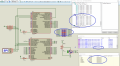
Here is video 8. Working fine without INDX pin connection.

SS3.png
 

Attachments

Last edited:

jayanthd

Joined Jul 4, 2015
945
Continuous Quadrature Encoder data reception from slave.

OshonSoft PIC18 Basic Compiler final codes follows.

SPI-Master - PIC18F4620 @ 8 MHz HS

Code:
AllDigital

Symbol spi_cs = PORTA.5
Symbol spi_cs_direction = TRISA.5

Dim x As Byte

    initialize_variables
    initialize_ports
    initialize_spi_master
    enable_interrupts

    While x > 0
        initialize_spi_master
        send_spi_data 0xff
        initialize_spi_slave
        WaitMs 80
    Wend
End                                              

On Low Interrupt
    If PIR1.SSPIF Then
        PIR1.SSPIF = 0

        If SSPSTAT.BF Then
            LATB = SSPBUF
        Endif
    Endif

    SSPCON1.SSPOV = 0
Resume                                          

Proc initialize_variables()
    x = 1
End Proc                                        

Proc initialize_ports()
    CMCON = %00000111
    ADCON1 = %00001111

    TRISA = %11000000
    TRISB = 0
    TRISD = 0
End Proc                                        

Proc initialize_spi_master()
    TRISC = %00010000
    spi_cs_direction = 0
    spi_cs = 1
    SSPSTAT = %01000000
    SSPCON1 = %00100010
    IPR1.SSPIP = 0
    PIE1.SSPIE = 0
End Proc                                        

Proc initialize_spi_slave()
    TRISC = %00011000
    spi_cs_direction = 1
    SSPSTAT = %01000000
    SSPCON1 = %00100100
    PIE1.SSPIE = 1
End Proc                                        

Proc enable_interrupts()
    INTCON.PEIE = 1
    INTCON.GIEH = 1
    INTCON.GIEL = 1
    INTCON.GIE = 1
End Proc                                        

Proc send_spi_data(data As Byte)
    spi_cs = 0
        SSPBUF = data
  
        While SSPSTAT.BF = 0
        Wend
  
        SSPSTAT.BF = 0
    spi_cs = 1
End Proc
SPI-Slave - PIC18F4431 @ 8 MHz HS

Code:
AllDigital

Dim data As Byte
Dim spidatareceived As Bit
Dim x As Byte

Symbol spi_cs = LATC.6
Symbol spi_cs_direction = TRISC.6


    initialize_ports
    initialize_variables
    initialize_spi_slave
    initialize_qei
    enable_interrupts

    While x > 0
        If spidatareceived = 1 Then
            initialize_spi_master
            send_spi_data CAP2BUFL
            LATD = CAP2BUFL
            initialize_spi_slave
            spidatareceived = 0
        Endif
    Wend

End                                              

On Low Interrupt
    If PIE1.SSPIE = 1 And PIR1.SSPIF = 1 Then
        PIR1.SSPIF = 0

        If SSPSTAT.BF Then
            data = SSPBUF

            If data = 0xff Then
                spidatareceived = 1
            Endif

            data = 0
        Endif
      
        SSPCON.SSPOV = 0
    Endif
Resume                                          

Proc initialize_ports()
    ANSEL0 = 0
    ANSEL1 = 0

    TRISA = %11011100
    TRISB = 0
    TRISD = 0
End Proc                                        

Proc initialize_variables()
    x = 1
    spidatareceived = 0
End Proc                                        

Proc initialize_spi_master()
    PIE1.SSPIE = 0
    TRISC = %00010000
    spi_cs = 1
    SSPSTAT = %01000000
    SSPCON = %00100010
End Proc                                        

Proc initialize_spi_slave()
    SSPSTAT = %01000000
    SSPCON = %00100100
    TRISC = %01110000
    IPR1.SSPIP = 0
    PIE1.SSPIE = 1
End Proc                                        

Proc send_spi_data(data As Byte)
    spi_cs = 0
        SSPBUF = data
          
        While SSPSTAT.BF = 0
        Wend
          
        SSPSTAT.BF = 0
    spi_cs = 1
End Proc                                        

Proc enable_interrupts()
    INTCON.PEIE = 1
    INTCON.GIEH = 1
    INTCON.GIEL = 1
    INTCON.GIE = 1
End Proc                                        

Proc initialize_qei()
    POSCNTH = 0
    POSCNTL = 0
    QEICON = %10000000
    QEICON = %10010100
    DFLTCON = 0
    MAXCNTH = %00000100
    MAXCNTL = 0
End Proc
 
Last edited:

Thread Starter

camerart

Joined Feb 25, 2013
3,842
Please check my previous 2 posts.

Show your exact circuit. Draw it on paper and scan it and post it here as .png or .pdf if you don't have circuit designing software. You can use Proteus demo version to draw circuit and take screenshot of it as demo version doesn't support saving files.
Hi J2,

If you look at this link: https://forum.allaboutcircuits.com/...l-by-location-pic-in-oshonsoft.148795/page-15

and go to #270, you will see the RECEIVER program and PCB.

We are working on the TRANSMITTER program, where I've used the RECEIVER program and PCB, with the 18LF2520 removed and a 18F4431 connected by wires, which once we have got the CODE working, then I'll finish the TRANSMITTER with both latest PICs on one board.

C.
 
Last edited:

Thread Starter

camerart

Joined Feb 25, 2013
3,842
You can test my codes in post 115 to confirm working on hardware ? You need just Encoder connected to Slave and 8x PORTB Leds on Master.
Hi J2,
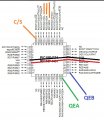
To clarify, the internal Quadrature encoder uses the QEA and QEB buttons, which I have connected temporarily for testing on the 18F4431 PIC. The Encoder will be connected in lace of the test buttons for correct application.

With the correct set-up when the two buttons are switched in the quadrature sequence, then CAP2BUFL and CAP2BUFH count accordingly.

Will test you programs tomorrow,

Thanks, C.
 

Attachments

jayanthd

Joined Jul 4, 2015
945
@ C,

Are you using both PICs TQFP (QFP) package type ?

I changed package for both PICs to TQFP. Only pin numbers change. PORTx connections are same in all packages.

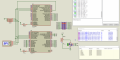
Here is the new circuit. You can connect like this. INDX pin not used.

SS6.png
 
Last edited:
Top