Battery chargers want permission from the battery pack to turn on. That is from those extra contact pins telling a temperature signal, a voltage signature, an interlock, overdischarged condition, matching pack... whatever the manufacturer decided to implement.
If any means to try the battery in other charger, do it to check if same behavior. How long ago was that battery functional ? What voltage did you measure now ?
Yes, battery is good, the charger should have green LED when no battery connected and red & green while charging, this charger has no LED's lit at all, at anytime with battery connected or not.
How should I go about testing those to make sure there good and I check them the right way? What mode should I use? and what lead orientation, one way or both? What results should I expect for a bad diode?
Yes, battery is good, the charger should have green LED when no battery connected and red & green while charging, this charger has no LED's lit at all, at anytime with battery connected or not.
Done test in diode mode, middle pin black, left & right pin red, 0.329V both sides.
Should I check this with a different lead orientation or mode?? or is (middle pin black, left & right pin red) all I have to check on that?
How should I go about testing those to make sure there good and I check them the right way? What mode should I use? and what lead orientation, one way or both? What results should I expect for a bad diode?
In diode mode I get 0.000V both ways on the F2, 00.08 ohms both ways??
The Diode has a common cathode centre pin, it sounds like it's ok, ideally you should test it with the cathode disconnected as it will be reading through the transformer winding.
If it is not possible to obtain the circuit diagram, this complicates the situation a little bit, at least.
1.As I said, look at the IC datasheet.Datasheet is the main document, and can be followed if we do not have the circuit diagram. Found the transformer, it's tied to the "C" and "C" pins of the IC. Found the capacitor Co and measure the voltage on it.The voltage should be several volts, non-milivolts.
2.Take a sheet of paper and draw those components that are connected to the power transistor gate. This way you will understand how the pulsating voltage to the power mosfet gate is generated
Not sure I follow what im supposed to check there?? As I said at the first post "I haven't any experience testing PCB's & have limited knowledge of what the components do & how they interact with each other" " so bear with me.
I dont follow what part im supposed to be checking & the part about " look at the IC datasheet.Datasheet as it is in SMD style, so it only has a few symbols on it" where as mine has "OB2512NJP" on it?? So not sure what im looking for there?
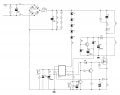
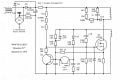
I found these if there of any help? but there is 2 revisions of this board so im not sure which ones these are from?
Not sure I follow what im supposed to check there?? As I said at the first post "I haven't any experience testing PCB's & have limited knowledge of what the components do & how they interact with each other" " so bear with me.
I dont follow what part im supposed to be checking & the part about " look at the IC datasheet.Datasheet as it is in SMD style, so it only has a few symbols on it" where as mine has "OB2512NJP" on it?? So not sure what im looking for there?
As you said, the SMD style chip is marked as " OB2512NJP " , so forget and don't worry about a SMD codebook. Proceed with papers for OB2512NJP .
As about two circuit diagrams with notes in russian language you found. It seems both of them are applicable.
As I see, there's two inverters on the PCB, and two different power transformers for each of them. Small power inverter is based on the OB2512NJP , and big power inverter on the second diagram.
First of all check R14, as an author suggests. Use multimeter in Ohm mode
Thanks for the info R!f, so I take it if it had of been a different component that failed on this board, is that what usually happens that it shuts down the PSU??
I have twin charger also that has a problem, with only one side working, showing the same symptoms. So far I have checked all of the diodes but they are ok. Will have to make a new topic for that one.

 Facebook
 Google
 GitHub
 Linkedin