How to extend intercom door unlock time

panic mode

Joined Oct 10, 2011
4,995
master of all modules does the magic again. just a word or warning... i skimmed through manual and if i recall, it suggests that parts of the system are powered by 24VDC... but the LOCK itself is 12V (max 1.1A). i would say check the voltage to make sure, before trying to connect anything.
 

sghioto

Joined Dec 31, 2017
8,634
Also measure from GND to COM then again when activated please.
>seemed to be little or nothing at all between these points. Just hovering close to zero.
That would indicate there is no voltage on the COM terminal.

>no, but I have been known to wire up a car lightbulb to do this. Shall I try? What would I expect?
Make sure it's a LED auto bulb, don't want to exceed the current rating of the power supply.
Connect the LED bulb from GND to LOCK .
When activated see if the bulb remains steady lit for that 1 second or begins fading rapidly.
 
Last edited:

sghioto

Joined Dec 31, 2017
8,634
I don't know if this is part of the design, to first inject higher voltage to flip a lock and then lower voltage to hold it open?
That's a very good possibility.
I have a circuit that I believe will provide a work around but it's not available in a existing module.
 

Thread Starter

mullingover

Joined Nov 25, 2025
25
View attachment 359909
See page 62 in the pdf about "Meanings of the Icons"
Thanks. Sorry everyone for going quiet on this as had to do some traveling. Page 62 doesn't explain how to toggle between "Relay activation time" or "Door Lock Parameters". There's only one icon that appears to control the relay time for an external gate (https://www.vimar.com/irj/go/km/doc..._K42910_K42911_K42930_K42931_M1687.109311.pdf). It would make sense if there was a way to first change between gate and door lock and then set the delay, but how evades me. I did some keyword searches from your screenclipping and it seems you have another manual? Could you please provide a link to what you found? I can't find this using google (but that's no longer a useful resource). As has been pointed out before, it seems the manual hasn't been well translated and wonder if you have a better link?
 

sghioto

Joined Dec 31, 2017
8,634
Could you please provide a link to what you found?
That "Program Procedure" I posted was an AI overview from a similar Vimar manual I guess.
Below is the best manual I believe works with your unit in English only.
Manual
Did you get a chance to wire up the 12 volt LED for testing?
 
Last edited:

Thread Starter

mullingover

Joined Nov 25, 2025
25
Did you get a chance to wire up the 12 volt LED for testing?
Hi Sghioto. I finally did the test (12volt LED, 5W). Thanks for bearing with me. Some results...

GND>LOCK = Flashed once when lock unlocked and flashed again (not sure if 2nd flash was to hold the unlock or to re-lock). All in the space of that 1 second.

COM>NO/NC = light never came on.

GND>EXIT = light never came on.

GND>NO/NC = light never came on.

GND>COM = light never came on.

That's all I tested. Apart from going through the menu options on internal device; there's really no apparent way to change the lock time (just the gate time). So to me, it seems there'll never be sufficient power from the COM>NO/NC set up. I was surprised the light never came on with GND>EXIT as the wiring diagrams suggest that should have the power to unlock (no clicking/beeping sound when completing this circuit with test lamp). It's odd from searches I have done that no one complains about this specific model and lack of opening time. At a loss now.
 

sghioto

Joined Dec 31, 2017
8,634
No problem, I'll stay with you on this till we can figure something out.
The no light on those 4 test makes sense as they are just relay contacts and without an external power source no voltage will be detected.
The gnd to lock is interesting, how long is each flash would you estimate and the time between flashes?
 

Thread Starter

mullingover

Joined Nov 25, 2025
25
how long is each flash would you estimate and the time between flashes?
You really are very kind, as I am sure everyone here is! I am glad this intrigues you. Each flash is perhaps a quarter of a second. Separated by half a second. So the whole process about 1 second, corresponding with that 1 second less able folk get to push the door in time. I'd roughly estimate the second flash is perhaps dimmer than the first flash...that's the impression I have.
 

sghioto

Joined Dec 31, 2017
8,634
OK.
Makes sense it might be an unlocked pulse followed by a relock pulse.
Can you visually see the lock mechanism in action to confirm?
 

sghioto

Joined Dec 31, 2017
8,634
Is that LED light you have polarized?
Meaning it has positive and negative leads.
Only lights up with negative on GND and positive on LOCK?
 

sghioto

Joined Dec 31, 2017
8,634
Did you install this door lock and any info on exactly how it works with the door?
Any photos or info written on the lock mechanism itself?
 

Thread Starter

mullingover

Joined Nov 25, 2025
25
Did you install this door lock and any info on exactly how it works with the door?
Any photos or info written on the lock mechanism itself?
Hi. Yep, I installed it. Simple enough to install (well, did involve ripping the doorframe apart but that's the case with all these systems if you want all cables hidden).

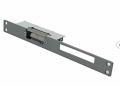
It doesn't work with the door itself, but unlocks this type of lock:
https://www.leroymerlin.fr/produits...ier-de-deblocage-avidsen-102275-16328522.html

Not the same product. The one I got was more expensive, but similar and from a specialist who said it's compatible. I could get a video of it in action perhaps even tomorrow.
 
Top