I'm trying to figure out why there are 4 pins on the cable from the charger to the battery receptacle.
OK, so one cable is directly from the battery and the other the output from the charger, correct?
Big pins, marked + & -, are the output from the transformer, 36 to 42V. Little pins are the 5V feed to the Battery Management System for the data communication 'handshake'. My assumption is that the 36V feed works both ways, initially battery to charger to prove that the battery is in a fit state to accept a charge and then the other way once the handshake process is ok and the charger relay kicks in.
OK, think I understand now.
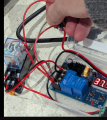
Getting back to the circuit, I know from my experience the control board module takes a few seconds before activating that on board big blue relay. Did you give it enough time to respond?
I have my module set for 24 volts ON and 25 volts OFF as my supply only goes to 28 volts.
Connecting 12 volts to the BAT input triggers the on board relay in appx 5 seconds, and shuts OFF when turned up to 25 volts.
Setting the supply to 24.5 volts when first connected also activates the relay in appx 5 seconds.
If your Start setting is 36 volts and the battery reads 37 volts them the relays should both activate.
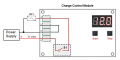
Try connecting your 31 volt power supply to the BAT input as shown below and see if both relays activate.
Don't connect any wires from the charger, relay contacts or switch.
If the relays are not activating when connecting the 31 volts the control module must be defective.
Or the Start voltage setting is higher then the battery level. Are you sure the settings are not reversed, 40 Start and 36 Stop?
If the relays are not activating when connecting the 31 volts the control module must be defective.
Or the Start voltage setting is higher then the battery level. Are you sure the settings are not reversed, 40 Start and 36 Stop?
Try connecting your 31 volt power supply to the BAT input as shown below and see if both relays activate.
Don't connect any wires from the charger, relay contacts or switch.
I still think the problem lies with the fact that the power supply will not switch on until it has had confirmation from the battery that it has an appropriate voltage to accept a charge.
I still think the problem lies with the fact that the power supply will not switch on until it has had confirmation from the battery that it has an appropriate voltage to accept a charge.
It seems that quite probably the "smart" charger is "a bit too smart!" That frequently happens when features get added to products to provide "product differentiation", without adequate consideration of those pesky unintended secondary results. In this case, it is only looking for a slightly discharged battery, not accepting a run-down battery.
I still think the problem lies with the fact that the power supply will not switch on until it has had confirmation from the battery that it has an appropriate voltage to accept a charge.
Correct, but when the battery is connected to the controller it should activate the relays which then connects the charger output to the battery. Doesn't make sense that the controller works from the power supply but not the battery.
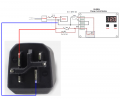
I see the battery connection from the cable like so.
Except that the battery is 'smart' too and doesn't give an output until it detects that it is connected to something suitable. When the plug you show is connected to the battery but the power supply not plugged in to the mains, even without any of my additional circuitry, there is no voltage across the battery terminals until the mains switch is made. So there is nothing to close the relay in our circuit attempts. Chicken and egg!
I'm not sure that it does. As far as I can recall, none of the configurations we have tried have given any voltage reading. But I may be wrong - my mind is elsewhere at the moment.
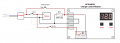
My mistake. But pressing the button in that configuration effectively makes the circuit exactly the same as if there were no additional circuitry added i.e. it just connects the positive leads together with the negatives already connected. So the battery and power supply are happy, but no relays activated. Mind not on this properly so will leave it for a while. Too much other stuff going on to unpick this!
My mistake. But pressing the button in that configuration effectively makes the circuit exactly the same as if there were no additional circuitry added i.e. it just connects the positive leads together with the negatives already connected. So the battery and power supply are happy, but no relays activated. Mind not on this properly so will leave it for a while. Too much other stuff going on to unpick this!
I left the 5v feed alone but wired in a 6-60V DC Battery Control Module (XH-M604) to the 36v feed. Setting the upper limit to the desired voltage cuts power to the battery. It works!

 Facebook
 Google
 GitHub
 Linkedin