Facebook
 Google
 GitHub
 Linkedin
Anyone able to help?
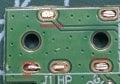
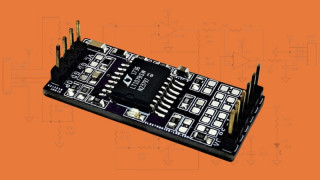
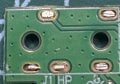
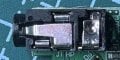
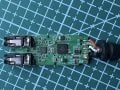
I'm trying to identify which pins (pads) correspond to which position (sleeve, ring, tip, etc) on a 3.5 mm headphone / microphone jack. I'll post several pics. The cct board is from a Sound Blaster Play 3 - USB sound card. Image of the complete card, closeup of the 3.5mm female jack, then the same spot with the female jack removed. The jack was stupidly destroyed upon removal...newbie.
Any help is appreciated
PS The bottom left pin is ground (assuming sleeve).
I'm trying to identify which pins (pads) correspond to which position (sleeve, ring, tip, etc) on a 3.5 mm headphone / microphone jack. I'll post several pics. The cct board is from a Sound Blaster Play 3 - USB sound card. Image of the complete card, closeup of the 3.5mm female jack, then the same spot with the female jack removed. The jack was stupidly destroyed upon removal...newbie.
Any help is appreciated
PS The bottom left pin is ground (assuming sleeve).
Attachments
-
 211.7 KB Views: 5
 -
 24.2 KB Views: 5
 -
 2.5 MB Views: 5