H-bridge driver for a 90VDC motor

MaxHeadRoom

Joined Jul 18, 2013
30,696
If you look at the DC motor drive and servo manufacturers most I have found use Mosfets and switch maximum around 20khz.
I have used Mosfet for PWM at around 5khz.
Max.
 

ronv

Joined Nov 12, 2008
3,770
Question. Considering the diagram shown in post #88, how hard would it be to include back EMF into the simulation?
I'm guessing it would be real hard...
I tried to build a model of a dc motor once. I have a mental block on how regenerative braking works so that was my interest. I finally just accepted regen and gave up.:D
I think @Alec_t has worked on one, but I can't remember if it had "dynamic" Back emf.
 

GopherT

Joined Nov 23, 2012
8,009
That's very valuable info, thanks. Experience beats datasheets anytime...

Turning on both n-channel to effectively short the leads of the motor to ground stops a motor with surprising speed. I demonstrated this to some high school, students by having them test how much voltage they can produce on a volt meter by hand spinning a motor shaft (6 v brush motor). 2 or 3 volt peaks were possible. Then I asked them to measure the current. They shorted the leads together with the amp meter and they suddenly realized the motor was essentially locked when they tried to spin it quickly.
 

Thread Starter

cmartinez

Joined Jan 17, 2007
8,788
Ok, here's my update, so far. I added a DC-DC converter to my design, so as to galvanicaly isolate the control circuit from the mosfets and their drivers.


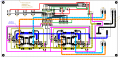
This is the circuit's design, in AutoCAD:
Capture.PNG

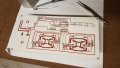
Ready for heat-press transfer, right after printing it using my magic paper:

027ac48a-fbc3-41af-8e15-7b5c1b131b8b.jpg


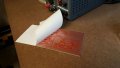
After ironing it, the paper peels off quite easily:

2e43d470-4794-4a0f-bbe6-9cd4315e6eca.jpg


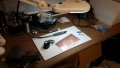
Next, I drilled a 1/32" hole in it, and threaded a piece of PVC string through it. This will later help me fish it out of the FeCl3 tank.

d3c15c45-6e61-41d8-9387-311f2d199822.jpg


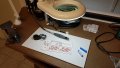
This is the moment when I dropped it into the tank.

91a53ba5-5cc6-4071-b1de-d37ee0f7852c.jpg


Exactly 9 minutes later, all the exposed copper is gone.

2549bcf0-f0b6-4bc4-8ecb-5c80baaa52e0.jpg


Nice and dry, ready for the tedious task of drilling and component soldering.
b0ebc829-974d-4159-9ea5-649ddef00b4d.jpg


Unlike @spinnaker, I have to do all the drilling by hand... I don't have the luxury of a CNC... but I might get one soon... see how he likes it, that snobbish pirate wanna-be... :p:D
 
Last edited:

spinnaker

Joined Oct 29, 2009
7,830
I can't believe you don't at least have a drill press. No way could I hold a drill that steady. I have trouble enough lining up the holes with a press, the reason I got a CNC.
 

shortbus

Joined Sep 30, 2009
10,049
If you use a punch to mark the drill points it is very easy to drill it exactly where you want even by hand.
A punch is really over kill for this, and if hit with a hammer could crack the PCB board. A simple sharp scriber is the thing I've used over the years when working with plastic and laminates, to mark the center of a hole. Just put the point on the center and press and spin the scriber, it will put a small starting place for the drill, keeping it from wandering.


GopherT

Joined Nov 23, 2012
8,009
If you use a punch to mark the drill points it is very easy to drill it exactly where you want even by hand.
define, "by hand". A drill bit in a hand-held drummel tool is a skillful demonstration in my book. The question is not accuracy - the question is now not to break a 0.02" carbide drill bit by avoiding all lateral forces.
 

kubeek

Joined Sep 20, 2005
5,796
A punch is really over kill for this, and if hit with a hammer could crack the PCB board. A simple sharp scriber is the thing I've used over the years when working with plastic and laminates, to mark the center of a hole. Just put the point on the center and press and spin the scriber, it will put a small starting place for the drill, keeping it from wandering.
I didn´t have the luxury of scirbers, so I used a sharp ground punch and a light tap of a hammer.

GopherT, why would you use such a tiny drill bit made from carbide? I allways used 1mm high speed steel drill bits in a dremel and broke only a few of those, and those I could usually resharpen with sand paper.
 

GopherT

Joined Nov 23, 2012
8,009
I didn´t have the luxury of scirbers, so I used a sharp ground punch and a light tap of a hammer.

GopherT, why would you use such a tiny drill bit made from carbide? I allways used 1mm high speed steel drill bits in a dremel and broke only a few of those, and those I could usually resharpen with sand paper.
Because they are dirt cheap, they last a long time (if no lateral force is used) and I have a drill press and 1 mm is way too big for routing traces between pins on through-hole.

@cmartinez , what size/material bits do you use?
 

Alec_t

Joined Sep 17, 2013
15,125
how hard would it be to include back EMF into the simulation? I'm guessing it would be real hard...
You could use a DC motor model which includes BEMF modelling. I've attached a model I made. This includes a voltage-controlled input Lt for load torque (1V = 1Newton-Metre), and an output W for the BEMF (indicative of speed). Parameters used are Rv (rated voltage), Ri (rated current) and Ind (motor inductance).
 

Attachments

Last edited:

Thread Starter

cmartinez

Joined Jan 17, 2007
8,788
Because they are dirt cheap, they last a long time (if no lateral force is used) and I have a drill press and 1 mm is way too big for routing traces between pins on through-hole.

@cmartinez , what size/material bits do you use?
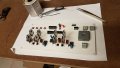
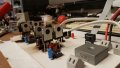
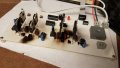
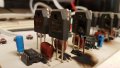
I normally use only two bits. The most common is a 1/32" carbide bit which lasts practically forever, unless one accidentally breaks it. I've broken about 4 of those bits in the last 10 years, and they ain't cheap down here. They cost about $15.00 u.s.d. apiece. But they're worth every penny. The other size I normally use is 0.038" diameter HSS. I rarely use 0.046", but they come in handy for some parts with large terminals. Like the FDA33N25 mosfets shown in the picture, which btw, I finished assembling yesterday night.

a923893e-d19b-45e5-ab85-d897257aba13.jpg


a1978aa6-9e9d-432c-a811-e0ab5375a98e.jpg


The bad news is that I blundered the connection of the bypass pushbuttons. They should've been connected to the MCU's control inputs, and I connected them to the outputs instead. If I hadn't caught that error in time it might've been catastrophic, because the buttons would've activated the optocouplers at a continuous 100% duty cycle. And that would've probably made the motor's inrush current too high for the FETs. At this moment I'm working on a patch for the PCB. I'll be back in a few hours with the results.
 

GopherT

Joined Nov 23, 2012
8,009
The leads are 1.5" long in each side to let you mount them ABOVE the board. Put a finger (or your kid's finger between the board and the diode befor you solder). Let the air flow. Also, you might want to check if you installed them backwards (or not backwards - so the current flowed).
 

Thread Starter

cmartinez

Joined Jan 17, 2007
8,788
Here's what happened:

In my last design, I took the precaution of completely isolating the controller from the Fets and their drivers through the use of a DC-DC converter, and then driving them through opto-isolators

Before applying high power (90VDC), I first powered up the MCU (running at 5V) and verified that all its functions were performing as intended.
After checking that everything was in order, I finally applied high power and lo and behold! the motor started running quite smoothly
Then I noticed that smoke started coming from the RC filter that I placed across the motor's winding (Cap = 220nf@220V, R=470Ω@1W). So even though I felt that the thing would produce some noise, I disconnected it anyway.
I was quite happy to see that the absence of said filter made no difference in the motor's performance, and that no noise was reaching my electronic equipment (neither my computer screen, nor the music that I was listening were affected.) so I continued testing the thing.
I started noticing something strange. The motor ran faster in one direction than in the other, even though I was using the same PWM value anyway. Sometimes it ran ok, but sometimes quite fast, though always in the same direction. The motor behaved quite nicely when I ran it in the opposite direction.

I scoped my MCU's outputs, and found that sometimes the duty cycle went far beyond the 1/256 that I had programmed, up to 50%. I thought that maybe the motor was emitting an EMP at startup, and that it was messing with my MCU, restarting it with different duty cycle values. This is because the duty cycle is determined on the MCU's startup, when it reads the value at 7 input pins that is set through the use of jumpers. So it was quite possible that the EMP wasn't only restarting the MCU, but that it was also making it read the wrong value from its input pins. So what I did was add a 100uf decoupling cap on the MCU. Just to see if that would prevent it from resetting.

The way I was testing it was through the use of pushbuttons that told the MCU to start PWM and it what direction would perform it.
One button is for running the motor, and the other is used to change its direction.
As I was saying, the thing was working beautifully in one direction, but strangely in the other one. At no moment did I notice that anything was getting warm or smelled funny.

Several times during testing, I accidentally let go of the direction button while still pressing the run button, causing it to abruptly change directions... it was on one of those slip ups that suddenly the thing cracked loudly... then more sparks were produced than fireworks in a 4th of July Manhattan night sky ... and caught fire...

Here's what bothers most: that circuit is designed to run two motors, and I had only connected one... But BOTH circuits blew up on me, even though the second one had nothing connected to it.

Now, the only way that could have possibly happened is through the simultaneous activation of both up and down fets on only one side of the H bridge... but how is that possible? The ir2104's datasheet boasts "Cross-conduction prevention logic", with a minimum deadtime of 400 ns ...

Even if both ir2104's on both sides of the H bridge were activated, that's still not supposed to happen... what gives?

I blame this failure on the MCU's possibly being reset on motor startup and loading the wrong parameters. So mi priority now is protecting it from said event. And maybe finding better fail-safe drivers than the ir2104

EDIT:
Just to clarify, I blame this failure on myself... no need for anyone to correct me on that matter... :(
 

Attachments

Last edited:

ronv

Joined Nov 12, 2008
3,770
Here's what happened:

In my last design, I took the precaution of completely isolating the controller from the Fets and their drivers through the use of a DC-DC converter, and then driving them through opto-isolators

Before applying high power (90VDC), I first powered up the MCU (running at 5V) and verified that all its functions were performing as intended.
After checking that everything was in order, I finally applied high power and lo and behold! the motor started running quite smoothly
Then I noticed that smoke started coming from the RC filter that I placed across the motor's winding (Cap = 220nf@220V, R=470Ω@1W). So even though I felt that the thing would produce some noise, I disconnected it anyway.
I was quite happy to see that the absence of said filter made no difference in the motor's performance, and that no noise was reaching my electronic equipment (neither my computer screen, nor the music that I was listening were affected.) so I continued testing the thing.
I started noticing something strange. The motor ran faster in one direction than in the other, even though I was using the same PWM value anyway. Sometimes it ran ok, but sometimes quite fast, though always in the same direction. The motor behaved quite nicely when I ran it in the opposite direction.

I scoped my MCU's outputs, and found that sometimes the duty cycle went far beyond the 1/256 that I had programmed, up to 50%. I thought that maybe the motor was emitting an EMP at startup, and that it was messing with my MCU, restarting it with different duty cycle values. This is because the duty cycle is determined on the MCU's startup, when it reads the value at 7 input pins that is set through the use of jumpers. So it was quite possible that the EMP wasn't only restarting the MCU, but that it was also making it read the wrong value from its input pins. So what I did was add a 100uf decoupling cap on the MCU. Just to see if that would prevent it from resetting.

The way I was testing it was through the use of pushbuttons that told the MCU to start PWM and it what direction would perform it.
One button is for running the motor, and the other is used to change its direction.
As I was saying, the thing was working beautifully in one direction, but strangely in the other one. At no moment did I notice that anything was getting warm or smelled funny.

Several times during testing, I accidentally let go of the direction button while still pressing the run button, causing it to abruptly change directions... it was on one of those slip ups that suddenly the thing cracked loudly... then more sparks were produced than fireworks in a 4th of July Manhattan night sky ... and caught fire...

Here's what bothers most: that circuit is designed to run two motors, and I had only connected one... But BOTH circuits blew up on me, even though the second one had nothing connected to it.

Now, the only way that could have possibly happened is through the simultaneous activation of both up and down fets on only one side of the H bridge... but how is that possible? The ir2104's datasheet boasts "Cross-conduction prevention logic", with a minimum deadtime of 400 ns ...

Even if both ir2104's on both sides of the H bridge were activated, that's still not supposed to happen... what gives?

I blame this failure on the MCU's possibly being reset on motor startup and loading the wrong parameters. So mi priority now is protecting it from said event. And maybe finding better fail-safe drivers than the ir2104

EDIT:
Just to clarify, I blame this failure on myself... no need for anyone to correct me on that matter... :(
Ouch!:(
The problems usually not a current failure (at first) but a voltage one. When you do the reversal the voltage goes high. Once the voltage breaks one it just takes a second.......
 

ronv

Joined Nov 12, 2008
3,770
Ouch!:(
The problems usually not a current failure (at first) but a voltage one. When you do the reversal the voltage goes high. Once the voltage breaks one it just takes a second.......[/QUOTE]
@cmartinez sounds like a code problem to me.
:D
Edit: Might be worth a try to put a BIG TVS across your power supply. It might save you once.
 
Top