Facebook
 Google
 GitHub
 Linkedin

Hello,
I'm new to this forum and am working on a project to use an 82V Greenworks electric mower deck in a large RC and autonomous robot lawn mower. The mower is larger than standard robotic mowers, as it's designed to cover bigger areas.
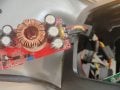
To power both the drive train (which I bought separately using 4 electric wheelchair motors, 24V) and mower deck, I’m using powerful 24V batteries, and a step-up converter to reach the required 82V for the mower deck. Here are the converter specifications:
I always wear safety goggles while working with it.
First question: Is this setup safe or advisable?
Currently, it works as expected initially, but the mower motor stops after 2-3 seconds, accompanied by a two-beep signal. I suspect this may be due to the yellow wire, which I think either:
Unfortunately, I don’t have a circuit diagram, and the control electronics are encased in resin, likely for waterproofing, so I can’t examine them directly.
Second question: Any idea what is going on here and to solve this yellow wire issue to get motor always running?
Thank you!
I'm new to this forum and am working on a project to use an 82V Greenworks electric mower deck in a large RC and autonomous robot lawn mower. The mower is larger than standard robotic mowers, as it's designed to cover bigger areas.
To power both the drive train (which I bought separately using 4 electric wheelchair motors, 24V) and mower deck, I’m using powerful 24V batteries, and a step-up converter to reach the required 82V for the mower deck. Here are the converter specifications:
- Output power: 1800W
- Input voltage range: 10V-60V
- Output voltage range: 12V-90V
- Input current: 40A
- Output current: 22A
- Conversion efficiency:
- 48V to 60V @ 8A: 98.1%
- 48V to 72V @ 8A: 98.1%
- 48V to 84V @ 8A: 97.6%
- Charge regulation: 10% to 50% (72V output)
- Temperature coefficient: 50% load
- Ripple and Noise: 20MHz bandwidth (48V-72V @ 4A): 100mVp-p
- Switching frequency: VIN = 48V, VO = 72V, 4A: 110kHz
- No-load current: VIN = 48V, VO = 72V: 18mA
- Input reverse protection: Yes
- Storage humidity: 95%
- Operating temperature: -20 to 65 °C
- Storage temperature: -40 to 125 °C
- Operating temperature rise: 48V to 60V @ 5A: 45 °C
- Overheating protection: 60°C
- Wiring method: Solderless terminal block for input and output
- Cooling method: Strong air cooling
I always wear safety goggles while working with it.
First question: Is this setup safe or advisable?
Currently, it works as expected initially, but the mower motor stops after 2-3 seconds, accompanied by a two-beep signal. I suspect this may be due to the yellow wire, which I think either:
- Requires a specific signal
- Functions as a temperature sensor
Unfortunately, I don’t have a circuit diagram, and the control electronics are encased in resin, likely for waterproofing, so I can’t examine them directly.
Second question: Any idea what is going on here and to solve this yellow wire issue to get motor always running?
Thank you!
Attachments
-
 201.1 KB Views: 2