GPS NMEA antenna aiming tracker.

Thread Starter

camerart

Joined Feb 25, 2013
3,842
Commenting out the code line: Lcdout "!" would not cause that problem, what else have you commented out.:confused:

E
Hi Eric,

I downloaded again the 'RX2LCD4P.txt' file, changed it to '.BAS' opened it with Oshonsoft 18, when I compile it I get the same message.

Does this mean there is a fault with my programmer?

Camerart.
 

ericgibbs

Joined Jan 29, 2010
21,460
Hi Eric,

I downloaded again the 'RX2LCD4P.txt' file, changed it to '.BAS' opened it with Oshonsoft 18, when I compile it I get the same message.

Does this mean there is a fault with my programmer?

Camerart.
I will download it from my earlier post and check for any corruption, give me 5

EDIT:
It compiles OK for me.
This the actual listing, compare it to your earlier .txt download.
Rich (BB code):
'18F4520 UART Receive and drive LCD 19June14
'maths

''Define SIMULATION_WAITMS_VALUE = 1
Define CLOCK_FREQUENCY = 20
AllDigital

Define CONFIG1L = 0x00
Define CONFIG1H = 0x22
Define CONFIG2L = 0x0c
Define CONFIG2H = 0x00
Define CONFIG3L = 0x00
Define CONFIG3H = 0x01
Define CONFIG4L = 0x80
Define CONFIG4H = 0x00
Define CONFIG5L = 0x0f
Define CONFIG5H = 0xc0
Define CONFIG6L = 0x0f
Define CONFIG6H = 0xe0
Define CONFIG7L = 0x0f
Define CONFIG7H = 0x40

Define LCD_DREG = PORTD  'Port for LCD Data
Define LCD_DBIT = 4  'Use upper 4 bits of Port
Define LCD_RSREG = PORTC  'Port for RegisterSelect (RS)
Define LCD_RSBIT = 3  'Port Pin for RS bit (pin18)
Define LCD_RWREG = PORTC  'Port for R/W
Define LCD_RWBIT = 5  'Pin for R/W (pin24)
Define LCD_EREG = PORTC  'Port for Enable (E)
Define LCD_EBIT = 4  'Port Pin for E bit (pin23)
Define LCD_BITS = 4  'Using 4-bit bus
Define LCD_LINES = 4  'Using 4 line Display
Define LCD_CHARS = 20

Define LCD_INITMS = 2
Define LCD_READ_BUSY_FLAG = 1

Dim ascbfr5 As Byte
Dim ascbfr4 As Byte
Dim ascbfr3 As Byte
Dim ascbfr2 As Byte
Dim ascbfr1 As Byte
Dim ascbfr0 As Byte
Dim keyary(5) As Byte
Dim keycnt As Byte
Dim keychk As Byte
Dim binval As Long
Dim bin1 As Long


Dim key As Byte
Dim cnt1 As Word
Dim old1 As Byte
Dim lastkey As Byte

Dim chr As Byte
Dim rxi As Byte
Dim txi As Byte
Dim lz1 As Byte
Dim msgflg As Byte
Dim str1(80) As Byte
Dim bcd1(80) As Byte

Dim latdeg2 As Single
Dim londeg2 As Single
Dim latrad2 As Single
Dim lonrad2 As Single
Dim latrad1 As Single
Dim lonrad1 As Single
Dim alt1 As Single
Dim alt2 As Single
Dim latcos1 As Single

Dim dlat1 As Single
Dim dlon1 As Single

Dim dist2remote As Single
Dim bearing As Single
Dim atn As Single
Dim atn1 As Single
Dim atn2 As Single
Dim quad As Byte
Dim azim As Long

Dim a1 As Single
Dim a2 As Single
Dim a3 As Single
Dim a4 As Single
Dim a5 As Single
Dim ax As Single
Dim cx As Single
Dim rng As Single
Dim brg As Single
Dim x1 As Single
Dim x2 As Single
Dim dist As Single
Dim y1 As Single
Dim rad As Single

TRISA = %00000000
TRISB = %11110000
TRISC = %10000000
TRISD = %00000000
TRISE = %00001000

Lcdinit
Hseropen 9600

RCON.IPEN = 1  ''enable Intr priority
IPR1.RCIP = 1  'uart on High Intr
INTCON.RBIF = 0  'clear pending R.B
INTCON2.RBIP = 0  'R.B change Low Priority
PIE1.RCIE = 1  'clear pending RXD
IPR1.RCIP = 1  'enable UART High priority Intr
PIR1.RCIF = 0  'enable UART RX Intr
INTCON.RBIE = 1  'enable P.B on change Intr
INTCON.GIEH = 1  'enable all unmasked Intr
INTCON.GIEL = 1  'enable all Low Intr

T0CON = %01000111
INTCON.TMR0IE = 1
INTCON.TMR0IF = 0
INTCON2.TMR0IP = 1
T0CON.TMR0ON = 0

TMR0 = 0

rng = 6371
rad = 57.295779

latrad1 = 50 / 57.295779
lonrad1 = 2 / 57.295779
latcos1 = Cos(latrad1)

Lcdcmdout LcdLine1Home
Lcdout "Ready for GPS Msg"
Enable High  'peripherals now initialised , so Enable Intr
msgflg = 0

PORTB = 0x0f
LATB = 0x0f

'$GPTXT,01,01,02,u-blox ag - www.u-blox.com*?

'$GPGGA,000001,5100.000,N,00100.000,W,1,08,0.9,123.1,M,46.9,M,,*47?

'$GPGGA,000003,4900.000,N,00100.000,W,1,08,0.9,123.3,M,46.9,M,,*47?

'$GPGGA,000002,4900.000,N,00300.000,W,1,08,0.9,123.2,M,46.9,M,,*47?

'$GPGGA,000004,5100.000,N,00300.000,W,1,08,0.9,123.4,M,46.9,M,,*47?

main:
If key <> 0 Then
Lcdout key
key = 0
INTCON.GIEL = 1  'enable all Low Intr
Endif

PIE1.RCIE = 1  're-enable UART Intr

If msgflg = 1 Then
Disable High

If str1(3) <> "G" Then
Lcdcmdout LcdClear
Lcdout "Not a GPGG msg!"
Goto notgpgg
Endif

'get remote lat & long deg from BCD array, for conversion to degrees in decimal
latdeg2 = bcd1(14) * 10 + bcd1(15)  'lat degrees in BCD
latdeg2 = latdeg2 + (bcd1(16) * 10 + bcd1(17)) / 60
latdeg2 = latdeg2 + (bcd1(19) * 0.1 + bcd1(20) * 0.01 + bcd1(21) * 0.001) / 60

londeg2 = (bcd1(26) * 10 + bcd1(27))  'long deg in BCD
londeg2 = londeg2 + (bcd1(28) * 10 + bcd1(29)) / 60
londeg2 = londeg2 + (bcd1(31) * 0.1 + bcd1(32) * 0.01 + bcd1(33) * 0.001) / 60
'''Hserout "Remote Lat&Lon: ", #latdeg2, "N  ", #londeg2, "W Deg", CrLf

'convert degrees to radians
latrad2 = latdeg2 / rad
lonrad2 = londeg2 / rad

'Hserout "Lat/Lon2 Decimal Rad:=", #latrad2, "  ", #lonrad2, CrLf, CrLf

'get difference in lats and lons in radians
dlat1 = latrad2 - latrad1  'remote - local
dlon1 = lonrad1 - lonrad2  'local -remote
''Hserout "Lat&Lon Diff: ", #dlat1, "N  ", #dlon1, "W Rads", CrLf, CrLf
'''''''''''
'factor maths
a1 = Sin(dlat1 / 2) * Sin(dlat1 / 2)
'Hserout "a1=", #a1, CrLf
a2 = Cos(latrad1) * Cos(latrad2)
'Hserout "a2=", #a2, CrLf
a3 = Sin(dlon1 / 2) * Sin(dlon1 / 2)
'Hserout "a3=", #a3, CrLf
ax = a1 + a2 * a3
'Hserout "ax=", #ax, CrLf
a4 = Sqrt(ax)
'Hserout "a4=", #a4, CrLf
a5 = Sqrt(1 - ax)
'Hserout "a5=", #a5, CrLf

'calc the angle in degrees using ratio
atn = 2 * (a4 / a5)
atn2 = atn * atn
If atn <= 1 Then
bearing = atn / (0.281125 * atn2 + 1) * 57.296
Else
bearing = (1.5708 - atn / (atn2 + 0.28125)) * 57.296
Endif

'calc distance = 6371 * rads diff
dist = 6371 * atn * 1000
'''Hserout "Distance=", #dist, "m", CrLf

'calc bearing, factor some of the equations for Oshonsoft
y1 = Sin(dlon1) * Cos(latrad2)
x1 = Cos(latrad1) * Sin(latrad2)
x2 = Sin(latrad1) * Cos(latrad2) * Cos(dlon1)
x1 = x1 - x2

'calc the angle in degrees using ratio
atn = y1 / x1
atn2 = atn * atn
If atn <= 1 Then
bearing = atn / (0.281125 * atn2 + 1) * 57.296
Else
bearing = (1.5708 - atn / (atn2 + 0.28125)) * 57.296
Endif
'''Hserout "Bearing= ", #bearing, CrLf

'calc quadrant
If dlat1 > 0 And dlon1 < 0 Then
bearing = 360 + bearing
Endif
If dlat1 < 0 And dlon1 < 0 Then
bearing = 180 + bearing
Endif
If dlat1 < 0 And dlon1 > 0 Then
bearing = 180 + bearing
Endif

'''Hserout "Azimuth: ", #bearing, "Deg", CrLf

alt2 = bcd1(46) * 100 + bcd1(47) * 10 + bcd1(48) + bcd1(50) * 0.1
'''Hserout "Alt2: ", #alt2, CrLf, CrLf

Lcdcmdout LcdClear
Lcdout "Remote Vector"

binval = dist
Gosub bin2asc
Lcdcmdout LcdLine2Home
Lcdout "Range: ", ascbfr5, ascbfr4, ascbfr3, ascbfr2, ascbfr1, ascbfr0, " mtr"

If bearing < 0 Then
bearing = bearing * -1
Endif

binval = bearing * 10
Gosub bin2asc
Lcdcmdout LcdLine3Home
Lcdout "Azimuth: ", ascbfr3, ascbfr2, ascbfr1, "." ascbfr0, 0xdf


binval = alt2 * 10
Gosub bin2asc
Lcdcmdout LcdLine4Home
Lcdout "Alt2: ", ascbfr3, ascbfr2, ascbfr1, " mtr"

notgpgg:
PIE1.RCIE = 1
msgflg = 0
Enable High
Endif

Goto main

End                                               

On High Interrupt

Save System
PORTA.1 = 1

TMR0 = 0
T0CON.TMR0ON = 1  'start escape timer
INTCON.TMR0IE = 1  'timer0 intr

If PIR1.RCIF = 1 Then
PIE1.RCIE = 0  'disable UART Intr
PIR1.RCIF = 0  'clear IntFlg

Hserin chr
If chr = "$" Then  'start symbol
rxi = 0  'buffer pointer
str1(rxi) = chr  'save char
bcd1(rxi) = chr And 0x0f  'make BCD for Maths
rxi = rxi + 1  'inc pointer
Else
Goto rxderr1
Endif

getnxt1:
If INTCON.TMR0IF = 1 Then Goto rxderr1
Hserin chr
TMR0 = 0
If chr = 0x0a Then Goto done1  'change to LF for PIC!!!!
str1(rxi) = chr  'save char
bcd1(rxi) = chr And 0x0f  'make BCD for Maths
rxi = rxi + 1  'inc pointer
Goto getnxt1

done1:
rxi = rxi - 2  'ignore CRLF
msgflg = 1
Goto validrx

rxderr1:
Lcdout "!"  'remove for PIC program, dev marker only
If RCSTA.FERR = 1 Then
RCREG = 0
Endif
If RCSTA.OERR = 1 Then
RCSTA.CREN = 0
RCSTA.CREN = 1
Endif
msgflg = 0
PIR1.RCIF = 0  'clear IntFlg

validrx:
T0CON.TMR0ON = 0
INTCON.TMR0IE = 0
INTCON.TMR0IF = 0
TMR0 = 0
PORTA.1 = 0
Endif

Resume                                            

'''keypad On Low intr
On Low Interrupt
Save System

If INTCON.RBIF = 1 Then  'if keypad pressed
INTCON.RBIF = 0
INTCON.GIEL = 0

key = 0
old1 = 0
cnt1 = 0

scan1:

PORTB = 0xf1
If PORTB.4 = 1 Then
key = "0"
Goto verf1
Endif
If PORTB.5 = 1 Then
key = "4"
Goto verf1
Endif
If PORTB.6 = 1 Then
key = "8"
Goto verf1
Endif
If PORTB.7 = 1 Then
key = "C"
Goto verf1
Endif

PORTB = 0xf2
If PORTB.4 = 1 Then
key = "1"
Goto verf1
Endif
If PORTB.5 = 1 Then
key = "5"
Goto verf1
Endif
If PORTB.6 = 1 Then
key = "9"
Goto verf1
Endif
If PORTB.7 = 1 Then
key = "D"
Goto verf1
Endif

PORTB = 0xf4
If PORTB.4 = 1 Then
key = "2"
Goto verf1
Endif
If PORTB.5 = 1 Then
key = "6"
Goto verf1
Endif
If PORTB.6 = 1 Then
key = "A"
Goto verf1
Endif
If PORTB.7 = 1 Then
key = "E"
Goto verf1
Endif

PORTB = 0xf8
If PORTB.4 = 1 Then
key = "3"
Goto verf1
Endif
If PORTB.5 = 1 Then
key = "7"
Goto verf1
Endif
If PORTB.6 = 1 Then
key = "B"
Goto verf1
Endif
If PORTB.7 = 1 Then
key = "F"
Goto verf1
Endif

Goto invalid1

verf1:
If key = old1 Then
cnt1 = cnt1 + 1
If cnt1 > 250 Then Goto valid1  'make 250 for PIC
Goto scan1
Endif

cnt1 = 0
old1 = key
Goto scan1

invalid1:
key = 0

valid1:
PORTB = 0xff
PORTB = 0x0f
LATB = 0x0f
INTCON.RBIF = 0
Endif

Resume                                            

''convert Long < 1, 000, 000 To 6 ascii chars
bin2asc:
ascbfr5 = binval / 100000
bin1 = ascbfr5 * 100000
binval = binval - bin1
ascbfr4 = binval / 10000
binval = binval Mod 10000
ascbfr3 = binval / 1000
binval = binval Mod 1000
ascbfr2 = binval / 100
binval = binval Mod 100
ascbfr1 = binval / 10
ascbfr0 = binval Mod 10

'results are BCD so
'convert to ASCII for LCD and set leading zero's to spaces
lz1 = 0
ascbfr5 = ascbfr5 Or 0x30
If ascbfr5 = 0x30 And lz1 = 0 Then
ascbfr5 = 0x20
Else
lz1 = 1
Endif
ascbfr4 = ascbfr4 Or 0x30
If ascbfr4 = 0x30 And lz1 = 0 Then
ascbfr4 = 0x20
Else
lz1 = 1
Endif
ascbfr3 = ascbfr3 Or 0x30
If ascbfr3 = 0x30 And lz1 = 0 Then
ascbfr3 = 0x20
Else
lz1 = 1
Endif
ascbfr2 = ascbfr2 Or 0x30
If ascbfr2 = 0x30 And lz1 = 0 Then
ascbfr2 = 0x20
Else
lz1 = 1
Endif

ascbfr1 = ascbfr1 Or 0x30
ascbfr0 = ascbfr0 Or 0x30

Return
 
Last edited:

ericgibbs

Joined Jan 29, 2010
21,460
hi C,
Those message in Oshonsoft are NOT errors, its only a warning that certain DIM's are not being used.... Ignore the warning or switch it Off!

When you write the final program, switch on the Warnings and clean up the code.

E
 

Thread Starter

camerart

Joined Feb 25, 2013
3,842
hi C,
Those message in Oshonsoft are NOT errors, its only a warning that certain DIM's are not being used.... Ignore the warning or switch it Off!

When you write the final program, switch on the Warnings and clean up the code.

E
Ok, E, All good. C.
 

Thread Starter

camerart

Joined Feb 25, 2013
3,842
I'm planning the motors and gearboxes, can someone give a rough estimate of how long it might take to do 360 degrees? (Calculation speed)

Camerart.
 

THE_RB

Joined Feb 11, 2008
5,438
Hard to say. It depends on the load, which for a Yagi antenna will include the inertia (moment) of the load.

What amount of power do you have available, and how fast do you want it to move? Tracking something from a distance means it only needs slow movement?
 

Thread Starter

camerart

Joined Feb 25, 2013
3,842
Hard to say. It depends on the load, which for a Yagi antenna will include the inertia (moment) of the load.

What amount of power do you have available, and how fast do you want it to move? Tracking something from a distance means it only needs slow movement?
Hi Roman,

Yes, it is hard to say.

I have been looking at motor/gearboxes (within my budget) They all seem plenty fast enough.

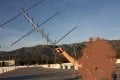
There are many variables in the antennas too! There will most likely be two or three antennas mounted on the tracker. I'll try to balance them as best I can. I've attached a photo to give some idea of the larger type.

Here are a couple of likely motor/gearboxes, I've spotted.

Powered by a large 12v battery.

It is a bit of guesswork, I can always beef the tracker up after a first attempt:)

http://www.ebay.co.uk/itm/321433462942?ssPageName=STRK:MEWAX:IT&_trksid=p3984.m1423.l2649

http://www.ebay.co.uk/itm/121187837974?ssPageName=STRK:MEWAX:IT&_trksid=p3984.m1423.l2649

C
 

Attachments

ericgibbs

Joined Jan 29, 2010
21,460
hi C,
As requested the program with Putty example messages and Alt max 99.9mtr, let me know how it goes.

Post me actual live data by PM, if you want your location to be confidential.

E
 

Attachments

Last edited:

Thread Starter

camerart

Joined Feb 25, 2013
3,842
hi C,
As requested the program with Putty example messages and Alt max 99.9mtr, let me know how it goes.

Post me actual live data by PM, if you want your location to be confidential.

E
Thanks very much Eric. I'll get a bit more familiar with it and carry out better tests, then let you know what happens.

Cheers, Camerart.
 

THE_RB

Joined Feb 11, 2008
5,438
That first ebay link shows some nice gearmotors! You will still need some final gearing, I don't think it would be wise to just try to hang the antennas from the end of the gearmotor shaft.

I would use some proper bearings to support the load and at least another 4:1 gearset (a toothed belt might be best). You still need to allow for wind load and stuff.
 

Thread Starter

camerart

Joined Feb 25, 2013
3,842
That first ebay link shows some nice gearmotors! You will still need some final gearing, I don't think it would be wise to just try to hang the antennas from the end of the gearmotor shaft.

I would use some proper bearings to support the load and at least another 4:1 gearset (a toothed belt might be best). You still need to allow for wind load and stuff.
Hi Roman,

Yes, a bearing each side of the ALT axis and two in line at the Azimuth axis.

So does 400/1 (or more) gearbox on 2400RPM (ish) 120Nm final drive sounds ok, allowing for wind-age and stuff?

C
 
Last edited:

Thread Starter

camerart

Joined Feb 25, 2013
3,842
Hard to say. It depends on the load, which for a Yagi antenna will include the inertia (moment) of the load.

What amount of power do you have available, and how fast do you want it to move? Tracking something from a distance means it only needs slow movement?
Hi Roman,

Thinking about the speed it needs to move. If the 'tracked remote' goes directly over head, then the Azimuth needs to move 180 degrees pretty quickly.

Some time back you explained quadrants, and I am a bit puzzled what happens as the antenna moves directly overhead. I suppose the ALT needs to be treated in the same way as the Azimuth, only 180 degrees instead of 360.

C.
 

THE_RB

Joined Feb 11, 2008
5,438
...
So does 400/1 (or more) gearbox on 2400RPM (ish) 120Nm final drive sounds ok, allowing for wind-age and stuff?
...
400:1 total gearing sounds fine to me, provided the load is reasonably balanced. That is assuming a 100:1 gearmotor and 4:1 final drive.

...Thinking about the speed it needs to move. If the 'tracked remote' goes directly over head, then the Azimuth needs to move 180 degrees pretty quickly.
2400 RPM at 400:1 will move at a max speed of approx 6 RPM or 10 seconds for 360' rotation. "Going overhead" is maybe a 90' movement which is about 2.5 seconds. That's within the bounds of being reasonable.

That is also the time the signal strength will be highest so it would be unlikely to lose track there, remember your antennas are fairly direction tolerant.

If you want faster you need less gearing, and larger motors with more power. Big AND fast in motion control always = expensive!

Some time back you explained quadrants, and I am a bit puzzled what happens as the antenna moves directly overhead. I suppose the ALT needs to be treated in the same way as the Azimuth, only 180 degrees instead of 360.
...
It should be automatically handled by the software. If it moves directly overhead (worst case) the azimuth must move 180'.

I don't see this as being a big deal. If this is pointing at a model aeroplane they don't move that fast compared to the angle at the ground antenna, especially if they have some distance or some altitude. It would be different with a racing 'plane buzzing right past your head 10 feet off the ground.
 

Thread Starter

camerart

Joined Feb 25, 2013
3,842
400:1 total gearing sounds fine to me, provided the load is reasonably balanced. That is assuming a 100:1 gearmotor and 4:1 final drive.


2400 RPM at 400:1 will move at a max speed of approx 6 RPM or 10 seconds for 360' rotation. "Going overhead" is maybe a 90' movement which is about 2.5 seconds. That's within the bounds of being reasonable.

That is also the time the signal strength will be highest so it would be unlikely to lose track there, remember your antennas are fairly direction tolerant.

If you want faster you need less gearing, and larger motors with more power. Big AND fast in motion control always = expensive!


It should be automatically handled by the software. If it moves directly overhead (worst case) the azimuth must move 180'.

I don't see this as being a big deal. If this is pointing at a model aeroplane they don't move that fast compared to the angle at the ground antenna, especially if they have some distance or some altitude. It would be different with a racing 'plane buzzing right past your head 10 feet off the ground.
Thanks Roman,

This gives me some idea of the possibilities, and I was looking for the worst case, and agree that it would be fairly unlikely.

I'll order a couple of the motors mentioned. I've seen the expensive alternatives:eek: I'll be able to get the feel of their power and speed, then proceed from there.

Cheers, Camerart.
 

Thread Starter

camerart

Joined Feb 25, 2013
3,842
If Open is +5Von Pin#1 and Closed is 0V on Pin#1, the switch is working.

I did suggest a 4k7 or 10K, a 100nF cap would be OK, 1uF max.

Why do you think the Reset is not working.?
E
I've changed the components, and tidied up a bit (even removed the keypad). I have always had spurious digits appearing on the LCD, I don't know why. Yesterday 3333s started appearing.

Now if the screen shows 'Ready for GPS message' today there is a '0' if I press the MCLR button, 3333s appear all over the LCD. If I switch the GPS on to the RX pin, the MCLR pin doesn't do anything.

I think you have spent a lot of time with this, so perhaps I'll start again, leave it with me:)

P.S If you feel like it perhaps you could post a photo of your circuit, so I can copy it, not important.

C
 

Thread Starter

camerart

Joined Feb 25, 2013
3,842
hi C,
As requested the program with Putty example messages and Alt max 99.9mtr, let me know how it goes.

Post me actual live data by PM, if you want your location to be confidential.

E
Hi E,

Today I drove to the dizzy heights of 129Mtrs, and this showed the NEO-6M does go over 100Mtrs, just for information.

Here are some examples of my drive:

,104834.00,5038.30078,N,00205.99339,W,1,08,0.98,128.8,M,47.8,M

,104835.00,5038.30037,N,00205.99361,W,1,08,0.98,128.8,M,47.8,M

,105328.00,5039.07945,N,00205.87516,W,1,04,5.40,82.7,M,47.8,M,

,105329.00,5039.08754,N,00205.87839,W,1,04,5.39,82.5,M,47.8,M,

,105330.00,5039.09687,N,00205.88035,W,1,04,5.39,82.5,M,47.8,M,

,104836.00,5038.30018,N,00205.99362,W,1,08,0.98,129.0,M,47.8,M

Camerart
 

ericgibbs

Joined Jan 29, 2010
21,460
,105328.00,5039.07945,N,00205.87516,W,1,04,5.40,82 .7,M,47.8,M,

,105329.00,5039.08754,N,00205.87839,W,1,04,5.39,82 .5,M,47.8,M,

,105330.00,5039.09687,N,00205.88035,W,1,04,5.39,82 .5,M,47.8,M,

,104836.00,5038.30018,N,00205.99362,W,1,08,0.98,12 9.0,M,47.8,M
hi,
Is there really a 'space' character after the first 2 digits of the altitude.???
E
 
Last edited:
Top