Eagle EOL, what should I use?

Thread Starter

rpschultz

Joined Nov 23, 2022
808
I've been using Eagle for a number of years, the end of life date is eminent. I've used it to print many thru-hole pcbs as a hobby, audio circuits, initially through Osh Park and more recently larger boards through JLC.

I have used Kicad a little. It has much better footprint editing than Eagle. Due to this, I have imported my Eagle design into Kicad so that I could better edit footprints. But the autorouter feature in Eagle is very nice, Kicad doesn't have.

I need to learn to design using SMT. What are the best options for me to learn SMT?
(sorry, there's probably already a thread on this)
 

Ian0

Joined Aug 7, 2020
13,097
I've been using Eagle for a number of years, the end of life date is eminent. I've used it to print many thru-hole pcbs as a hobby, audio circuits, initially through Osh Park and more recently larger boards through JLC.

I have used Kicad a little. It has much better footprint editing than Eagle. Due to this, I have imported my Eagle design into Kicad so that I could better edit footprints. But the autorouter feature in Eagle is very nice, Kicad doesn't have.

I need to learn to design using SMT. What are the best options for me to learn SMT?
(sorry, there's probably already a thread on this)
Kicad is a great choice. It works well, and there are a lot of people on this forum that know how to use it, so always someone who can help if it does something really stupid*.
Get some parts, design the board, solder them down.
I'd suggest using 1206 components wherever possible, preferring SO (1.27mm pitch) ICs over 0.95mm, 0.65mm and 0.5mm pitch, unless you really need to miniaturise. Solder with hot air and tweezers.
If you're doing audio where low noise is important, you are probably better off without an autorouter. It makes you think exactly where a component should go and choose appropriate track widths.

*Outputting BOM is really stupid, as I learned today.
 

Jon Chandler

Joined Jun 12, 2008
1,560
I use EasyEDA standard version from JLCPCB. As a former Eagle user, I found it to be a pretty easy transition to EasyEDA. I just could not make sense of Kicad.

If you use JLCPCB, EasyEDA is a natural, especially for assembly service because you can easily tell what components are available in their system, and it easily generates Gerbers, BOM and centroid files in the formats JLC uses.

A big advantage of EasyEDA, apart from being truly easy to use, is the huge component library. It covers almost everything LCSC offers.
 

panic mode

Joined Oct 10, 2011
4,864
I've been using KiCad for years and since it does work me, I am not planning to change.

I use JLC and LCSC all the time for parts PCB and PCBA. lately it was mostly using PCBA (both 'economic' and 'standard'). and while JLC is probably my first choice, it is not the only one. There are number of things i find rather limiting, such as choice of the Cu thickness is limited to max 2oz.

So one should be informed and - make own choices.

since KiCad got interactive BOM plugin, that is the only BOM i use...
KiCad no longer has a built in AutoRouter. the old KiCad had basic Autorouter that should have been kept. there is also a Freerouting plugin but i have not tried it. after all i find manual routing fun and relaxing. when circuits are repeated, i move them to separate sheet and use instances.

Then when routing:
i open schematics and pcb editors side by side, select all parts in one sheet. all selected parts get highlighted in both schematics and PCB editor so one can easily go back to PCB editor and drag them to a side, arrange any way you like, and route manually.

then with one instance done, I use plugin to replicate that same arrangement to all other instances. same goes for any other schematic sheets (without instances).

all that is left is bring those blobs of parts back onto the PCB. if ordering from JLC, it is a click away (Fabrication ToolKit plugin). in second or two there is a ZIP file containing Gerbers, as well as two CSV files in format JLC uses (centroid and BOM).

there are same things for several other PCB shops but even ones that do not have plugin will be happy with same files (gerber, bom, centroid)
 

nsaspook

Joined Aug 27, 2009
16,251
I've been using Eagle for a number of years, the end of life date is eminent. I've used it to print many thru-hole pcbs as a hobby, audio circuits, initially through Osh Park and more recently larger boards through JLC.

I have used Kicad a little. It has much better footprint editing than Eagle. Due to this, I have imported my Eagle design into Kicad so that I could better edit footprints. But the autorouter feature in Eagle is very nice, Kicad doesn't have.

I need to learn to design using SMT. What are the best options for me to learn SMT?
(sorry, there's probably already a thread on this)
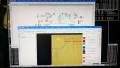
June 7, 1926 for just Eagle (cloud based versions) only. I have a paid sub to Fusion that's Eagle based for the PCB software what won't be EOL. We will see what happens next year but EasyEDA will likely be my alternative as they have a Linux version.

1756933217610.png
It's easy to hand route (and lock) the sensitive/high speed signals and to let the autorouter do the rest of the grunt work.
 

Thread Starter

rpschultz

Joined Nov 23, 2022
808
I tried EasyEDA, wanted to like it due to easy integration with JLC, but the file structure (online or not) was confusing to me. Maybe I missed how easy its suppose to be.

my intent isn’t to solder SMT myself, but to design and have JLC fab them with most components pre soldered.

so it probably comes down to EasyEDA or kicad.
 

nsaspook

Joined Aug 27, 2009
16,251
I tried EasyEDA, wanted to like it due to easy integration with JLC, but the file structure (online or not) was confusing to me. Maybe I missed how easy its suppose to be.

my intent isn’t to solder SMT myself, but to design and have JLC fab them with most components pre soldered.

so it probably comes down to EasyEDA or kicad.
Easy is relative. Kicad seems like hot grits down your pants. Painful to GROK (not the AI).
 

Jon Chandler

Joined Jun 12, 2008
1,560
Kicad seems like hot grits down your pants.
Somehow I have that reaction to software that started as Linux based. The documentation seems to assume you already know everything about the program before you start.

I started laying out circuit boards with Eagle – I always told people whether you were familiar with Windows, Linux or Mac, Eagle has a certain German mentality that won't make any sense
 

drjohsmith

Joined Dec 13, 2021
1,549
Just to say wow, not used eagle cad for a long time , did not know it was going eol.
shocked. thank you for flying so high for so long ,
 

Thread Starter

rpschultz

Joined Nov 23, 2022
808
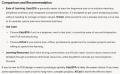
Grok (the AI guy) thinks easyEDA is easier to learn.

I have been using Kicad for a bit to edit footprints of Eagle designs. I think I should give easyEDA another shot, spend some time trying to learn it. Because my goal is SMT assembly at JLC, it should be better for me.

1756986551762.png
 

panic mode

Joined Oct 10, 2011
4,864
June 7, 1926 for just Eagle (cloud based versions) only. I have a paid sub to Fusion that's Eagle based for the PCB software what won't be EOL. We will see what happens next year but EasyEDA will likely be my alternative as they have a Linux version.
It's easy to hand route (and lock) the sensitive/high speed signals and to let the autorouter do the rest of the grunt work.
year 1926?

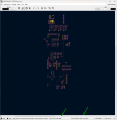
KiCad also runs on Linux, Mac, Windows... allows locking things, grouping etc. but the Freeroute is slow as molasses. granted it is my first time running it so using all defaults. medium size board with just handful of parts but it is on it for more than 30min and after 85 passes still has 260 unrouted signals. feels like it runs on a C64. so if the automatic routing is something you care about, KiCad is probably not what you want.

1756991757477.png
 

nsaspook

Joined Aug 27, 2009
16,251
Somehow I have that reaction to software that started as Linux based. The documentation seems to assume you already know everything about the program before you start.

I started laying out circuit boards with Eagle – I always told people whether you were familiar with Windows, Linux or Mac, Eagle has a certain German mentality that won't make any sense
It grows on you, worth the effort if you also use fusion for models.
 

Jon Chandler

Joined Jun 12, 2008
1,560
I recommend standard – I find it easiest to use and the interactive iBOM extension is great. It shows a picture of the board and BOM. Highlighting a line in the BOM shows every location of that component.
 

Thread Starter

rpschultz

Joined Nov 23, 2022
808
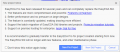
Here's what EDA says when I try to create a new project in STD. Seems like they want you to use Pro. The video tutorials for STD are 5 years old, Pro are very current.

1757090482180.png
 
Top