Eagle Ground Plane

Thread Starter

rpschultz

Joined Nov 23, 2022
808
Hi,

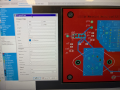
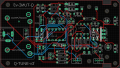
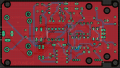
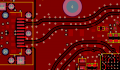
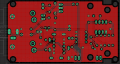
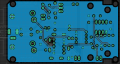
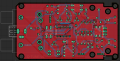
I'm learning about ground planes. I have created a GP on both top and bottom layers. But now all my components are visibly under the GP, whereas if I create new components they are visibly above the GP which seems preferable. Is this a layer thing? I can't figure out how to move it above the GP.
Also for some reason when I try to create a via to connect them, it doesn't work.
Any other GP suggestions would be appreciated.

Thanks!
1737399426950.png
 

ronsimpson

Joined Oct 7, 2019
4,646
I think you are looking from the bottom side of the board.
You might have been placing parts on the bottom side?

Also for some reason when I try to create a via to connect them, it doesn't work.
You might have different names for the two ground nets.
The 9V connector on the left side should connect to ground, I think, and it does not.

I think you have made a GP that does not connect to any point in you schematic. Is this what you want?
 

nsaspook

Joined Aug 27, 2009
16,250
Hi,

I'm learning about ground planes. I have created a GP on both top and bottom layers. But now all my components are visibly under the GP, whereas if I create new components they are visibly above the GP which seems preferable. Is this a layer thing? I can't figure out how to move it above the GP.
Also for some reason when I try to create a via to connect them, it doesn't work.
Any other GP suggestions would be appreciated.

Thanks!

View attachment 340821
What is the name/label (GND/VSS/?) for the ground planes?

Example of top, bottom and via called 0V (common for opamp +- supplies)

1737401623380.png
1737401638828.png
1737401653281.png
 

Thread Starter

rpschultz

Joined Nov 23, 2022
808
I think you are looking from the bottom side of the board.
You might have been placing parts on the bottom side?


You might have different names for the two ground nets.
The 9V connector on the left side should connect to ground, I think, and it does not.

I think you have made a GP that does not connect to any point in you schematic. Is this what you want?
No, I want the GP to function like it should.
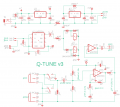
I redid all the grounds in the schematic and named them GND. Now 9v ground, etc. seem to be connected. IC1 pin 4, regulator, caps, etc.

1737402098634.png

1737402112770.png

Do I need to create a VIA to connect top/bottom directly?
 

Thread Starter

rpschultz

Joined Nov 23, 2022
808
When I create a via (on vias layer), and put name it GND, it doesn't create a hole. Do I need to create the hole too?

1737402493264.png
 

eetech00

Joined Jun 8, 2013
4,704
I don't use kicad but other PCB tools, but if you setup the plane so that it is attached to the "ground net", then when you add the plane, all the pins previously connected to a trace that is connected to "ground net", should then automatically have the pin pad replaced with a thermal pad imbedded into the new ground plane.
So...if you want two separate ground planes, you have to use different net names and assign each net name to the corresponding plane BEFORE applying the plane.

BTW-
You shouldn't have to add vias to connect the upper and lower ground planes on a thru hole PCB. The component ground pins do that.
 

eetech00

Joined Jun 8, 2013
4,704
This is Eagle, not kicad. Maybe they are the same in this regard.
I think the setup sequence would be the same ( i've used a few)
Setup the plane parameters before applying the plane (including associating the net with the plane).
Then, everything else should happen automatically when you apply the plane.
 

Thread Starter

rpschultz

Joined Nov 23, 2022
808
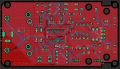
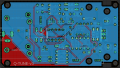
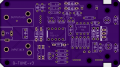
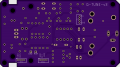
I generally think I am getting the hang of GPs, except for the VIA that connects the upper/lower boards. I added a VIA upper left under the word OUTPUTJACK, put it on the GND net. But when I ratsnest (lower picture), it doesn't show the hole in the GP. Not sure what I'm doing wrong.

1737568781565.png

1737568736940.png
 

Thread Starter

rpschultz

Joined Nov 23, 2022
808
I guess I'm not sure a connecting via is necessary with Thru-hole since all the grounds are connected via their holes to both sides. Maybe for SMD it is necessary to create a via between ground planes?!?
 

Thread Starter

rpschultz

Joined Nov 23, 2022
808
Good point. You're right about the via it has a hole even though it doesn't show on the Eagle .brd. I also don't think it's necessary since all the ground points are connected both top/bottom. You can see the grounds on the 9v DC jack, and the transistors on both sides have 4 connecting points:

1737571488845.png

1737571511365.png
 

nsaspook

Joined Aug 27, 2009
16,250
Good point. You're right about the via it has a hole even though it doesn't show on the Eagle .brd. I also don't think it's necessary since all the ground points are connected both top/bottom. You can see the grounds on the 9v DC jack, and the transistors on both sides have 4 connecting points:

View attachment 340993

View attachment 340994
It's not necessary for simple, low power DC because of component connections with plated through-holes but there are other via considerations once you get to high frequency signals where your entire ground surface as a uniform point connection stops being true.
 

ronsimpson

Joined Oct 7, 2019
4,646
You probably don't need to know this.

If you were working RF then you need to stick the two grounds together. At 5ghz a trace has a delay. The coper at the top of the picture is connected to the middle and bottom by many VIAs
1737573322401.png
If you were working power. 100s of amps, use many vias. See the wide traces. Probably all layers are connected in parallel to reduce the resistance.
1737573511015.png
 

Thread Starter

rpschultz

Joined Nov 23, 2022
808
You probably don't need to know this.

If you were working RF then you need to stick the two grounds together. At 5ghz a trace has a delay. The coper at the top of the picture is connected to the middle and bottom by many VIAs

If you were working power. 100s of amps, use many vias. See the wide traces. Probably all layers are connected in parallel to reduce the resistance.
You're right, I'll never be working with high frequency or current. But it's super interesting and gives me perspective on the larger realm of electrical engineering and PCB layout. Thanks for sharing.
 

Thread Starter

rpschultz

Joined Nov 23, 2022
808
Does Eagle have 3D view now? Where you can see the parts. It is good to look and see if the parts are touching.
I think the full Eagle/Fusion is 3D. But I have not used it that way yet. Yes that would be great to see a 3D layout. Now I model it separately in CAD.
 

Thread Starter

rpschultz

Joined Nov 23, 2022
808
On this project, we've determined that there is a 5khz (or 10hz?) noise coming from the CYD. The solution is to have a separate regulator and keep the ground for it separate from everything else. So most of the components (op amp, relay, audio jacks, etc) will be on the ground plane GND. But the CYD regulator and caps will be on it's own trace (to power CYD) and then tied back to the 9v source. The only way I can keep them separate in Eagle is to separate them by using a 1R resistor. Is this the right way to do it?

1738088625447.png
 
Last edited:

ronsimpson

Joined Oct 7, 2019
4,646
Again I have not used Eagle recently.
In KiCAD, If I needed two blue grounds that should be connected together at the bottom. I might make three rectangles of "Ground" (same net) Let them overlap.
I drew this in paint not CAD. All there should be the same color.
OR
I can make very complex shapes of fill.
OR
I have also used a keep-out to make a slot in a ground fill.
Just some ideas. Hope this helps.
1738090618369.png
---edited----
I have used the resistor trick. Ground1 and Ground2.
 

Thread Starter

rpschultz

Joined Nov 23, 2022
808
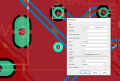
Someone suggested we shouldn't have GP between capacitor leads of power rails. OK, but how do you prevent Eagle from creating a GP in those situations? I increased the autorouter spacing to 0.5mm, here is what I have. On electrolytic caps it doesn't have a GP between leads (due to the spacing constraint), but on MLCC's and Film it does.

1738456958028.png
1738456974983.png

1738457001938.png
 
Top