Facebook
 Google
 GitHub
 Linkedin
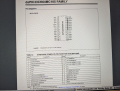
I am using dsPIC33CK32MC102 SSOP package , I have code and its hex file ready. I made the connections for the controller those are as follows
1) pullup resistor of 5.5kohm for MCLR pin and 100 ohm between pullup and MCLR pin
2) 0.1 uF ceramic capacitor between VDD and VSS as told in datasheet
I am using PICKIT 4 for programming where the pin are connected as follows
MCLR = pin 27
VDD = pin 20
VSS = pin 19
PGD = pin17
PGC = pin 18
the connections are perfect and no wire is bas solder
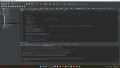
when i plug usb to laptop and click "connect" it says following error and connects any how
Target Device ID (0x0) is an Invalid Device ID. Please check your connections to the Target Device.
UDID1 = 000000
UDID2 = 000000
UDID3 = 000000
UDID4 = 000000
UDID5 = 000000
==============================================================================================================
after this when i click "program" it gives following error
Programming did not complete.
You are trying to change protected boot memory. In order to do this you must select the "Boot, Secure and General Segments" option on the debug tool Secure Segment properties page.
Then in settings > secure segment > segments to be programmed > Boot,General and Config segment is selected
after this when i click "program" it gives following error
[ Pgm ] at 0x0, expected 0x00040200, got 0x00000000.
You have set the program speed to Normal. The circuit on your board may require you to slow the speed down. Please change the setting in the tool properties to low and try the operation again.
Programming did not complete.
Then in settings > PICKIT4 tool options > programming speed > low selected
after this when i click "program" it gives following error
[ Pgm ] at 0x0, expected 0x00040200, got 0x00000000.
Programming did not complete.
=================================================================================================================
Also this approach
Target Device ID (0x0) is an Invalid Device ID. Please check your connections to the Target Device.
UDID1 = 000000
UDID2 = 000000
UDID3 = 000000
UDID4 = 000000
UDID5 = 000000
After this i click "erase" followed by "read" it says
Read complete
Warning: Debug bit is set on target image. This may not run correctly in production.
Now if i hit "program" it says following warning
Memory Image changed do you wish to continue programming device
selecting yes it programs successfully but i dont know what has he program its more like a blank file is been programmed
The following memory area(s) will be programmed:
program memory: start address = 0x0, end address = 0x5eff
configuration memory
Programming/Verify complete
2023-08-02 15:58:58 +0530 - Programming complete
*** Hold In Reset mode is enabled ***
=================================================================================================================
checking CLKO clock output also gives a constant voltage level
I am using external 3.3V supply for VDD
The #pragma DEBUg = OFF/ON whatever it is ,its not avaliable in config file for this controller
Also this controller doesnt have VCAP pin
If anyone has experienced it before their response would be appericiated
Also is it a hardware related error, software related ?
Mod: link to old thread
https://forum.allaboutcircuits.com/...h-expected-device-id-0xe20.101203/post-761505
1) pullup resistor of 5.5kohm for MCLR pin and 100 ohm between pullup and MCLR pin
2) 0.1 uF ceramic capacitor between VDD and VSS as told in datasheet
I am using PICKIT 4 for programming where the pin are connected as follows
MCLR = pin 27
VDD = pin 20
VSS = pin 19
PGD = pin17
PGC = pin 18
the connections are perfect and no wire is bas solder
when i plug usb to laptop and click "connect" it says following error and connects any how
Target Device ID (0x0) is an Invalid Device ID. Please check your connections to the Target Device.
UDID1 = 000000
UDID2 = 000000
UDID3 = 000000
UDID4 = 000000
UDID5 = 000000
==============================================================================================================
after this when i click "program" it gives following error
Programming did not complete.
You are trying to change protected boot memory. In order to do this you must select the "Boot, Secure and General Segments" option on the debug tool Secure Segment properties page.
Then in settings > secure segment > segments to be programmed > Boot,General and Config segment is selected
after this when i click "program" it gives following error
[ Pgm ] at 0x0, expected 0x00040200, got 0x00000000.
You have set the program speed to Normal. The circuit on your board may require you to slow the speed down. Please change the setting in the tool properties to low and try the operation again.
Programming did not complete.
Then in settings > PICKIT4 tool options > programming speed > low selected
after this when i click "program" it gives following error
[ Pgm ] at 0x0, expected 0x00040200, got 0x00000000.
Programming did not complete.
=================================================================================================================
Also this approach
Target Device ID (0x0) is an Invalid Device ID. Please check your connections to the Target Device.
UDID1 = 000000
UDID2 = 000000
UDID3 = 000000
UDID4 = 000000
UDID5 = 000000
After this i click "erase" followed by "read" it says
Read complete
Warning: Debug bit is set on target image. This may not run correctly in production.
Now if i hit "program" it says following warning
Memory Image changed do you wish to continue programming device
selecting yes it programs successfully but i dont know what has he program its more like a blank file is been programmed
The following memory area(s) will be programmed:
program memory: start address = 0x0, end address = 0x5eff
configuration memory
Programming/Verify complete
2023-08-02 15:58:58 +0530 - Programming complete
*** Hold In Reset mode is enabled ***
=================================================================================================================
checking CLKO clock output also gives a constant voltage level
I am using external 3.3V supply for VDD
The #pragma DEBUg = OFF/ON whatever it is ,its not avaliable in config file for this controller
Also this controller doesnt have VCAP pin
If anyone has experienced it before their response would be appericiated
Also is it a hardware related error, software related ?
Mod: link to old thread
https://forum.allaboutcircuits.com/...h-expected-device-id-0xe20.101203/post-761505
Attachments
-
 290.6 KB Views: 1
Last edited by a moderator: