Facebook
 Google
 GitHub
 Linkedin

A while ago I posted here about my GSM project using SIM900A where I accidentally designed it for 5V and had to fix it with a diode drop hack (thread link: [old thread]) — thanks again to everyone who helped me out there .
Now I’ve got another issue:
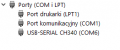
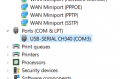
I have successfully installed the bootloader on my custom Arduino board using another arduino, but when I connect it to the PC via USB, it’s not showing up at all.
i only connected the arduino for now. The Sim900 is not connected yet
Any help or suggestions would be really appreciated
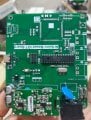
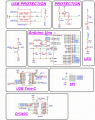
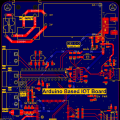
Now I’ve got another issue:
I have successfully installed the bootloader on my custom Arduino board using another arduino, but when I connect it to the PC via USB, it’s not showing up at all.
- I measured the voltage on the Arduino board: ~4.25 V
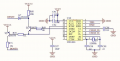
- I’m using the CH340C USB-to-UART IC (supply range 3.3–5 V)
- I already installed the CH340 drivers on my PC
- The TX pin blinks once when I press reset
- Voltage at CH340 pin is around 3.3 V
i only connected the arduino for now. The Sim900 is not connected yet
Any help or suggestions would be really appreciated