arduino uno freezes

Thread Starter

marcolisi

Joined Nov 18, 2008
20
Hi guys. Is there a reason why my arduino uno freezes after a few minutes of running with power coming from a usb cable connected to my pc?


C:
#include <GY6050.h>
#include <Wire.h>
#include <VarSpeedServo.h>

#define angle1 20
#define angle2 90

#define Sensor_BL A0
#define Sensor_BR A1

VarSpeedServo servo;


GY6050 gyro1(0x68);
GY6050 gyro2(0x69);

int X = 0;
int Y = 0;

int y1_axis = 0;
int y2_axis = 0;

int sensorBL;
int sensorBR;

int speed = 0;
int angle = 0;

int prev_y1_axis = 0;
int y1_hold = 0;
unsigned long timer;
int start = 1;
byte step = 0;
String steps ,  laststep;
int freq;

void setup() {
  Serial.begin(9600);
  Wire.begin();
  gyro1.initialisation();
  gyro2.initialisation();
  delay(100);
  servo.attach(8);
  servo.write(90);
}

void loop() {
  y1_axis = gyro1.refresh('A', 'Y');
  y2_axis = gyro2.refresh('A', 'Y');
  sensorBL = analogRead(Sensor_BL);
  sensorBR = analogRead(Sensor_BR);

  //0 right  - 90 centr - 180 left

  if (sensorBL > 250) {
    speed = map( sensorBL , 0 , 1023 , 0 , 255);
    if (sensorBL < 700) { //less pressure 90+20=110
      servo.write(95 , speed);
      angle = 95;
    }
    else if (sensorBL > 700) { //more pressre 90+90 = 180
      servo.write(105 , speed);
      angle = 105;
    }
  }
  else if (sensorBR > 250) {
    speed = map( sensorBR , 0 , 1023 , 0 , 255);
    if (sensorBR < 700) {
      servo.write(95 , speed);
      angle = 95;
    }
    else if  (sensorBR > 700) {
      servo.write(105 , speed);
      angle = 105;
    }
  }
  else if ((start == 0 || millis() - timer > 800) && y1_axis > -90 && y1_axis < 20 && y2_axis > -90 && y2_axis < 20 && sensorBL < 10 && sensorBR < 20) //flat dead end no servo movement - center position -  can we separate on different lines the pressure sensor and accell so that I can set the dead end value separately for the press sens and acc ?
  {
    servo.write( 85 , 15);
    //Serial.println("Servo goes to zero");
    start = 1;
    step = 0;
    angle = 0;
    steps = "0";
  }
  else if ((y1_axis < 60 & y1_axis >40) && (step == 0 || step == 2))
  {
    step = 1;
    steps = "1";
  }
  else if ((y2_axis < 55 & y2_axis > 40) && (step == 0 || step == 1))
  {
    step = 2;
    steps = "2";
  }

  if (!steps.equals(laststep)) {

    if ((step == 1 || step == 2)  &&  millis() - timer <= 700) {
      if (freq > 1) {
        servo.write(70 , 20);
        angle = 70;
      }
      else {
        servo.write(78 , 20);
        angle = 78;
      }
      freq++;
    }
    else if ((step == 1 || step == 2 &&  millis() - timer > 750)) {
      servo.write(78 , 20);
      angle = 78;
      freq = 0;
    }

    timer = millis();
  }
  //Serial.println("Y1: " + String(y1_axis) + " Y2: " + String(y2_axis) + " S1: " + String(sensorBL) + " S2: " + String(sensorBR) + " Millis: " + String(millis() - timer) + " Step: " + String(steps) + " Last: " + String(laststep) + " Angle: " + String(angle));
  Serial.println("Millis: " + String(millis() - timer) + " Angle: " + String(angle));

  laststep = steps;

}
Moderators note : used code tags
 

MrChips

Joined Oct 2, 2009
34,829
There could be any number of reasons why an MCU freezes:

1) Noisy or unstable power supply
2) Inadequate power supply decoupling
3) Over or under voltage on any I/O pin that triggers CMOS latchup
4) Faulty system clock
5) Faulty RESET or brown-out detection
6) Bad programming
7) Unstable hardware
8) Extremely harsh electrical environment

Judging from your code, you are using servo motors. This puts the application in category (8).
 

pmd34

Joined Feb 22, 2014
529
How are you doing the serial communications? It could be that you have filled the buffer of whatever you are sending the serial data to, and your Arduino is waiting until it is cleared so it can send the next lot of data.
This depends on if the Arduino has a ready to receive data connection, or if it is just blindly sending out data.
 

Thread Starter

marcolisi

Joined Nov 18, 2008
20
How are you doing the serial communications? It could be that you have filled the buffer of whatever you are sending the serial data to, and your Arduino is waiting until it is cleared so it can send the next lot of data.
This depends on if the Arduino has a ready to receive data connection, or if it is just blindly sending out data.
I am not sure how I am doing the serial communications. Not sure how to answer the question because I do not understand it. I have no experience in arduino.

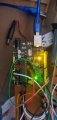
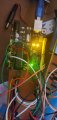
What I know is that there are 2 fixed yellow lights turned on on my arduino.
The lights remains on if the arduino works. When the arduino freezes, 1 of the 2 lights turn off and the yellow light that turns off is the one farther from the reset button of the arduino
 

Attachments

Thread Starter

marcolisi

Joined Nov 18, 2008
20
There could be any number of reasons why an MCU freezes:

1) Noisy or unstable power supply
2) Inadequate power supply decoupling
3) Over or under voltage on any I/O pin that triggers CMOS latchup
4) Faulty system clock
5) Faulty RESET or brown-out detection
6) Bad programming
7) Unstable hardware
8) Extremely harsh electrical environment

Judging from your code, you are using servo motors. This puts the application in category (8).
Hi. What is the solution for point 8) ?
 

atferrari

Joined Jan 6, 2004
5,012
It seems that it is accepted with no further questions that it is just a power problem.

Does the freezing occur at a fixed period after starting? Maybe software.
 

Thread Starter

marcolisi

Joined Nov 18, 2008
20
It seems that it is accepted with no further questions that it is just a power problem.

Does the freezing occur at a fixed period after starting? Maybe software.
I am not sure if it is a power problem. The freezing happens at random times. It can be after 5 minutes or 20 minutes of running the program.
 

Thread Starter

marcolisi

Joined Nov 18, 2008
20
The solution maybe to power the Arduino from one power source and the servo motors from a different power source.
I have tried that but I am doing something wrong because the servo are not being powered by the other power. I use 4 x AA batteries to power the servo
 

djsfantasi

Joined Apr 11, 2010
9,237
I couldn’t see the details on my phone, but using Strings incorrectly can cause freezes.

You can remove strings from your program or review their use carefully.
 

pmd34

Joined Feb 22, 2014
529
I am not sure how I am doing the serial communications. Not sure how to answer the question because I do not understand it. I have no experience in arduino.

What I know is that there are 2 fixed yellow lights turned on on my arduino.
The lights remains on if the arduino works. When the arduino freezes, 1 of the 2 lights turn off and the yellow light that turns off is the one farther from the reset button of the arduino
Depending on how the board is set up.. when you "Serial.println".. serial data will be sent from one micro-controller to the other micorcontroller and down the USB cable... this second microcontroller will have a certain amount of memory to store the data you send it, but it needs to empty that "buffer" down the USB cable from time to time. If you do not actively collect this data from with your PC the buffer will simply fill up, and it is likely it will then tell the microcontroller you are programming that it must wait before it can accept any more data... so it will then freeze all actions until it has managed to send some more data.

To check this simply comment out all your "Serial.println" - serial communication commands, and see if it solves the problem... or once it is in the frozen state.. collect the data from your serial port using something like "realterm".

Iterference, problems with the powersupply etc.. will 9 times out of 10 simply cause a reset, your problem appears to be that you are getting stuck in a loop somewhere and are unable to get out of it.

You can also implement the "watchdog timer" which will automatically reset the MC after a certain period, but if it IS the serial communication problem, it will simply happen again.
 

MrChips

Joined Oct 2, 2009
34,829
Does any chip in your system get hot when the system freezes?
This would be an indication of CMOS latchup.

CMOS latchup can happen for many different reasons. For example, if you have a large capacitance on an input pin and there is a sudden drop on the power supply line, then the voltage on the input pin would be greater than that on the Vcc input. This would trigger CMOS latchup which puts the chip into a short circuit mode across the supply rails. The chip gets hot very quickly.
 

djsfantasi

Joined Apr 11, 2010
9,237
More on Strings. The data type is notoriously buggy. Memory corruption occurs. I’d research it yourself (meaning I don’t have a link for you readily available.) Corruption can overwrite your code looking like the MCU has frozen.
 

MrChips

Joined Oct 2, 2009
34,829
You have many incidences of code like this:
Code:
    if ((step == 1 || step == 2)  &&  millis() - timer <= 700)
I have no idea of the order of execution and I would never want to guess. Use braces to make sure you force the compiler to get it right.
 
Top