why can I not reset a cd4017?

Thread Starter

matelot

Joined Apr 15, 2013
44
I often supply members of my model club with small circuits.
One of the common ones is a simple flasher, I use a 555 timer and a few discrete components.
I have been asked recently to produce a flasher that gives two flashes on each of the leds, not difficult, use a decade counter, put two outputs via diodes to an led for each flasher. Use outputs 0 and 2 for one led and 4 and 6 for the other.
The pulses aren't even, I get left flash, left flash, right flash, right flash, pause, pause, left flash, left flash etc.
Answer? Use an output to rest the chip.
If I connect the reset to output 7 nothing changes, if I connect the reset to output 6 I get left,left, right, pause, pause, left etc, in other words the connection to output 6 resets the chip. UPDATE - NO IT DOESN'T IT JUST STOPS 6 FROM FLASHING.
Duff chip? I have purchased a new one and it is the same.
If I put an LED on pin 8 (with load resistor) it still flashes if I connect output 7 to the reset but not if I connect output 6?
If I put an LED on pin 7 it flashes so both 7 and 8 are giving an output.
Is it possible that just connecting the output to reset isn't enough.
UPDATE - DO I NEED CONNECT TO RESET IN SOME OTHER WAY?
I could just use different outputs but that doesn't answer my query :(
 

k7elp60

Joined Nov 4, 2008
562
It would be helpful if you could post a schematic of your complete circuit. The CD4017 takes a positive going pulse on pint 15 to reset it. The reset pulse needs to return to ground to allow the counter to continue counting.
 

AnalogKid

Joined Aug 1, 2013
12,131
C'mon, dude - After almost four years, do you really think someone can debug a circuit with multiple ICs without even a schematic, let alone photos of the assembly? By definition something is not wired correctly, so your description cannot be trusted. What would you need to determine what it is from 1000 miles away with no test equipment?

ak
 

MrChips

Joined Oct 2, 2009
34,814
Details , details, details.
You need to show a circuit schematic. Sometimes showing a well focused photo of your physical setup/breadboard might help to reveal the problem.
What is connected to pin-13, CLOCK INHIBIT?
What power source are you using to power your circuit?
Try putting a 0.1μF ceramic capacitor across pins 8 and 16, and a 10μF electrolytic capacitor across your power supply +ve and GND.
 

AlbertHall

Joined Jun 4, 2014
12,625
If I connect the reset to output 7 nothing changes
You are using a CD4017?
When you say reset connected to output 7, you mean pin 6 connected to pin 15 and nothing else connected to those pins?
It sounds as if the reset, pin 15, is shorted to ground. Do you still have a ground connection there from the start when you weren't connecting the reset to one of the outputs?
 

WBahn

Joined Mar 31, 2012
32,845
You really must think that we are wizards here. You tell us that you connect certain outputs to one LED and other outputs to another LED. You don't bother to tell us whether the connections are intended to turn the LED on when the outputs are HI or when they are LO -- we get to guess. Then you describe a pattern which, by definition, is not what you think it should be doing. But even your description of the pattern requires that we read your mind because you don't bother to tell us which LED is the left one and which is the right one.

At least post a picture of a schematic drawn on a napkin. Anything -- throw us a bone!
 

hp1729

Joined Nov 23, 2015
2,304
I often supply members of my model club with small circuits.
One of the common ones is a simple flasher, I use a 555 timer and a few discrete components.
I have been asked recently to produce a flasher that gives two flashes on each of the leds, not difficult, use a decade counter, put two outputs via diodes to an led for each flasher. Use outputs 0 and 2 for one led and 4 and 6 for the other.
The pulses aren't even, I get left flash, left flash, right flash, right flash, pause, pause, left flash, left flash etc.
Answer? Use an output to rest the chip.
If I connect the reset to output 7 nothing changes, if I connect the reset to output 6 I get left,left, right, pause, pause, left etc, in other words the connection to output 6 resets the chip. UPDATE - NO IT DOESN'T IT JUST STOPS 6 FROM FLASHING.
Duff chip? I have purchased a new one and it is the same.
If I put an LED on pin 8 (with load resistor) it still flashes if I connect output 7 to the reset but not if I connect output 6?
If I put an LED on pin 7 it flashes so both 7 and 8 are giving an output.
Is it possible that just connecting the output to reset isn't enough.
UPDATE - DO I NEED CONNECT TO RESET IN SOME OTHER WAY?
I could just use different outputs but that doesn't answer my query :(
Your description sounds good. Where did you get your chips from?
 

dl324

Joined Mar 30, 2015
18,329
Use outputs 0 and 2 for one led and 4 and 6 for the other.
The pulses aren't even, I get left flash, left flash, right flash, right flash, pause, pause, left flash, left flash etc.
Answer? Use an output to rest the chip.
If I connect the reset to output 7 nothing changes
With Q7 connected to reset, you should get:
Code:
Q0,   Q1,    Q2,   Q3,    Q4,    Q5,    Q6,    Q0
left, pause, left, pause, right, pause, right, left, ...
 

Thread Starter

matelot

Joined Apr 15, 2013
44
Well, I am surprised at the response. Thank you so much.

I actually solved the problem before I went to bed last night but more of that later.

I must admit I thought the question was detailed enough, I wasn’t asking for an account of what I was doing with the actual circuit, I was just asking if anyone knew if a reset on a 4017 needed anything more than just being fed with a high signal to cause it to reset.
hp1729 seems to be the only person who saw that.
Thank you to all of you for not reading, shaking your heads and walking away. In future I will keep your comments in mind and include drawings and a more detailed description when I am asking for help.

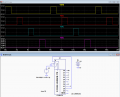
This is the image I was working from.


But if you look at the photo

there is a link from the pin 15 to the two caps to the bottom right hidden underneath the link from pin 14 to the 555. This is latching pin 15 to 0v. Remove this and the circuit works fine. With a link from pin 15 to pin 6 (output7).


Yes crutschow that is exactly what I want and with the modification in the lower picture that is what I have.
Thanks to everyone.
Bob.
 

absf

Joined Dec 29, 2010
1,968
Must comment that your breadboard is very well laid out and all the wires are very short and clear. This will help others to trouble shoot your problem much easily.

I hope all the beginners in this forum can learn from your good example........:cool:

Allen
 
Top