Facebook
 Google
 GitHub
 Linkedin

Well all this is what it take to make a nice button like this
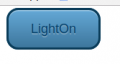
I used a tool for it its lot easier
http://livetools.uiparade.com/button-builder.html#
Code:
<style>.button {
   border: 2px solid #0a3c59;
   background: #3e779d;
   background: -webkit-gradient(linear, left top, left bottom, from(#65a9d7), to(#3e779d));
   background: -webkit-linear-gradient(top, #65a9d7, #3e779d);
   background: -moz-linear-gradient(top, #65a9d7, #3e779d);
   background: -ms-linear-gradient(top, #65a9d7, #3e779d);
   background: -o-linear-gradient(top, #65a9d7, #3e779d);
   background-image: -ms-linear-gradient(top, #65a9d7 0%, #3e779d 100%);
   padding: 10.5px 21px;
   -webkit-border-radius: 11px;
   -moz-border-radius: 11px;
   border-radius: 11px;
   -webkit-box-shadow: rgba(255,255,255,0.4) 0 1px 0, inset rgba(255,255,255,0.4) 0 1px 0;
   -moz-box-shadow: rgba(255,255,255,0.4) 0 1px 0, inset rgba(255,255,255,0.4) 0 1px 0;
   box-shadow: rgba(255,255,255,0.4) 0 1px 0, inset rgba(255,255,255,0.4) 0 1px 0;
   text-shadow: #7ea4bd 0 1px 0;
   color: #06426c;
   font-size: 12px;
   font-family: helvetica, serif;
   text-decoration: none;
   vertical-align: middle;
   }
.button:hover {
   border: 2px solid #0a3c59;
   text-shadow: #1e4158 0 1px 0;
   background: #3e779d;
   background: -webkit-gradient(linear, left top, left bottom, from(#65a9d7), to(#3e779d));
   background: -webkit-linear-gradient(top, #65a9d7, #3e779d);
   background: -moz-linear-gradient(top, #65a9d7, #3e779d);
   background: -ms-linear-gradient(top, #65a9d7, #3e779d);
   background: -o-linear-gradient(top, #65a9d7, #3e779d);
   background-image: -ms-linear-gradient(top, #65a9d7 0%, #3e779d 100%);
   color: #fff;
   }
.button:active {
   text-shadow: #1e4158 0 1px 0;
   border: 2px solid #0a3c59;
   background: #65a9d7;
   background: -webkit-gradient(linear, left top, left bottom, from(#7b98ab), to(#3e779d));
   background: -webkit-linear-gradient(top, #7b98ab, #65a9d7);
   background: -moz-linear-gradient(top, #7b98ab, #65a9d7);
   background: -ms-linear-gradient(top, #7b98ab, #65a9d7);
   background: -o-linear-gradient(top, #7b98ab, #65a9d7);
   background-image: -ms-linear-gradient(top, #7b98ab 0%, #65a9d7 100%);
   color: #fff;
   }</style>
I used a tool for it its lot easier
http://livetools.uiparade.com/button-builder.html#