Website building for internet of things

Thread Starter

Parth786

Joined Jun 19, 2017
642
Hi all
I am learning about internet of things. I am reading materials and following some tutorials. I want to know something about website for internet of things project. I have little bit knowledge of HTML code and I am trying to learn about CSS, bootstrap and java script because I found that these all very important part's of website building. These are frontend languages also I am learning java programming as backend. Now I have a lot of for studying

I am just confuse on starting point. I can make simple web page using HTML code. just let me take example of light lamp. suppose I want to make web page for light lamp I just want to know when & where to use css, bootstrap and java script in web page

My main goal is to learn use css bootstrap and java script for internet of things. Have you developed any website for internet of things? I don't know how do we design modern website for internet of things

Note : I have just taken example of lamp light . Please ignore it if it does not suit
 
Last edited:

WBahn

Joined Mar 31, 2012
32,883
@Parth786: You have a very pronounced habit of bouncing from topic to topic and trying to delve into fairly advanced topics without first making much headway on getting the fundamentals of programming down. As a result, in each case, you are confused with where to start. The problem is that your confusion stems primarily from not putting in the focus and effort to really learn the fundamentals of programming.

You would be much better off to stick to basic programming concepts until you are proficient with them.
 
Last edited:

Thread Starter

Parth786

Joined Jun 19, 2017
642
@Parth786: The problem is that your confusion stems primarily from not putting in the focus and effort to really learn the fundamentals of programming.

You would be much better off to stick to basic programming concepts until you are proficient with them.
I have started to learn from basic of programming. if you see this post. I have made some HTML page with proper understanding There you will find, I am not asking about any program

My question was "If I want to make website for internet of things, then what should i use css or bootstrap or java script ?

For example : I made following web page now I don't understand what I have to use css /javascript /bootstrap


HTML:
<html>
<body>
<title>Raspberry PI</title>
<h1>LED</h1>
<form>
        <input type="Button" value="Blink LED">
</form>
</body>
</html>
 

xox

Joined Sep 8, 2017
936
I would say forget about css and all those fancy libraries for now. You just need to know the basics of HTML and Javascript to get started on the client side of things. Choose a server framework and then stick with it. I prefer C++ personally, but for a beginner something like Python is probably more appropriate.
 
Last edited:

Thread Starter

Parth786

Joined Jun 19, 2017
642
I would say forget about css and all those fancy libraries for now. You just need to know the basics of HTML and Javascript to get started on the client side of things. Choose a server framework and then stick with it. I prefer C++ personally, but for a beginner something like Python is probably more appropriate.
Okay. I think when we start something, we should know why we are reading it. I am reading about css javas cript and bootstrap because these all use in making website for internet of things. I do not want to go into more detail I Just want to know what their use in making website. I know all of them have a different purpose, so when we need it we use it.

I started to search on Internet about programming of internet of things. I found that there are four languages used mostly HTML css java script and bootstrap. I didn't find specific reason why should we use it in making website for internet of things

My basic question is " what's purpose of css or java script or boot strap in making website for internet of things
 

Reloadron

Joined Jan 15, 2015
7,891
What you need to do is learn to swim in the shallow end of the pool. You want to learn webpage design and layout you start with learning the basics of HTML including the definition. Then once you have the early swim class down worry about things like CSS (Cascading Style Sheets) which is no more than a language allowing a presentation or for formatting of a page.

What you are doing is finding online examples and trying to program them into a Raspberry Pi using copy and paste and because you have no understanding of the basics you are drowning in the deep end of the pool. When you start at the beginning and learn the fundamentals they serve as building blocks or a foundation of things which come later. Internet of things is little more than a buzz word or catch phrase. "The Internet of things is the network of physical devices, vehicles, home appliances and other items embedded with electronics, software, sensors, actuators, and network connectivity which enables these objects to connect and exchange data". Until you learn software, sensors, actuators, and network connectivity as well as web page design you will be in over your head, it's a deep pool. Start with the basics and fundamentals and the rest will fall into place. There is no magic or simple answer to most of your questions.

Ron
 

Thread Starter

Parth786

Joined Jun 19, 2017
642
What you are doing is finding online examples and trying to program them into a Raspberry Pi using copy and paste and because you have no understanding of the basics you are drowning in the deep end of the pool.
I am totally disagree with your statement. I am defending myself because I am not posting someone others code and asking help for code. I have installed software IDE and I am doing practice on PC. I have started to study basic fundamental of languages. I write and test program program on my PC. I made some web page using HTML tag with proper understanding. I think its best way to about programming language.

If you read my whole post, you can find that I am asking only use of different languages for internet of things. I was not asking for any program. I thought, first i should find out purpose of different language (css/java script/ boot strap) for internet of things. That's the reason I made this thread. I mentioned my doubt clearly. I thought someone will tell me, that we will use css in this condition, we will use java script in this situation and we will use boot strap in this place with the reference of internet of things.
 
Last edited:

Reloadron

Joined Jan 15, 2015
7,891
I have read all of your post in several threads and my conclusion is the same as WBahn. You are asking questions like how to embed this in that and choosing not to start at the beginning learning HTML. Feel free to disagree all you wish it is not going to change anything. I am not the one trying to figure out the code for active buttons on a web page to make the Internet of things work. Good luck getting to wherever it may be you are going.

Ron
 

Thread Starter

Parth786

Joined Jun 19, 2017
642
I have read all of your post in several threads and my conclusion is the same as WBahn.
Good response, There are so many programs available on internet but I didn't copy & paste any program (for css java script, boot strap).

The purpose for which I started this thread did not complete. Majority is with you and I have been failed to explain my point. I was asking about use of programming language and I got response learn basic fundamental. I never refused to study basic fundamental. even this is my first thread about css, java script, boot strap
 
Last edited:

Reloadron

Joined Jan 15, 2015
7,891
Good response, There are so many programs available on internet but I didn't copy & paste any program (for css java script, boot strap).

The purpose for which I started this thread did not complete. Majority is with you and I have been failed to explain my point. I was asking about use of programming language and I got response learn basic fundamental. I never refused to study basic fundamental. even this is my first thread about css, java script, boot strap
I would have been able to offer you help but while I have a good handle on HTML and scripts like Java Script my abilities with other languages is limited and fortunately I survived a career without a need. What I have noticed is when looking at various code while I can't write it well I can "sort of" get a handle on what is going on.

There is nothing really wrong with a copy and paste and then look at the code, understand the code and finally modify or manipulate the code to get it to do what you want it to do. Long and frustrating way to get there but it works. Today for the most part I occasionally drag out an Arduino and mess around with it making me useless with a Raspberry Pi. :) Good code will always include well written remarks and comments which help others go a long way in understanding it.

Ron
 

Brian Griffin

Joined May 17, 2013
64
Internet of things is little more than a buzz word or catch phrase. "The Internet of things is the network of physical devices, vehicles, home appliances and other items embedded with electronics, software, sensors, actuators, and network connectivity which enables these objects to connect and exchange data". Until you learn software, sensors, actuators, and network connectivity as well as web page design you will be in over your head, it's a deep pool. Start with the basics and fundamentals and the rest will fall into place. There is no magic or simple answer to most of your questions.
Agreed - I've seen these "Internet of Things" and "Home Automation" being used and practised over and over again without a lot of (proper) understanding of basics by newcomers.

You try to look at the forum, occasionally it would be the excited new guys without experience who bought Pi (or other smart SBCs) and whatever and then ended up as a paper weight because they want a "quick way out" to do IoT or home automation, but didn't know they have to learn up the basics too!

A good experience working with microcontrollers and a good grasp of programming skills are more than enough to build such systems. Aha, and also - splitting the work into small parts. It's much easier that way! :)

On the example - first, light up the LED in Python in Pi. Get it working first! Then, figure out a way how to make the html to "launch" the Python script. Man, I think I may need to give this a try too - there's a Pi-0 W in my drawer, let me put this on desk, I'm itching to learn that on the weekend night! :)
 

Thread Starter

Parth786

Joined Jun 19, 2017
642
On the example - first, light up the LED in Python in Pi. Get it working first! Then, figure out a way how to make the html to "launch" the Python script. Man, I think I may need to give this a try too - there's a Pi-0 W in my drawer, let me put this on desk, I'm itching to learn that on the weekend night! :)
I have been turn on/off light on the raspberry using the python and PHP. I am just working to give good look for web pages
 

Thread Starter

Parth786

Joined Jun 19, 2017
642
Would you mind posting your code for that? Because last I saw you had done no such thing.
ohh This is my working code
Code:
<?php

if(isset($_POST['button']))
{
  system ("gpio -g mode 18 out");
  system ("gpio -g write 18  1");
}

else

{
  system ("gpio -g  write 18 0");
}
?>

<html>
<body>
     <form method="post">
     <p>
     <button name="button">ON</button>
     </p>
     <p>
    <button name="button2">OFF</button>
    </p>
   </form>
   </body>
  </html>
upload_2018-1-11_10-15-10.png
 

xox

Joined Sep 8, 2017
936
Well it's a start I guess. You should probably pull the mode-setting code outside of the if statement though. And only turn off the LED if the script detects 'button2' (otherwise it could lead to a potential bug). The final else clause could be used to report back the malformed request to the user, or what have you.
 

Thread Starter

Parth786

Joined Jun 19, 2017
642
Well it's a start I guess. .
That's what I was trying to say all of you from beginning. If you say my wab page doesn't look pretty. I said I want to make webpage attractive (using css, javascript and boot strap).

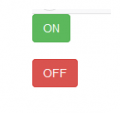
Look at this two pages. second one looks pretty

upload_2018-1-11_11-15-31.png

Any way I have stared to learn from bottom and trying to do my best
 
Last edited:

be80be

Joined Jul 5, 2008
2,395
Code:
<inputtype="button"value="click me"onclick="this.style.color='#000000';this.style.backgroundColor ='#ffffff'"/>
like that
Save this as button.html
click it and look at it with web browser
Code:
<!DOCTYPE html>
<html>
<head>
<body>
<a href='#' class='button'>LightOn</a>

<style>.button {
   border: 2px solid #0a3c59;
   background: #3e779d;
   background: -webkit-gradient(linear, left top, left bottom, from(#65a9d7), to(#3e779d));
   background: -webkit-linear-gradient(top, #65a9d7, #3e779d);
   background: -moz-linear-gradient(top, #65a9d7, #3e779d);
   background: -ms-linear-gradient(top, #65a9d7, #3e779d);
   background: -o-linear-gradient(top, #65a9d7, #3e779d);
   background-image: -ms-linear-gradient(top, #65a9d7 0%, #3e779d 100%);
   padding: 10.5px 21px;
   -webkit-border-radius: 11px;
   -moz-border-radius: 11px;
   border-radius: 11px;
   -webkit-box-shadow: rgba(255,255,255,0.4) 0 1px 0, inset rgba(255,255,255,0.4) 0 1px 0;
   -moz-box-shadow: rgba(255,255,255,0.4) 0 1px 0, inset rgba(255,255,255,0.4) 0 1px 0;
   box-shadow: rgba(255,255,255,0.4) 0 1px 0, inset rgba(255,255,255,0.4) 0 1px 0;
   text-shadow: #7ea4bd 0 1px 0;
   color: #06426c;
   font-size: 12px;
   font-family: helvetica, serif;
   text-decoration: none;
   vertical-align: middle;
   }
.button:hover {
   border: 2px solid #0a3c59;
   text-shadow: #1e4158 0 1px 0;
   background: #3e779d;
   background: -webkit-gradient(linear, left top, left bottom, from(#65a9d7), to(#3e779d));
   background: -webkit-linear-gradient(top, #65a9d7, #3e779d);
   background: -moz-linear-gradient(top, #65a9d7, #3e779d);
   background: -ms-linear-gradient(top, #65a9d7, #3e779d);
   background: -o-linear-gradient(top, #65a9d7, #3e779d);
   background-image: -ms-linear-gradient(top, #65a9d7 0%, #3e779d 100%);
   color: #fff;
   }
.button:active {
   text-shadow: #1e4158 0 1px 0;
   border: 2px solid #0a3c59;
   background: #65a9d7;
   background: -webkit-gradient(linear, left top, left bottom, from(#7b98ab), to(#3e779d));
   background: -webkit-linear-gradient(top, #7b98ab, #65a9d7);
   background: -moz-linear-gradient(top, #7b98ab, #65a9d7);
   background: -ms-linear-gradient(top, #7b98ab, #65a9d7);
   background: -o-linear-gradient(top, #7b98ab, #65a9d7);
   background-image: -ms-linear-gradient(top, #7b98ab 0%, #65a9d7 100%);
   color: #fff;
   }</style>
</body>
</html>
 
Last edited:

Thread Starter

Parth786

Joined Jun 19, 2017
642
like that
Save this as button.html
click it and look at it with web browser
I was just practicing with simple page. I have made this page with basic understanding, I was using HTML and CSS
upload_2018-1-12_14-4-44.png
HTML:
<!DOCTYPE html>
<html>
<head>
  <style>
body {background-color: powderblue;}
h2   {color: green;}
  </style>
</head>
<body>
<h2>LED Project</h2>
<button type="button">LED ON</button>
<br>
<br><button type="button">LED OFF</button>
</body>
</html>
How to change background color of buttons? I want to make green and red color
 
Last edited:
Top