ok once i have my components plotted on the veroboard, how do i show off board components like switches, potentiometers etc and their wired connection?
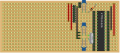
VeeCad is not offering 3D view, all you can get is arrangement of components, connections and cuts like here.
using PCB design software has a bit steeper learning curve but the results are so much better too.
the proper workflow (KiCad example though should apply to any other EDA) is:
use schematics editor to draw schematics
assign footprints (if not already assigned)
generate designators
create netlist
import netlist into PCB designer
setup board (shape, size, stackup, net classes)
arrange parts
route connections
some of those may be automated or transparent.
the alternate workflow (more similar to VeeCad workflow when not using netlist):
setup board
drop parts onto board
arrange parts
route connections.
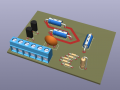
this will allow you to see 3D view and you can generate production files to order boards from any PCB fabricator.
but you will be missing out. the proper workflow is so much better....
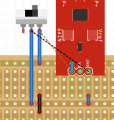
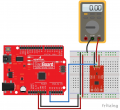
Here's another option i just stumbled across, this one lets you add off board components, i'm going to have a look at this and see if i like it better than VeeCad.

 Facebook
 Google
 GitHub
 Linkedin