It's starting to look like I may have been a little wrong in my thinking on the capacitors. This is one time I want to be proven wrong actually. I hope it works out.
I would think all you need is to find the battery wires put a 100 uf and feed them with 3.7 volts from the usb the cap would hold a little charge to look like there is a battery there but it would boot and run off the usb and think its charging most of theses will run if they have a little bit of battery charge
My LG takes like a second to boot with dead battery Ai said you need a cap with 8.33 mA of charge in it The 100 uf would be more then you probably need
It's starting to look like I may have been a little wrong in my thinking on the capacitors. This is one time I want to be proven wrong actually. I hope it works out.
My guess is that swapping the battery for a 4.2 volt regulated supply would be enough. The tablet would think it has a full battery and not attempt to charge it from USB.
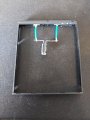
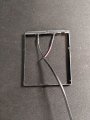
First test was a failure, but partially a success... I wired in one 220 uf capacitor. 220 uf is the thickest I can go without being thicker than the battery pack "case". If this works, thickness of the capacitors is the biggest problem. the Xcover6 has a removable battery, so it's way thicker than most smartphone batteries. The Onn Tablet, for being a tablet has a very thin battery
So, with the 220 uf wired in, the usual battery low warning came on (same as if there is no battery), BUT, after 30 seconds or so, If I try to power on the phone, the Samsung Fort Knox boot logo does show for about 3 seconds before vanishing and showing the low battery again.
I'm going to add in 22 uf in parrallel one at a time and see how many it takes. My fear is that the boot window on battery power is too for the Capacitor drain/fill cycle. Crossing fingers!
But, some progress and the phone didn't blow up! I could boot it like normal with a real battery in afterwards!
No luck. I added 220 uf up until I got to 660 uf and same thing. I also noticed that the Samsung partial boot happens even with no battery, so Samsung is 100% doing some sort of battery check or tests before it allows the boot to continue.
I'll keep my frankenstiened removable battery alone if anyone has any ideas. If not, I'll add a USB-A power only line in to see if I can at least replicate what I had with the Onn Tablet. The Capactiors would of been the cool, no additional cables, hopefully the direct USB power will still allow for a no battery option on the Samsung!
Last update. I managed to get the Samsung Xcover6 Pro working just like the Onn tablet. A USB-A power only cable wired directly to the BCM works great. However, just like the Onn tablet, I could not get it to work with a USB-C end.
I haven't used it enought to check if the battery decrements over time. For my use case (emergency use only), I don't care as the phone will be mostly powered off anyways.

 Facebook
 Google
 GitHub
 Linkedin