Trying to understand what makes one piece of C code faster than another

Thread Starter

Embededd

Joined Jun 4, 2025
131
I often see people saying things like "my code runs faster" or "your version is slower". But honestly, I don’t completely understand what makes one version faster than another especially when both seem to do the same thing.

For example, I wrote this simple string manipulation code (it works fine), but I’m interested to know :

  • In what situations would this kind of code be considered slow?
  • What exactly do people mean when they say "your code is slow" or "mine is faster"?
  • Are they talking about compiler optimization, loop structure, memory access, or something else?

Any explanation would be great

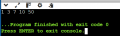
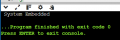
I wrote the code exactly the way the logic came to my mind.
C:
/******************************************************************************
* Program: Write a function that Swap first and last words in a string. Print the result
******************************************************************************/

#include <stdio.h>

void swapping(char name[])
{
    int i = 0;
    int j = 0;
    char temp[50];

    // Find the position of the first space.
    // We stop at the space because it separates the first and second words.
    while (name[i] != ' ')
    {
        i++;
    }

    // Copy everything after the space (the second word)
    // into temp[]. This builds the "last word" part of the final output.
    while (name[i] != '\0')
    {
        temp[j] = name[i];
        i++;
        j++;
    }

    // Add a space to separate the two swapped words.
    // Without this, both words would merge together.
    temp[j++] = ' ';

    // Reset i to 0 to start copying from the beginning again.
    // Now we’ll copy the first word (the one before the space).
    i = 0;
    while (name[i] != ' ')
    {
        temp[j] = name[i];
        i++;
        j++;
    }

    // Add null terminator to mark end of the new string.
    temp[j] = '\0';

    // Print the final swapped string.
    printf("%s", temp);
}

int main(void)
{
    char name[] = "Embedded System";

    swapping(name);

    return 0;
}
1760713009554.png
 
Last edited:

MrChips

Joined Oct 2, 2009
34,626
There are many reasons why two programs might have different execution times. Here are some reasons.

1) Raw processor speed. Two processors could be running at different clock frequencies.
2) Processor power. Do the processors have comparable execution cycles? Are the CPU architectures the same? Are instructions pipelined?
3) Is the word size suitable for the operation? How does an 8-bit operation compare with a 32-bit operation?
4) Hardware optimization. Is the hardware well suited to the task? Is the program performing floating-point operation instead of integer operation?
5) Compiler optimization. Is the compiler set for maximum optimization? Is the compiler using registers instead of memory locations?
6) Code optimization. Is pointer increment slower or faster than array index increment?
7) Algorithm efficiency. A sort program is a classic example. There are many different sort algorithms whose outcome differ depending on how the data is arranged.
 

panic mode

Joined Oct 10, 2011
4,864
performance can be measured and compared. one way is to run same routine X number of times in time T, then average for single execution is T/X

your code is trivial case only using single loop. this also means it scales linearly (lookup big O notation)
things get really interesting when you have nested loops, such as in sorting. and there you can see HUGE performance difference. they all perform same task of sorting data but performance varies drastically based on used logic.
 
Last edited:

Rf300

Joined Apr 18, 2025
72
First of all, don't worry about execution speed. If one says my code executes faster than yours, it is like "my car has more HP than yours". If your code runs fast enough for your requirements, everything is ok. Execution speed is NOT the one and only goal when writing software. In your case it is only for simple text output, so your algorithm is fine, it works and no problem if it needs some tens of microseconds more or less when executing. But if you identify some piece of code which is really time critical (because it is an interrupt routine or is called some 100,000 times in a loop) you should think about execution speed.

Unfortunately there are no general rules, how to write "fast" code. Depending on the problem sometimes look-up-tables are a good idea. When working with processors from the last millennium, like 8051, PIC and so on, it is useful to work with the smallest possible data size (int8 when possible or int16), also take into account where the data ist stored (internal or external memory). But with modern processors like ARM-Cortex, this is no problem anymore. Also never ever think about writing assembly code for modern processors. Write a good C-code and compile it with the option "optimize speed". The compiler will do the hard work for you and even better than you could.

In my opinion, writing "good" code means writing readable and understandable code. So a simple and easy algorithm is often better than a highly sophisticated solution. Just imagine the following situation: After 1 year you have to look at your code and you think: "What the heck were my thoughts, when I wrote this piece of code".
 

WBahn

Joined Mar 31, 2012
32,702
I often see people saying things like "my code runs faster" or "your version is slower". But honestly, I don’t completely understand what makes one version faster than another especially when both seem to do the same thing.
What "faster" means is somewhat context dependent.

Say you write Program A and I write Program B. Now say we have two computers that are not identical (perhaps are even very different), Computer 1 and Computer 2. And we run our programs twice, once using Input X and the other using Input Y. First, it only makes sense to compare the performance of the two programs when running them on the same machine on the same input. With that constraint, there are still all kinds of different results we could get. In addition to the possibility that mine runs faster (or slower) than yours regardless of which computer or input we use, it's quite possible that on both computes mine beats yours on one problem and yours beats mine on the other. It's also possible that on both problems, mine beats yours on one computer but yours beats mine on the other. There are other combinations, as well.

The point here is that the relative performance of two programs depends on more than just the source code. It can depend on the data itself, it can depend on the hardware it is being run on, it can also depend on which compiler and compiler options were used. So don't expect hard and fast universal answers to a question like yours.

Also, before going down a rabbit hole, you need to consider whether catching the rabbit is worth the effort. If your program works well enough to get the job done in an acceptable amount of time, then your time is probably better spent doing something other than trying to improve your code's performance. Engineers are notorious for wasting time, money, and effort fixing things that aren't broke, so before improving a solution that is already "good enough", consciously evaluate whether the benefit to be gained by any improvement is truly worth the costs associated in getting it. If chasing that rabbit is worthwhile because you hope to improve your problem solving and programming skills, then that might well be sufficient justification, but it should probably be done strictly on your own time unless you truly believe that you can convince your boss that they, and not the customer, need to pay you for it. This is true even in situations where you are doing it completely on your own and for your own edification and improvement (which, let's face it, most of us do a lot of that just because doing so falls under what our twisted minds classify as "fun").

Another thing to not lose track of -- performance isn't the only goal and, especially with the power of modern processors, is seldom the most important one (though there are certainly exceptions). Depending on the situation, a huge factor in determining what constitutes "good" code is how maintainable it is, as this is where the lion's share of time and money is spent on applications that are used for any length of time, especially ones that evolve over time to fix bugs or add new functionality. In these situations, speed is often one of the last concerns (as long as it is "fast enough") and is sacrificed ruthlessly in exchange for maintainability. In more one-off situations, such as writing a program to perform a specific task that only needs to be done a few times or for a short period of time, such as analyzing a data set or demonstrating some proof of concept capability, then both speed and maintainability might play a distance second-fiddle to getting the program up and working quickly.

Even in resource-starved environments, such as commonly encountered with embedded microcontrollers, speed is often sacrificed in order to reduce code size due to the very limited program memory that is commonly encountered.

  • In what situations would this kind of code be considered slow?
  • What exactly do people mean when they say "your code is slow" or "mine is faster"?
  • Are they talking about compiler optimization, loop structure, memory access, or something else?

Any explanation would be great
As noted previously, this is all highly context-sensitive. As others have noted, sorting algorithms are classic examples that are used to discuss a number of performance issues.

Consider Bubble Sort and QuickSort. Bubble Sort is, in general, a "slow" algorithm while Quicksort is a "fast" algorithm. As the size of the data set being sorted grows, the time required for Bubble Sort is typically much longer than Quicksort and the disparity generally gets worse quickly as the set grows even more. But this is highly data-dependent. If the data is almost sorted to begin with (which is commonly the case in some very important applications, such as streaming data), the Bubble Sort can outperform Quicksort by a decisive margin. Similarly, if the data sets tend to be very small, then the additional overhead and complexity of Quicksort can result in Bubble Sort outperforming it.

Another example in which seemingly innocuous differences in code can result in significant differences in performance are array operations. Say you have a two-dimensional array that you walk through using two nested loops. You write two versions of the program and, in one, the outer loop walks across the array row-by-row and the inner array walks across the columns in the current row. The other program is identical except that the outer loops walks across the array column-by-column with the inner loop walking down the rows in the current column. On the surface, there should be no difference, but in practice, one will often significantly outperform the other because it results in far fewer memory cache misses due to better spatial locality of memory access. Which is better depends on whether the programming language in use stores arrays row-major, or column-major.

The result is that, even given a specific program example, it can be difficult to make definite claims about the performance. But we can talk about things that would likely improve the performance, sometimes with caveats attached. As you examine more and more of these examples, you can start to develop a sense for patterns and guidelines that you can apply to new problems.

I wrote the code exactly the way the logic came to my mind.
This is not a bad way to start -- a program is worthless, no matter how fast, if it doesn't work correctly. So first focus on developing the logic needed to make it work, then start considering how to make it "better", according to whatever metric "better" is judged by (speed, size, maintainability, etc.).

Having said that, developing code on-the-fly as you are coming up with the problem-solving logic seldom results in particularly good code. You are usually better served by developing your algorithm separate from writing any code.

C:
/******************************************************************************
* Program: Write a function that Swap first and last words in a string. Print the result
******************************************************************************/

#include <stdio.h>

void swapping(char name[])
{
    int i = 0;
    int j = 0;
    char temp[50];

    // Find the position of the first space.
    // We stop at the space because it separates the first and second words.
    while (name[i] != ' ')
    {
        i++;
    }

    // Copy everything after the space (the second word)
    // into temp[]. This builds the "last word" part of the final output.
    while (name[i] != '\0')
    {
        temp[j] = name[i];
        i++;
        j++;
    }

    // Add a space to separate the two swapped words.
    // Without this, both words would merge together.
    temp[j++] = ' ';

    // Reset i to 0 to start copying from the beginning again.
    // Now we’ll copy the first word (the one before the space).
    i = 0;
    while (name[i] != ' ')
    {
        temp[j] = name[i];
        i++;
        j++;
    }

    // Add null terminator to mark end of the new string.
    temp[j] = '\0';

    // Print the final swapped string.
    printf("%s", temp);
}

int main(void)
{
    char name[] = "Embedded System";

    swapping(name);

    return 0;
}
Let's first consider your program from the standpoint of correctness.

A few things jump out immediately.

* (1) Your swapping() function declares a fixed-size array that can hold a 49-character string.

What if the pointer that you pass it points to a string with a hundred characters?

What if the string only has one word in it?

In either of these cases, you invoke undefined behavior because you access one or the other of your arrays outside its bounds.

* (2) You function doesn't actually modify anything, just prints something out.

Is this really useful? Perhaps, but if so, then why use a temporary array and copy things into it in the first place. Everything you need is sitting right there in the original string, you just need to determine what order to print the characters out in.

* (3) You are making assumptions about the input data, probably without realizing it.

(a) You are assuming that the string is NUL-terminated.

(b) You are assuming that the string has strictly fewer than 50 characters.

(c) You are assuming that the string contains a minimum of two words.

(d) You are assuming that the sentence does not begin with a space.

(e) You are assuming that the sentence does not end with a space.

(f) You are assuming that words are separated by a single space.

(g) You are assuming that any punctuation that follows a word should be moved along with that word.

(h) You are assuming that the string is not empty (i.e., that the first character isn't the NUL-terminator).

Assumption (a) is a hard one not to have to make, but some consideration should be given to the likelihood that it turns out not to be good, what the potential consequences are in that case, and whether they are acceptable.

Although (b) and (c) have already been discussed, all of the rest (b) through (h) are things that are completely dependent on whomever or whatever provides the string content, so it is probably not safe to rely on any of them holding, at least so far as preventing your program from invoking undefined behavior. If the only result is that the output is not what you would like, but no undefined behavior was invoked in the process of producing it, then that is far more tolerable. In some cases, such as a string starting or ending with a space or containing double spaces, you might be justified in asserting the GIGO (garbage-in, garbage-out) defense and saying that the user should provide cleaner input if they want the desired output. But what about punctuation? Is it really the case that we want "Hey, don't go there!" to become "there! don't go Hey,"?

* (4) Even assuming that all of the assumptions above are valid, your output begins with a space.

Is that really what you want?

Your comment says, "Copy everything after the space (the second word)", yet the first thing you do is copy the space. So what your code does is not consistent with the comment that documents what it claims to do.

Consider that all of the characters, including spaces, that you need to output are in the original string. So as soon as you find yourself having to add a space to keep the words from merging together, a red flag should go up and you should be asking yourself what happened to the space that was already there.

* (5) Your program only swaps the first and last words in the string when there are EXACTLY two words in the string.

Your top comment says that it swaps the first and last words in a string. But your program doesn't actually do this. It merely moves the first word to the end. Hence, (ignoring the issue of the extra space),

"Alice Bob Charles" becomes "Bob Charles Alice" and not "Charles Bob Alice".

-------------------------

These are all correctness issues that should be addressed before performance issues are considered -- and there are several performance issues that are worth discussing, but let's get the program working correctly, first.

To help push things in that direction, let me propose a more complete problem statement for you to target.

Write a function that takes a pointer to a string that is a properly-terminated character array (i.e., NOT a string literal -- there are demons that lurk in those waters) containing a (possibly empty) list of words, each word separated by exactly one space (with no leading or trailing spaces in the string). Other than spaces (and the NUL-terminator), all characters are treated equally (i.e., a punctuation mark that immediately follows a word is considered part of that word). The function should print out to the console a line containing the entire string except that the first and last words are swapped. The function should not return anything.

Notice that this covers the case of the empty string and a string containing just one word -- in both cases swapping the first and last words leaves you with the same string.

Go and work on this and get it working and then we can start discussing performance issues, of which there are some interesting ones that can be considered.

EDIT: Fix typos.
 
Last edited:

Thread Starter

Embededd

Joined Jun 4, 2025
131
7) Algorithm efficiency. A sort program is a classic example. There are many different sort algorithms whose outcome differ depending on how the data is arranged.
I’m interested in point 7, about algorithm efficiency, so I wrote this simple sorting function that’s supposed to sort numbers in increasing order.

It runs fine on my laptop, but I’d like your opinion, is this considered fast, or can it be made faster?

C:
#include <stdio.h>

void Sorting(int *ptr, int size)
{
    int i, j, temp;

    // Outer loop — controls how many passes are made
    // Each pass puts one element in its correct position
    for (i = 0; i < size; i++)
    {
        // Inner loop — compares the current element (i)
        // with all the elements that come after it (j)
        for (j = i + 1; j < size; j++)
        {
            // If the earlier element is larger, swap the two.
            // This ensures smaller values move toward the beginning.
            if (*(ptr + i) > *(ptr + j))
            {
                temp = *(ptr + i);
                *(ptr + i) = *(ptr + j);
                *(ptr + j) = temp;
            }
        }
    }

    // After sorting, print all elements to verify result
    for (i = 0; i < size; i++)
    {
        printf("%d ", *(ptr + i));
    }
}

int main(void)
{
    int array[] = {10, 50, 3, 1, 7};
    int size = sizeof(array) / sizeof(array[0]);

    // The function rearranges the elements in ascending order
    Sorting(array, size);

    return 0;
}
1760746400149.png
 

WBahn

Joined Mar 31, 2012
32,702
I’m interested in point 7, about algorithm efficiency, so I wrote this simple sorting function that’s supposed to sort numbers in increasing order.

It runs fine on my laptop, but I’d like your opinion, is this considered fast, or can it be made faster?

C:
#include <stdio.h>

void Sorting(int *ptr, int size)
{
    int i, j, temp;

    // Outer loop — controls how many passes are made
    // Each pass puts one element in its correct position
    for (i = 0; i < size; i++)
    {
        // Inner loop — compares the current element (i)
        // with all the elements that come after it (j)
        for (j = i + 1; j < size; j++)
        {
            // If the earlier element is larger, swap the two.
            // This ensures smaller values move toward the beginning.
            if (*(ptr + i) > *(ptr + j))
            {
                temp = *(ptr + i);
                *(ptr + i) = *(ptr + j);
                *(ptr + j) = temp;
            }
        }
    }

    // After sorting, print all elements to verify result
    for (i = 0; i < size; i++)
    {
        printf("%d ", *(ptr + i));
    }
}

int main(void)
{
    int array[] = {10, 50, 3, 1, 7};
    int size = sizeof(array) / sizeof(array[0]);

    // The function rearranges the elements in ascending order
    Sorting(array, size);

    return 0;
}
View attachment 357294
This is a form of Bubble Sort. When you ask if it can be improved, do you mean can you sort a list of numbers more efficiently even if it means a radically different approach, or do you mean can a Bubble Sort implementation be improved while still keeping it a Bubble Sort program? The answer to both is yes. This is actually a very inefficient Bubble Sort implementation.
 

BobTPH

Joined Jun 5, 2013
11,463
often see people saying things like "my code runs faster" or "your version is slower". But honestly, I don’t completely understand what makes one version faster than another especially when both seem to do the same thing
Seriously?

Program 1 is slower than program 2 if it takes longer to execute.

If you can’t see a difference because they both seem to execute instantly, the run each 1000 times, or 1 million times until you can see a difference.
 

Futurist

Joined Apr 8, 2025
720
I often see people saying things like "my code runs faster" or "your version is slower". But honestly, I don’t completely understand what makes one version faster than another especially when both seem to do the same thing.

For example, I wrote this simple string manipulation code (it works fine), but I’m interested to know :

  • In what situations would this kind of code be considered slow?
  • What exactly do people mean when they say "your code is slow" or "mine is faster"?
  • Are they talking about compiler optimization, loop structure, memory access, or something else?

Any explanation would be great

I wrote the code exactly the way the logic came to my mind.

C:
/******************************************************************************
* Program: Write a function that Swap first and last words in a string. Print the result
******************************************************************************/

#include <stdio.h>

void swapping(char name[])
{
    int i = 0;
    int j = 0;
    char temp[50];

    // Find the position of the first space.
    // We stop at the space because it separates the first and second words.
    while (name[i] != ' ')
    {
        i++;
    }

    // Copy everything after the space (the second word)
    // into temp[]. This builds the "last word" part of the final output.
    while (name[i] != '\0')
    {
        temp[j] = name[i];
        i++;
        j++;
    }

    // Add a space to separate the two swapped words.
    // Without this, both words would merge together.
    temp[j++] = ' ';

    // Reset i to 0 to start copying from the beginning again.
    // Now we’ll copy the first word (the one before the space).
    i = 0;
    while (name[i] != ' ')
    {
        temp[j] = name[i];
        i++;
        j++;
    }

    // Add null terminator to mark end of the new string.
    temp[j] = '\0';

    // Print the final swapped string.
    printf("%s", temp);
}

int main(void)
{
    char name[] = "Embedded System";

    swapping(name);

    return 0;
}
View attachment 357269
Without real metrics these claims are hot air. The only way to compare algorithms execution time is to test with a standard input and measure the execution time. Furthermore if the tests take a second or two, that can be hard to measure (actually measuring elapsed time, itself carries a cost).

Typically some algorithm might be tested in a loop, say a 100,000 iterations, that way might compare 1265 secs vs 1253 secs.

We can meaningfully compare those, but if we just iterated 1000 times we compare 12 with 12.

If the code does IO then that's a huge influence too.

An OS also complicates thing with schedulers and page faults etc.

Your swap code should be tested with a variety of inputs and then that test should be looped 1000 times, then you start to get real metrics, only under heavy use can we begin to see differences in elapsed time.

Tools today include profiling tools, these can track time spent inside functions across a complex system and tell you where the hot spots are and so on.

I use Visual Studio with the VisualGDB extension (which is very high quality) and the profiling capabilities are top notch.
 
Last edited:

simozz

Joined Jul 23, 2017
170
  • In what situations would this kind of code be considered slow?
  • What exactly do people mean when they say "your code is slow" or "mine is faster"?
  • Are they talking about compiler optimization, loop structure, memory access, or something else?
Assuming one architecture only and same operating conditions, so no comparison:

If a code takes for example a few seconds to execute for something that, based on prior experience, could be done in a few ms, it is of course slow.

If a compiled code A needs more time to finish its execution than another B, then code A is slower, less efficient etc. than B.
I remember a situation on this case, it was involving floating point divisions, let's see if I find the piece of code for A and B.

Memory access is crucial for efficiency and speed.
Take for example an RGB image: depending if it is interleaved or planar, you better avoid non contiguous memory access jumps as possible (a contiguous access is in general faster and can be better optimized by the compiler than having to compute next offset each time). There is an interesting PDF on this, I will look for it.
Loops can also be optimised as far as I know.

BTW I think @WBahn can address you into the right direction.
 

panic mode

Joined Oct 10, 2011
4,864
decades ago as i was a kid getting first taste of PC programming (XT machine with 5.25" floppy). i was thrilled, lets see what i can do on a machine built for business. task was simple - write program that asks for number 0-100, then creates file with that name and content is simply list of all 0-100 numbers comma separated but starting with number that was entered. once 100 was reached, rest of the numbers would be written starting with 0. file would be stored

enthusiastically i wrote the code, tested it and worked. it was doing exactly what was asked. but it was agonizingly slow - just like everyone else's. i was humbled by the simple exercise. that was the time of MS DOS 3.3, which did no such thing as cache write cycles and what i did not know at that moment is that writing single number or comma would actually write entire sector... on a slow floppy drive... so the things was screeching and screaming along and doing what was told to do.

i got the grade, lab time was up but I was not happy with that. so i started thinking how to do the same thing faster. it did not take long to realize that storing data in a string and then writing entire thing at once should be faster. and it did next time... this was a LOT faster...

today storage is massively faster, OS takes care of caching write operation so many things appear better even when one does naïve approach like i once did...

over the years i used different software and hardware many of them i don't even recall any more. but not all platforms are equal. once you step down from PC to an MCU, storing data to flash is essentially the same thing and each write adds to wear of the device.

so i agree with previous posts that one should focus on making programs that work. and... if performance is not adequate, see what can be done to speed things up to an acceptable level. don't waste too much time on it unless that is the actual requirement. nobody will complain about action taking 0.1sec longer... except in special cases where this really matters (like games).

there are many ways to get faster performance. before Pentium, most computers did not have FPU - because it was a separate chip and it it was not cheap. so many applications (and games) used various ways to get faster results by doing all kinds of tricks with integers. one powerful method was to not use floating point math at all and replace it with fixed point math - because this could be done on integers (with obvious limitations in numbers range). and with 32-bit CPUs that became fair game. and 32-bit CPUs already were massively more efficient than older ones (specially castrated 8088 which had to use 8-bit bus). many common instructions were processed on fewer clock cycles - not to mention much higher CPU clock rates.

single multiplication may be 10 clocks or so, a huge improvement over old XT machines that needed several times more (60-140 cycles). and division was costlier than multiplication. so if you had to divide by some fixed number and fast, it was better to program multiplication by reciprocal. and for multiplication by some other common values like 10, one could combine couple of shift and add operations and still be faster than actual multiplication.
 

WBahn

Joined Mar 31, 2012
32,702
single multiplication may be 10 clocks or so, a huge improvement over old XT machines that needed several times more (60-140 cycles). and division was costlier than multiplication. so if you had to divide by some fixed number and fast, it was better to program multiplication by reciprocal. and for multiplication by some other common values like 10, one could combine couple of shift and add operations and still be faster than actual multiplication.
How did you divide by 10 using shift and add operations? Was it guaranteed to produce the correct result (i.e., same result as performing an integer division by 10)?

I don't think it can be done exactly, but it doesn't have to be in order to produce the same result in all cases.

My thinking would be along the following lines:

y = z/10 = z * (2ⁿ/10) / 2ⁿ

The final division is just a right-shift by n. If we want to eliminate the multiplication, we want to find a value of n where 2ⁿ/10 has as few 1 bits as possible.

But I also see that 1/10 = 1.6/16 which is approximately (crudely) 1.5/16, which would allow

z += z>>1;
y = z>>4;

But I don't think this would be too good.

I played around with it a bit and came up with:

Code:
z += 1;
z <<= 8;
z += z >> 1;
z += z >> 4;
z += z >> 8;
z >>= 12;
This matches integer division up until z = 65540, which means it's good for all 16-bit integers. Because of the initial left-shift, it does require that z be 32-bits (in practice, 24 bits in theory), which can be emulated, of course.
 

Futurist

Joined Apr 8, 2025
720
How did you divide by 10 using shift and add operations? Was it guaranteed to produce the correct result (i.e., same result as performing an integer division by 10)?

I don't think it can be done exactly, but it doesn't have to be in order to produce the same result in all cases.

My thinking would be along the following lines:

y = z/10 = z * (2ⁿ/10) / 2ⁿ

The final division is just a right-shift by n. If we want to eliminate the multiplication, we want to find a value of n where 2ⁿ/10 has as few 1 bits as possible.

But I also see that 1/10 = 1.6/16 which is approximately (crudely) 1.5/16, which would allow

z += z>>1;
y = z>>4;

But I don't think this would be too good.

I played around with it a bit and came up with:

Code:
z += 1;
z <<= 8;
z += z >> 1;
z += z >> 4;
z += z >> 8;
z >>= 12;
This matches integer division up until z = 65540, which means it's good for all 16-bit integers. Because of the initial left-shift, it does require that z be 32-bits (in practice, 24 bits in theory), which can be emulated, of course.
C:
uint32_t divide_by_10(uint32_t n) {
    return (n * 0xCCCCCCCDU) >> 35;
}
 
Last edited:

Ramussons

Joined May 3, 2013
1,567
Assuming that 2 different programs do the same thing, the programming steps decides the time taken to complete an operation. Each "Instruction" requires a certain number of clock cycles to complete. So, for the same computer, a program that requires less clock cycles will perform faster. I recall the days of the 8080, 8085 and 8086, when we would try to refine the instructions to do a task with lesser clock cycles. I don't think that those basics have changed. I don't know if the modern languages give any information on the clock cycles required to execute an instruction.
 

WBahn

Joined Mar 31, 2012
32,702
C:
uint32_t divide_by_10(uint32_t n) {
    return (n * 0xCCCCCCCDU) >> 35;
}
How would this be faster than actual multiplication, since it involves multiplication . :rolleyes:

On modern PC-level processors, and probably on higher-end MCUs, multiplication is nowhere near as expensive as it used to be. But on lower-end MCUs, that is not the case.
 

WBahn

Joined Mar 31, 2012
32,702
This is a form of Bubble Sort. When you ask if it can be improved, do you mean can you sort a list of numbers more efficiently even if it means a radically different approach, or do you mean can a Bubble Sort implementation be improved while still keeping it a Bubble Sort program? The answer to both is yes. This is actually a very inefficient Bubble Sort implementation.
Actually, it appears that the program isn't particularly inefficient, but I haven't figured out why not yet.

If we look at the program, on each pass it makes the smallest remaining number end up in the next spot in the list, but if really bounces numbers around in the process because it's comparing numbers that are spread far apart in the data. For instance, let's say that the first number is the second smallest number and the smallest number is located near the end of the data set. This implementation will place that second-smallest number, which started out right next to where it needs to end up, out near the end of the data set. The more traditional bubble sort always compares adjacent values, which means that every time a swap is made, both numbers tend migrate in the direction they need to go. So I expected that this version would involve few swaps, on average. But my test indicate that the reverse is true. The number of swaps is often identical, but when they aren't, the version posted has a somewhat smaller swap count.

I'm going to play around with some small data sets that I can fully enumerate the possible orderings and identify sets that show the difference and then examine a couple of them manually to see if I can understand and explain the behavior.

The chief improvement that could be applied, and still keep it a bubble sort, is asking if the data set is now sorted on each pass (which is indicated by no swaps on that pass). This can reduce the number of comparisons by a noticeable amount, but not enough to make a huge difference on average since the savings is dependent on value in the set that is furthest from its home (with some caveats), so only a handful of passes get skipped unless the data is largely sorted, in which case the savings can be serious.
 

panic mode

Joined Oct 10, 2011
4,864
How did you divide by 10 using shift and add operations?
not sure any more...it was 40 years ago. but there were solutions to many such optimizations, like here.
i was stating shift and add as a substitute for multiplication. for example in graphics programming (setting pixel or sprite) one would need to take screen resolution into account.

modern hardware including MCUs are much more efficient. many operations are 1 clock cycle rather than 50 or 178. and they are also clocked much faster and tend to have additional cores allowing for parallelism.

i was bringing up different examples of using alternatives to save few clocks, using case of slow hardware and no accelerators.

one of things i used a lot and on different platforms is determining priority by taking advantage of 2's complement.
say you have bunch of things happening at the same time and you need to pick one with highest priority. for example when robot need to choose which part to pick, which station to tend or if one need to display only the most important message on the crowded operator screen or production marquee... on big fat scada one could run a script or use SQL query for example. but those were expensive and most shop floors did not have one. at best there would be character display or LED marquee, and PLCS used to be much slower than they are today.

conventional way is to use a loop and check things one by one until one is found.
but more efficient way was to simply do two operations (per data register) and calculate.

A and (-A)

because this quickly returns bit position of the most important thing.

for example, something caused production to stop and there are several alarms, appearing as 28544

that is
0110 1111 1000 0000
while negative value (-28544) is
1001 0000 1000 0000

AND-ing those two values returns
0000 0000 1000 0000 which represents the unique thing (LSB is top priority, MSB is lowest...)
 
Top