Need to cofigure a router. That's why in need of it. Already purchased a Ethernet to USB adaptor but lost it. Would be better if replacing the LAN jack is possible... As it will always be the laptop wherever i carry it. Instead of carrying one more gadget along with it. Can't we solder it? What's the problem? Hope my laptop would not be damaged... Please advise.
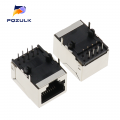
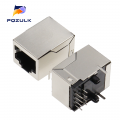
There are some listed as 'ethernet socket pcb' on AliExpress for very little money which when you remove the damaged ethernet socket could be soldered onto the PCB.
If the PCB is not damaged, and you can remove the old one without damaging it, and you can get the exact replacement, you might be able to fix it. Wha is your skill level?
Yes, it should be the same as inside the laptop. An RJ45 female ethernet socket. But before you order it maybe a good idea to open up the laptop and check.
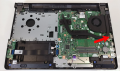
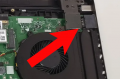
From the link, I am looking for a Dell Vostro 15 3568. I have found the image below which I hope is the inside of the Dell Vostro 15 3568. And I think but not sure the ethernet socket is located where the arrow is pointing.
But, there are also some videos on YouTube of people stripping down the Dell Vostro 15 3568 if you care to look.
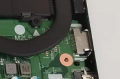
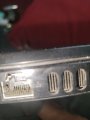
No, sorry. Ignore that last message. I found the User manual and this is the ethernet socket next to the power socket at the back of the laptop on the left. The photo below is looking at the bottom of the laptop.
The red arrow in post #12 is the VGA connector.
No, sorry. Ignore that last message. I found the User manual and this is the ethernet socket next to the power socket at the back of the laptop on the left. The photo below is looking at the bottom of the laptop.
The red arrow in post 12 is the VGA connector.
well, that does not look at all like a standard RJ45,
its probably designed for DELL , they do that a lot.
might even be part of the case.
I'd strongly suggest that you talk to the friend that's going to help you
other suggestion, cable tie a usb to ethernet cable to your laptop security port point,
then you wont loose it
Is the damage to the ETHERNET (RJ45) connector visible? That would be bent wires. If not,it may be just a failed solder connection to the mother board. Computer main boards are multi-layer types and it is very challenging to remove a soldered in connector without damage to the board. Re-heating the connections is a possible fix, removing the connector to replace it will probably destroy the board.
I'd be VERY reluctant to attempt a novice repair when there's a know "solution" (the USB to Ethernet dongle). Yes it's a little inconvenient but nothing compared to the time spent on research, take-apart and rebuild times, and most of all the risk of doing irreversible damage. Modern boards are multilayer and can be very hard to desolder and re-solder, even for those with equipment and a greater skill level.
If you can examine the existing jack and find, for instance, a broken wire, well that might be something that can be fixed.
If the bent wires are not bent excessively then it may be possible to repair the damage using one of the pointed soldering tools that are available, good light, and a vast amount of patience. I have repaired exactly that type of connector of a cable tester, which was damaged by a fool who did not know that a 6 conductor plug must never be forced into an 8 conductor socket.
If the TS does not have the patience then I suggest replacing the computer.

 Facebook
 Google
 GitHub
 Linkedin